
MECO ELEVERDE MECO-VC2
MECO ELEVERDE Compressed Air Duster Electric User Manual
Model: MECO-VC2 | Brand: MECO ELEVERDE
1. Introduction
This manual provides detailed instructions for the safe and efficient operation, maintenance, and troubleshooting of your MECO ELEVERDE 4-in-1 Compressed Air Duster Electric. This versatile device combines the functions of an air duster, mini vacuum cleaner, air blower, and air pump, designed for various cleaning and inflation tasks.
2. Product Features
- Powerful Brushless Motor: Equipped with a 120W brushless motor, providing strong blowing power up to 130,000 RPM and suction power up to 18,000 Pa. Operates with 20% lower noise compared to similar devices.
- 3-Speed Power Regulation: Features three adjustable airflow modes (low, medium, high) to suit various cleaning needs, enhancing efficiency.
- Quick Charging & Long Battery Life: Achieves full charge in approximately 2 hours using a Type-C charging cable. Provides 15 to 35 minutes of continuous operation depending on the selected speed. A battery indicator light displays the current battery status.
- Multi-functional Design (4-in-1):
- Air Duster: For blowing away dust from electronics, keyboards, and hard-to-reach areas.
- Mini Vacuum: For suctioning dust, crumbs, and pet hair from surfaces like car seats, carpets, and desks.
- Air Blower: Can be used for tasks such as starting fires or drying surfaces.
- Air Pump: Capable of inflating items like swimming rings and air mattresses, or deflating storage bags to save space.
- Dual Filtration System: Incorporates one stainless steel filter and two HEPA filters for effective dust filtration and clean air output. Filters are washable, detachable, and replaceable.
- Large Dust Collection Bin: Features a 400ML capacity dust collection bucket, reducing the frequency of emptying.
- Thoughtful Design: Includes a 180° rotatable handle for comfortable use in both blowing and vacuuming modes, and an integrated LED light to illuminate dark crevices during cleaning.
- Portable & Compact: Designed for easy transport and storage, ideal for use in cars, offices, or homes.

Image: Illustration of the powerful 120W brushless motor with 130,000 RPM capability.
3. Package Contents
Your MECO ELEVERDE Compressed Air Duster Electric package includes the following items:
- 1x MECO ELEVERDE 4-in-1 Device
- 1x Brush Blowing Nozzle
- 1x Floor Brush
- 1x Vacuum Nozzle with Brush
- 1x Air Bed Exhaust Nozzle
- 1x Blow Nozzle
- 1x Brush Blow Nozzle
- 1x Swimming Ring Blow Nozzle
- 1x Air Bed Blow Nozzle
- 3x Additional Brushes (Cleaning Brush Kit)
- 1x Tweezers
- 1x 2-in-1 Key Puller
- 1x Type-C Charging Cable
- 2x HEPA Filters (in addition to the pre-installed stainless steel filter)
- 1x Dust Cup (integrated)
- 1x PU Bag (carrying case)
- 1x Fleece Bag
- 1x Extended Vacuum Hose

Image: The MECO ELEVERDE 4-in-1 device shown with its comprehensive set of accessories and carrying case.
4. Setup and Charging
4.1 Initial Charging
Before first use, fully charge the device. Connect the provided Type-C charging cable to the device's charging port and a compatible 5V/2A power adapter (not included). The battery indicator lights will illuminate during charging and turn solid when fully charged. A full charge typically takes approximately 2 hours.
Note: The cordless vacuum cleaner cannot be used while charging.
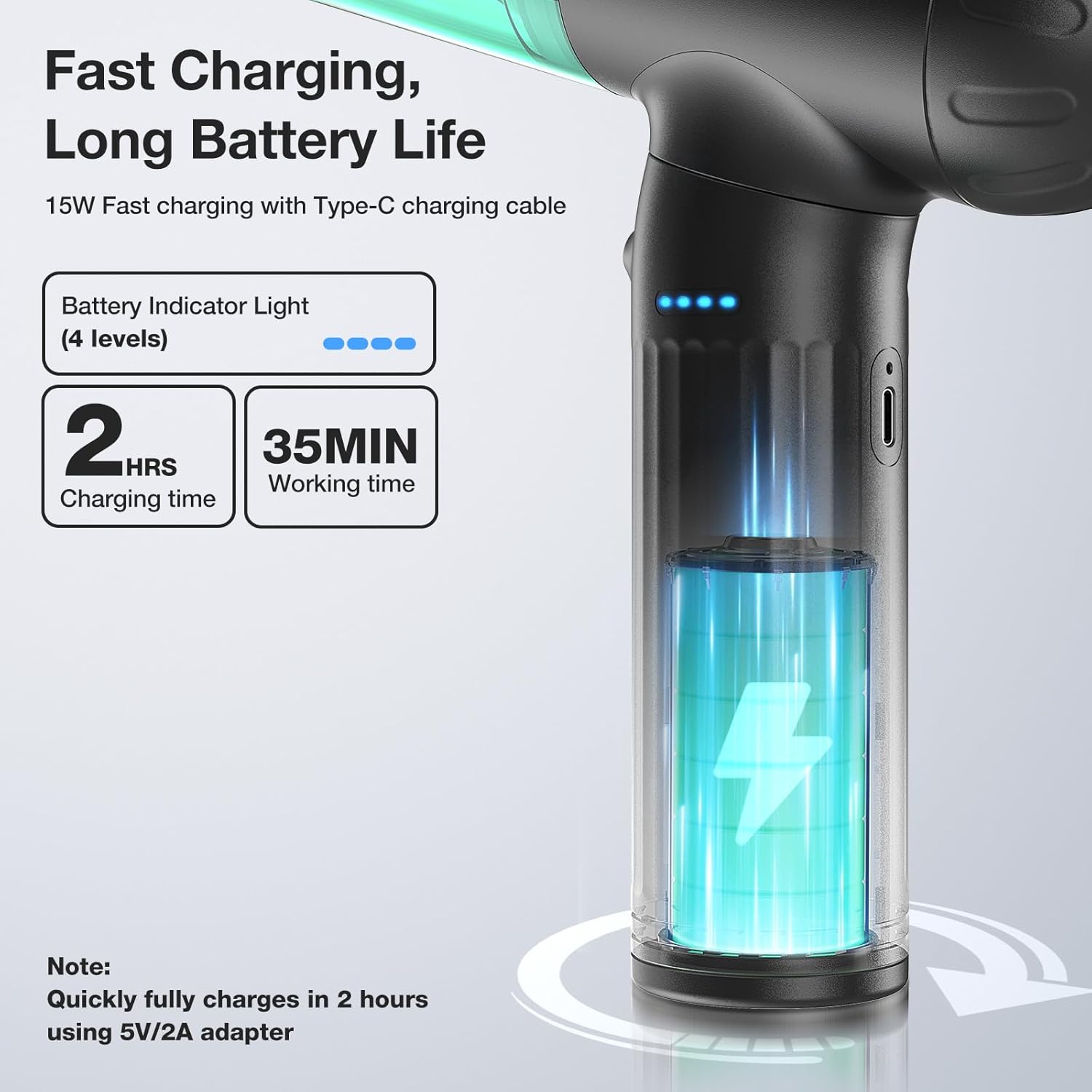
Image: Visual representation of the Type-C charging port and the 4-level battery indicator lights.
4.2 Attaching Accessories
The device features a rotatable handle to optimize ergonomics for both vacuuming and dusting/blowing functions. Ensure the handle is oriented correctly for the desired function before attaching nozzles.
- For Vacuuming: Rotate the handle so the dust collection bin faces forward. Attach the desired vacuum nozzle (e.g., vacuum nozzle with brush, extended hose, floor brush) to the front opening.
- For Dusting/Blowing/Pumping: Rotate the handle so the motor outlet faces forward. Attach the appropriate blowing or pumping nozzle (e.g., blow nozzle, brush blowing nozzle, inflatable nozzle) to the motor outlet.

Image: The device demonstrating its 180° rotatable handle and the integrated LED light for improved visibility.
5. Operating Instructions
To operate the device, press the power button. Pressing it repeatedly will cycle through the three speed settings (low, medium, high). The LED light can be activated independently by pressing the light button, providing illumination for dark areas.
5.1 Using as an Air Duster
Attach a blow nozzle or brush blowing nozzle to the motor outlet. Direct the airflow towards the area to be cleaned, such as computer keyboards, PC components, or car vents. The powerful airflow will dislodge and remove dust and debris.

Image: The MECO ELEVERDE device being used to dust a laptop keyboard.
5.2 Using as a Mini Vacuum Cleaner
Attach a vacuum nozzle (e.g., vacuum nozzle with brush, extended hose, or floor brush) to the dust collection bin opening. Turn on the device and select the desired suction power. Use the vacuum to pick up crumbs, dust, pet hair, and small debris from various surfaces.

Image: A collage showing the device being used with different attachments for blowing dust from a keyboard, inflating a swimming ring, and vacuuming a desk.
5.3 Using as an Air Blower/Pump
Attach the appropriate inflatable nozzle to the motor outlet. For inflation, connect the nozzle to the item's valve (e.g., swimming ring, air mattress) and turn on the device. For deflation, attach the vacuum nozzle to the dust collection bin opening and use the vacuum function to remove air from storage bags.
6. Maintenance
6.1 Emptying the Dust Collection Bin
Regularly empty the 400ML dust collection bin to maintain optimal suction performance. To empty, twist and detach the dust collection bin from the main unit. Dispose of the collected debris and reattach the bin securely.
6.2 Cleaning and Replacing Filters
The device uses a dual filtration system consisting of a stainless steel filter and two HEPA filters. These filters are washable and replaceable.
- Remove the dust collection bin.
- Carefully remove the stainless steel filter and HEPA filters.
- Rinse the filters under running water until clean. Ensure they are completely dry before reinserting.
- For optimal performance, replace HEPA filters periodically, especially if suction power decreases significantly or if filters are visibly damaged.

Image: Cutaway view illustrating the 400ML dust collection bin and the dual filtration system with stainless steel and HEPA filters.
6.3 General Cleaning
Wipe the exterior of the device with a soft, damp cloth. Do not use harsh chemicals or abrasive cleaners. Ensure all parts are dry before storage.
7. Troubleshooting
| Problem | Possible Cause | Solution |
|---|---|---|
| Device does not turn on. | Low battery or not charged. | Charge the device fully. Ensure the charging cable and adapter are working. |
| Weak suction/blowing power. | Dust bin full, filters clogged, or incorrect nozzle attachment. | Empty the dust bin. Clean or replace filters. Ensure the correct nozzle is securely attached for the desired function. |
| Device stops unexpectedly. | Overheating or low battery. | Allow the device to cool down. Recharge the battery. |
| LED light not working. | Light button not pressed or malfunction. | Press the dedicated light button. If still not working, contact customer support. |
8. Specifications
- Model: MECO-VC2
- Motor: 120W Brushless Motor
- Blowing Power: Up to 130,000 RPM
- Suction Power: Up to 18,000 Pa
- Speed Settings: 3 (Low, Medium, High)
- Charging Time: Approx. 2 hours (with 5V/2A adapter)
- Runtime: 15 to 35 minutes (depending on speed)
- Dust Bin Capacity: 400ML
- Filtration: 1x Stainless Steel Filter, 2x HEPA Filters
- Dimensions: 11.81 x 10.63 x 3.94 inches
- Item Weight: 2.38 pounds
- Batteries: 3 Lithium Ion batteries (included)
- Color: Green
9. Warranty and Support
For warranty information, technical support, or any inquiries regarding your MECO ELEVERDE product, please refer to the contact details provided on the product packaging or visit the official MECO ELEVERDE website. Please retain your proof of purchase for warranty claims.
Ask a question about this manual
Ask about setup, troubleshooting, compatibility, parts, safety, or missing instructions. Manuals+ will review the question and use this page’s manual context to help answer it.