
Product Overview
The IFAE Radio Frequency Skin Tightening Device (Model: IRON-001) is a versatile 3-in-1 beauty tool designed for facial skin rejuvenation. It combines advanced AI skincare technology with microcurrent, red light therapy, and thermal massage to enhance skin tightness, hydration, and texture.
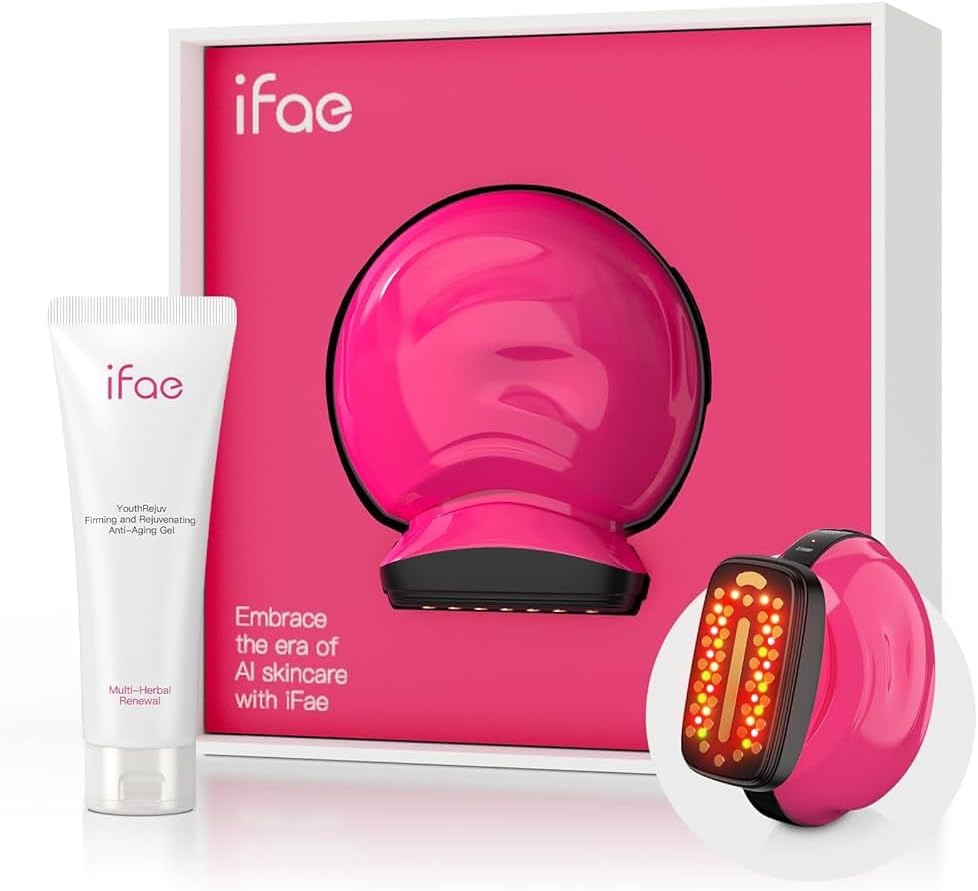
Image: The IFAE Radio Frequency Skin Tightening Device in its packaging, alongside a tube of YouthRejuv Firming and Rejuvenating Anti-Aging Gel.
Key Features
- Advanced AI Skincare Technology: Utilizes gentle waves to enhance skin tightness, hydration, and texture, including EMS (Electrical Muscle Stimulation) therapy.
- 3-in-1 Red Light Care: Integrates gentle heat and red light to improve blood flow, repair skin layers, promote firmness and fullness with active ions, and assist in acne treatment.
- Quick Rejuvenation: Delivers noticeable lifting and tightening effects, improving skin definition and reducing fine lines when used with a hydrating gel.
- Convenient & Portable Design: Compact and lightweight, allowing for professional-quality skincare at home or on the go.
Setup
- Unboxing: Carefully remove all components from the packaging. Ensure the device, charging cable, and any accompanying gel are present.
- Initial Charge: Before first use, fully charge the device using the provided USB cable. The charging indicator lights will confirm charging status.
- Familiarization: Review the device's buttons and indicators. The device features three modes: Eye, V-Lift, and Stamp.
Video: "Steps for Usage" - Demonstrates the unboxing and initial setup of the IFAE device, including identifying components and charging.
Operating Instructions
- Prepare Skin: Ensure your face and neck are clean and dry. Apply a hydrating gel (such as the iFae YouthRejuv Firming and Rejuvenating Anti-Aging Gel) generously to the treatment area. This is crucial for effective microcurrent delivery.
- Power On: Press and hold the power button to turn on the device.
- Select Mode: Press the mode selection button to cycle through the available modes:
- Eye Mode: For delicate areas around the eyes to smooth wrinkles.
- V-Lift Mode: To define jawline and lift facial contours.
- Stamp Mode: For tightening and repairing skin, delivering targeted pulses.
- Adjust Intensity: Use the intensity buttons (up/down arrows) to select your desired level. Start with a lower intensity and gradually increase as comfortable.
- Application: Gently apply the device to the face and neck area in an upward motion. For optimal results, follow the recommended usage patterns for each mode as described in the detailed manual. The device maintains a precise temperature of 43 degrees Celsius for comfortable and safe use.
Video: "Luxury skincare routine with iFae beauty" - Demonstrates the application of the device with gel and highlights its features during a skincare routine.
Video: "Microcurrent Facial Device" - Provides a detailed overview of the device's functions and how to use it for various facial treatments.
Maintenance
- Cleaning: After each use, wipe the device's treatment head with a soft, damp cloth to remove any residual gel. Do not submerge the device in water.
- Storage: Store the device in a cool, dry place, away from direct sunlight and extreme temperatures. Use the provided pouch for protection.
- Charging: Recharge the device when the battery indicator is low to ensure optimal performance for future uses.
Video: "The Most Effective Device" - Showcases the device's features and ease of use, implicitly covering aspects of handling and care.
Troubleshooting
| Problem | Possible Cause | Solution |
|---|---|---|
| Device does not turn on. | Low battery or not charged. | Charge the device fully. Ensure the charging cable is properly connected. |
| No sensation during use. | Insufficient gel applied or dry skin. | Apply more hydrating gel to the skin. Ensure skin is adequately moisturized. Increase intensity setting. |
| Lights are not working correctly. | Device malfunction. | Contact customer support for assistance. |
Specifications
- Model Number: IRON-001
- Brand: IFAE
- Color: White
- Material: Plastic, Metal, Acrylonitrile Butadiene Styrene (ABS)
- Power Source: 1 Lithium Ion battery (included)
- Dimensions: 9.06 x 7.44 x 3.19 inches
- Weight: 1.68 Pounds
- Skin Type Compatibility: All
Warranty and Support
For warranty information, product support, or any inquiries, please refer to the official IFAE website or contact their customer service directly. Keep your purchase receipt for warranty claims.
Legal Disclaimer: Statements regarding dietary supplements have not been evaluated by the FDA and are not intended to diagnose, treat, cure, or prevent any disease or health condition.