
Product Overview
The amazon basics Wireless Gaming Mouse is designed for enhanced gaming and productivity, offering versatile connectivity and customizable features. It provides a comfortable ergonomic design for extended use and precise control.
- Dual Connectivity: Seamlessly switch between Bluetooth 5.1 and 2.4 GHz wireless for stable, reliable connections.
- Customizable Buttons: Enjoy enhanced functionality and full control with 7D customizable buttons for a personalized experience.
- Adjustable DPI Settings: Customize your experience with selectable DPI options (1600/2400/3200) for precision or speed based on your preferences.
- Rechargeable Battery: Keep powered up with a 450 mAh Li-ion battery and convenient Type-C charging port for uninterrupted convenience.
- Versatile Compatibility: Seamlessly compatible with iPad, MacBook, tablets, PCs, and smart TVs, offering versatility for various devices and applications.
- Ergonomic Comfort: The ergonomic design prioritizes comfort, making long gaming or work sessions more enjoyable and fatigue-free.
Product Components
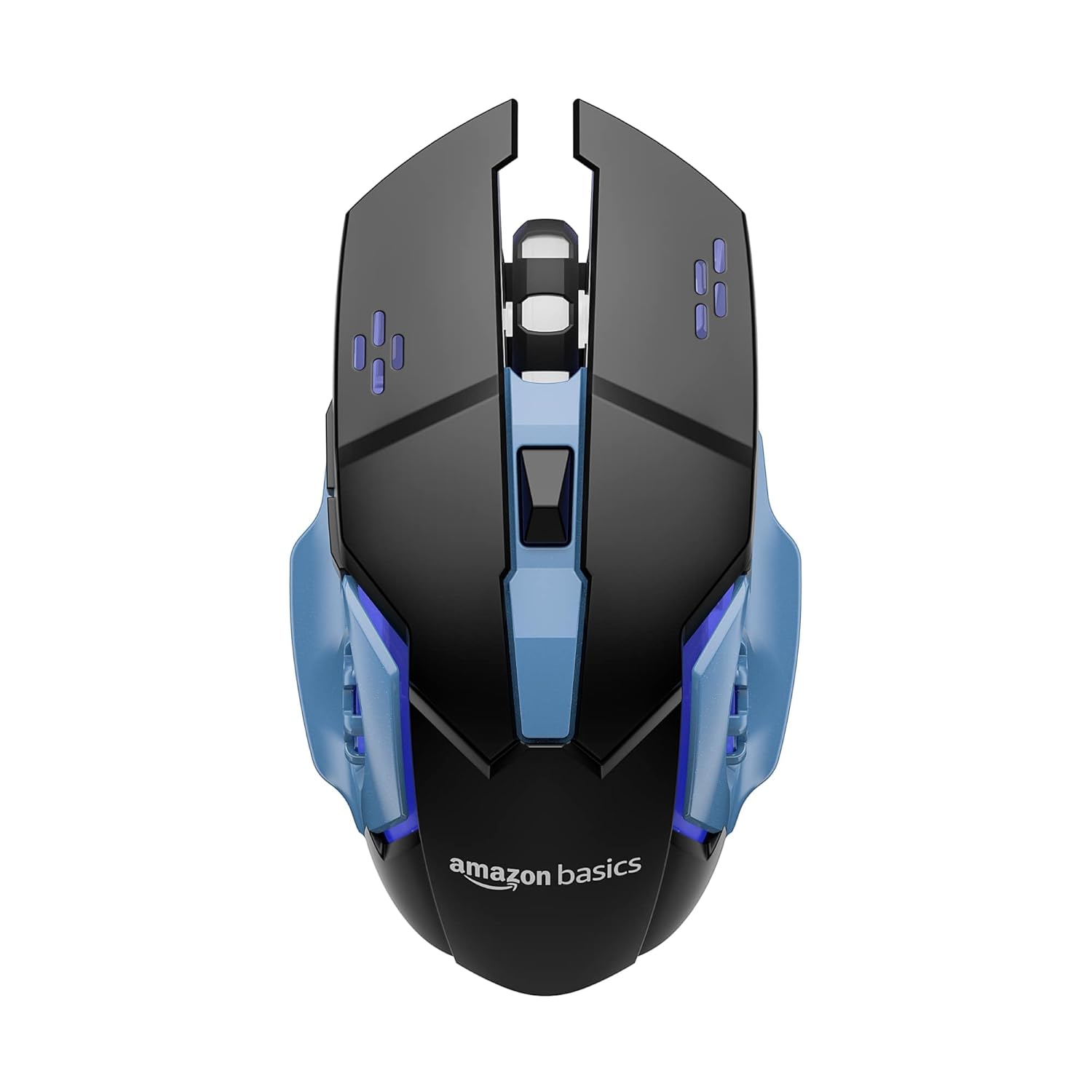
Figure 1: Top view of the amazon basics Wireless Gaming Mouse, showcasing its ergonomic design and button layout.
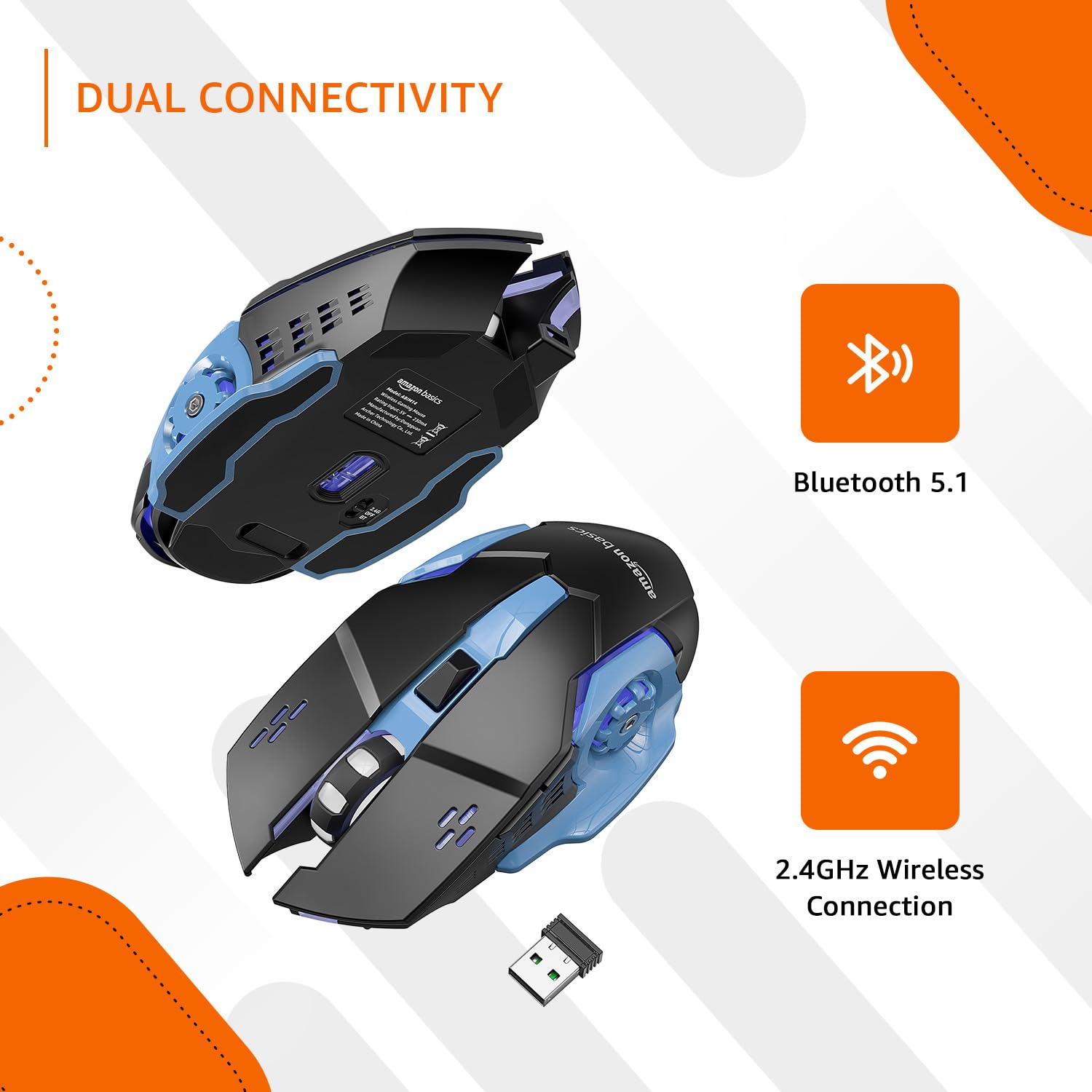
Figure 2: Illustration of the mouse's dual connectivity options: Bluetooth 5.1 and 2.4 GHz wireless, with the USB receiver shown.
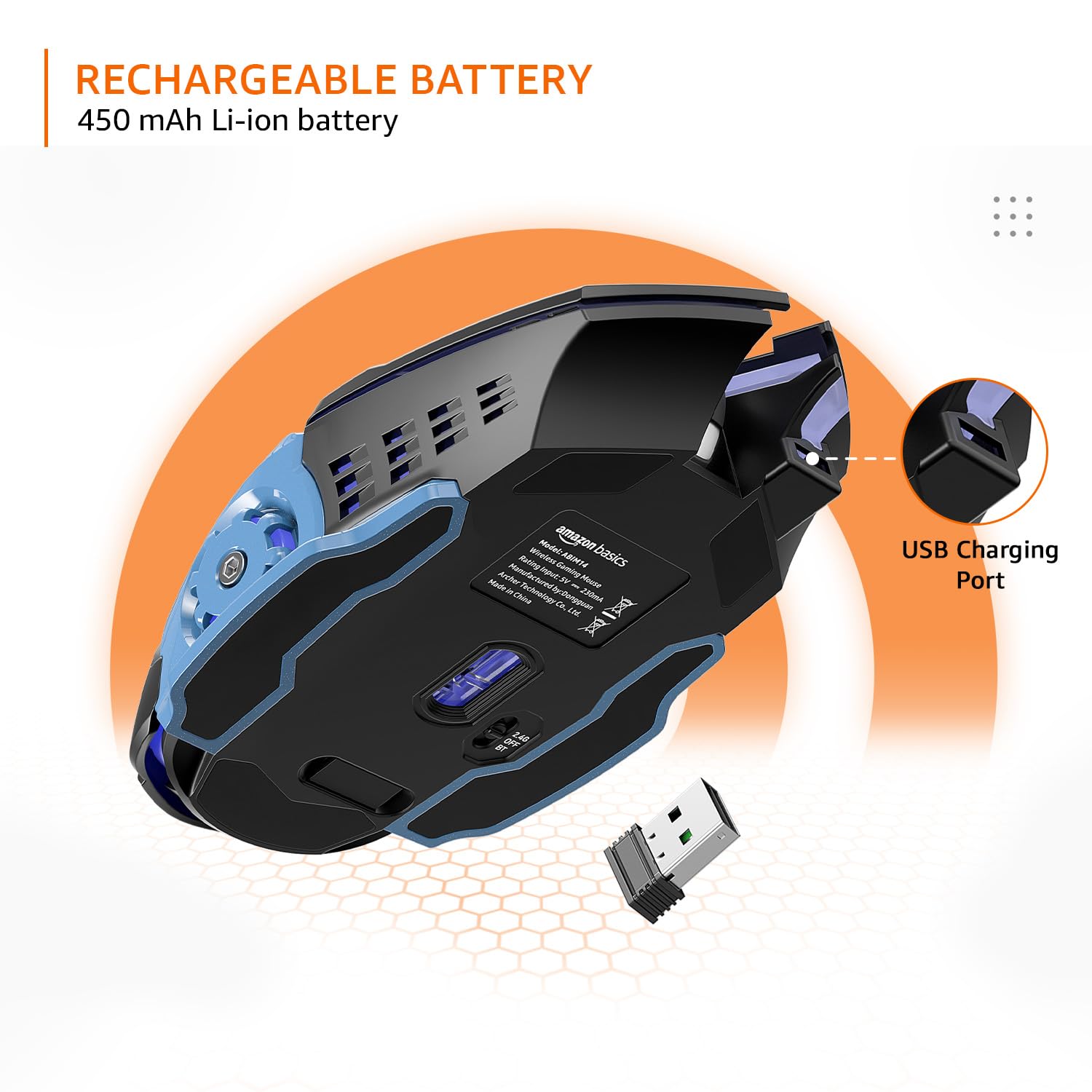
Figure 3: View of the mouse highlighting its 450 mAh Li-ion rechargeable battery and the convenient Type-C charging port.

Figure 4: Underside view showing the 2.4G/OFF/BT toggle switch and the storage slot for the USB receiver.

Figure 5: Top view indicating the DPI +/- button for adjusting sensitivity.

Figure 6: Diagram illustrating the 7 customizable buttons: Left-Click, Right-Click, Scroll Wheel, DPI +/-, Forward, and Backward buttons.
Setup Guide
Charging the Mouse
Before first use, fully charge the mouse using the provided Type-C USB cable. Connect the cable to the mouse's Type-C charging port and the other end to a USB power source (e.g., computer USB port, USB wall adapter). The LED indicator will show charging status.
2.4 GHz Wireless Connection
- Locate the USB receiver stored in the compartment on the underside of the mouse.
- Plug the USB receiver into an available USB port on your computer or device.
- Slide the toggle switch on the underside of the mouse to the "2.4G" position.
- The mouse should automatically connect to your device. If not, try moving the mouse closer to the receiver or re-inserting the receiver.
Bluetooth 5.1 Connection
- Slide the toggle switch on the underside of the mouse to the "BT" position.
- The mouse will enter pairing mode (LED indicator may flash).
- On your device (iPad, MacBook, PC, Smart TV), go to Bluetooth settings and search for new devices.
- Select "amazon basics Gaming Mouse" (or similar name) from the list of available devices to pair.
- Once paired, the LED indicator will become solid or turn off, indicating a successful connection.
Operating Instructions
Adjusting DPI Settings
The mouse features adjustable DPI settings to control cursor sensitivity and speed. The available DPI options are 1600, 2400, and 3200. To change the DPI, press the DPI +/- button located on the top of the mouse, behind the scroll wheel. Each press will cycle through the available DPI settings.
Using Programmable Buttons
The mouse is equipped with 7 customizable buttons. These include Left-Click, Right-Click, Scroll Wheel (click), DPI +/-, Forward, and Backward buttons. The Forward and Backward buttons are typically located on the left side of the mouse. For advanced customization and programming of these buttons, third-party software compatible with your operating system may be required. Please refer to your operating system's peripheral settings or search for compatible gaming mouse software.
Switching Connectivity Modes
To switch between 2.4 GHz wireless and Bluetooth modes, use the toggle switch on the underside of the mouse. Set it to "2.4G" for wireless receiver connection or "BT" for Bluetooth connection. Ensure the mouse is in the correct mode for your desired connection type.
Maintenance
- Cleaning: Use a soft, dry cloth to clean the mouse. For stubborn dirt, a slightly damp cloth can be used, but ensure no moisture enters the mouse. Avoid harsh chemicals or abrasive cleaners.
- Battery Care: To prolong battery life, avoid fully discharging the battery frequently. Charge the mouse when the low battery indicator appears. If storing the mouse for an extended period, charge it to about 50% before storage.
- Storage: Store the mouse in a cool, dry place away from direct sunlight and extreme temperatures.
Troubleshooting
| Problem | Possible Cause | Solution |
|---|---|---|
| Mouse not responding (2.4 GHz) | Low battery; Receiver not plugged in; Incorrect mode; Interference. | Charge the mouse; Ensure receiver is securely plugged in; Set toggle switch to "2.4G"; Move closer to receiver; Try a different USB port. |
| Mouse not responding (Bluetooth) | Low battery; Not paired; Incorrect mode; Bluetooth off on device. | Charge the mouse; Re-pair the mouse (see Setup Guide); Set toggle switch to "BT"; Ensure Bluetooth is enabled on your device. |
| Buttons not customizable | No dedicated software; Operating system limitations. | This mouse may require third-party software for advanced button customization. Check your operating system's peripheral settings for basic remapping. |
| Cursor movement is erratic | Dirty sensor; Uneven surface; Interference. | Clean the optical sensor on the underside of the mouse; Use on a clean, flat, opaque surface; Reduce wireless interference. |
Specifications
| Feature | Detail |
|---|---|
| Brand | amazon basics |
| Model Number | ABIM14 |
| Connectivity Technology | Bluetooth 5.1, 2.4 GHz Wireless |
| DPI Settings | 1600 / 2400 / 3200 |
| Buttons | 7 Programmable Buttons |
| Battery Type | 450 mAh Li-ion (Rechargeable) |
| Charging Port | Type-C USB |
| Dimensions (LxWxH) | 13.15 x 4 x 0.1 cm |
| Item Weight | 90 g |
| Hardware Platform | Personal Computer, Tablet |
| Operating System Compatibility | Chrome OS (and generally compatible with Windows, macOS, iPadOS) |
Official Product Video
Video: An official overview of the amazon basics Wireless Gaming Mouse, highlighting its key features and benefits such as dual connectivity, customizable buttons, and adjustable DPI settings.
Warranty and Support
This amazon basics Wireless Gaming Mouse comes with a 1 Year Warranty from the date of purchase. For warranty claims, technical support, or further assistance, please refer to the contact information provided with your product packaging or visit the official amazon basics support page on Amazon.in.
For additional product details and customer reviews, please visit the product page on Amazon.in.


