
Gaiatop AF-01
Gaiatop AF-01 5-Inch Desk Fan Instruction Manual
Model: AF-01 | Brand: Gaiatop
1. Introduction
Thank you for choosing the Gaiatop AF-01 5-Inch Desk Fan. This compact and powerful electric fan is designed to provide efficient air circulation and cooling in various indoor environments. Please read this manual thoroughly before use to ensure proper operation, maintenance, and safety.
2. Important Safety Instructions
Always follow basic safety precautions when using electrical appliances to reduce the risk of fire, electric shock, and personal injury.
- Read all instructions before using this fan.
- Do not operate any fan with a damaged cord or plug. Discard fan or return to an authorized service facility for examination and/or repair.
- Do not run cord under carpeting. Do not cover cord with throw rugs, runners, or similar coverings. Arrange cord away from traffic area and where it will not be tripped over.
- Do not immerse fan in water or other liquids.
- Close supervision is necessary when any appliance is used by or near children.
- Unplug from outlet when not in use, when moving fan from one location to another, and before cleaning.
- Do not operate in the presence of explosive and/or flammable fumes.
- Do not place fan or any parts near an open flame, cooking or other heating appliance.
- Avoid contact with moving parts.
- To disconnect, grip plug and pull from wall outlet. Never yank on cord.
- Always use on a dry, level surface.
- This product is intended for household use ONLY and not for commercial or industrial use.
3. Package Contents
- Gaiatop AF-01 Desk Fan
- AC Power Cord (attached)
- User Manual

Figure 3.1: Packaging contents including the fan, AC plug, and user manual.
4. Product Overview
The Gaiatop AF-01 is a compact and powerful 5-inch desk fan designed for personal cooling and air circulation. Its features include:
- Compact and Powerful Design: Measuring only 4.33"D x 5.59"W x 5.65"H and weighing 0.73 lb, this fan combines deep-pitched blades and an aerodynamic design to circulate strong airflow.
- Convenient & Portable: Powered by an AC plug with a 4.92 ft undetachable cable, it includes 4 rubber pads to reduce vibration and prevent slipping, making it ideal for various settings.
- 360° Adjustable Tilt: Manually adjust the fan head 360 degrees to direct airflow precisely where needed. It features 3 manual speed settings.
- Whisper-Quiet Cooling: Equipped with an upgraded motor, the fan operates with minimal noise (30dB) while delivering a maximum wind speed of 6.2 m/s.
- Energy Efficient: Rated at 120V 6.8 Watts, it is designed to be energy-saving.

Figure 4.1: Front view of the Gaiatop AF-01 Desk Fan.

Figure 4.2: Dimensions and power button location on the fan.
5. Setup
- Unpack: Carefully remove the fan and all packaging materials from the box.
- Placement: Place the fan on a stable, flat, and dry surface. Ensure there is adequate space around the fan for proper airflow.
- Connect Power: Plug the attached AC power cord into a standard 120V electrical outlet.
6. Operating Instructions
The Gaiatop AF-01 Desk Fan features simple button controls for ease of use.
- Power On/Off: Press the power button located on the back of the fan to turn it on. Press it again to cycle through speeds or turn off.
- Adjusting Fan Speed: The fan has 3 speed settings. Press the power button repeatedly to cycle through Low (1st), Medium (2nd), and High (3rd) speeds.
- Adjusting Tilt: Manually grasp the fan head and tilt it to your desired angle. The fan supports a full 360-degree vertical rotation.

Figure 6.1: Illustration of the three fan speeds and their wind velocity.
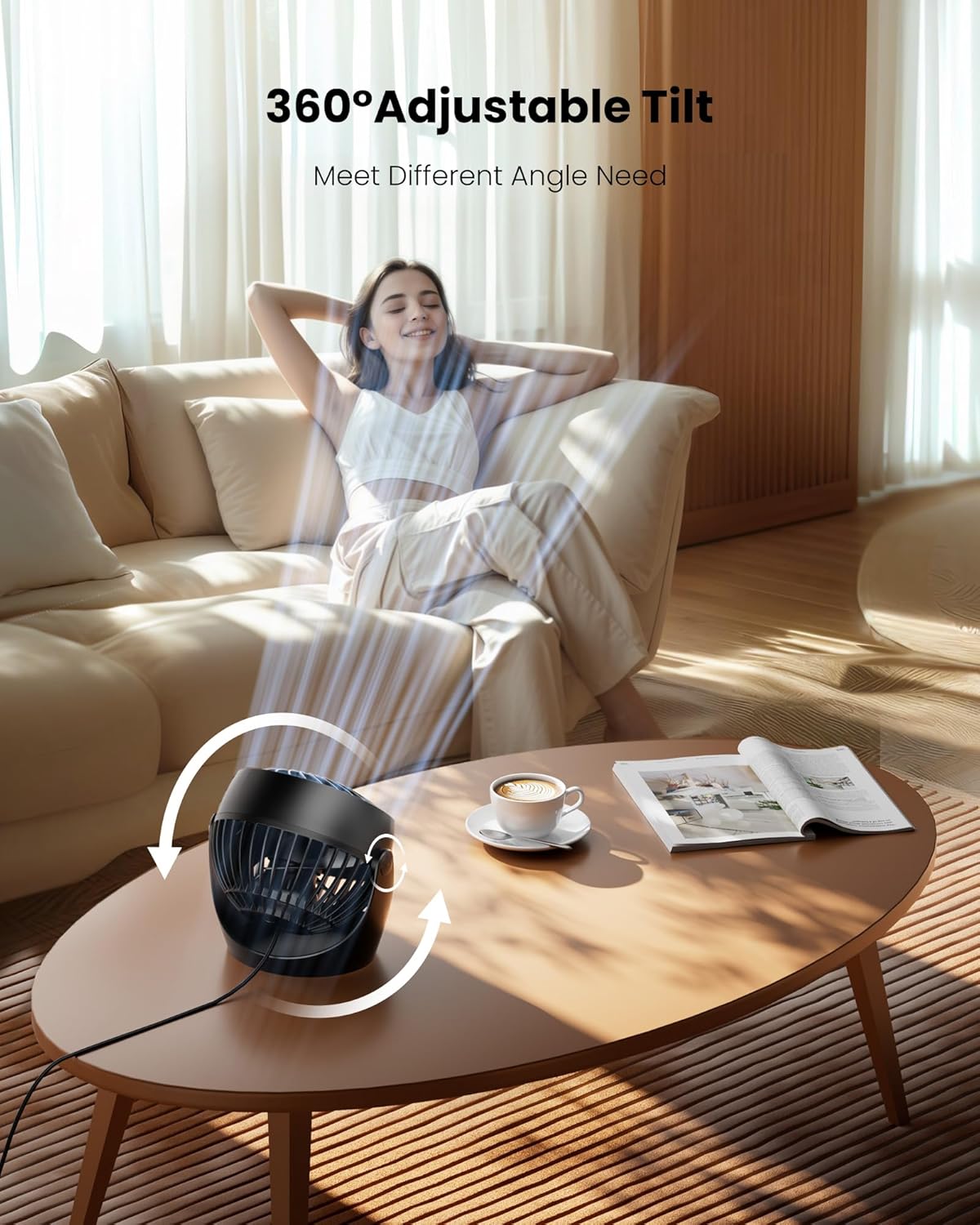
Figure 6.2: The fan head can be manually adjusted 360 degrees.
7. Maintenance
Regular cleaning helps maintain the fan's performance and extends its lifespan.
- Unplug: Always unplug the fan from the power outlet before cleaning.
- Clean Exterior: Use a soft, damp cloth to wipe the exterior surfaces of the fan. Do not use abrasive cleaners or solvents.
- Clean Blades: The front cover of the fan can be detached for easy cleaning of the blades and grille. Gently twist the front cover counter-clockwise to remove it. Wipe the blades with a soft cloth. Ensure all parts are dry before reassembling.

Figure 7.1: Steps for detaching the front cover and cleaning the fan blades.
8. Troubleshooting
| Problem | Possible Cause | Solution |
|---|---|---|
| Fan does not turn on. | Not plugged in; Power outlet not working; Power button not pressed. | Ensure the fan is securely plugged into a working outlet. Press the power button on the back of the fan. |
| Weak airflow. | Fan speed set too low; Obstruction in front/back of fan; Dirty blades. | Increase the fan speed. Remove any obstructions. Clean the fan blades as per maintenance instructions. |
| Unusual noise or vibration. | Fan not on a stable surface; Loose parts; Debris in fan blades. | Place the fan on a stable, flat surface. Check for any loose parts or debris and clean if necessary. |
9. Specifications
| Feature | Detail |
|---|---|
| Brand | Gaiatop |
| Model Name | AF-01 |
| Color | Black |
| Electric Fan Design | Table Fan |
| Power Source | AC |
| Product Dimensions (D x W x H) | 4.33"D x 5.59"W x 5.65"H |
| Item Weight | 282 Grams |
| Special Feature | Powerful wind, 360° Adjustable Tilt |
| Recommended Uses | Indoor (Bathroom, Bedroom, Dining Room, Home Office, Kids Room, Kitchen, Living Room, Nursery) |
| Mounting Type | Free Standing |
| Controller Type | Button Control |
| Number of Speeds | 3 |
| Noise Level | 30 Decibels |
| Wattage | 6.8 watts |
| Voltage | 120 Volts |
| Material | Plastic |
| Blade Material | Plastic |
10. Warranty and Support
Gaiatop products are manufactured to the highest quality standards. For warranty information or customer support, please refer to the contact details provided on the product packaging or visit the official Gaiatop website. Please retain your proof of purchase for any warranty claims.
Related Documents - AF-01
 |
GAIATOP TF61 Portable USB Desk Fan - Quiet, 4-Speed Cooling Explore the features and specifications of the GAIATOP TF61 portable USB desk fan. This quiet, adjustable fan offers 4 speed settings, ideal for home and office use. |
 |
Gaiatop HW-03 Hand Warmer User Manual User manual for the Gaiatop HW-03 Hand Warmer, providing detailed information on product parameters, operation instructions, battery status, usage environments, and important safety cautions. Learn how to use and care for your portable hand warmer. |
 |
Gaiatop TF30 Desktop Fan User Manual User manual for the Gaiatop TF30 desktop fan, providing product parameters, assembly instructions, cleaning and maintenance guidelines, and important cautions. |
 |
GAIATOP TF55 Desktop Fan User Manual User manual for the GAIATOP TF55 desktop fan, providing detailed information on product parameters, usage instructions, cleaning, maintenance, safety precautions, and regulatory compliance. |
 |
GAIATOP HF-02 Handheld Fan User Manual User manual for the GAIATOP HF-02 Handheld Fan, detailing product parameters, operating instructions, charging, maintenance, and safety precautions. |
 |
GAIATOP TF55 USB Desk Fan User Manual User manual for the GAIATOP TF55 USB Desk Fan, detailing product specifications, usage instructions, cleaning, maintenance, and safety precautions. |