
Introduction
This instruction manual provides essential information for the proper setup, operation, and maintenance of your Generic Replacement Remote Control, compatible with MILEXUS 06-5FHW53-D006X Smart 4K LCD LED HDTV TV. Please read this manual thoroughly before use to ensure optimal performance and longevity of your remote control.
Setup
1. Inserting Batteries
The remote control requires two AAA batteries (not included). Follow these steps to install them:
- Locate the battery compartment cover on the back of the remote control.
- Press down on the tab and slide the cover downwards to open it.
- Insert two new AAA batteries, ensuring the positive (+) and negative (-) terminals align correctly with the markings inside the compartment.
- Slide the battery compartment cover back into place until it clicks securely.
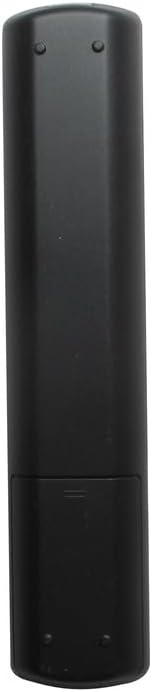
Image: Back of the remote control with the battery compartment open, illustrating the correct orientation for inserting two AAA batteries.
2. Initial Use
This remote control is pre-programmed for the MILEXUS 06-5FHW53-D006X Smart 4K LCD LED HDTV TV. No additional programming is required. Once batteries are correctly installed, the remote is ready for immediate use.
Operating Instructions
Familiarize yourself with the buttons and their functions:

Image: Front view of the remote control, displaying the layout of all functional buttons.
- Power Button (●): Turns the TV on or off.
- Number Buttons (0-9): Directly select channels.
- Volume Up/Down (VOL +/-): Adjusts the sound volume.
- Channel Up/Down (CH +/-): Changes the TV channel.
- Mute Button (🔇): Mutes or unmutes the TV sound.
- Source Button (SOURCE): Cycles through input sources (HDMI, AV, etc.).
- Navigation Buttons (Up, Down, Left, Right, OK): Used to navigate menus and confirm selections.
- Smart App Button (Smart App): Accesses the TV's smart application menu.
- WWW Button: Likely for web browser access.
- Media Control Buttons (Play, Pause, Stop, Rewind, Fast Forward): Controls media playback.
- Color Buttons (Red, Green, Yellow, Blue): Functionality varies by TV menu or application.
Maintenance
Battery Replacement
Replace batteries when the remote control becomes unresponsive or its range decreases significantly. Always replace both batteries at the same time with new AAA batteries. Do not mix old and new batteries, or different types of batteries.
Cleaning
Wipe the remote control with a soft, dry cloth. Do not use liquid cleaners or abrasive materials, as these can damage the surface or internal components.
Troubleshooting
| Problem | Possible Cause | Solution |
|---|---|---|
| Remote control is not working. |
|
|
| Buttons are unresponsive. |
|
|
Specifications
- Product Model Number: 6a385831-2a75-4976-b567-e264b0b4e867
- Compatible TV Model: MILEXUS 06-5FHW53-D006X Smart 4K LCD LED HDTV TV
- Power Source: 2 x AAA Batteries (not included)
- Special Feature: No Programming Required
- Max Number of Supported Devices: 1
- Color: As shown (Black)
- Manufacturer: Generic
Warranty and Support
This product is a generic replacement remote control. For specific warranty information, please refer to the seller's policy at the time of purchase. Typically, replacement remote controls come with a limited return period. For technical support or further inquiries, please contact the seller directly through the platform where the purchase was made.
Note: This remote control is manufactured by Generic and is designed to be compatible with the specified MILEXUS TV model. It is not an official MILEXUS product.