
Introduction
This manual provides detailed instructions for the assembly, operation, and maintenance of your Bestier Full Bed Frame with Upholstered Headboard and Charging Station. Please read all instructions carefully before beginning assembly and retain this manual for future reference.
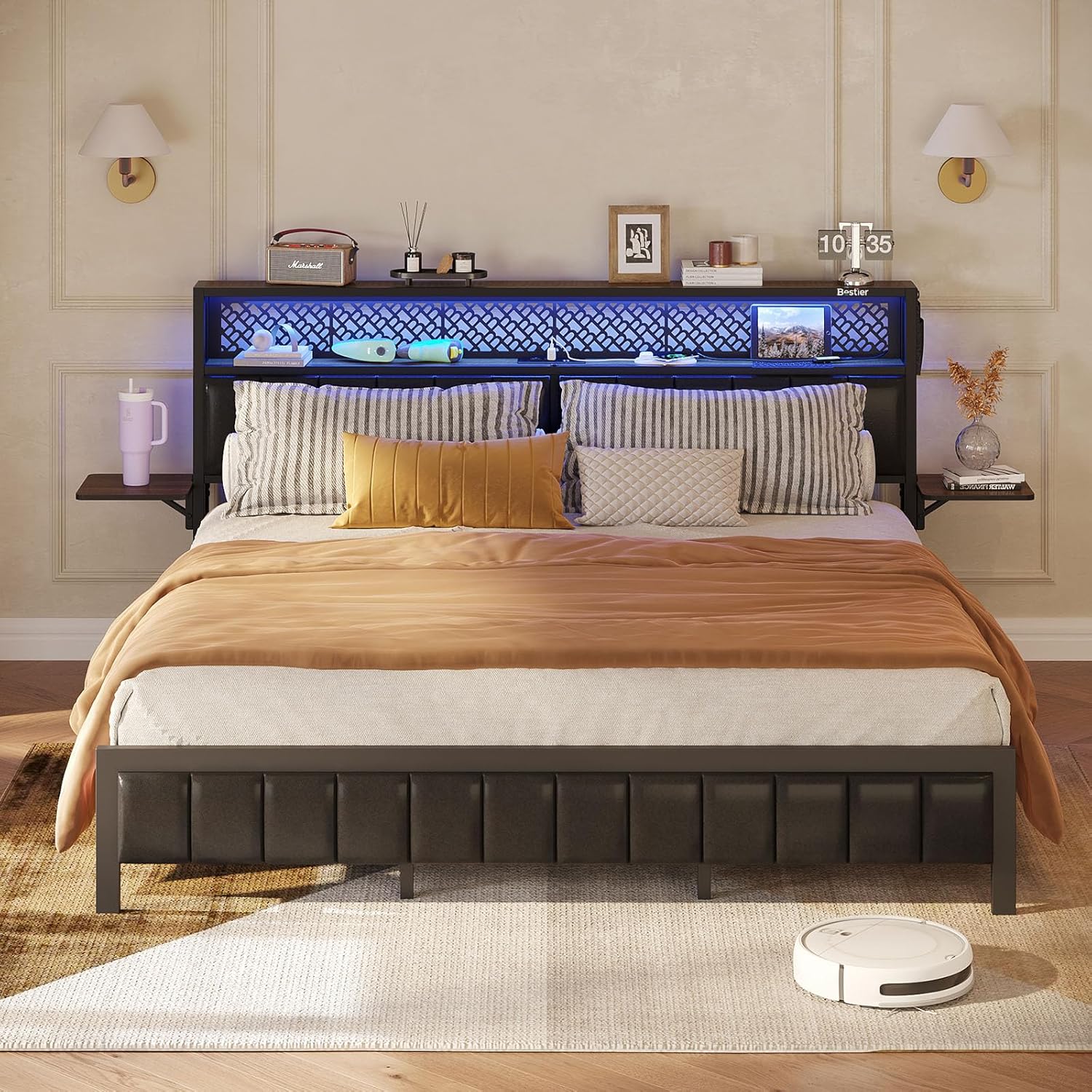
Image: The Bestier Full Bed Frame with its upholstered headboard, integrated charging station, and folding bedside shelves.
Important Safety Information
WARNING:
- Do not exceed the maximum load capacity of 1500 pounds.
- Exercise caution during assembly to avoid pinch points.
- Assemble the bed frame carefully to ensure stability. Improper assembly can lead to instability.
- While designed to be noise-free, this feature does not indicate structural integrity. Always ensure all connections are secure.
Package Contents
Before beginning assembly, verify that all components and tools are present. If any parts are missing or damaged, please contact customer support.
- Basic Bed Frame Components (metal frame, slats, headboard sections)
- Upholstered Headboard Panels
- Folding Bedside Shelf Units
- Integrated Charging Station Unit
- LED Light Strip and Controller
- Installation Tools and Accessories (wrenches, screws, bolts, etc.)

Image: The Bestier Full Bed Frame structure, illustrating the metal frame, headboard, and slat system before mattress placement.
Assembly Instructions
Assembly is designed to be straightforward. It is recommended to have two people for easier and quicker assembly. Please follow the numbered steps provided in the separate assembly guide included with your package. Below are general guidelines and key features related to assembly:
- Unpack and Organize: Lay out all components and hardware. Refer to the parts list to ensure everything is present.
- Frame Assembly: Connect the main metal frame sections using the provided bolts and tools. Ensure all connections are tightened securely.
- Slat Installation: Attach the metal slats to the frame. The design includes noise insulation strips to reduce friction and ensure a quiet sleep experience.
- Headboard Attachment: Secure the upholstered headboard panels and the pegboard shelf to the main frame.
- Charging Station & LED Setup: Integrate the charging station and attach the LED light strip as per the specific instructions.
- Folding Bedside Shelves: Install the folding bedside shelves on either side of the headboard.
- Final Checks: Double-check all bolts and connections to ensure the frame is stable and secure before placing your mattress.
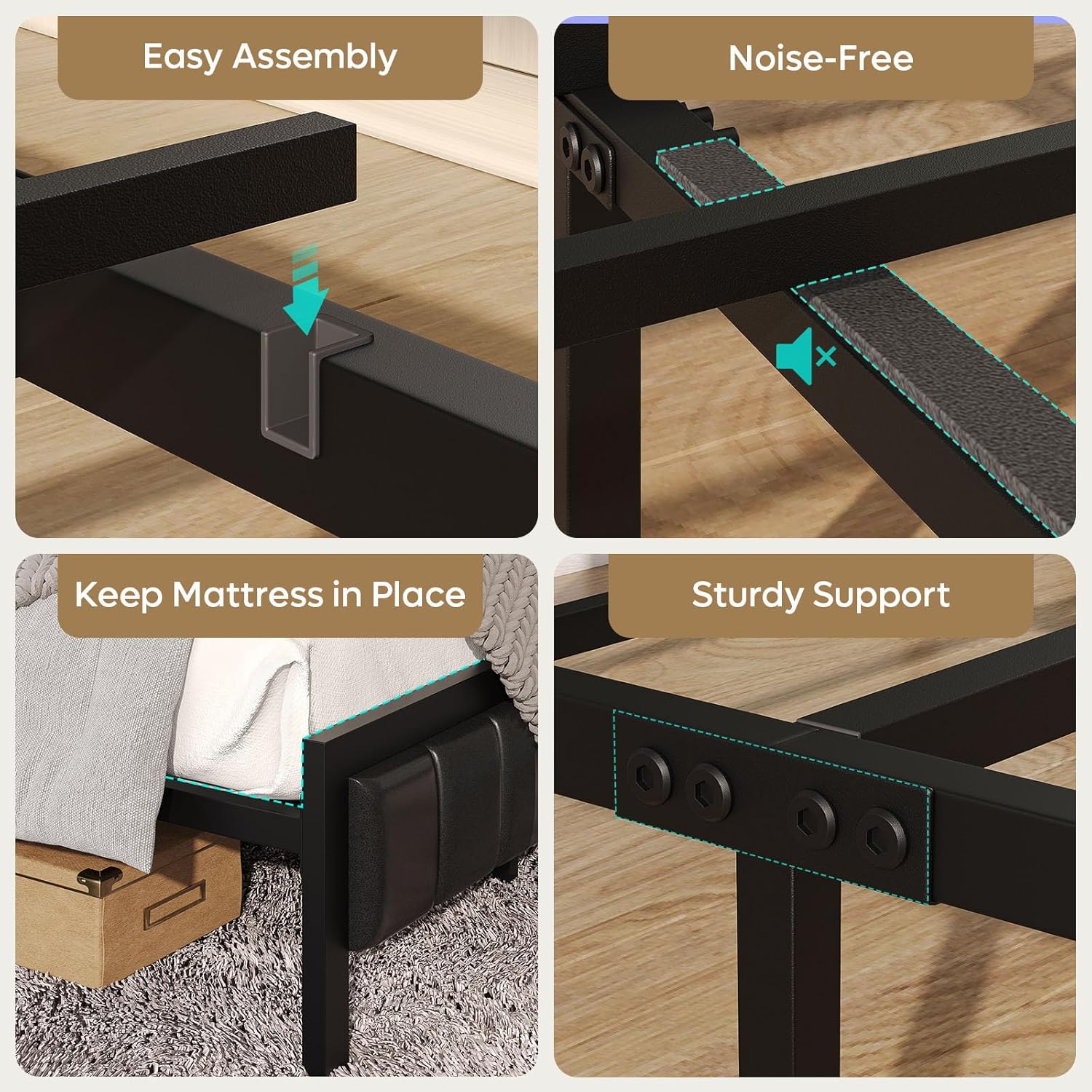
Image: Visual guide highlighting key assembly features such as easy connection points, noise-reduction strips, mattress anti-slip design, and robust support structure.
Operating Instructions
Charging Station
The headboard features a convenient charging station to power your electronic devices.
- Ports: Includes 2 AC outlets, 2 USB ports, and 1 Type-C port.
- Usage: Plug your phone, tablet, headphones, or other compatible devices directly into the available ports for charging.

Image: A detailed view of the charging hub, showing the AC outlets, USB ports, and Type-C port for convenient device charging.
LED Lighting
The integrated RGB LED strip offers customizable ambient lighting.
- Colors: Choose from 20 static colors.
- Modes: Select from 19 dynamic speed modes to match your preference.
- Control: Use the inline controller to adjust colors, modes, and brightness.
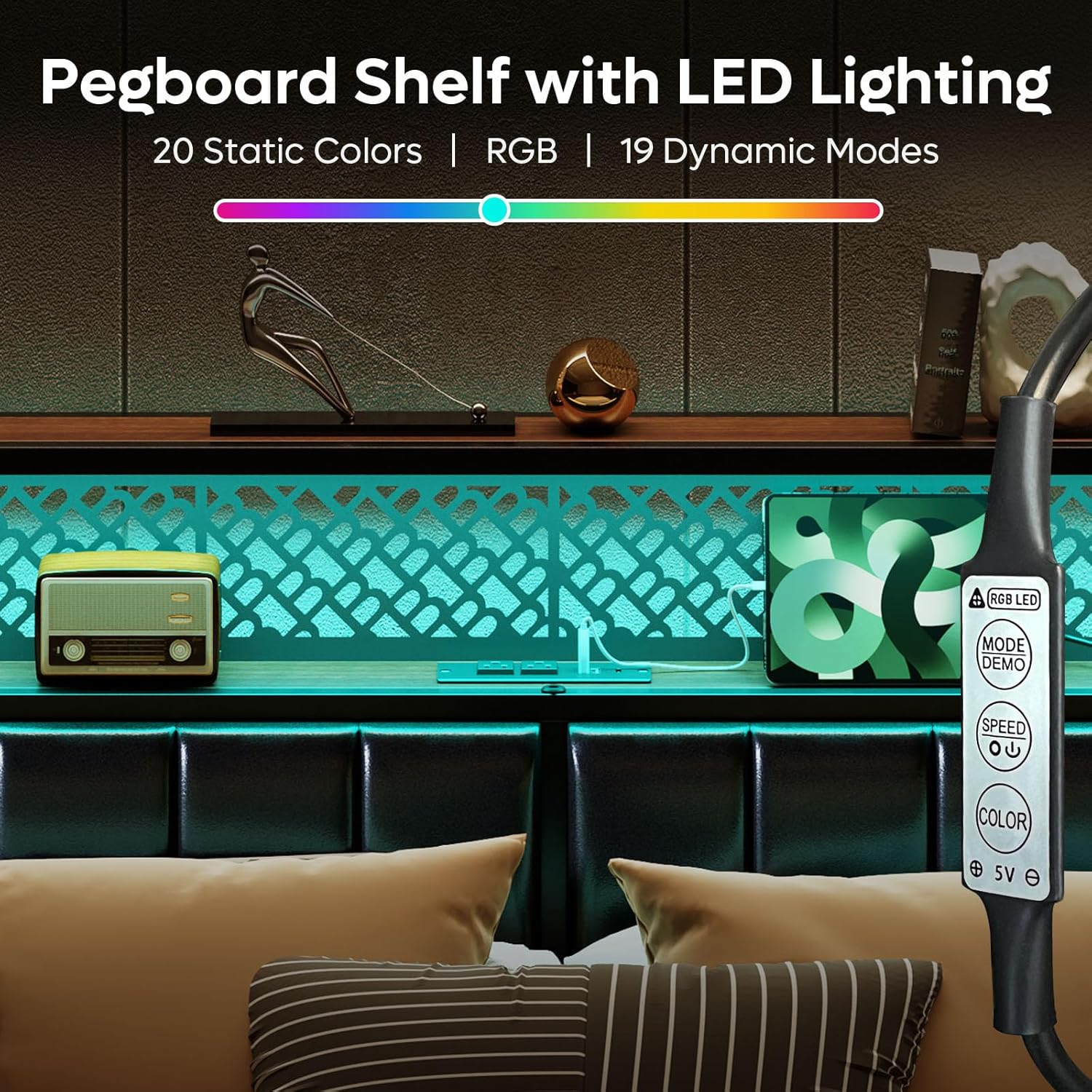
Image: The pegboard shelf illuminated by LED lighting, with a close-up of the LED controller for color and mode selection.
Folding Bedside Shelves
The bed frame includes two foldable bedside shelves for flexible space utilization.
- Deployment: Gently pull the shelves outwards to extend them for use.
- Storage: Push the shelves inwards to neatly tuck them away when not needed.

Image: A visual demonstration of the folding bedside shelf, showing its ability to extend and retract.
Pegboard Shelf and Under-Bed Storage
The headboard features a pegboard design with a second-tier shelf, and the frame provides ample under-bed storage space.
- Pegboard Shelf: Utilize the 6.64-inch high second-tier shelf for decorative items or frequently used essentials.
- Under-Bed Storage: The 10.5-inch high clearance beneath the bed frame allows for convenient storage of boxes or other items.
Maintenance and Care
- Frame Cleaning: Wipe the metal frame with a soft, damp cloth. Avoid abrasive cleaners.
- Upholstered Headboard: For general cleaning, use a soft brush or vacuum with an upholstery attachment. For spills, blot immediately with a clean, dry cloth. Do not rub. For stubborn stains, consult a professional upholstery cleaner.
- Charging Station: Keep the charging ports free of dust and debris. Do not expose to liquids.
- LED Lights: The LED strip is low maintenance. If issues arise, check connections.
- Regular Checks: Periodically check all bolts and connections to ensure they remain tight and secure.
Troubleshooting
| Problem | Possible Cause | Solution |
|---|---|---|
| Bed frame feels unstable or wobbly. | Loose bolts or improper assembly. | Ensure all bolts are tightened according to the assembly instructions. Re-check connections. |
| Charging station ports (USB/Type-C) are not working. | Power connection issue, faulty port, or device incompatibility. | Ensure the bed frame's power cord is securely plugged into a working wall outlet. Test with different devices and cables. If issue persists, contact customer support. |
| LED lights are not turning on or changing colors. | Loose connection, faulty LED strip/controller, or power issue. | Check that the LED strip is properly connected to the power source and controller. Ensure the bed frame's power is on. If still not working, contact customer support. |
| Parts appear warped or do not fit during assembly. | Manufacturing defect or shipping damage. | Do not force parts. Immediately contact customer support with details and images of the affected parts for replacement. |
Specifications

Image: A diagram illustrating the full size bed frame dimensions and weight capacity.
- Model Number: B701098SUS-ANCA
- Size: Full
- Product Dimensions (L x W x H): 87.99" x 78.15" x 38.66"
- Color: Walnut Upholstered
- Finish Type: Laminated
- Headboard Material: Polyurethane Leather
- Item Weight: 72.8 pounds
- Weight Capacity: Up to 1500 pounds
- Special Features: 2-Tier Shelves, Foldable Bedside Shelves, Metal Bed Frame, Upholstered Headboard, Wooden Headboard, Integrated Charging Station (2 AC outlets, 2 USB ports, 1 Type-C port), RGB LED Strip (20 colors, 19-speed modes), Noise-Free Design.
- Compatible Mattress Size: Full
- Assembly Required: Yes
- Manufacturer: Bestier
Customer Support and Warranty
Bestier is committed to providing quality products and support. If you encounter any issues, have questions, or require assistance with missing parts or bent rods, please do not hesitate to contact our customer support team. We are available to provide replacement or upgrade services as needed.
For support, please refer to the contact information provided on your purchase receipt or the Bestier official website.