
Introduction
This manual provides detailed instructions for the assembly, operation, maintenance, and troubleshooting of your new Fameill Natural Vanity Desk with Full Length Mirror and Lights, Model JY9979BR01. Please read this manual thoroughly before assembly and use to ensure proper function and longevity of your product. Keep this manual for future reference.
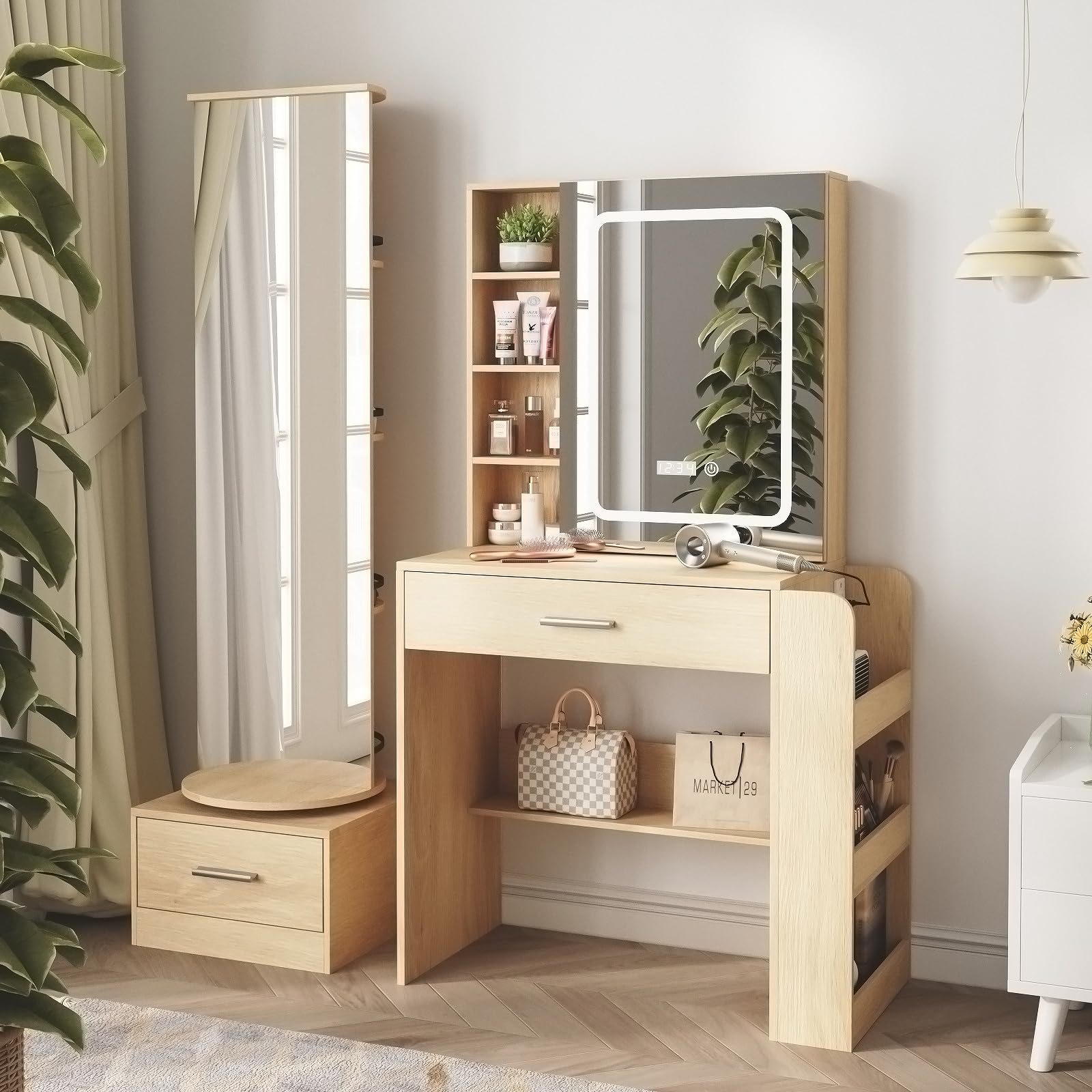
Image: The Fameill Natural Vanity Desk, showcasing its design with a lighted mirror and a rotating full-length mirror.
Safety Information
Please observe the following general warnings to ensure safe use of the product:
- Always follow assembly instructions carefully.
- Do not overload drawers or shelves.
- Ensure all electrical connections are secure and comply with local safety standards.
- Keep liquids away from electrical components, especially the charging station.
- Periodically check all fasteners to ensure they remain tight.
- Keep small parts out of reach of children during assembly.
Package Contents
Before beginning assembly, verify that all components listed below are present and undamaged. If any parts are missing or damaged, please contact customer support.
- Vanity Desk Panels (various sizes)
- Lighted Mirror Unit
- Full-Length Rotating Mirror Unit
- 2 Storage Drawers
- Power Outlet/Charging Station Module
- Assembly Hardware (screws, dowels, cam locks, etc.)
- Assembly Tools (basic wrench/screwdriver, if included)
- Instruction Manual

Image: An overview of the Fameill Natural Vanity Desk, illustrating its main components and overall structure.
Setup and Assembly
Assembly of the Fameill Natural Vanity Desk requires careful attention to detail. It is recommended to have two people for certain steps. Please follow the detailed step-by-step instructions provided in the separate assembly guide included with your product.
- Prepare Your Workspace: Clear a spacious area and lay out all components and hardware.
- Assemble the Main Desk Frame: Connect the side panels and support beams as per the diagrams.
- Install Drawers: Assemble the two storage drawers and install their slides into the main desk frame.
- Attach Lighted Mirror Unit: Secure the lighted mirror unit to the top of the main desk structure. Connect the power cable for the lights.
- Assemble and Attach Full-Length Mirror Unit: Construct the rotating full-length mirror unit and attach it to the main desk, ensuring smooth rotation.
- Install Charging Station: Integrate the power outlet and USB charging station into its designated slot and connect it to a power source.
- Final Checks: Ensure all screws are tightened, and the desk is stable.

Image: The fully assembled vanity desk, highlighting its various storage and mirror features.

Image: Detailed dimensions of the Fameill Natural Vanity Desk, useful for planning placement and assembly.
Operating Instructions
Lighted Mirror Operation
The vanity mirror features integrated LED lighting with three color modes and adjustable brightness.
- Power On/Off: Touch the sensor switch on the mirror surface to turn the lights on or off.
- Change Color Mode: Short press the sensor switch to cycle through the three light modes: Warm Yellow, Warm White, and Cool White.
- Adjust Brightness: Long press the sensor switch to adjust the brightness level within the selected color mode. Release when desired brightness is reached.

Image: Visual guide demonstrating the three light modes (Warm, Nature, Cold) and brightness adjustment for the vanity mirror.
Charging Station Use
The integrated charging station provides convenient power access for your devices.
- AC Outlets: Plug in hair dryers, curling irons, or other small appliances into the two standard 120V/12A AC outlets.
- USB Ports: Use the two 5V/2A USB ports to charge mobile phones, tablets, or other USB-powered devices.
- Power Cord: Ensure the 5.1-foot power cord is securely plugged into a wall outlet.

Image: Close-up view of the built-in charging station, showing the two AC outlets and two USB ports.
Full-Length Mirror Rotation
The full-length mirror unit is designed to rotate 360 degrees, providing access to hidden storage shelves and hooks.
- Gently grasp the edge of the full-length mirror unit.
- Rotate the unit clockwise or counter-clockwise to access the storage shelves and hooks located behind it.
- Ensure the unit rotates smoothly and does not encounter any obstructions.

Image: Diagram illustrating the 360-degree rotation capability of the full-length mirror, revealing hidden storage.
Storage Features
The vanity desk offers extensive storage solutions to keep your items organized.
- Drawers: Utilize the two large storage drawers for cosmetics, accessories, and other personal items.
- Open Shelves: The main desk features multiple open shelves for displaying frequently used items or decorative pieces.
- Hidden Shelves: The rotating full-length mirror unit conceals additional shelves for discreet storage.
- Hooks: Two hooks are provided on the side of the full-length mirror unit for hanging necklaces, scarves, or other accessories.
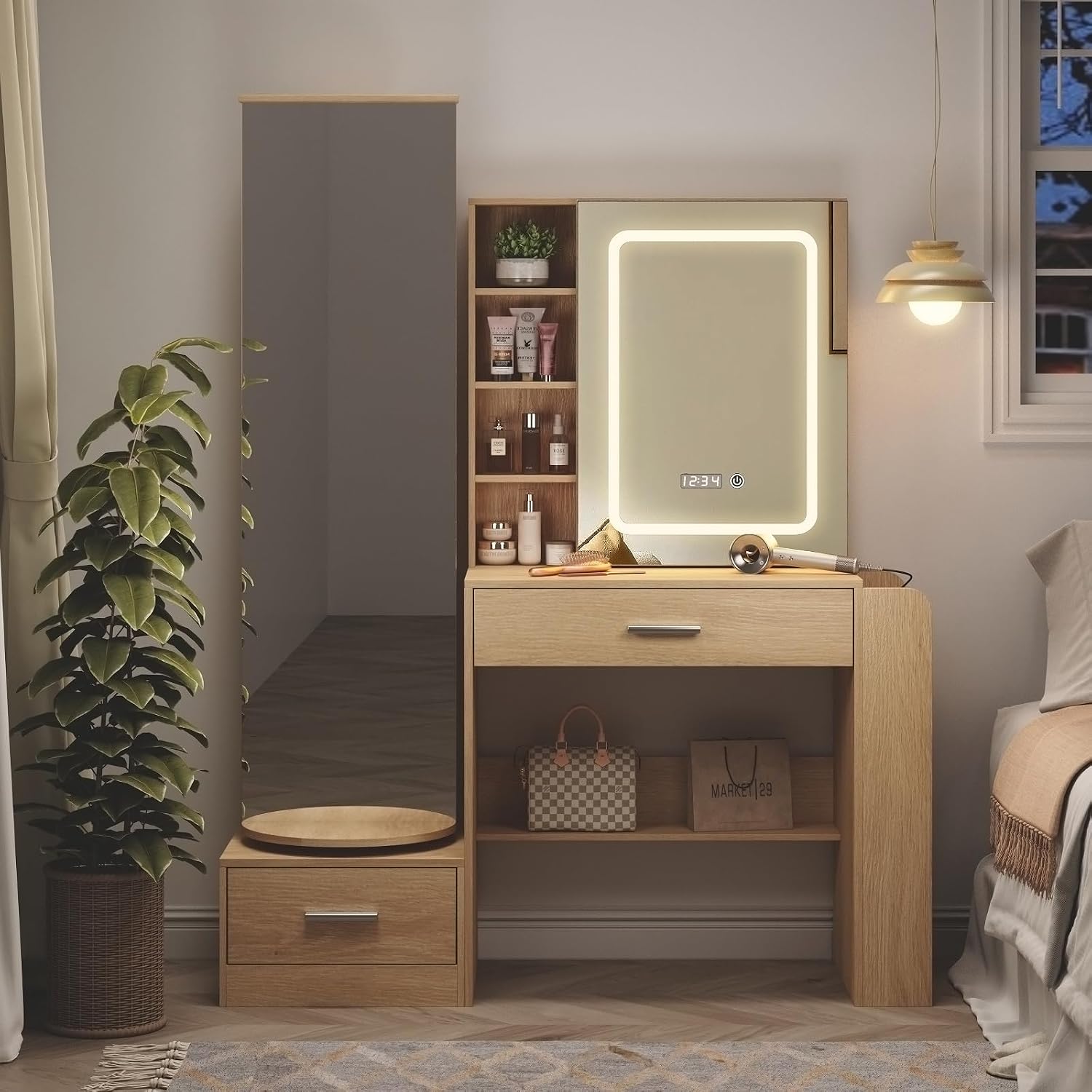
Image: A comprehensive view of the vanity desk's storage options, including drawers, open shelves, and hooks.
Maintenance
To maintain the appearance and functionality of your vanity desk, follow these simple care instructions:
- Cleaning: Wipe the surfaces with a dry, soft cloth. Avoid abrasive cleaners or harsh chemicals that may damage the finish.
- Spills: Immediately wipe up any spills to prevent staining or damage to the engineered wood.
- Mirror Care: Clean mirror surfaces with a glass cleaner and a soft, lint-free cloth.
- Electrical Components: Ensure the charging station and mirror lights are unplugged before cleaning. Do not spray liquids directly onto electrical parts.
Troubleshooting
If you encounter any issues with your vanity desk, refer to the following common problems and solutions:
- Lights Not Working:
- Ensure the power cord for the mirror is securely plugged into the charging station or a wall outlet.
- Check if the main power switch for the desk (if applicable) is on.
- Verify the wall outlet is functional by plugging in another device.
- Charging Station Not Providing Power:
- Confirm the desk's main power cord is fully plugged into a working wall outlet.
- Check if the device you are trying to charge is properly connected to the AC outlet or USB port.
- Test with a different device to rule out a device-specific issue.
- Drawers Sticking or Not Closing Smoothly:
- Ensure the drawer slides are properly aligned and free of obstructions.
- Check that the drawer contents are not interfering with closure.
- Verify all assembly screws for the drawer slides are tight.
- Full-Length Mirror Not Rotating Smoothly:
- Check for any items obstructing the rotation path.
- Ensure the base of the rotating unit is clean and free of debris.
If these steps do not resolve the issue, please contact Fameill customer support for further assistance.
Specifications
| Brand | Fameill |
| Model Number | JY9979BR01 |
| Color | Natural |
| Material Type | Engineered Wood |
| Item Dimensions (L x W x H) | 49.21 x 15.75 x 62.99 inches |
| Number of Drawers | 2 |
| Additional Features | Drawers, Full Length Mirror, Hooks, Lighted Mirror, Modes Brightness Adjustable, Charging Station (2 AC outlets, 2 USB ports) |
| Assembly Required | Yes |
| Product Care Instructions | Wipe with Dry Cloth |
Warranty and Support
For warranty information, product support, or to order replacement parts, please refer to the contact details provided in your purchase documentation or visit the official Fameill website. Please have your model number (JY9979BR01) and purchase date ready when contacting support.