
1. Introduction
The Axisflying Argus F722 Flight Controller Stack is a high-performance electronic system designed for FPV drones, integrating a Flight Controller (FC) and a 4-in-1 Electronic Speed Controller (ESC). This 65A variant is engineered for robust performance in 3-6S X8 FPV drone configurations, offering a plug-and-play solution for enthusiasts and builders. The Argus series focuses on essential PCB electronics, while the Argus PRO series features an additional full aluminum cover for IP54 protection.
2. Key Features
- Integrated 96Khz 65A BLHeli_32 4-in-1 ESC and STM32F722 Flight Controller.
- Equipped with ICM 42688P gyroscope for precise flight control.
- 16MB onboard Blackbox flash memory for flight data logging.
- Four UART ports for connecting various peripherals.
- Dual BEC outputs: 5V @ 2A and 9V @ 2A, supporting direct connection for DJI O3 Air Unit.
- Supports ESC telemetry, HD/Analog video systems, RGB LED strips, and beepers.
- GPS module compatibility for advanced navigation features.
- Supports up to 8 motor outputs for X8 drone configurations.
- Plug-and-play design for simplified assembly.
- IP54 splash-proof rating (not for immersion) with CNC aluminum heat dissipation cover for enhanced durability and thermal management.
- High-quality MOSFETs ensure low internal resistance and heat generation.
- Solder-free connections for common peripherals like HD Air Unit, analog camera, and GPS.
- Status indicator lights for quick operational status checks.
- Compatible with Betaflight and INAV firmware.
3. Product Overview
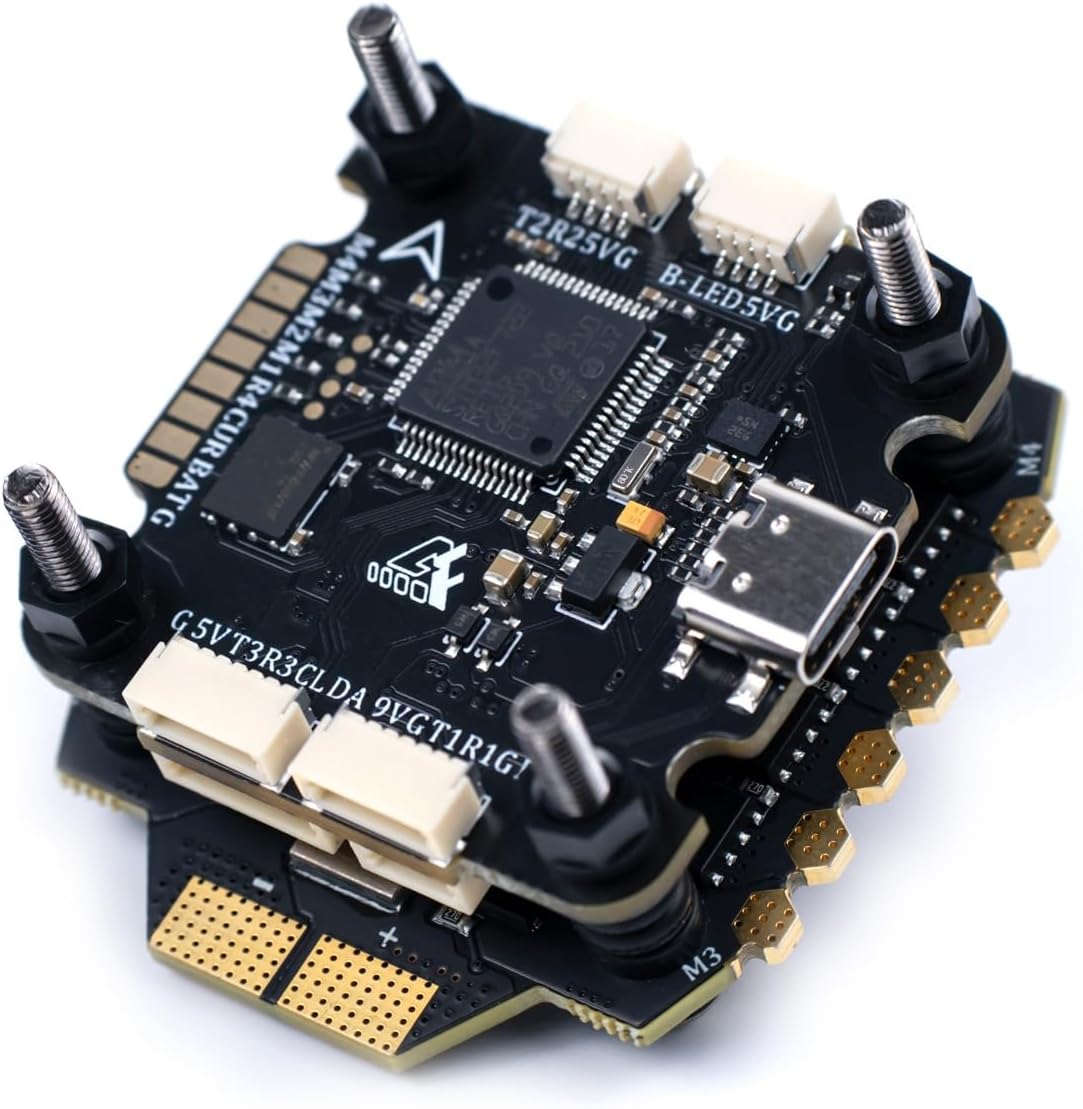
Figure 3.1: The Axisflying Argus F722 Flight Controller Stack, showcasing its compact design and integrated components.
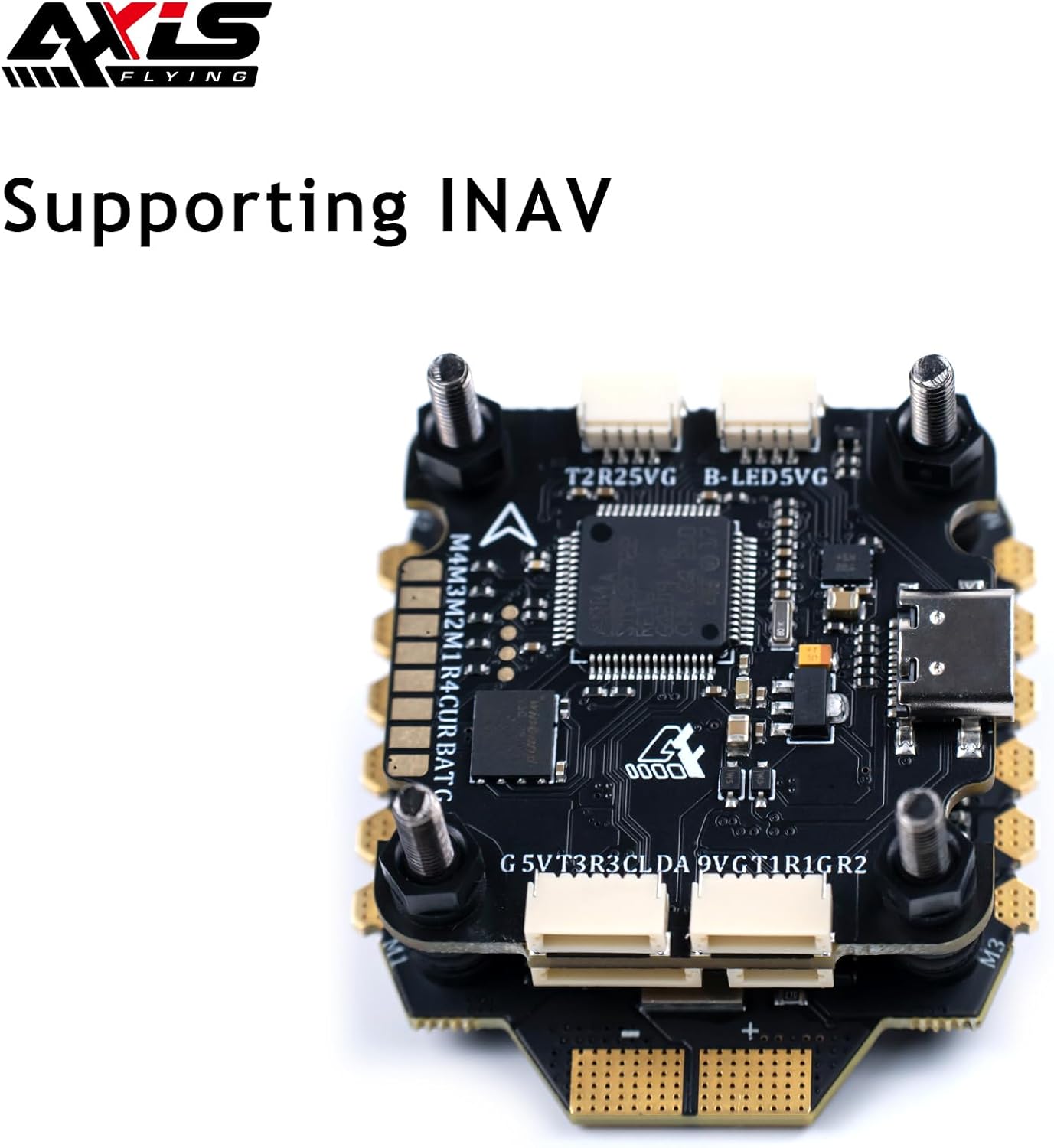
Figure 3.2: The Argus F722 Flight Controller Stack highlighting its compatibility with INAV firmware.

Figure 3.3: A visual comparison of the Argus Pro Stack and the standard Argus Stack, detailing key specifications for both FC and ESC components.
4. Technical Specifications
| Specification | Detail |
|---|---|
| Brand | Axisflying |
| Model Name | Argus F722 |
| ESC Current | 65A (Continuous) |
| Input Voltage | 3-6S LiPo (12-30V MAX) |
| FC Processor | STM32F722RET6 |
| Gyroscope | ICM 42688P |
| Blackbox | 16MB Flash |
| UART Ports | 4 |
| BEC Output | 5V @ 2A, 9V @ 2A |
| Mounting Holes | 30.5 x 30.5mm (M3) |
| Dimensions | 48.6 x 44 x 20.8 mm |
| Weight | 31g |
| Material | Aluminum |
| Connectivity | USB |
| Included Components | USB Cable |
| Skill Level | Intermediate |
| UPC | 764479632406 |
5. Setup and Installation
The Argus F722 Flight Controller Stack is designed for ease of installation with its plug-and-play functionality. Ensure all connections are made correctly to avoid damage to the components.
5.1 Wiring Diagram
For detailed connection instructions specific to your drone frame and peripherals, please refer to the official wiring diagrams available on the Axisflying website. The stack supports solder-free connections for HD Air Unit, analog camera, GPS, and other common peripherals.
5.2 Firmware Flashing
The Argus F722 FC supports both Betaflight (BF) and INAV firmware. Follow these general steps to flash and configure your FC:
- Connect the FC to your computer using the provided USB cable.
- Open the appropriate configurator software (e.g., Betaflight Configurator or INAV Configurator).
- Select the correct target for the Argus F722, which is typically AXISFLYINGF7PRO.
- Flash the desired firmware version.
- Perform initial setup and calibration as guided by the configurator software.
6. Operating Instructions
6.1 Pre-Flight Checks
- Ensure all electrical and mechanical connections are secure.
- Verify the battery voltage is within the safe operating range (3-6S LiPo).
- Check propeller direction and ensure they are securely mounted.
- Confirm proper radio control link and arming switch functionality.
- Inspect the drone for any visible damage or loose components.
6.2 Flight Modes
Configure your preferred flight modes within the Betaflight or INAV configurator software. It is recommended to start with stable modes and gradually progress to more advanced modes as your skill level improves.
6.3 LED Indicators
The Flight Controller features status indicator lights. Refer to the specific firmware documentation (Betaflight or INAV) for a detailed explanation of LED patterns and their corresponding operational statuses.
7. Maintenance
- Cleaning: Gently clean the FC and ESC with a soft brush or compressed air to remove dust and debris. Avoid using liquids directly on the electronics.
- Inspection: Regularly inspect for loose connections, damaged wires, or any signs of overheating on components. Address any issues promptly.
- Firmware Updates: Periodically check for and apply firmware updates from the official Betaflight or INAV repositories to ensure optimal performance, bug fixes, and access to new features.
- Environmental Protection: While the stack has an IP54 splash protection rating, it is not designed for direct water immersion or use in heavy rain. Protect it from excessive moisture and extreme temperatures.
8. Troubleshooting
| Issue | Possible Cause | Solution |
|---|---|---|
| No power to FC/ESC | Incorrect battery connection, faulty power lead, damaged component. | Check battery polarity and connection. Inspect power leads for damage. Ensure battery is charged. |
| Motors not spinning | ESC not armed, motor direction incorrect, faulty motor/ESC, incorrect motor protocol. | Ensure FC is armed. Check motor direction in configurator. Test individual motors. Verify DShot/OneShot protocol. |
| Unstable flight | Incorrect PID tuning, unbalanced propellers, faulty gyroscope, vibration. | Review PID settings in configurator. Balance or replace propellers. Check gyroscope health. Ensure components are securely mounted. |
| USB connection issues | Driver issues, faulty USB cable, incorrect port, configurator not recognizing FC. | Install necessary VCP drivers. Try a different USB cable or port. Restart computer and configurator. |
9. Warranty Information
No specific warranty information is provided within this product documentation. For detailed warranty terms and conditions, please refer to the official Axisflying website or contact your point of purchase. It is recommended to retain your proof of purchase for any warranty claims.
10. Customer Support
For further assistance, technical support, or any inquiries regarding your Axisflying Argus F722 Flight Controller Stack, please utilize the following resources:
- Official Website: Visit the Axisflying Official Website for product updates, FAQs, and additional resources.
- Community Forums: Engage with the FPV community for shared knowledge and troubleshooting tips.
- Contact Support: Refer to the Axisflying website for direct customer service contact information.


