Introduction
This manual provides essential instructions for the setup, operation, and maintenance of your Bandai Tamagotchi Hello Kitty 50th Anniversary Special Edition virtual pet. Please read this guide thoroughly to ensure proper use and enjoyment of your device.

Image: Tamagotchi Hello Kitty 50th Anniversary Special Edition device.
Package Contents
Verify that all items are present in the package:
- One (1) Tamagotchi Hello Kitty 50th Anniversary Special Edition device
- One (1) LR44 battery (pre-installed or included separately)
- Instruction Manual (this document)

Image: Tamagotchi device in retail packaging.
Setup
1. Battery Installation
The Tamagotchi device requires one LR44 battery. A battery is typically included. If the device does not power on, or if you need to replace the battery, follow these steps:
- Locate the battery compartment on the back of the device.
- Using a small Phillips head screwdriver (not included), carefully open the battery compartment cover.
- Insert one new LR44 battery, ensuring the correct polarity (+/-) as indicated inside the compartment.
- Replace the battery compartment cover and secure it with the screw.
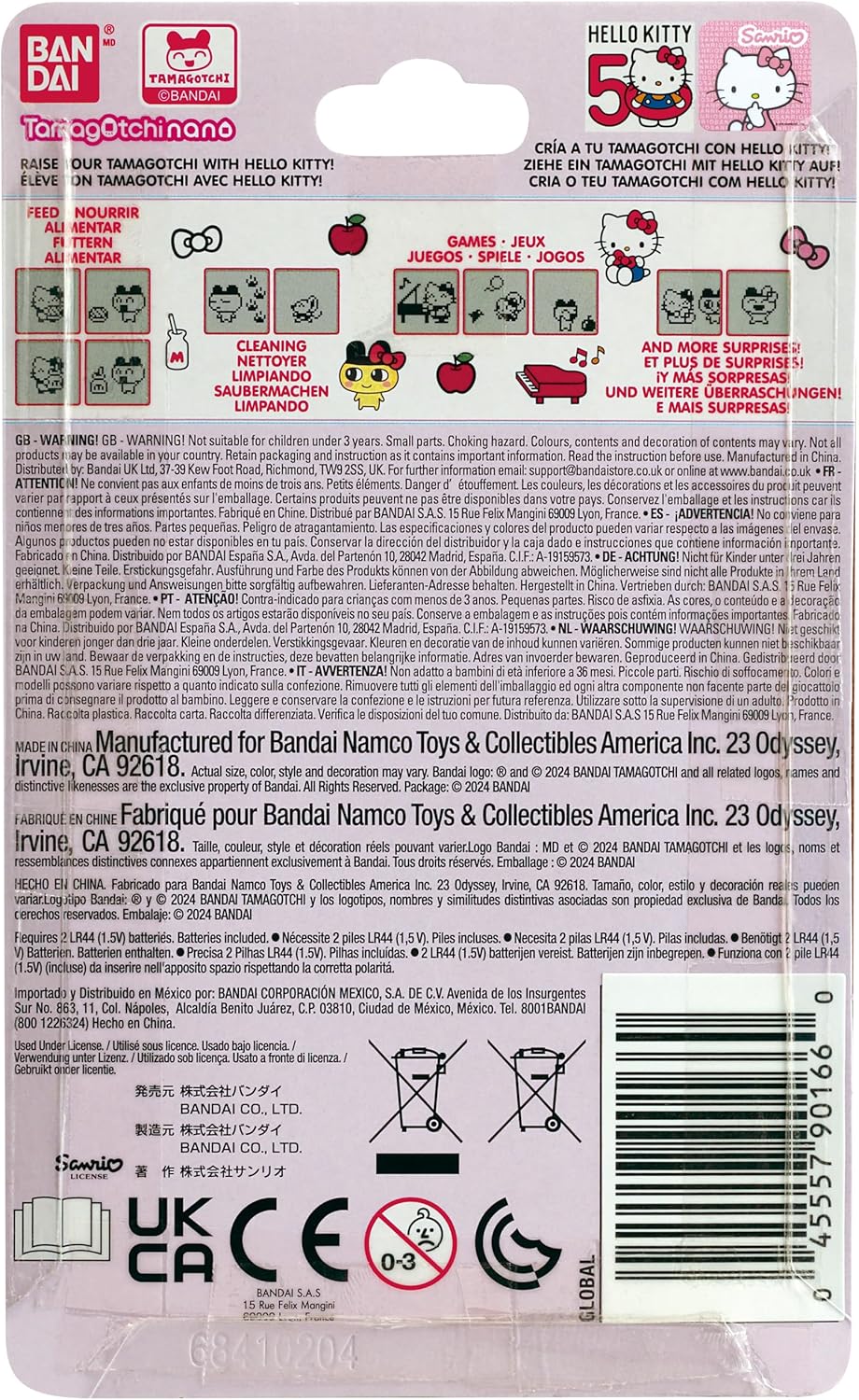
Image: Packaging detail showing battery information.
2. Initial Activation and Time Setting
After battery installation, the device should power on. If not, press the reset button (usually a small recessed button on the back or side, requiring a pointed object like a pen tip). Follow the on-screen prompts to set the current time and date. Accurate time setting is crucial for the Tamagotchi's life cycle.
Operating Instructions
Basic Controls
The Tamagotchi device features three primary control buttons:
- Button A (Left): Selects options or moves the cursor.
- Button B (Middle): Confirms selections or performs actions.
- Button C (Right): Cancels actions or returns to the previous screen.
Caring for Hello Kitty
Your Hello Kitty Tamagotchi requires daily attention to grow and thrive. Monitor her needs by checking the status icons on the screen.
- Feeding: Provide meals and snacks when Hello Kitty is hungry.
- Cleaning: Clean up after Hello Kitty when she makes a mess.
- Playing: Engage in mini-games to keep Hello Kitty entertained and happy.
- Discipline: Address misbehavior if Hello Kitty is acting out.
- Medicine: Administer medicine if Hello Kitty becomes sick.

Image: Side view of the Tamagotchi device.
Mini-Games
The device includes exclusive mini-games themed around the Hello Kitty universe. Access these games through the menu to play with Hello Kitty and improve her happiness levels.
Maintenance
Cleaning
To clean your Tamagotchi, gently wipe the exterior with a soft, dry cloth. Avoid using harsh chemicals or abrasive materials, as these can damage the device's finish or screen.
Battery Replacement
When the battery is low, the screen may dim or the device may stop responding. Refer to the "Battery Installation" section under Setup for instructions on replacing the LR44 battery.
Storage
If you plan to store the device for an extended period, it is recommended to remove the battery to prevent leakage and potential damage.
Troubleshooting
- Device not powering on:
- Check if the LR44 battery is correctly installed with the proper polarity.
- Replace the battery with a new one.
- Press the reset button using a pointed object.
- Screen is dim or unresponsive:
- The battery may be low. Replace the LR44 battery.
- Perform a soft reset by pressing the reset button. Note that this may reset game progress.
- Hello Kitty is not growing or seems unhappy:
- Ensure you are consistently attending to all of Hello Kitty's needs (feeding, cleaning, playing).
- Verify that the time and date settings are correct.
Specifications
| Model Number | 90166 |
| Brand | Tamagotchi (by Bandai) |
| Product Dimensions | 1.97"L x 1.97"W x 1.97"H |
| Item Weight | 20 Grams (0.705 ounces) |
| Screen Size | 4 Centimeters |
| Display Type | LCD |
| Power Source | Battery Powered |
| Battery Type | 1 x LR44 (Lithium) |
| Controller Type | Button Control |
| Material | Plastic |
| Recommended Age | 8 years and up |
Warranty Information
This product is covered by a manufacturer's warranty. Specific warranty terms and conditions are typically provided with the product packaging or can be found on the official Bandai Tamagotchi website. Please retain your proof of purchase for warranty claims.
Customer Support
For further assistance, technical support, or inquiries regarding your Tamagotchi Hello Kitty 50th Anniversary Special Edition, please contact Bandai customer service. Contact information can usually be found on the product packaging or their official website.
You can also visit the official Tamagotchi store on Amazon for more product information: Tamagotchi Store


