1. Introduction
Thank you for choosing the Takywep 12000 BTU Window Air Conditioner. This manual provides essential information for the safe and efficient operation, installation, and maintenance of your new air conditioning unit. Please read this manual thoroughly before installation and use, and retain it for future reference.
This unit is designed to provide cooling, dehumidification, and fan functions for rooms up to 550 square feet, featuring Wi-Fi connectivity and remote control for convenient operation.
2. Safety Information
To prevent injury to the user or other people and property damage, the following instructions must be followed. Incorrect operation due to ignoring instructions may cause harm or damage.
- Always connect to a grounded power outlet. Do not use extension cords or adapter plugs.
- Do not operate the unit with wet hands or when standing in water.
- Ensure the air conditioner is installed securely according to the installation instructions to prevent it from falling.
- Do not insert fingers or foreign objects into the air inlet or outlet.
- Keep flammable materials away from the unit.
- Unplug the unit before cleaning or servicing.
- This appliance is not intended for use by persons (including children) with reduced physical, sensory or mental capabilities, or lack of experience and knowledge, unless they have been given supervision or instruction concerning use of the appliance by a person responsible for their safety.

Image: Overview of the safety protection functions, including water-full safety alarm, anti-frozen protection, and compressor delay protection.
3. Product Overview
The Takywep 12000 BTU Window Air Conditioner is designed for efficient cooling and comfort. It integrates multiple functions and smart controls for ease of use.
Key Features:
- Cooling Capacity: 12000 BTU, suitable for areas up to 550 sq. ft.
- Energy Efficiency: CEER 10.9 for reduced energy consumption.
- Multiple Modes: Cool, Dehumidifier, Fan.
- Smart Control: Wi-Fi enabled for app control, includes a remote control.
- Quiet Operation: Noise levels as low as 56 dB.
- Sleep Mode: Automatically adjusts temperature and fan speed for comfortable sleep.
- Reusable Filter: Easy to clean and maintain.
- Adjustable Fan Speeds: 3 fan speeds for customized airflow.
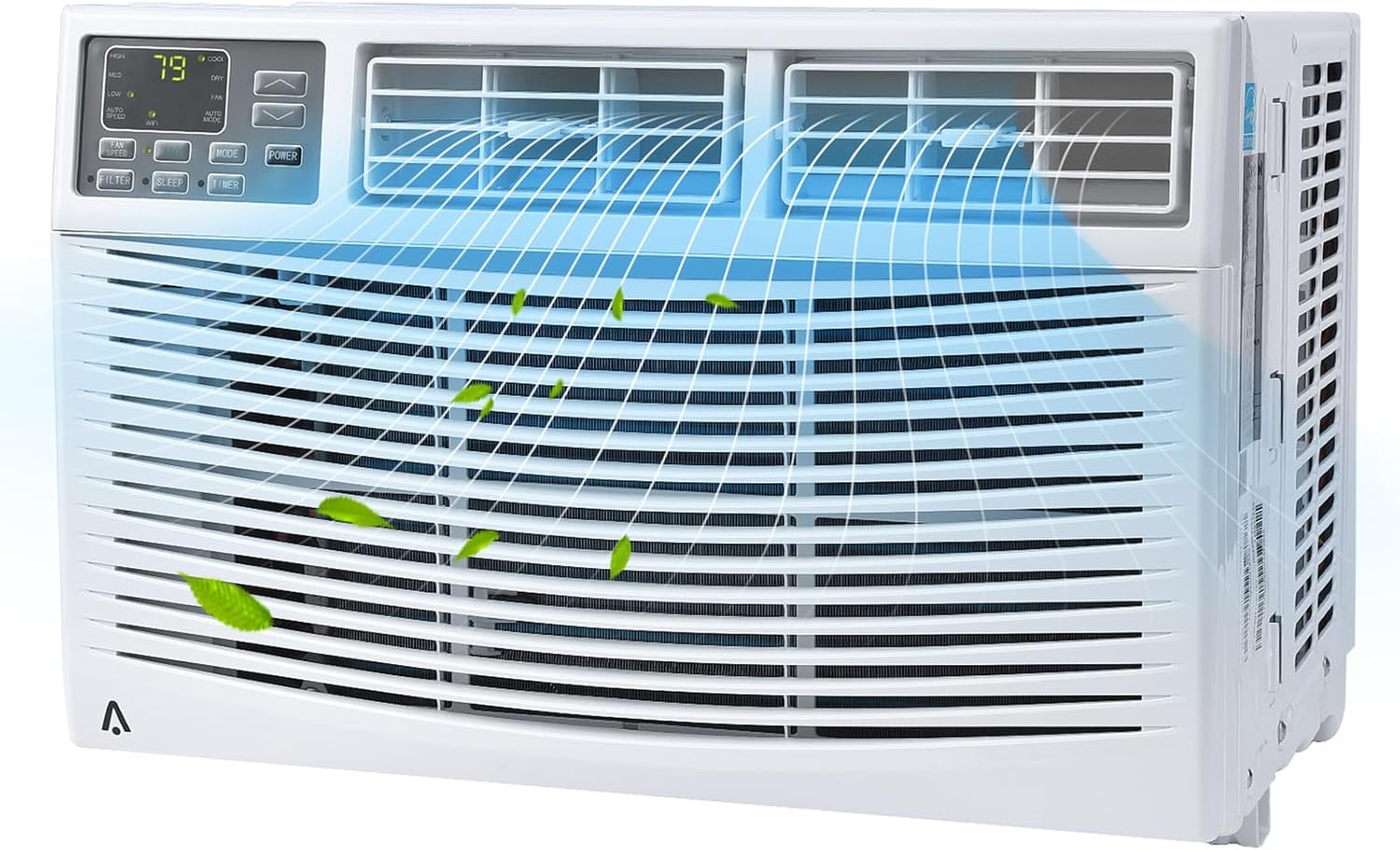
Image: Front view of the Takywep 12000 BTU Window Air Conditioner, showing the control panel and air vents.

Image: The air conditioner installed in a window, highlighting features such as 4 fan speeds, 0.5-24H timer, precise temperature control, ECO mode, and washable filter.
4. Installation
This section provides general guidelines for installing your window air conditioner. For detailed, step-by-step instructions, please refer to the separate installation guide included with your product.
Window Requirements:
- Suitable for windows 26-36 inches wide.
- Minimum window height of 16 inches.
Included Components for Installation:
- Window AC Unit (x1)
- Remote Control (x1)
- Lock Frame (x2)
- Filler Panels (x2)
- Sash Lock (x1)
- Window Sash Seal (x1)
- Various Screws (3/8" x4, 1/2" x3, 3/4" x4)

Image: Diagram showing the dimensions of the air conditioner unit and the adjustable window panels, indicating suitability for window widths between 26 and 41 inches and a unit height of 15.16 inches.

Image: All components included in the installation kit, such as the AC unit, remote control, lock frames, filler panels, sash lock, window sash seal, and various screws.
5. Operation
Your Takywep air conditioner offers various modes and settings for optimal comfort.
Control Panel:
The control panel on the front of the unit allows direct access to all functions. It includes buttons for Power, Mode, Fan Speed, Temperature Up/Down, Timer, and Filter Reset.
Remote Control:
The included remote control provides convenient operation from a distance. Ensure batteries are correctly inserted.

Image: The air conditioner unit in a living room setting, with an illustration of the remote control and icons indicating features like dehumidifier function, cooling up to 550 sq. ft., and horizontal manual swing.
Operating Modes:
- Cool Mode: Provides powerful cooling. Set your desired temperature between 61℉ and 88℉.
- Fan Mode: Circulates air without cooling. Choose from 3 fan speeds (Low, Medium, High).
- Dehumidifier Mode: Reduces humidity in the room.
- ECO Mode: Optimizes energy usage by cycling the compressor on and off to maintain the set temperature.
- Sleep Mode: Gradually increases the set temperature over several hours and reduces fan speed for quiet, comfortable sleep. Display lights can be shut off.

Image: A child sleeping peacefully with the air conditioner in the background, illustrating the benefits of the built-in Sleep Mode, including automatic temperature/fan speed adjustment, display lights shut off, noise level below 56dB, and energy saving.
6. Wi-Fi Setup
Your Takywep air conditioner is Wi-Fi enabled, allowing you to control it remotely via a smartphone application.
Steps for Wi-Fi Connectivity:
- Download the official Takywep smart home application from your device's app store.
- Create an account or log in if you already have one.
- Ensure your air conditioner is powered on and within range of your Wi-Fi network.
- Follow the in-app instructions to add your new device. This typically involves putting the AC unit into pairing mode (refer to the unit's display or specific Wi-Fi button if available) and connecting it to your home Wi-Fi network.
- Once connected, you can control the unit's functions, set schedules, and monitor its status from your smartphone.
7. Maintenance
Regular maintenance ensures optimal performance and longevity of your air conditioner.
Cleaning the Air Filter:
The air filter should be cleaned regularly, typically every two weeks, or more often depending on usage and air quality. A dirty filter can reduce cooling efficiency and airflow.
- Turn off and unplug the air conditioner.
- Open the front panel and carefully remove the air filter.
- Wash the filter with warm, soapy water. Rinse thoroughly.
- Allow the filter to air dry completely before reinstalling. Do not expose to direct sunlight or high heat.
- Reinsert the dry filter and close the front panel.
General Cleaning:
- Wipe the exterior of the unit with a soft, damp cloth. Do not use harsh chemicals or abrasive cleaners.
- Ensure the drainage area is clear of obstructions.
8. Troubleshooting
Before contacting customer support, please refer to the following common issues and solutions:
| Problem | Possible Cause | Solution |
|---|---|---|
| Unit does not turn on | No power; Power cord not fully plugged in; Blown fuse/tripped circuit breaker | Check power connection; Reset circuit breaker; Contact an electrician if issue persists |
| Insufficient cooling | Dirty air filter; Room too large; Doors/windows open; Temperature setting too high | Clean air filter; Ensure room size is within specifications; Close doors/windows; Lower temperature setting |
| Unit is noisy | Loose installation; Obstruction in fan; Unit not level | Check installation for tightness; Remove any obstructions; Ensure unit is level |
| Water leakage | Unit not level; Drain plug blocked | Ensure unit is level; Clear any blockages from the drain plug |
| Wi-Fi connection issues | Incorrect Wi-Fi password; Router too far; App not updated | Verify Wi-Fi password; Move unit closer to router or use Wi-Fi extender; Update app to latest version |
9. Specifications
| Feature | Specification |
|---|---|
| Brand | Takywep |
| Model Number | CW8AkocLtVK9ueubqbCA4gb3Y7o |
| Cooling Power | 12000 British Thermal Units (BTU) |
| Coverage Area | Up to 550 Square Feet |
| Voltage | 115V |
| Seasonal Energy Efficiency Ratio (CEER) | 10.9 |
| Item Weight | 72.8 pounds |
| Product Dimensions (D x W x H) | 19.76 x 21.5 x 15.16 inches |
| Noise Level | 56 Decibels |
| Refrigerant | R 410A |
| Installation Type | Window |
| Special Features | Wi-Fi Enabled, Remote Control, Dehumidifier, Fan, Reusable Filter, Sleep Mode |
10. Warranty and Support
For warranty information and customer support, please refer to the warranty card included with your product or contact Takywep customer service directly. Details regarding product registration and service requests can typically be found on the manufacturer's official website.
Date First Available: May 9, 2024