
1. Introduction
Thank you for choosing the OBVHNUA BMDE 5-inch 720p HD Video Baby Monitor. This device is designed to provide reliable monitoring of your baby, offering peace of mind with its advanced features and secure connection. Please read this manual thoroughly before use to ensure proper operation and to maintain the safety of your child.

Image 1: OBVHNUA BMDE 5-inch 720p HD Video Baby Monitor components.
2. Important Safety Information
- Strangulation Hazard: Keep all cords out of reach of children (at least 3 feet / 1 meter away). Never place the camera or cords within the crib or playpen.
- Choking Hazard: This product contains small parts. Keep out of reach of children.
- Overheating: Do not place the camera or monitor in enclosed spaces or cover them with blankets or clothing. Ensure proper ventilation.
- Water and Moisture: Do not expose the product to water or moisture. Use only in dry indoor environments.
- Power Sources: Use only the provided power adapters. Using unauthorized adapters may damage the product and void the warranty.
- Interference: Keep the monitor away from other electronic devices that may cause interference.
- Adult Supervision: This product is intended to assist in monitoring your baby, but it is not a substitute for responsible adult supervision.
3. Package Contents
Please check the package contents upon opening. If any items are missing or damaged, contact customer support.
- 1x Baby Unit (Camera)
- 1x Parent Unit (5-inch Monitor)
- 2x Power Adapters
- 2x Charging Cables
- 2x Wall Screws and Anchors
- 1x Multilingual User Manual

Image 2: All items included in the product package.
4. Product Overview
The OBVHNUA BMDE Baby Monitor system consists of a Baby Unit (camera) and a Parent Unit (monitor). It features a 5-inch 720p HD IPS display, two-way audio, night vision, temperature monitoring, and a secure 2.4 GHz FHSS wireless connection.

Image 3: Overview of the monitor's main features.
5. Setup
5.1 Charging the Parent Unit
Before first use, fully charge the Parent Unit for approximately 8 hours. Connect the power adapter to the Parent Unit and a power outlet. The battery indicator will show charging status.

Image 4: Charging the Parent Unit for extended battery life.
5.2 Positioning the Baby Unit (Camera)
Place the Baby Unit in a location that provides a clear view of your baby. Ensure it is at least 3 feet (1 meter) away from the crib to prevent strangulation hazards from the power cord. The camera can be placed on a flat surface, mounted on a wall, or attached to a flexible stand (sold separately).
- Tabletop Placement: Place the camera on a stable, flat surface near the crib.
- Wall Mounting: Use the provided screws and anchors to securely mount the camera on a wall.
- Stand Mounting: Attach the camera to a compatible flexible stand for versatile positioning.

Image 5: Various camera placement options.
5.3 Powering On
Connect the Baby Unit to a power outlet using its power adapter. The Parent Unit will automatically connect to the Baby Unit once both are powered on and within range. If they do not connect automatically, refer to the "Pairing" section in the full manual (if available) or the troubleshooting section.
6. Operating Instructions
6.1 Live HD Video Monitoring
The Parent Unit features a 5-inch 720p IPS HD display, providing a clear view of your baby. You can digitally zoom in 2x or 4x to see details. The camera also supports remote Pan (355° horizontal) and Tilt (90° vertical) adjustments from the Parent Unit.

Image 6: High-definition video and digital zoom capabilities.

Image 7: Remote Pan-Tilt-Zoom (PTZ) control for comprehensive viewing.
6.2 VOX Mode (Voice Activation)
The intelligent VOX mode conserves energy by turning off the screen when no sound is detected. When your baby cries or makes noise, the screen automatically activates to alert you. This minimizes distractions and extends battery life.
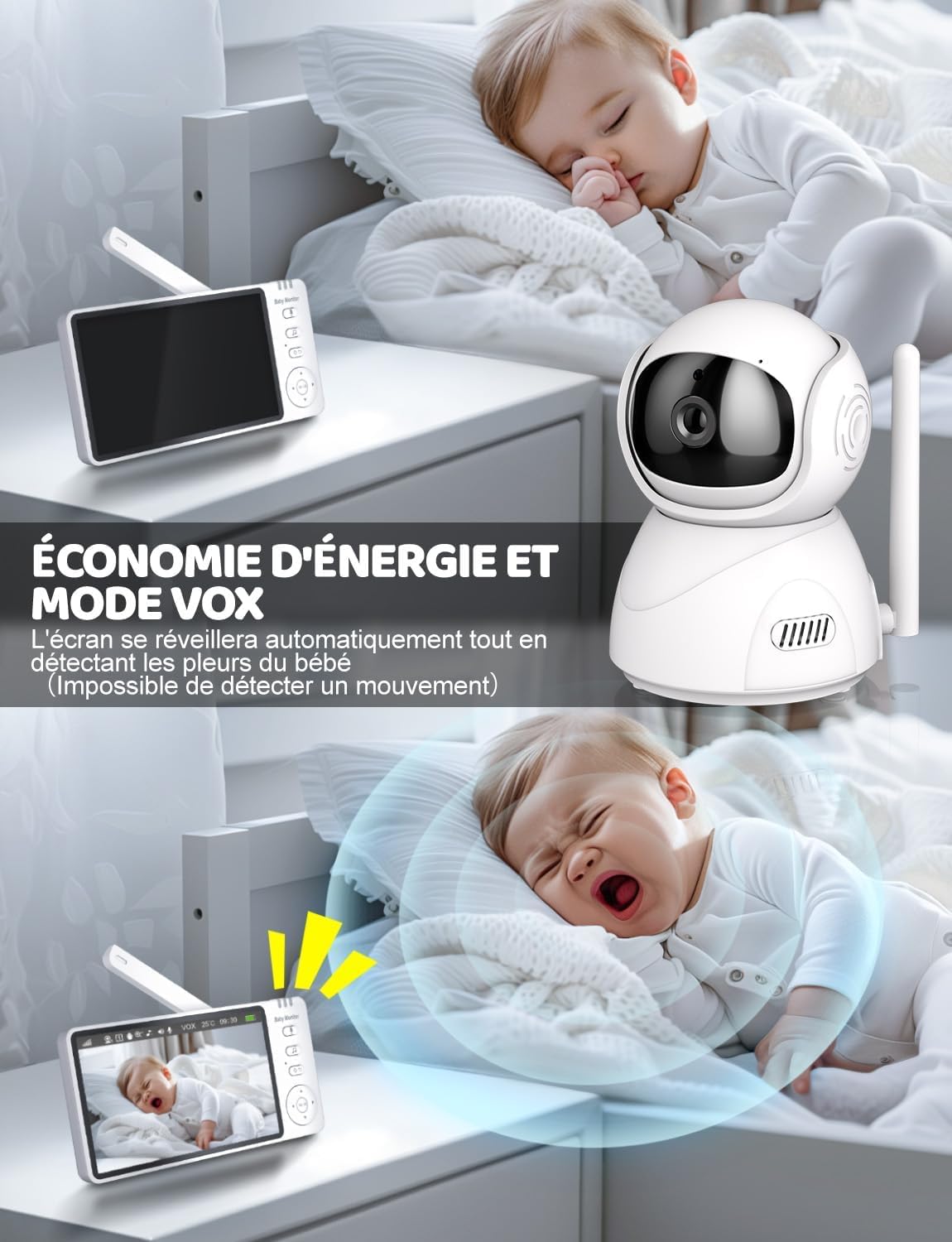
Image 8: VOX mode for energy saving and automatic alerts.

Image 9: VOX mode activation upon detecting baby's cries.
6.3 Two-Way Audio Communication
Use the two-way audio feature to speak to your baby from another room. Press and hold the talk button on the Parent Unit to transmit your voice through the Baby Unit's speaker.

Image 10: Engaging in two-way communication with your baby.

Image 11: Interactive two-way audio for comforting your baby.
6.4 Infrared Night Vision
The Baby Unit automatically activates infrared night vision in low-light conditions, providing a clear black-and-white image of your baby even in a completely dark room.

Image 12: Clear night vision for monitoring in darkness.

Image 13: Infrared night vision ensures continuous monitoring.
6.5 Temperature Monitoring
The Baby Unit includes a temperature sensor that displays the room temperature on the Parent Unit. You can set high and low temperature alerts to be notified if the room temperature falls outside your desired range.

Image 14: Temperature alarm feature for optimal room conditions.
6.6 Lullabies
The monitor includes 8 soothing lullabies to help your baby fall asleep. You can activate and control the lullabies from the Parent Unit.

Image 15: Soothing lullabies to aid baby's sleep.
6.7 Feeding Reminders
Set up to 5 different feeding reminder periods (e.g., 30 minutes, 1 hour, 2 hours, 3 hours, 4 hours) to help maintain a consistent feeding schedule for your baby.

Image 16: Customizable feeding reminders.
6.8 Multi-Camera Support
The system supports connecting up to two cameras, allowing you to monitor multiple rooms or children. Please note that only one camera is included in the standard package.

Image 17: Monitoring multiple areas with additional cameras.

Image 18: Multi-camera view for comprehensive home monitoring.
6.9 Secure and Private Connection
The OBVHNUA BMDE Baby Monitor uses 2.4 GHz FHSS (Frequency Hopping Spread Spectrum) technology for a secure, private, and interference-free connection. It does not require Wi-Fi or a smartphone app, ensuring your privacy and preventing unauthorized access.

Image 19: Secure 2.4 GHz FHSS wireless connection with extended range.
7. Maintenance
- Cleaning: Wipe the camera and monitor surfaces with a soft, dry cloth. Do not use abrasive cleaners or solvents.
- Battery Care: To prolong battery life, avoid fully discharging the Parent Unit frequently. Charge it regularly. If storing for a long period, charge it to about 50% and store in a cool, dry place.
- Lens Cleaning: Gently clean the camera lens with a lens cleaning cloth if image quality degrades.
8. Troubleshooting
| Problem | Possible Cause | Solution |
|---|---|---|
| No image/sound on Parent Unit. |
|
|
| "No Link" displayed on Parent Unit. |
|
|
| Poor image quality. |
|
|
| Intermittent connection loss. |
|
|
9. Specifications
| Feature | Detail |
|---|---|
| Brand | OBVHNUA |
| Model Number | BMDE |
| Screen Size | 5 inches |
| Video Resolution | 720p HD |
| Connectivity Technology | 2.4 GHz FHSS Wireless |
| Pan/Tilt Range | Horizontal 355°, Vertical 90° |
| Digital Zoom | 2x, 4x |
| Battery Capacity (Parent Unit) | 3500 mAh (Lithium-ion) |
| Indoor/Outdoor Use | Indoor |
| Recommended Use | Baby Monitoring |
| Product Dimensions (L x W x H) | 9 x 3.5 x 29.5 cm |
| Product Weight | 630 grams |
| Included Components | Baby Unit, Parent Unit, 2x Power Adapters, 2x Charging Cables, 2x Wall Screws/Anchors, User Manual |
10. Warranty and Support
For warranty information and customer support, please refer to the contact details provided on the product packaging or the official OBVHNUA website. Keep your purchase receipt as proof of purchase for warranty claims.