
1. Introduction
Thank you for choosing the IROO Mini Karaoke Machine K-51. This portable Bluetooth karaoke speaker, equipped with two wireless microphones and party lights, is designed to provide an enjoyable singing experience for all ages. This manual will guide you through the setup, operation, and maintenance of your new device.
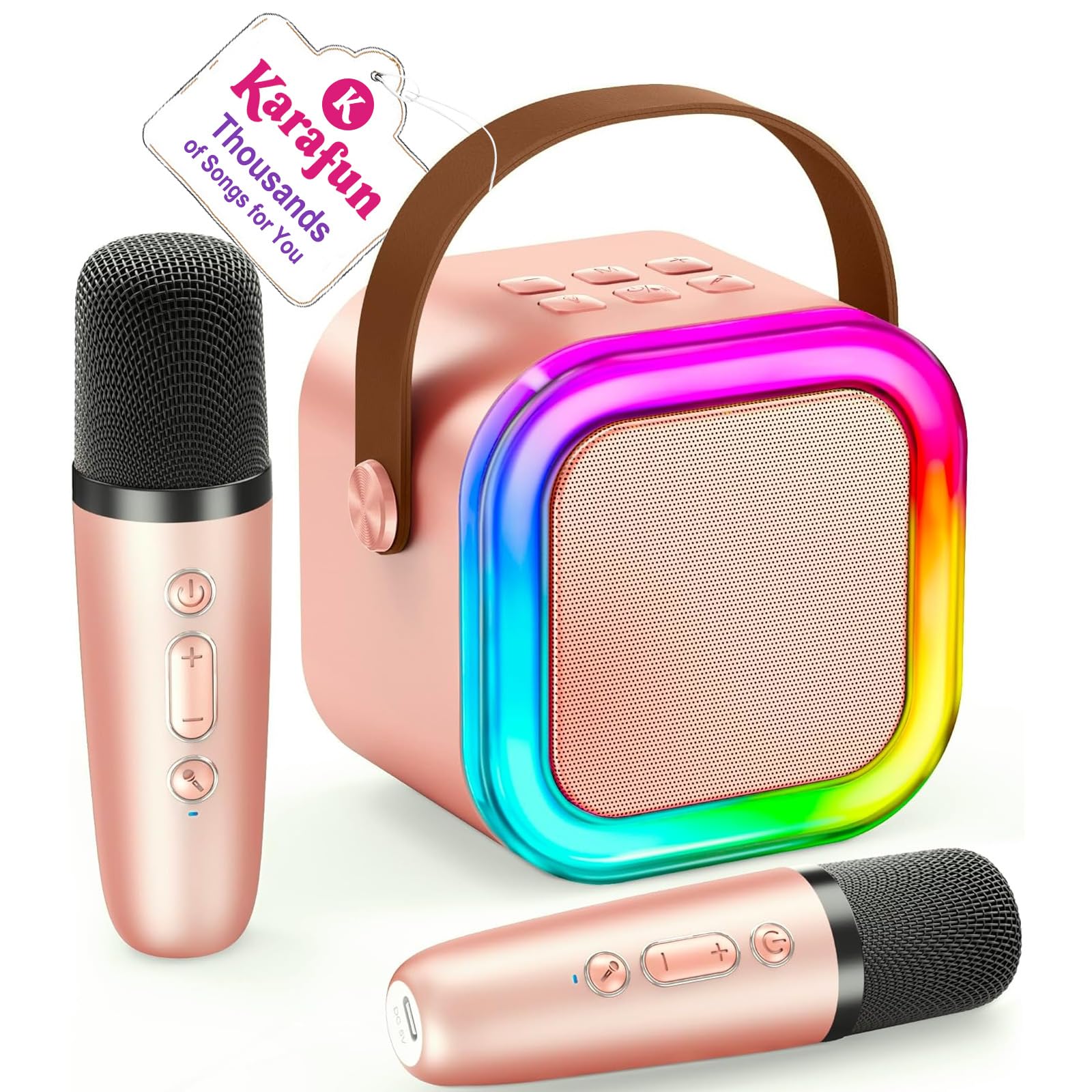
Image: The IROO Mini Karaoke Machine K-51 in Rose Gold, showcasing its compact design and accompanying wireless microphones.
2. What's in the Box
Please check the package contents to ensure all items are present:
- 1 x IROO Mini Karaoke Machine (K-51)
- 2 x Wireless Microphones
- 2 x Charging Cables (USB)
- 1 x User Manual

Image: A visual representation of all items included in the IROO Mini Karaoke Machine package.
3. Product Overview
3.1 Main Unit (Speaker)
The main unit features a compact design with integrated party lights. It includes controls for volume, mode selection, and light effects. Connectivity options include Bluetooth, TF Card slot, and a headphone jack.

Image: An exploded view of the speaker, illustrating its internal sound technology for clear audio output.
3.2 Wireless Microphones
Two wireless microphones are included, allowing for duets. Each microphone has controls for volume, echo, and voice effects. They are rechargeable via USB.

Image: A detailed view of the wireless microphone, highlighting its various function buttons.
4. Setup
4.1 Charging the Device
Before first use, fully charge the karaoke machine and both microphones. Use the provided USB charging cables. The charging port for the speaker is typically located on the back or side, and for the microphones, it's usually at the bottom.
- Connect the USB charging cable to the charging port of the speaker/microphone.
- Connect the other end of the USB cable to a compatible USB power adapter (not included) or a computer USB port.
- An indicator light will show charging status (e.g., red for charging, off/green for fully charged).
4.2 Powering On/Off
- Speaker: Press and hold the power button (usually marked with a power icon) for a few seconds until the device powers on/off.
- Microphones: Press and hold the power button on each microphone for a few seconds until they power on/off.
4.3 Bluetooth Pairing
The microphones automatically connect to the speaker when both are powered on. To connect the speaker to your smartphone or other Bluetooth-enabled device:
- Ensure the karaoke machine is powered on and in Bluetooth mode (indicated by a flashing blue light or voice prompt).
- On your device, go to Bluetooth settings and search for available devices.
- Select "IROO K-51" (or similar name) from the list to pair.
- Once connected, you will hear a confirmation sound.

Image: Visual guide to connecting the karaoke machine to various devices via Bluetooth, TF card, or headphones.
4.4 TF Card Mode
Insert a TF (MicroSD) card with your favorite MP3 songs into the designated slot on the speaker. The speaker will automatically switch to TF Card mode and begin playing music.
4.5 Headphone Jack
For private listening, connect standard 3.5mm headphones to the headphone jack on the speaker. This mutes the speaker's output.
5. Operating Instructions
5.1 Music Playback
- Volume Control (Speaker): Use the '+' and '-' buttons on the speaker to adjust the music volume.
- Play/Pause (Speaker): Press the play/pause button to start or stop music playback.
- Track Navigation (Speaker): Use the next/previous track buttons to skip songs.
5.2 Microphone Controls
- Microphone Volume: Use the volume buttons on the microphone to adjust your singing volume.
- Echo Effect: Press the echo button to add or adjust the echo effect to your voice.
- Voice Effects: The microphones offer five fun voice effects: Monster, Baby, Male, Female, and Original. Press the voice effect button to cycle through these options.
- Original Vocals/Accompaniment: A button on the microphone allows you to switch between playing the original song with vocals or just the instrumental accompaniment.
Video: An animated demonstration of the various voice effects available on the IROO Mini Karaoke Machine microphones, including baby, female, male, and monster voices.
5.3 Party Lights
The speaker features colorful disco lights that can be controlled independently. Press the light button on the speaker to turn the lights on/off or cycle through different light modes.

Image: The karaoke machine with its colorful party lights activated, enhancing the singing experience.
5.4 Karafun Partnership
The IROO Mini Karaoke Machine includes a 1-month premium access to Karafun, unlocking thousands of songs. Download the Karafun app on your smartphone or tablet and connect via Bluetooth to enjoy a vast library of karaoke tracks.

Image: The Karafun app interface shown on a smartphone, demonstrating its integration with the karaoke machine for accessing a wide range of songs.
6. Maintenance
- Cleaning: Use a soft, dry cloth to clean the surface of the karaoke machine and microphones. Do not use liquid cleaners or abrasive materials.
- Storage: Store the device in a cool, dry place away from direct sunlight and extreme temperatures.
- Battery Care: To prolong battery life, avoid fully discharging the device frequently. Charge it regularly, even if not in use for extended periods.
7. Troubleshooting
- No Power: Ensure the device is fully charged. Connect to a power source and try again.
- No Sound from Speaker: Check the speaker's volume and ensure it's not muted. Verify Bluetooth connection.
- No Sound from Microphone: Ensure microphones are powered on and paired with the speaker. Check microphone volume.
- Bluetooth Connection Issues: Make sure the speaker is in pairing mode. Turn off and on Bluetooth on your device, then try pairing again. Move closer to the speaker to ensure range.
- Distorted Sound: Reduce the volume on both the speaker and your connected device. Ensure microphones are not too close to the speaker.
8. Specifications
| Feature | Detail |
|---|---|
| Product Dimensions | 9.6 x 11.5 x 14 cm; 540 g |
| Item Model Number | K-51 |
| Brand | IROO |
| Connectivity Technology | Bluetooth |
| Colour | Rose Gold |
| Compatible Devices | Smartphone |
| Mounting Type | Tabletop |
| Power Source | Designed for Kids (implies safe, low voltage) |
| Connector Type | USB |
| Material | Aluminum Plastic |
| Number of Channels | 2 |
| Country of Origin | China |
9. Warranty and Support
9.1 Warranty Information
The IROO Mini Karaoke Machine K-51 comes with a 1-year manufacturer's warranty. This warranty covers defects in materials and workmanship under normal use. Please retain your proof of purchase for warranty claims.
9.2 Customer Support
For technical assistance, troubleshooting, or warranty inquiries, please contact IROO customer support. Contact details can typically be found on the product packaging or the official IROO website.