
Introduction
Thank you for choosing the Aoslen A68Pro Wireless Earbuds. This manual provides essential information for the safe and efficient use of your device. Please read it thoroughly before use and retain it for future reference.
Package Contents
The Aoslen A68Pro package typically includes:
- Aoslen A68Pro Wireless Earbuds (Left and Right)
- Charging Case
- USB Type-C Charging Cable
- Multiple sizes of Eartips (S/M/L)
- User Manual
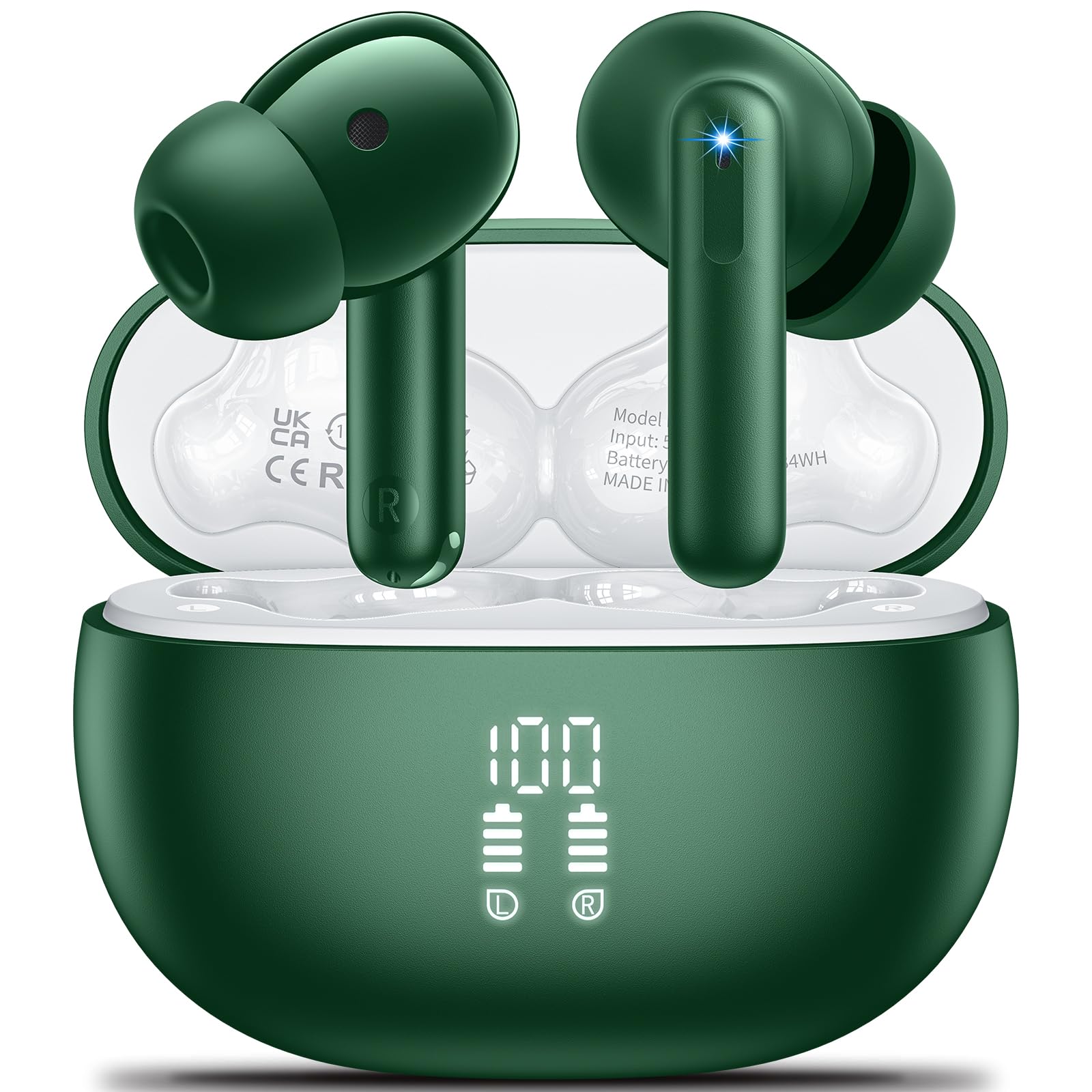
Image: Aoslen A68Pro Wireless Earbuds and Charging Case. The earbuds are green and shown next to their matching charging case.
Product Overview
Familiarize yourself with the components of your Aoslen A68Pro earbuds.
- Earbuds: Left and Right, with touch control areas and microphones.
- Charging Case: Houses the earbuds, charges them, and features an LED digital display for battery status.
- USB Type-C Port: For charging the case.
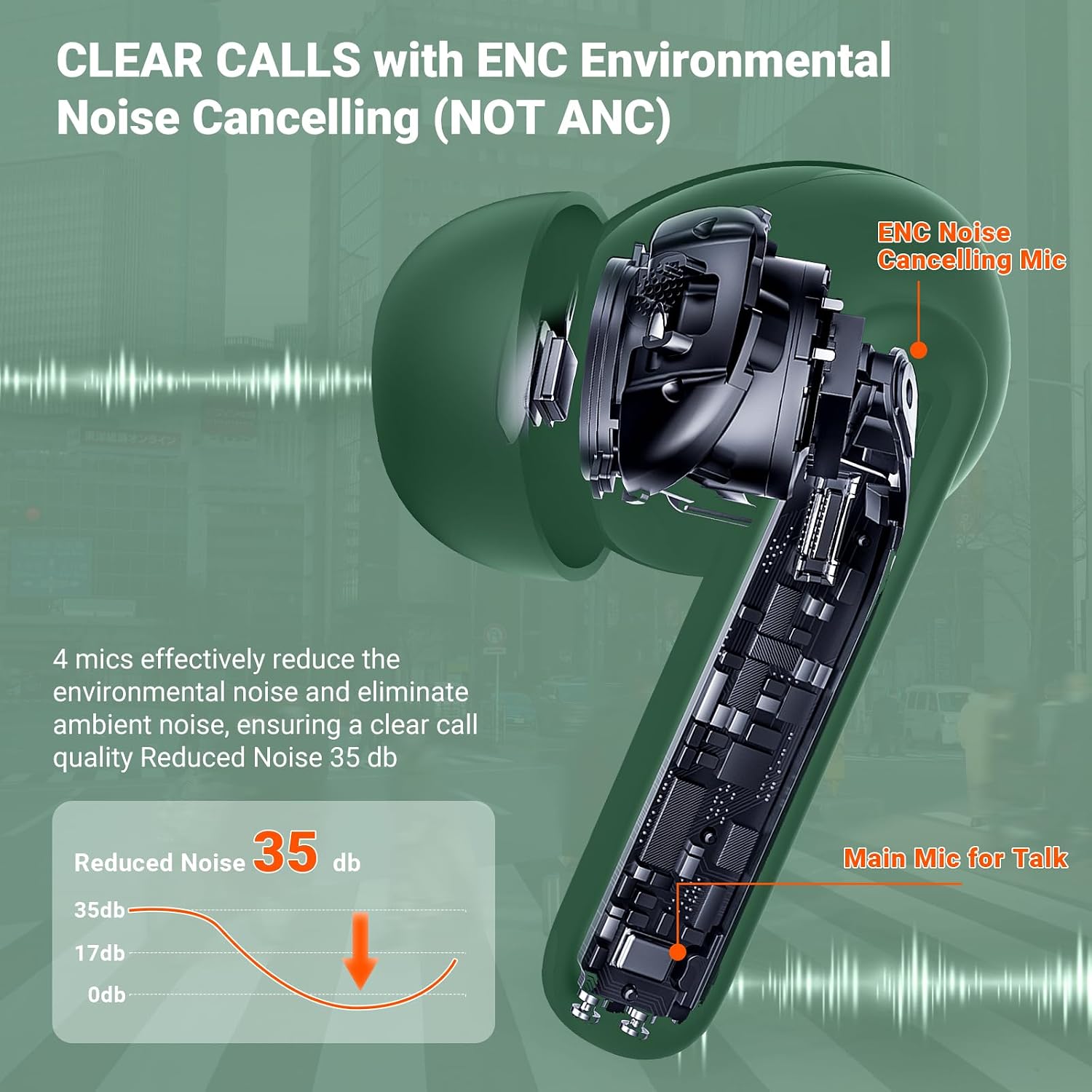
Image: Internal diagram of an Aoslen A68Pro earbud highlighting the ENC Noise Cancelling Microphone and Main Mic for Talk. It also shows a noise reduction graph.
The earbuds feature a 13mm titanium diaphragm driver for audio output and multiple microphones for Environmental Noise Cancellation (ENC) during calls.
Setup
1. Charging the Earbuds and Case
Before first use, fully charge the earbuds and the charging case.
- Place the earbuds into the charging case. Ensure they are correctly seated.
- Connect the USB Type-C charging cable to the charging port on the case and to a power source.
- The LED digital display on the case will show the charging status. A full charge takes approximately 1.5 hours.

Image: Aoslen A68Pro charging case with earbuds inside, displaying "100" on its LED screen, indicating a full charge. Icons for earbud playtime, charging case playtime, and fast charging are also shown.
The earbuds provide approximately 6-8 hours of playtime on a single charge, and the charging case extends the total playtime to up to 42 hours.
2. Bluetooth Pairing
The Aoslen A68Pro earbuds feature one-step automatic pairing and advanced Bluetooth 5.3 technology.
- Bluetooth 5.3: Offers lower latency, a more stable connection, and lower power consumption for an enhanced audio experience.

Image: Aoslen A68Pro earbuds with an illustration of the updated Bluetooth 5.3 chip, highlighting features like lower latency, more stable connection, and lower power consumption.
- Ensure Bluetooth is enabled on your device (smartphone, tablet, PC, smartwatch).
- Open the lid of the charging case. The earbuds will automatically power on and enter pairing mode.
- On your device, search for Bluetooth devices and select "A68Pro" from the list.
- Once connected, a confirmation sound will play, and the earbuds will be ready for use.
The earbuds will automatically reconnect to the last paired device when the case lid is opened, provided the device's Bluetooth is active and within range (up to 15 meters).
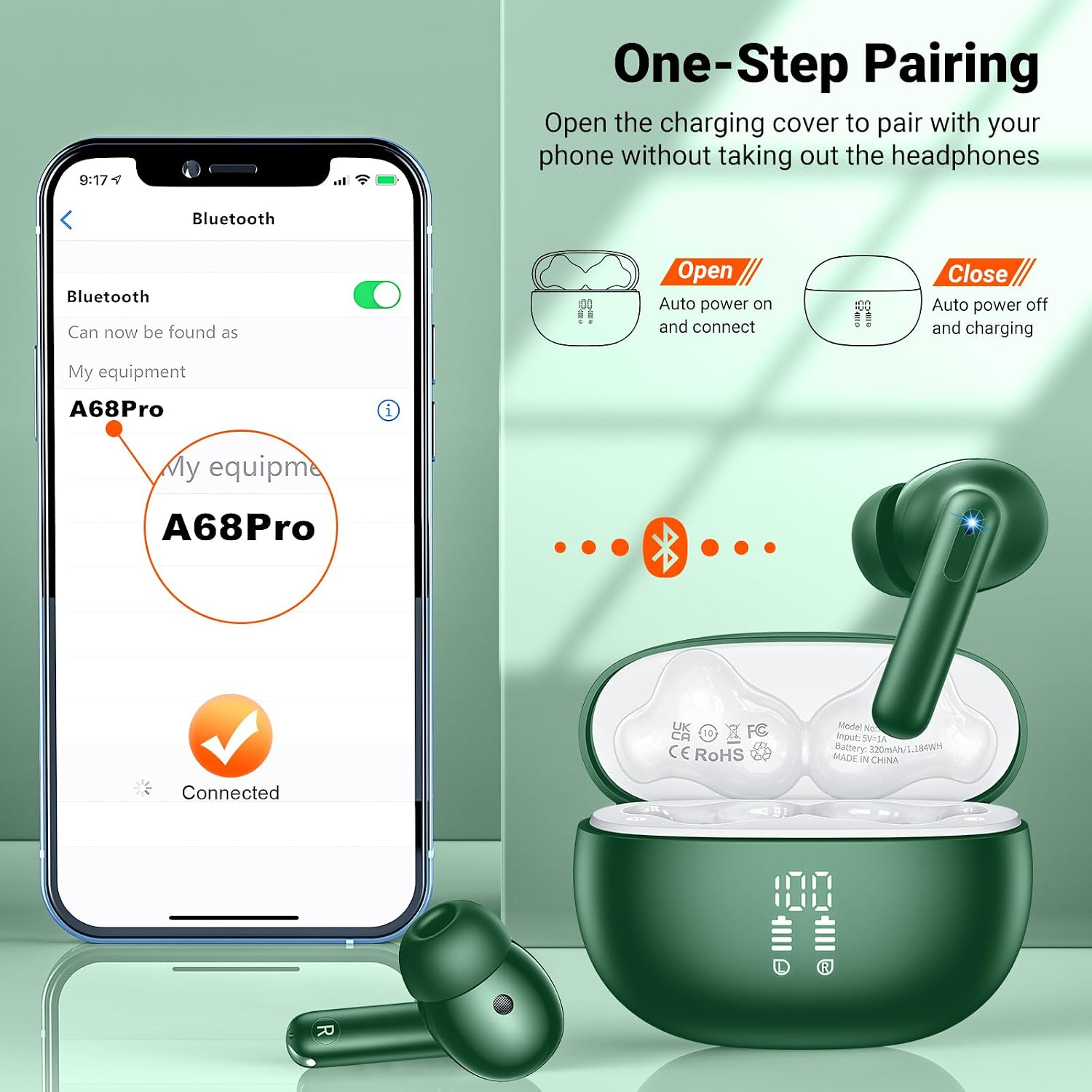
Image: A smartphone screen showing "A68Pro" as a discoverable Bluetooth device, with a "Connected" status. The Aoslen A68Pro charging case is open with earbuds, illustrating the automatic power on and connect feature.
Operating Instructions
1. Wearing the Earbuds
For optimal sound quality and comfort, choose the correct eartip size and ensure a secure fit.
- Select the eartips (S/M/L) that best fit your ears.
- Insert the earbuds into your ear canals and gently twist them until they feel secure and comfortable.
- The ergonomic design ensures a snug fit for various activities.

Image: A person wearing an Aoslen A68Pro earbud, demonstrating the ergonomic fit. Illustrations show the 45-degree ergonomic design, ultra-lightweight (4g), and different eartip sizes (S/M/L).
2. Smart Touch Controls
The earbuds feature intuitive touch controls located on the upper surface of each earbud.
| Action | Function |
|---|---|
| Single Tap (Left/Right) | Play/Pause Music, Answer/End Call |
| Double Tap (Left) | Previous Song |
| Double Tap (Right) | Next Song |
| Triple Tap (Left) | Decrease Volume |
| Triple Tap (Right) | Increase Volume |
| Long Press (2 seconds) | Reject Call, Activate Voice Assistant |
| Tap 5 times (Either earbud) | Reset Headset (Use for pairing issues) |

Image: A person demonstrating the touch control on an Aoslen A68Pro earbud. Icons illustrate various touch functions: Play/Pause, Switch Song, Answer/Hang up call, Activate voice assistant, Decrease/Increase volume, and Click 5 times to reset the headset.
Maintenance
1. Cleaning
- Regularly clean the earbuds and charging case with a soft, dry, lint-free cloth.
- Do not use abrasive cleaners, alcohol, or chemical solvents.
- Ensure charging contacts on both earbuds and case are clean and dry.
2. Storage
- When not in use, store the earbuds in their charging case to protect them and keep them charged.
- Store in a cool, dry place, away from extreme temperatures and direct sunlight.
3. Water Resistance (IPX7)
The Aoslen A68Pro earbuds are IPX7 waterproof, meaning they can withstand immersion in water up to 1 meter for 30 minutes. This makes them suitable for workouts and light rain.
- Do not intentionally submerge the charging case, as it is not waterproof.
- Ensure earbuds are completely dry before placing them back into the charging case to prevent damage.
- Avoid using the earbuds in saunas, steam rooms, or for swimming.
Troubleshooting
| Problem | Solution |
|---|---|
| Earbuds not pairing/connecting |
|
| Only one earbud working |
|
| Low volume or poor sound quality |
|
| Charging case not charging |
|
Specifications
| Feature | Detail |
|---|---|
| Model Number | A68Pro |
| Bluetooth Version | 5.3 |
| Bluetooth Range | Up to 15 meters |
| Driver Size | 13mm Dynamic |
| Frequency Range | 20 Hz - 20,000 Hz |
| Impedance | 32 Ohms |
| Noise Control | Environmental Noise Cancellation (ENC) |
| Earbud Playtime | 6-8 hours |
| Total Playtime (with case) | Up to 42 hours |
| Charging Time | Approx. 1.5 hours (case and earbuds) |
| Charging Port | USB Type-C |
| Water Resistance | IPX7 (earbuds only) |
| Control Method | Touch Control |
| Compatible Devices | Mobile phones, tablets, laptops, smartwatches |
Warranty and Support
Aoslen offers a 365-day warranty service for the A68Pro earbuds. This covers manufacturing defects and product malfunctions under normal use.
- If you experience issues such as earbuds not functioning, inability to connect, product defects, or missing parts, please contact Aoslen customer service.
- Aoslen aims to provide a satisfactory solution within the warranty period, including product replacement or a full refund for quality issues.
For customer support, please refer to the contact information provided with your purchase or visit the official Aoslen website. Aoslen provides 24-hour online customer service.