
Introduction
Thank you for choosing the Philips 7-Outlet Surge Protector with USB Charging. This manual provides important information regarding the safe operation, installation, and maintenance of your new surge protector. Please read this manual thoroughly before use and retain it for future reference.
Important Safety Information
- Indoor Use Only: This device is intended for indoor use in dry locations only. Do not use outdoors or in wet conditions.
- Grounding: Ensure the surge protector is plugged into a properly grounded 3-prong outlet. Do not remove the grounding prong.
- Electrical Rating: Do not exceed the electrical rating of 125VAC, 15A, 1875W.
- Overload Protection: The integrated circuit breaker will trip if the connected load exceeds the maximum capacity. If this occurs, disconnect some devices and reset the breaker.
- Cord Management: Do not run the cord through doorways, under carpets, or near heat sources.
- Children and Pets: Keep out of reach of children and pets.
- Medical Equipment: Not for use with life support systems or other medical equipment.
- Surge Protection Indicator: The LED indicator light confirms active surge protection. If the light is off, the surge protection is no longer active, and the unit should be replaced.
Product Features
- 7 Grounded Outlets: Provides power for multiple devices, with adapter-spaced design.
- 1 USB-A Port: For charging compatible USB-A devices.
- 1 USB-C Port: For charging compatible USB-C devices.
- 15W Shared USB Charging: Total power output for both USB ports.
- 1500 Joules Surge Protection: Safeguards electronics from voltage spikes.
- Integrated Circuit Breaker: Protects against overloads.
- Protected Indicator Light: Confirms active surge protection.
- 6 ft Braided Extension Cord: Durable and tangle-resistant cord for extended reach.
- Space-Saving Flat Plug: Allows furniture to sit closer to the wall and keeps the second wall outlet free.
- Keyhole Slots: For optional wall mounting.
Package Contents
- Philips 7-Outlet Surge Protector with USB Charging
- Instruction Manual (this document)
Setup and Installation
- Unpack: Carefully remove the surge protector from its packaging.
- Placement: Position the surge protector in a dry, indoor location, away from water sources, heat, and direct sunlight.
- Plug In: Insert the surge protector's flat plug into a standard, properly grounded 3-prong wall outlet.
- Verify Protection: Once plugged in, the "Protected" LED indicator light on the surge protector should illuminate, confirming that the surge protection feature is active.
- Connect Devices: Plug your electronic devices into the 7 grounded AC outlets and your USB-compatible devices into the USB-A and USB-C ports.

Image: The Philips 7-Outlet Surge Protector, showing its multiple AC outlets, USB-A and USB-C ports, and the braided power cord.

Image: Close-up of the space-saving flat plug connected to a wall outlet, and the keyhole slots on the back of the surge protector for wall mounting.
Operating Instructions
Using AC Outlets
Plug your electronic devices directly into any of the 7 grounded AC outlets. The adapter-spaced design accommodates larger power adapters without blocking adjacent outlets.

Image: The surge protector with several devices plugged into its adapter-spaced outlets, demonstrating how larger plugs fit without obstruction.
Using USB Charging Ports
Connect your USB-A or USB-C compatible devices (e.g., smartphones, tablets) to the respective USB ports. The 15W shared output provides efficient charging for your mobile devices.
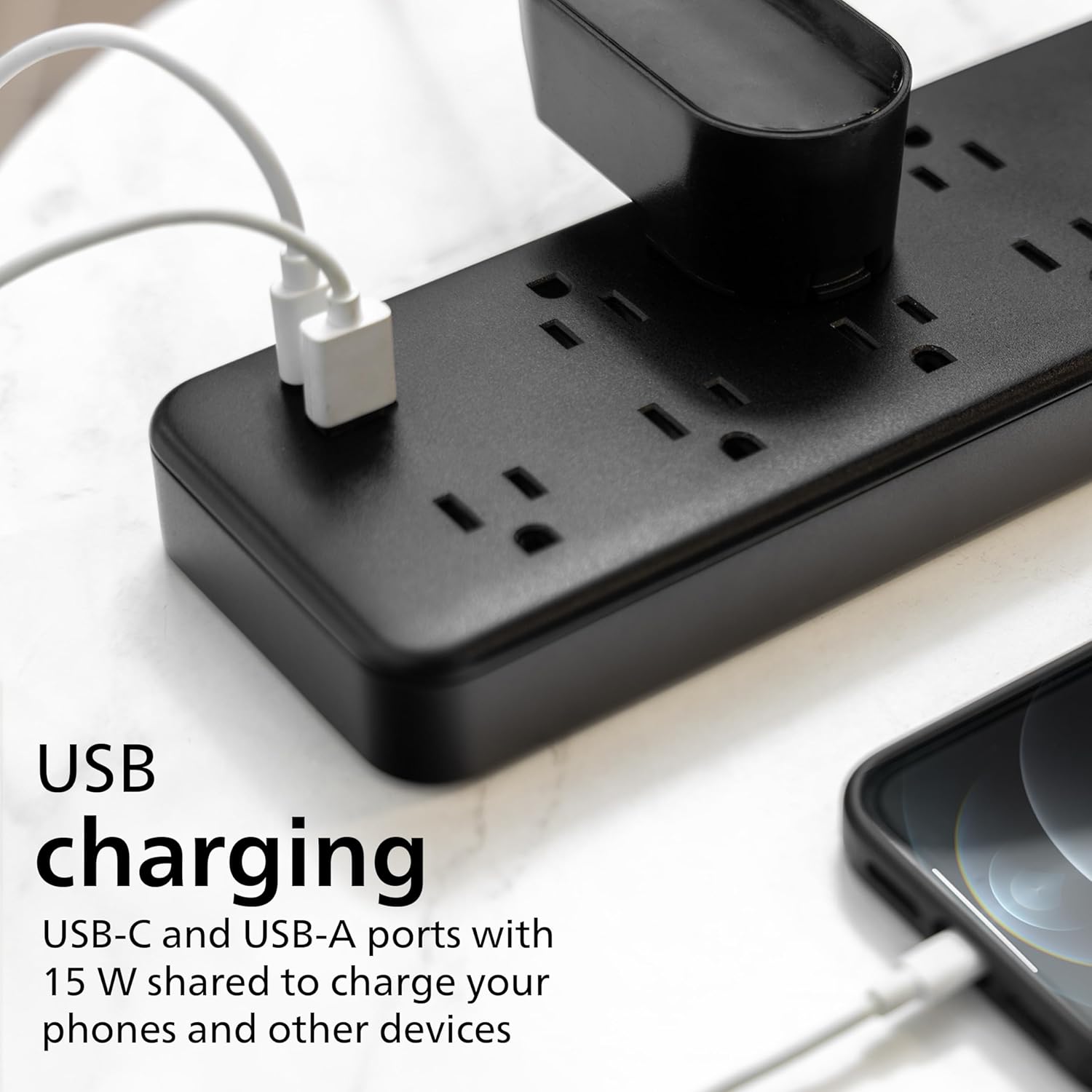
Image: A close-up view of the USB-A and USB-C ports on the surge protector, with charging cables connected to a smartphone.
Power Switch and Circuit Breaker
The surge protector features a master power switch to turn all connected devices on or off simultaneously. An integrated circuit breaker protects against overloads. If the breaker trips, the power will cut off. Disconnect some devices and press the reset button on the circuit breaker to restore power.

Image: The Philips surge protector showing the power switch and the blue LED indicator light, which signifies active surge protection.
Maintenance
- Cleaning: Disconnect the surge protector from the wall outlet before cleaning. Use a soft, dry cloth to wipe the exterior. Do not use liquid cleaners or aerosols.
- Inspection: Periodically inspect the cord and housing for any damage. If damage is found, discontinue use and replace the unit.
- Surge Protection Indicator: Regularly check the "Protected" LED indicator light. If it is off, the surge protection has been consumed, and the unit will no longer protect against surges. Replace the unit to ensure continued protection.
Troubleshooting
| Problem | Possible Cause | Solution |
|---|---|---|
| No power to connected devices. |
|
|
| "Protected" LED indicator light is off. |
|
|
| USB ports are not charging devices. |
|
|
Specifications
- Model Number: SPP3703B/37 (Internal: EJEcccC892)
- Outlets: 7 Grounded AC Outlets
- USB Ports: 1 USB-A, 1 USB-C
- USB Output: 15W Shared
- Surge Protection: 1500 Joules
- Electrical Rating: 125VAC, 15A, 1875W
- Cord Length: 6 ft (Braided)
- Color: Black
- Item Weight: 1.32 pounds
- Dimensions: 11.26 x 3.62 x 2.48 inches (Package Dimensions)
- Manufacturer: Jasco
Warranty and Support
This Philips surge protector is backed by a limited-lifetime, no-hassle replacement plan. Additionally, it includes a $150,000 Connected Equipment Warranty (CEW) policy for added peace of mind, protecting your connected devices from surge damage when properly connected to this unit.
For warranty claims or technical support, please refer to the contact information provided on the product packaging or visit the official Philips support website.
ETL Listed: This product is ETL-listed, ensuring it meets recognized safety standards.