
Samsung HW-B650D/EN
Samsung HW-B650D Soundbar System User Manual
Model: HW-B650D/EN
1. Introduction
1.1 Product Overview
The Samsung HW-B650D is a 3.1 channel soundbar system designed to enhance your audio experience. It features a powerful 370W output, a dedicated subwoofer for deep bass, and supports advanced audio technologies like Bass Boost and Dolby. This system is compatible with various electronic devices including smartphones, tablets, laptops, TVs, and projectors, offering versatile connectivity options such as Bluetooth and USB.
1.2 What's in the Box
- 1 x Remote Control
- 1 x Soundbar
- 1 x Subwoofer
- 1 x Mounting Kit
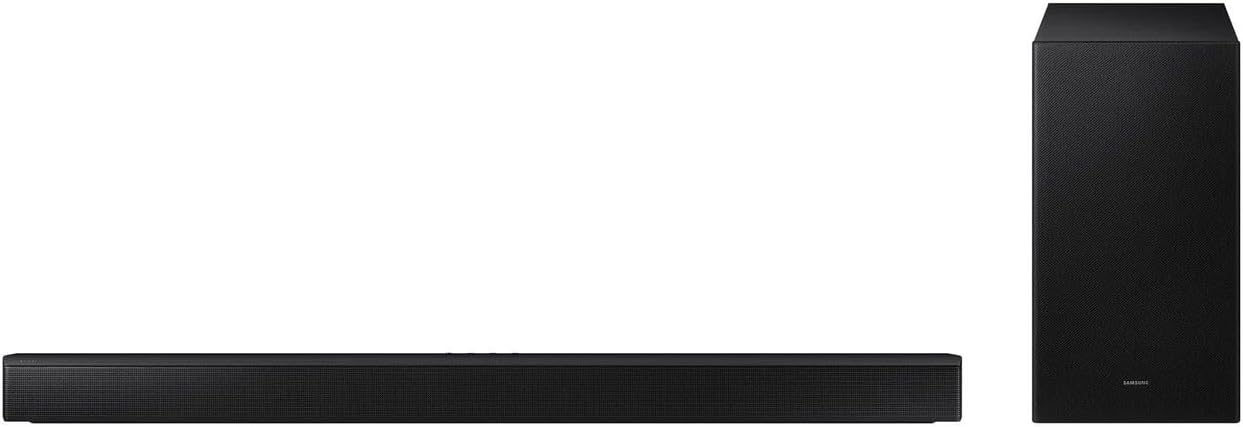
Figure 1.1: The Samsung HW-B650D soundbar and its wireless subwoofer, shown side-by-side.
2. Safety Information
Please read all safety instructions carefully before using the product. Keep this manual for future reference.
- Do not expose this apparatus to rain or moisture.
- Do not block any ventilation openings. Install in accordance with the manufacturer's instructions.
- Do not install near any heat sources such as radiators, heat registers, stoves, or other apparatus (including amplifiers) that produce heat.
- Protect the power cord from being walked on or pinched, particularly at plugs, convenience receptacles, and the point where they exit from the apparatus.
- Only use attachments/accessories specified by the manufacturer.
- Refer all servicing to qualified service personnel. Servicing is required when the apparatus has been damaged in any way, such as power-supply cord or plug is damaged, liquid has been spilled or objects have fallen into the apparatus, the apparatus has been exposed to rain or moisture, does not operate normally, or has been dropped.
3. Setup
3.1 Placement
Place the soundbar centrally below your TV. Ensure there is adequate space for sound dispersion. The wireless subwoofer can be placed anywhere in the room, ideally near a wall for enhanced bass, but within range of the soundbar for wireless connection.
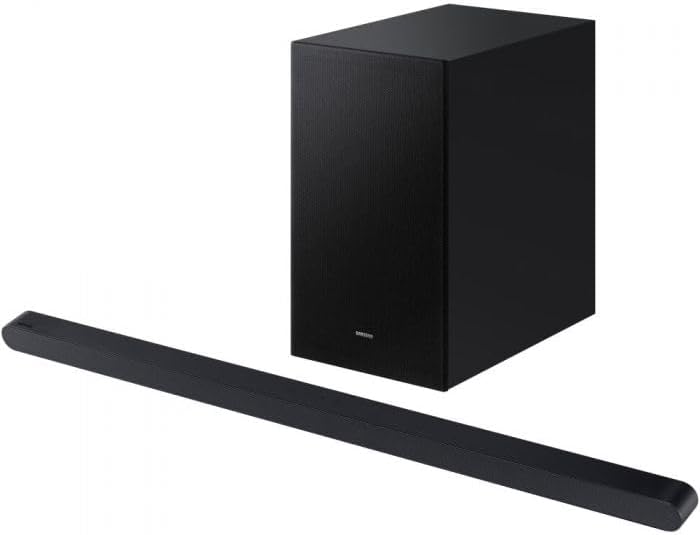
Figure 3.1: The Samsung HW-B650D soundbar and subwoofer, illustrating their compact design suitable for various placements.
3.2 Connections
- Power Connection: Connect the power cord to the soundbar and the subwoofer, then plug them into a wall outlet.
- Wireless Subwoofer Pairing: The subwoofer should automatically pair with the soundbar upon power-up. If not, refer to the troubleshooting section for manual pairing instructions.
- Audio Connection (TV/Other Devices):
- Bluetooth: Enable Bluetooth on your device (e.g., TV, smartphone) and select "Samsung HW-B650D" from the list of available devices.
- USB: Insert a USB drive containing audio files into the USB port on the soundbar.
- (Note: Optical or HDMI ARC connections are common for soundbars but not explicitly listed in the provided specifications. If available on the actual product, users should refer to the full product manual for detailed instructions.)
3.3 Mounting
The soundbar is designed for "Wall Hung Shelf" mounting. Use the included mounting kit and follow the instructions provided with the kit for secure installation. Ensure the wall can support the weight of the soundbar.
4. Operating Instructions
4.1 Power On/Off
Press the Power button on the remote control or the soundbar to turn the system on or off.
4.2 Input Selection
Use the Source button on the remote control to cycle through available inputs (e.g., Bluetooth, USB). The current input will be displayed on the soundbar's display.
4.3 Volume Control
Adjust the volume using the Volume Up/Down buttons on the remote control or the soundbar.
4.4 Sound Modes and Features
- Bass Boost: Activate this feature for enhanced low-frequency sound. Refer to your remote control or the companion app for the dedicated Bass Boost button.
- Dolby Enabled: The system supports Dolby audio processing for immersive sound. Ensure your source content is Dolby-encoded for optimal experience.
- Surround Sound: The 3.1 channel configuration provides a surround sound experience. Adjust settings via the remote or app for personalized audio.
4.5 App Control
Download the official Samsung audio app (e.g., Samsung SmartThings or Samsung Audio Remote) from your device's app store. Connect the soundbar to the app via Bluetooth for advanced control, sound customization, and firmware updates.
5. Maintenance
5.1 Cleaning
- Always unplug the soundbar and subwoofer from the power outlet before cleaning.
- Use a soft, dry cloth to wipe the surfaces of the soundbar and subwoofer.
- Do not use liquid cleaners, aerosol cleaners, or strong chemical solvents, as they may damage the finish.
- Avoid getting moisture into any openings.
5.2 Storage
If storing the unit for an extended period, disconnect it from power and store it in a cool, dry place away from direct sunlight and extreme temperatures.
6. Troubleshooting
| Problem | Possible Cause | Solution |
|---|---|---|
| No power | Power cord not connected securely. | Check power connections to the soundbar, subwoofer, and wall outlet. Ensure the outlet is active. |
| No sound | Incorrect input selected; volume too low; source device not playing audio; subwoofer not paired. | Select the correct input. Increase volume. Check audio output settings on your source device. Re-pair the subwoofer if necessary (refer to manual for specific pairing steps). |
| Bluetooth connection issues | Device too far; interference; soundbar not in pairing mode. | Ensure devices are within range (approx. 10 meters). Reduce interference from other wireless devices. Put the soundbar into Bluetooth pairing mode. |
| Subwoofer not producing bass | Subwoofer not paired; Bass Boost off. | Verify subwoofer pairing. Activate Bass Boost feature. |
7. Specifications
| Feature | Detail |
|---|---|
| Model Name | Soundbar HW-B650D, 3.1ch, 370W |
| Speaker Type | Soundbar + Subwoofer |
| Special Features | Bass Boost, Dolby Enabled |
| Compatible Devices | Electronic devices such as smartphones, tablets, laptops, TVs, desks and projector |
| Controller Type | App Control |
| Surround Sound Channel Configuration | 3.1 |
| Included Components | 1 x remote control, 1 x soundbar, 1 x subwoofer, 1 x mounting kit |
| Product Dimensions | 11.61"D x 7.28"W x 13.5"H |
| Item Weight | 4.76 Kilograms (10.47 pounds) |
| Is Waterproof | False |
| Number of Items | 1 |
| Control Method | Remote |
| Wireless Communication Technology | Bluetooth, USB |
| Speaker Size | 18.5 Centimeters |
| Power Source | Corded Electric |
| Audio Driver Type | Dynamic Driver |
| Subwoofer Connectivity Technology | Wireless |
| Connectivity Protocol | Bluetooth |
| Speaker Maximum Output Power | 370 Watts |
| Audio Output Mode | Surround |
| Mounting Type | Wall Hung Shelf |
8. Warranty and Support
For warranty information and technical support, please visit the official Samsung support website or contact Samsung customer service. Keep your proof of purchase for warranty claims.
Official Samsung Support: https://www.samsung.com/us/support/
For the most up-to-date information, including detailed troubleshooting and software updates, please refer to the full digital manual available on the Samsung support website.