
1. Introduction
This manual provides detailed instructions for the installation, operation, and maintenance of your Shikha Automatic Chicken Coop Door (Model PS-0012). Please read this manual thoroughly before use to ensure proper function and longevity of the product.
The Shikha Automatic Chicken Coop Door is designed to provide convenience and security for your poultry. It features battery power, a large LED screen for easy programming, timer and manual control options, an anti-pinch safety mechanism, and a durable, weather-resistant aluminum alloy construction.
2. Safety Information
- Always read the instructions carefully before using the product for the first time.
- Before use, check the display screen for battery power. The battery icon in the upper right corner of the screen flashes when power is low. Replace with new batteries if low.
- If the product will not be used for an extended period, remove the batteries and cover the battery compartment.
- Do not disassemble the product without authorization. Disassembly voids the warranty.
- Ensure the door path is clear of obstructions before and during operation to prevent injury to poultry or damage to the unit.
3. Product Components
The package includes the following items:
- 1 x Shikha Automatic Chicken Coop Door
- 1 x Instruction Manual
Note: 3 AA batteries are required for operation and are not included in the package.
4. Features Overview
The Shikha Automatic Chicken Coop Door offers several key features for reliable and convenient operation:
- Battery Powered: Operates on 3 AA batteries (not included), providing up to 6 months of use. Simple installation without complex wiring.
- Large LED Screen: Provides clear visibility for setting current time, open/close times, and displays a low battery reminder.
- Timer & Manual Control: Program specific opening and closing times, or operate the door manually at any time.
- Anti-Pinch Function: If an obstruction (e.g., a chicken) is detected during closing, the door will descend for 5 seconds, then rise for 10 seconds, and attempt to close again once the path is clear.
- Durable Construction: Made from high-quality aluminum alloy and ABS, designed to withstand harsh weather conditions (-15°F to 140°F). It is IPX45 waterproof and corrosion-resistant.

Image 4.1: Visible LED Screen for easy settings and low battery reminder.
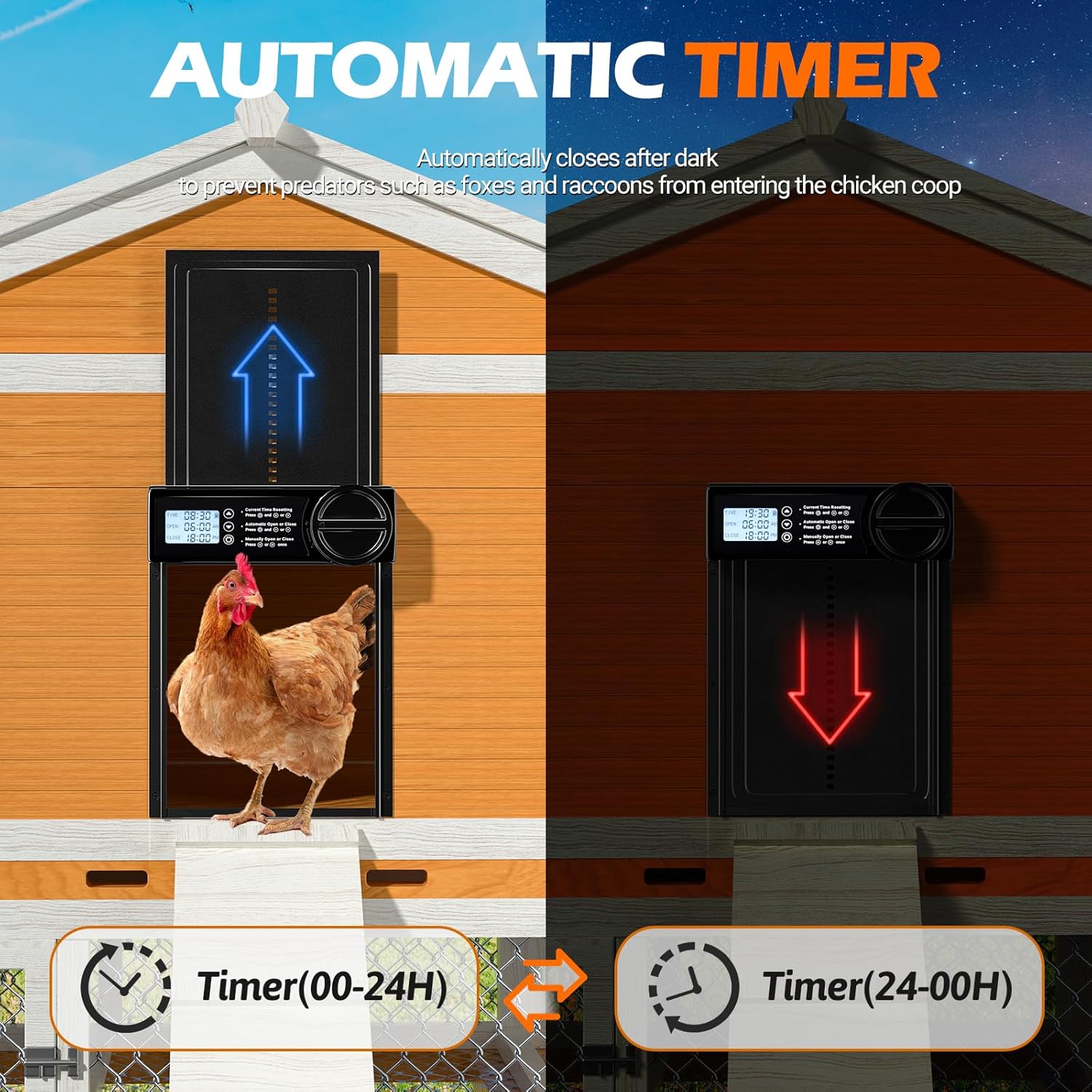
Image 4.2: Automatic Timer function for scheduled opening and closing.
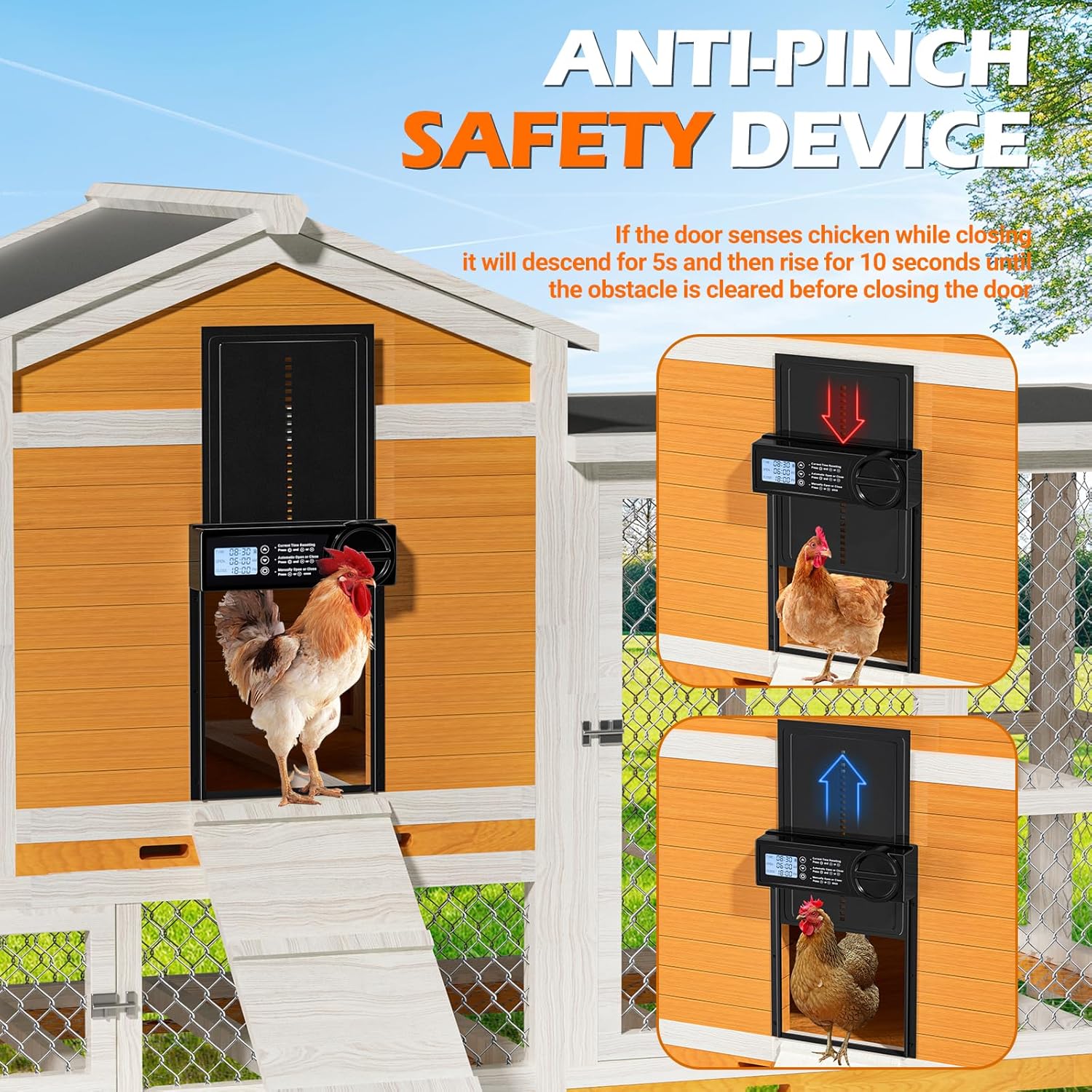
Image 4.3: Anti-Pinch Safety Device protecting poultry during door closure.

Image 4.4: Battery Powered design using 3 AA batteries.

Image 4.5: Weather Resistance, showing the door's durability in various conditions.
5. Installation
Installation of the Shikha Automatic Chicken Coop Door is designed to be straightforward. No complicated wiring is required.
- Step 1: Mark and Position
Hold the door unit against the desired mounting surface on your chicken coop. Use a pencil or marker to outline the opening for the door and mark the screw holes. - Step 2: Create Opening
Carefully cut out the marked opening in your coop wall. Ensure the opening is slightly larger than the door panel to allow for smooth movement. - Step 3: Mount the Door
Align the door unit with the prepared opening and secure it to the coop wall using appropriate screws (not included, but standard wood screws are typically suitable). Ensure the door is level and securely fastened. - Step 4: Insert Batteries
Open the battery compartment (refer to Image 4.4) and insert 3 AA batteries, ensuring correct polarity. Close the compartment securely.

Image 5.1: Easy Installation Steps.
6. Operation
The door can be operated via programmed timer settings or manually.
6.1 Setting Current Time
To set the current time:
- Press and hold the UP (▲) and DOWN (▼) buttons simultaneously until the time display flashes.
- Use the UP (▲) and DOWN (▼) buttons to adjust the hour and minute.
- Press the SET (⚙) button to confirm and move to the next setting.
- The clock uses a 24-hour format (military time). For example, 6 PM is 18:00.
6.2 Setting Automatic Open/Close Times
To program the automatic opening and closing times:
- Press the UP (▲) button once to enter the automatic open time setting. The "OPEN" time will flash.
- Use the UP (▲) and DOWN (▼) buttons to set the desired opening time.
- Press the SET (⚙) button to confirm the open time.
- The "CLOSE" time will then flash. Use the UP (▲) and DOWN (▼) buttons to set the desired closing time.
- Press the SET (⚙) button to confirm the close time and exit the setting mode.

Image 6.1: Automatic Open and Close functionality.
6.3 Manual Control
To manually open or close the door:
- Press the UP (▲) button once to manually open the door.
- Press the DOWN (▼) button once to manually close the door.
7. Maintenance
7.1 Battery Replacement
The door is powered by 3 AA batteries. When the low battery indicator flashes on the LED screen, replace the batteries promptly to ensure continuous operation. Carbon batteries are not recommended.
- Locate the battery compartment on the side of the control unit.
- Open the compartment cover.
- Remove the old batteries and insert 3 new AA batteries, observing correct polarity (+/-).
- Close the battery compartment cover securely.
If the product is not used for a long time, please remove the batteries to prevent leakage and damage.
7.2 Cleaning
Regularly inspect and clean the door and its tracks to ensure smooth operation. Use a soft, damp cloth to wipe down the surfaces. Avoid abrasive cleaners or solvents that could damage the material or electronics.
Periodically check the door's movement path for any debris or obstructions that could interfere with its operation or trigger the anti-pinch function unnecessarily.
8. Troubleshooting
If you encounter issues with your Shikha Automatic Chicken Coop Door, refer to the following common problems and solutions:
| Problem | Possible Cause | Solution |
|---|---|---|
| Door does not open or close at scheduled times. |
|
|
| Door closes too soon or opens too late. |
|
|
| Door reverses during closing (anti-pinch activated). |
|
|
| LED screen is dim or unresponsive. |
|
|
9. Specifications
| Model Name | PS-0012 |
| Brand | Shikha |
| Material | Aluminum Alloy, ABS |
| Color | Black |
| Product Dimensions (LxWxH) | 9.64"L x 1.57"W x 12.9"H |
| Item Weight | 1.85 pounds |
| Power Source | 3 x AA Batteries (not included) |
| Waterproof Rating | IPX45 |
| Operating Temperature | -15°F to 140°F (-26°C to 60°C) |
| Target Audience | Chicken, duck, goose, and other poultry weighing less than 10 pounds |
| Special Features | Automatic, Easy Assembly, Waterproof, Weather Resistant, Anti-Pinch, LED Screen, Low Battery Reminder |

Image 9.1: Product Dimensions.
10. Warranty and Support
Shikha provides a 1-year warranty for this product and a 30-day return service.
For any product problems or inquiries, please contact Shikha customer support. A solution will be provided within 24 hours.
Please retain your proof of purchase for warranty claims.
11. Official Product Videos
No official product videos from the seller were provided in the product data for embedding.