1. Setup Guide
Follow these steps to correctly set up your YUMAZLA 71-inch Extendable Phone Tripod.
1.1 Unpacking and Initial Assembly
- Carefully remove all components from the packaging. You should find the main tripod unit, a smartphone holder, and a Bluetooth remote control.
- Locate the smartphone holder. It features a 1/4-inch screw thread at its base.
- Attach the smartphone holder to the top of the tripod pole by screwing it clockwise until secure. Ensure it is firmly attached to prevent your device from falling.


1.2 Deploying the Tripod Base
- Hold the tripod by the main pole. Gently pull the legs outwards from the base until they are fully extended and locked into position. The wide leg design ensures stability.
- Ensure all three legs are evenly spread on a flat surface for maximum stability.


1.3 Pairing the Bluetooth Remote
- The Bluetooth remote control is conveniently stored within the tripod leg. Gently slide it out.
- Turn on the remote control. An indicator light will begin to blink, signifying it is in pairing mode.
- On your smartphone, go to Bluetooth settings and search for available devices. Select "YUMAZLA Remote" (or similar) to pair. The indicator light will stop blinking once successfully paired.

2. Operating Instructions
Learn how to effectively use your tripod for various photography and videography needs.
2.1 Adjusting Height and Angle
- To extend the tripod pole, simply pull the sections upwards to your desired height. The tripod can extend up to 71 inches (180 cm).
- To adjust the angle of your smartphone, loosen the knob on the smartphone holder, position your device as desired (horizontal or vertical), and then tighten the knob to secure it.


2.2 Using the Remote Control
Once paired, open your smartphone's camera app. Use the remote control to remotely trigger photos or start/stop video recording. This allows for hands-free operation, ideal for group shots or self-portraits.

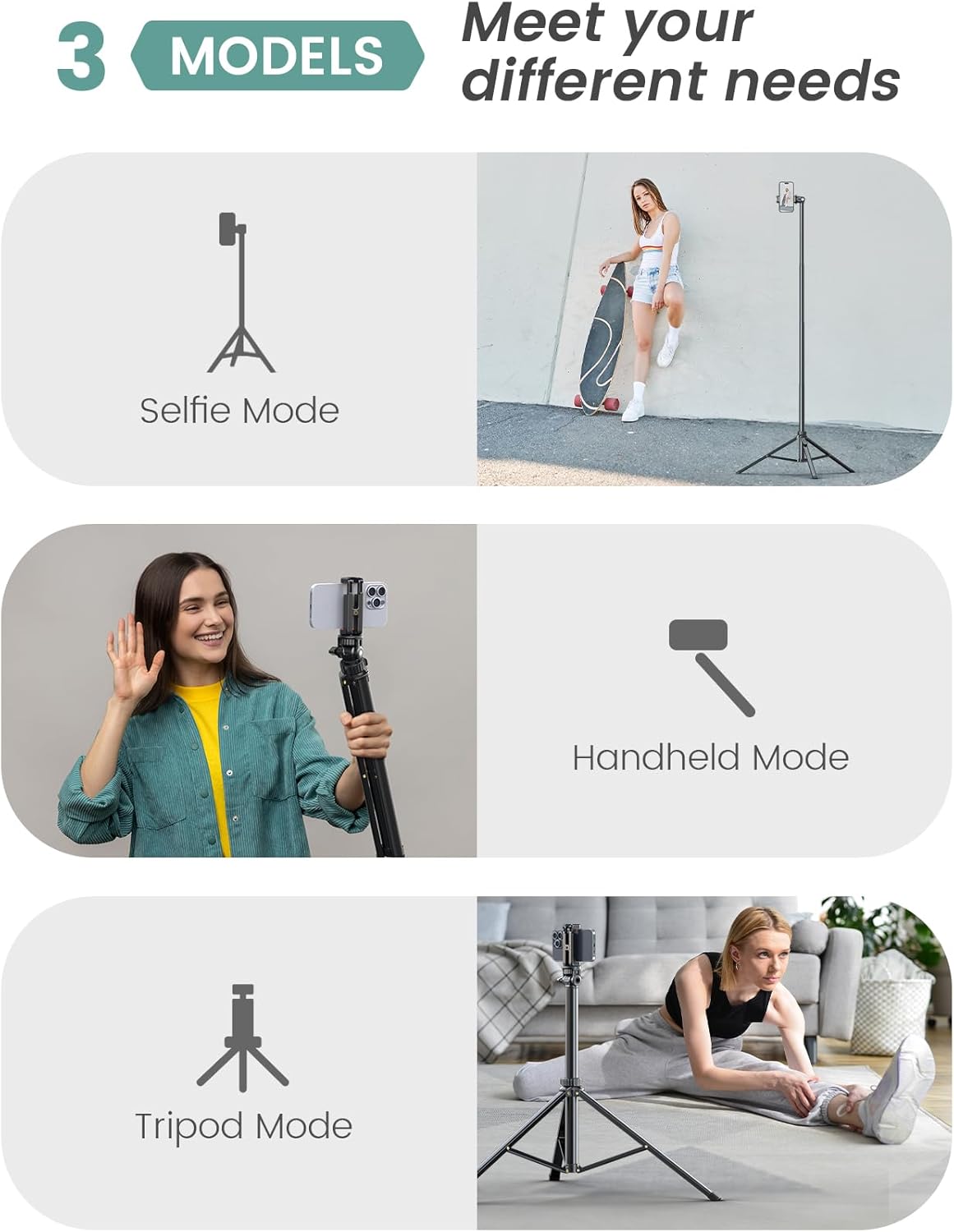
2.3 Versatile Usage Modes
The YUMAZLA tripod supports multiple modes:
- Tripod Mode: For stable shots on any flat surface.
- Selfie Mode: Collapse the legs and extend the pole for a selfie stick.
- Handheld Mode: Use the collapsed unit as a stable grip for vlogging or action shots.


3. Maintenance
Proper maintenance ensures the longevity and optimal performance of your tripod.
- Cleaning: Wipe the aluminum parts with a soft, dry cloth. Avoid abrasive cleaners or solvents.
- Storage: When not in use, collapse the tripod to its most compact size and store it in a dry place away from extreme temperatures.
- Remote Battery: The remote control uses 1 Lithium Metal battery. Replace as needed.
4. Troubleshooting
If you encounter any issues, refer to the following common solutions:
- Remote Control Not Connecting:
- Ensure the remote control is charged or has a fresh battery.
- Verify Bluetooth is enabled on your smartphone.
- Unpair and re-pair the remote control in your phone's Bluetooth settings.
- Ensure the remote is within range of your device.
- Tripod Instability:
- Ensure all three legs are fully extended and locked into position on a flat, stable surface.
- Avoid placing heavy devices beyond the specified weight limit.
- Phone Holder Not Gripping Securely:
- Ensure your smartphone is within the compatible width range (max 9cm).
- Tighten the screw on the phone holder firmly after positioning your device.
5. Specifications
| Feature | Detail |
|---|---|
| Brand | YUMAZLA |
| Model Name | YMPT05 |
| Item Model Number | PT05 |
| Maximum Height | 71 inches (180 Centimeters) |
| Material | Aluminum |
| Item Weight | 1.45 pounds (0.66 Kilograms) |
| Weight Limit | 1.1 Pounds |
| Compatible Devices | Smartphone (max width 9cm) |
| Tripod Head Type | Ball Heads |
| Special Feature | 1.8m phone tripod, Multi-function Phone Holder, Portable |
| Batteries | 1 Lithium Metal battery required (for remote) |
6. Warranty & Support
For detailed warranty information, please refer to the "Warranty Card" included in your product packaging. This card contains specific terms and conditions regarding your product's warranty coverage.
If you require further assistance or have questions not covered in this manual, please contact YUMAZLA customer support through their official website or the contact information provided in your product documentation.