
1. Product Overview
The Vakedy HW20 is a versatile wireless gaming headset designed for an immersive audio experience across multiple platforms. It features both 2.4GHz wireless connectivity via a USB dongle and Bluetooth 5.4, offering flexibility for various devices. The headset is equipped with 50mm dynamic drivers for clear stereo sound and an omnidirectional noise-canceling microphone for effective communication.

Image 1.1: The Vakedy HW20 Wireless Gaming Headset, featuring a black and green design with an included 2.4G USB dongle.
Key Features:
- Dual Connectivity: 2.4GHz wireless (USB dongle) and Bluetooth 5.4.
- Wide Compatibility: Supports PC, PS5, PS4, Mac, Nintendo Switch (audio only), and mobile devices.
- High-Fidelity Audio: 50mm dynamic coil drivers for detailed stereo sound.
- Clear Communication: Omnidirectional noise-canceling microphone with 360° rotation and one-button mute.
- Extended Battery Life: Up to 50 hours of playtime on a single charge.
- Comfortable Design: Lightweight construction with soft, breathable mesh ear pads and an adjustable headband.
2. Package Contents
Please verify that all items are present in the package:
- Vakedy Wireless Gaming Headset HW20
- 2.4GHz USB Dongle
- USB-C Charging Cable
- User Manual

Image 2.1: The side of the product packaging, indicating the included items: Wireless Headset, Type-C Cable, USB Dongle, and User Manual.
3. Setup Instructions
3.1 Charging the Headset
- Connect the supplied USB-C charging cable to the headset's charging port.
- Connect the other end of the cable to a USB power source (e.g., computer USB port, USB wall adapter).
- The headset's indicator light will show charging status. A full charge takes approximately 2.5 to 3 hours.
A fully charged headset provides up to 50 hours of playtime. A low battery alert will indicate when recharging is needed.

Image 3.1: Illustration showing the headset charging for 3 hours to provide 50 hours of use, highlighting the 900mAh battery capacity.
3.2 2.4GHz Wireless Connection (USB Dongle)
This mode is compatible with PC, PS5, PS4, and Mac. For Nintendo Switch, audio is supported, but the microphone is not functional in this mode.
- Insert the 2.4GHz USB dongle into an available USB port on your device (PC, PS5, PS4, Mac, or Nintendo Switch).
- Power on the Vakedy HW20 headset.
- The headset will automatically attempt to connect to the dongle. A successful connection is usually indicated by a stable light on the headset.
- On your device, ensure the Vakedy HW20 is selected as the audio output and input device in your sound settings.
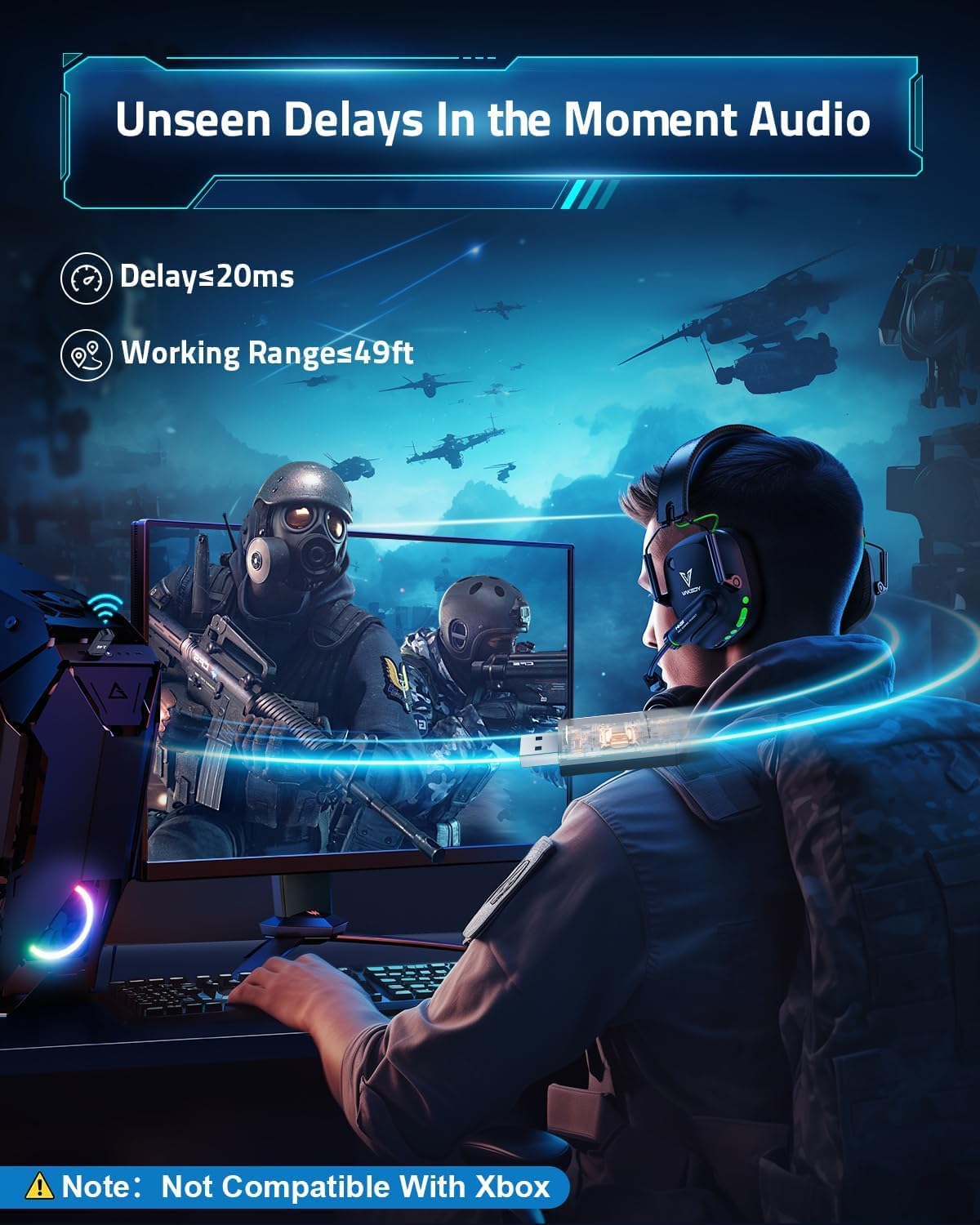
Image 3.2: A gamer using the headset with a 2.4G USB dongle connected to a PC, illustrating the low latency (≤20ms) and working range (49ft) of the wireless connection.
3.3 Bluetooth 5.4 Connection
This mode is compatible with smartphones, tablets, iPads, and other smart devices. Note: Bluetooth mode is not compatible with PS4, PS5, or PC for gaming audio.
- Power on the Vakedy HW20 headset.
- Activate Bluetooth pairing mode on the headset (refer to the operating instructions for specific button presses).
- On your mobile device, enable Bluetooth and search for available devices.
- Select "Vakedy HW20" from the list of found devices to pair.
3.4 Compatibility Overview

Image 3.3: A detailed compatibility chart showing which features (video/audio and microphone) are supported across different devices (PC/Mac/Laptop, PS4/PS5, Switch, Mobile/Tablet) in both Dongle Mode (USB-A) and Bluetooth 5.3 Mode.
- Bluetooth connectivity is not compatible with PS4, PS5, or PC for gaming.
- The microphone is not supported when using the headset with Nintendo Switch.
- The headset is not compatible with all Xbox series consoles.
4. Operating Instructions
4.1 Power On/Off
Locate the power button on the headset. Press and hold the power button for approximately 3 seconds to turn the headset on or off. An audible cue or indicator light will confirm the status change.
4.2 Volume Control
Use the volume up (+) and volume down (-) buttons, typically located on one of the earcups, to adjust the audio output level.
4.3 Microphone Usage
The headset features an omnidirectional noise-canceling microphone. It can be rotated 360° for optimal positioning. A dedicated mute button allows you to quickly toggle the microphone on or off. When muted, the microphone's indicator light may change color.

Image 4.1: Diagram illustrating how the omnidirectional noise-canceling microphone effectively eliminates up to 95% of environmental noise, showing a 'Before' and 'After' sound wave comparison.
4.4 Mode Switching
The headset supports both 2.4GHz wireless and Bluetooth modes. A dedicated button or a combination of button presses allows you to switch between these modes. Refer to the headset's indicator lights for the active connection mode.
4.5 Lighting Effects
The headset features stylish breathing lights that activate when the headset is powered on. These lights enhance the aesthetic during use.
5. Maintenance
Proper care and maintenance will extend the lifespan of your Vakedy HW20 headset.
- Cleaning: Use a soft, dry cloth to clean the headset. Avoid using harsh chemicals or abrasive materials.
- Storage: Store the headset in a cool, dry place away from direct sunlight and extreme temperatures.
- Battery Care: To maintain battery health, charge the headset regularly and avoid completely draining the battery for extended periods.
- Handling: Handle the headset with care to prevent physical damage. Avoid excessive bending or twisting of the microphone arm.

Image 5.1: Close-up view of the headset highlighting its breathable soft earmuffs, adjustable headband, and rotatable earcup, all contributing to user comfort and durability.

Image 5.2: Detailed view of the breathable mesh ear pads, designed for extended use and to prevent sweat buildup during long gaming sessions.
6. Troubleshooting
If you encounter issues with your Vakedy HW20 headset, please refer to the following common solutions:
- No Sound or Low Volume:
- Ensure the headset is powered on and fully charged.
- Check the volume levels on both the headset and your connected device.
- Verify that the correct audio output device (Vakedy HW20) is selected in your device's sound settings.
- Microphone Not Working:
- Ensure the microphone is not muted (check the mute button and its indicator light).
- Confirm that the Vakedy HW20 is selected as the input device in your device's sound settings.
- Remember that the microphone is not supported when connected to Nintendo Switch.
- 2.4GHz Wireless Connection Issues:
- Ensure the USB dongle is securely inserted into a working USB port.
- Power cycle both the headset and the connected device.
- Try using a different USB port for the dongle.
- Reduce the distance between the headset and the dongle, and remove any potential obstructions.
- Bluetooth Connection Issues:
- Ensure the headset is in Bluetooth pairing mode.
- Disable and re-enable Bluetooth on your mobile device.
- Forget the device from your mobile device's Bluetooth settings and attempt to re-pair.
- Remember that Bluetooth mode is not compatible with PS4, PS5, or PC for gaming.
- Headset Not Compatible with Xbox:
- Please note that the Vakedy HW20 headset is not compatible with all Xbox series consoles.
7. Specifications
Detailed technical specifications for the Vakedy HW20 Wireless Gaming Headset:
| Feature | Specification |
|---|---|
| Model Name | HW20 |
| Connectivity Technology | Wireless (2.4GHz, Bluetooth 5.4) |
| Audio Driver Size | 50 Millimeters |
| Battery Life | 50 Hours |
| Charging Time | 3 Hours |
| Wireless Range (2.4GHz) | Up to 49 feet (unobstructed) |
| Bluetooth Range | 39 Feet |
| Audio Latency | ≤20 Milliseconds |
| Microphone Type | Omnidirectional, Noise-Canceling |
| Weight | 12.3 ounces |
| Material | Acrylonitrile Butadiene Styrene (ABS) |
| Impedance | 32 Ohm |
| Frequency Response | 20 KHz |
| Frequency Range | Up to 10,000 Hz |
| Sensitivity | 20 Millimeters per Second |
8. Warranty and Support
Vakedy is committed to customer satisfaction and provides comprehensive support for your HW20 Wireless Gaming Headset.
- Free Replacement: The product includes a 365-day free replacement policy, covering manufacturing defects without requiring repairs.
- Customer Support: A professional support team is available to assist with any inquiries or after-sales support needs.
- Contact: For assistance, please refer to the contact information provided with your purchase or visit the official Vakedy support channels.

Image 8.1: Information regarding Vakedy customer care, highlighting 12-hour fast support and a 365-day free replacement policy.
