
Introduction
This manual provides comprehensive instructions for the setup, operation, and maintenance of your LiangCuber QiYi Cube Smart Timer, Model EQY-1Q. This device is designed to enhance your speed cubing experience with precise timing and intelligent app connectivity.
Product Overview
The LiangCuber QiYi Cube Smart Timer is an advanced timing device for speed cubing, featuring touch-sensitive pads, a digital display, and Bluetooth connectivity for integration with a dedicated mobile application. It is designed for accuracy and ease of use.

Image: The LiangCuber QiYi Cube Smart Timer, displaying a timed result, alongside its accompanying mobile phone stand.
Key Features:
- Intelligent Timing: Provides precise timing for speed cubing.
- App Connectivity: Links with a mobile application for enhanced functionality and data tracking.
- Anti-Misoperation Feature: Prevents accidental resets during a solve.
- Protective Screen: Features an acrylic protective panel to prevent scratches.
- Textured Touchpad: Designed for sensitive and smooth tactile interaction.
- Mobile Phone Stand: Included for an organized practice setup.

Image: Detailed view of the timer highlighting the left button (power on/off, reset Bluetooth), right button (reset to zero, delete current result), and the anti-misoperation feature.

Image: Close-up showing the small indicator lights, the acrylic protective screen, and the delicately textured matte touchpad.
Setup
1. Battery Installation
- Locate the battery compartment on the underside of the timer.
- Unscrew the battery compartment cover.
- Insert two (2) AAA batteries, ensuring correct polarity. Batteries are not included and must be purchased separately.
- Replace the battery compartment cover and secure it with the screw.
2. Powering On/Off
- To Power On: Short press the left button (power symbol).
- To Power Off: Short press the left button (power symbol).
3. App Download and Connection
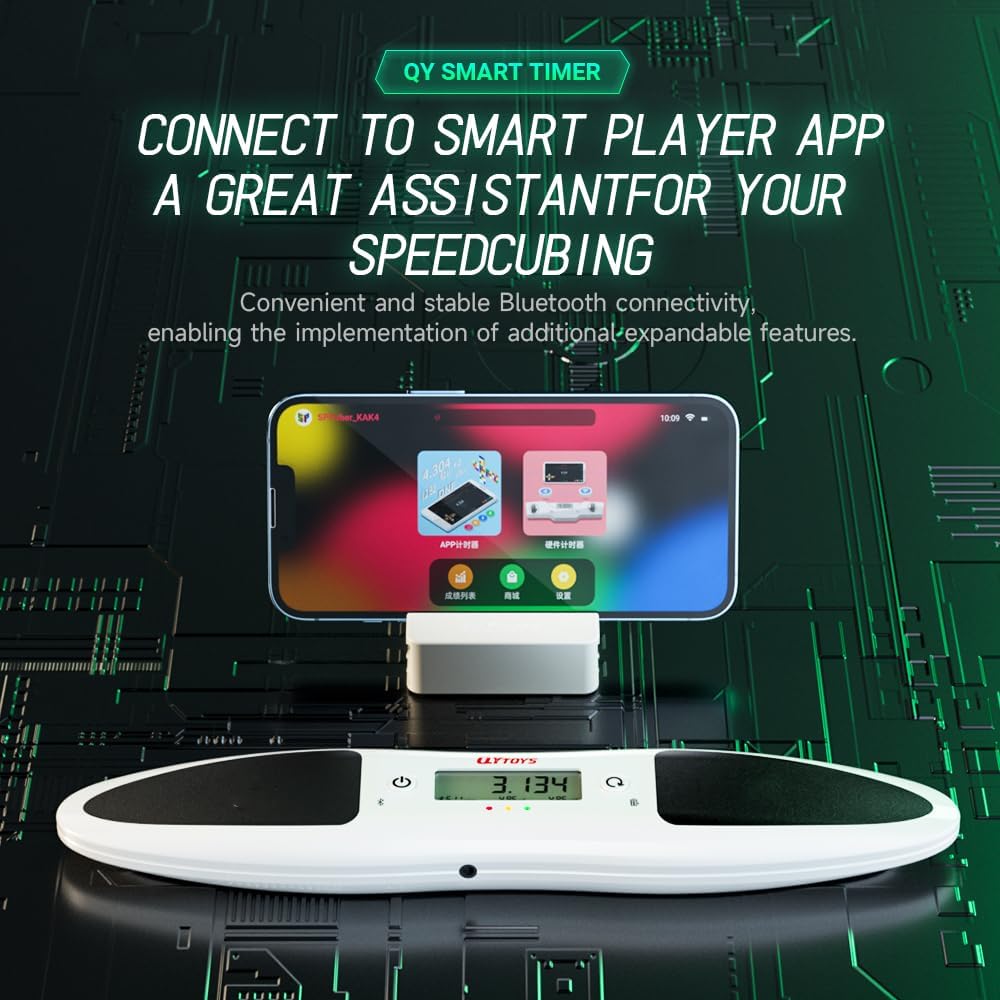
Image: The smart timer connected to a mobile phone displaying the companion application interface.
- Download the 'Smart Player' application from your device's app store.
- Ensure Bluetooth is enabled on your mobile device.
- Power on the Smart Timer.
- Open the 'Smart Player' app and follow the in-app instructions to connect to your timer via Bluetooth.
- If connection issues occur, long press the left button for 5 seconds to reset Bluetooth on the timer.
4. Mobile Phone Stand Setup
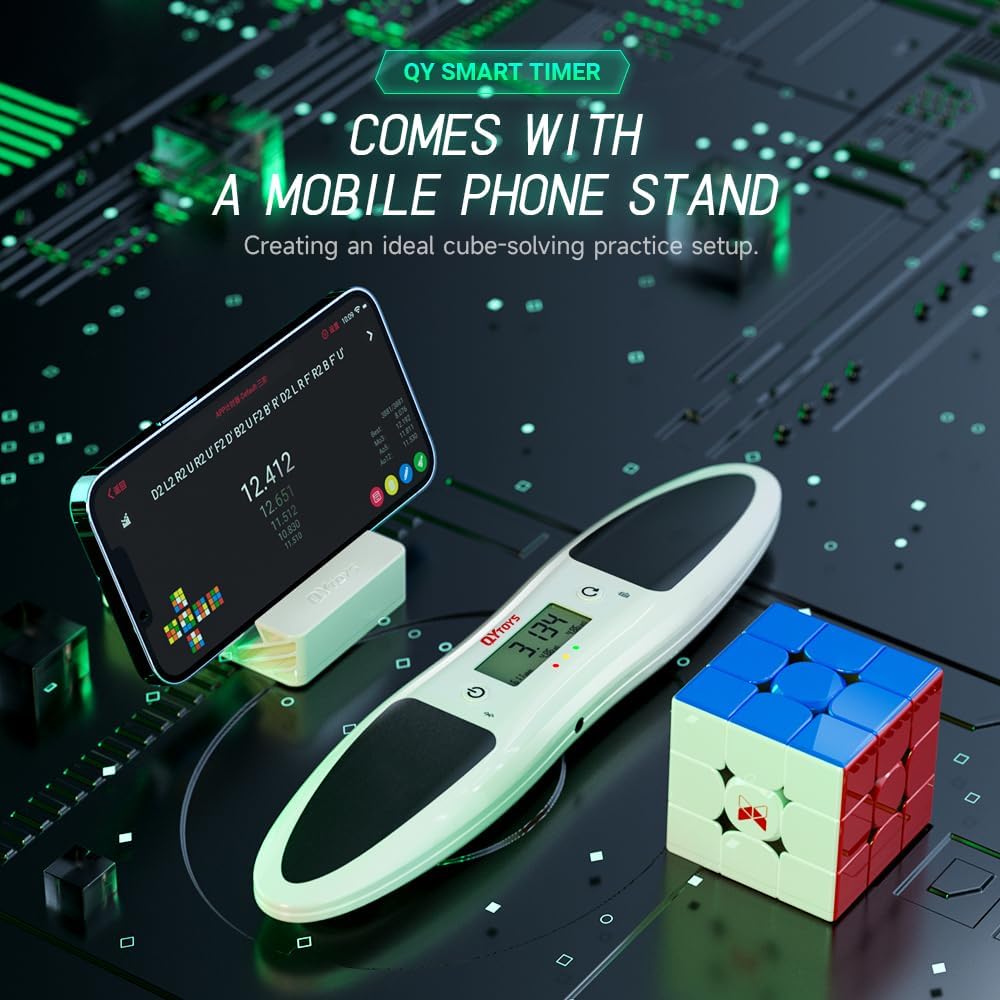
Image: The smart timer with the mobile phone stand holding a smartphone, positioned next to a speed cube, illustrating a typical practice setup.
The included mobile phone stand can be attached to the timer or used separately to hold your smartphone, providing a convenient viewing angle for the companion app during practice sessions.
Operating Instructions
Basic Timing Operation
- Place the timer on a flat, stable surface.
- Ensure the timer is powered on. The indicator lights will show its status.
- Place both hands flat on the touch-sensitive pads. The indicator lights will change to signal readiness.
- Remove your hands to start the timer.
- After completing your solve, place both hands back on the pads to stop the timer. The elapsed time will be displayed.
Button Functions
- Left Button (Power Symbol):
- Short press: Power on/off.
- Long press for 5 seconds: Reset Bluetooth connection.
- Right Button (Refresh Symbol):
- Short press: Reset the displayed time to zero.
- Long press for 2 seconds: Delete the current result.
Anti-Misoperation Feature
During the timing process, the functions of both the left and right buttons are temporarily blocked to prevent accidental resetting or power-off of the timer, ensuring accurate recording of your solve times.
App Integration
When connected to the 'Smart Player' app, the timer automatically sends solve data to your mobile device. The app provides additional features such as:
- Detailed statistics and graphs of your solve times.
- Tracking of personal bests and averages.
- Access to scrambles and other cubing resources.
- Potential for competitive features and leaderboards (subject to app updates).
Maintenance
Cleaning
To clean the timer, gently wipe the surface with a soft, dry cloth. For stubborn marks, a slightly damp cloth can be used, followed by immediate drying. Avoid using abrasive cleaners or solvents, as these can damage the device.
Battery Replacement
When the display dims or the timer becomes unresponsive, it is likely time to replace the AAA batteries. Follow the battery installation steps outlined in the Setup section.
Storage
Store the timer in a cool, dry place away from direct sunlight and extreme temperatures. If storing for an extended period, it is recommended to remove the batteries to prevent leakage.
Troubleshooting
- Timer Not Powering On:
- Ensure batteries are correctly installed and are not depleted. Replace with fresh AAA batteries if necessary.
- Confirm the power button is pressed correctly.
- Timer Not Starting/Stopping:
- Ensure both hands are placed firmly and completely on the touchpads before starting and after stopping.
- Check for any obstructions on the touchpads.
- App Connection Issues:
- Verify Bluetooth is enabled on your mobile device and the timer.
- Try resetting the timer's Bluetooth by long-pressing the left button for 5 seconds.
- Restart the 'Smart Player' app and your mobile device.
- Timer Freezes or Becomes Unresponsive:
- Remove and reinsert the batteries to perform a hard reset.
- Ensure the timer's firmware is up to date via the companion app, if such an option is available.
If issues persist, please contact LiangCuber customer support for further assistance.
Specifications
| Feature | Detail |
|---|---|
| Model Number | EQY-1Q |
| Brand | LiangCuber |
| Color | White |
| Material | Plastic |
| Product Dimensions | 6 x 2 x 0.04 inches (15.24 x 5.08 x 0.1 cm) |
| Item Weight | 9.6 ounces (0.27 Kilograms) |
| Power Source | 2 x AAA Batteries (not included) |
| Number of Settings | 5 (referring to internal operational modes or display settings) |

Image: The smart timer and its components displayed with their respective dimensions in centimeters.
Safety Information
WARNING: CHOKING HAZARD - Small Parts. Not for children under 3 years old.
Keep the device and its components out of reach of small children to prevent accidental ingestion of small parts.
Warranty and Support
For warranty information, technical support, or any inquiries regarding your LiangCuber QiYi Cube Smart Timer, please refer to the contact information provided with your purchase or visit the official LiangCuber website.