
Introduction
This manual provides detailed instructions for the setup, operation, and maintenance of your TONGVEO 12x Zoom Conference Room Video Camera System. This system combines a high-definition PTZ camera with an AI auto-tracking feature and a Bluetooth conference speakerphone, designed for effective video and audio conferencing in medium to large rooms.
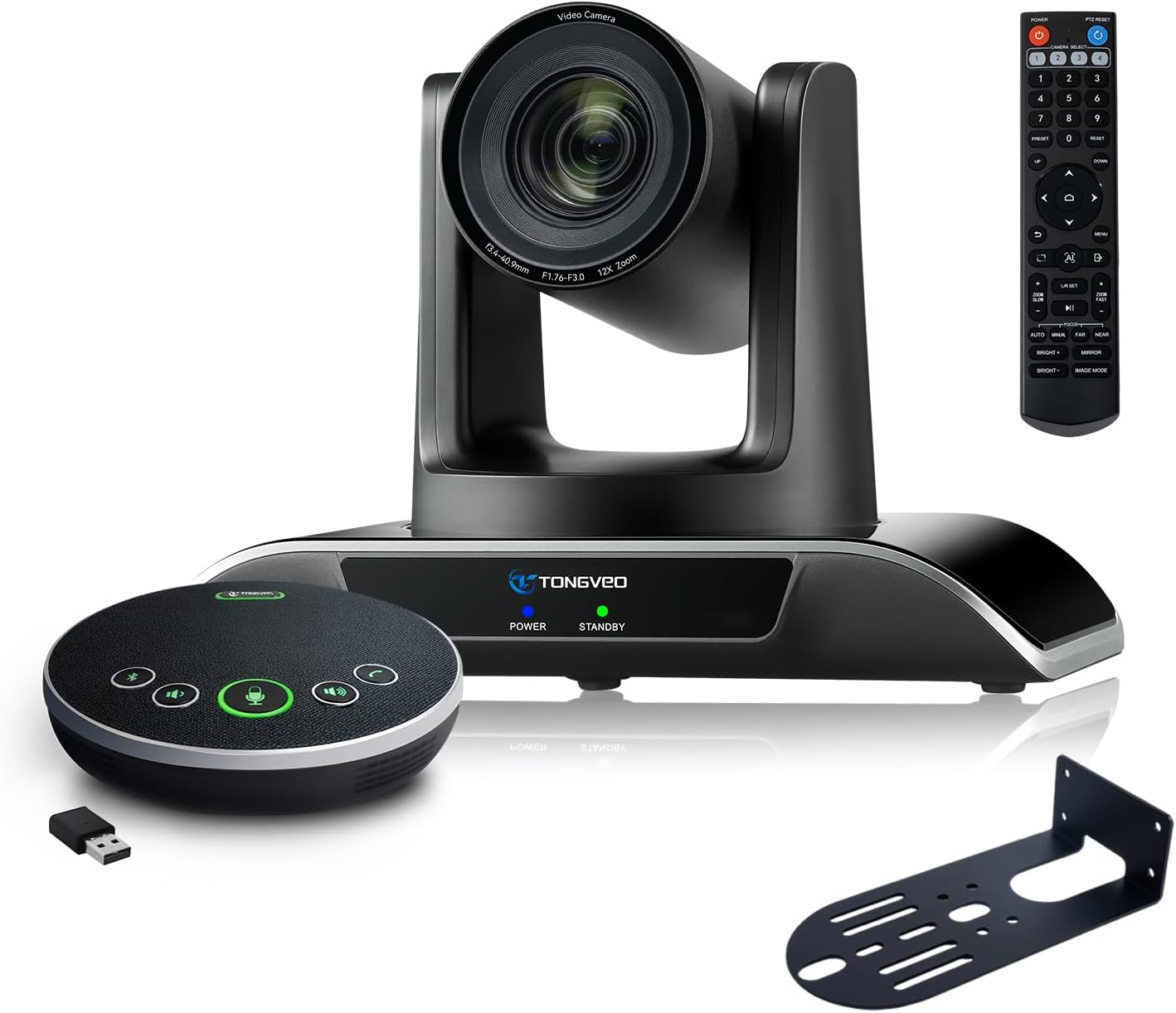
Figure 1: TONGVEO 12x Zoom Conference Room Video Camera System
What's in the Box
Verify that all items are present in the package:
- 1 * DC 12V/2A power adaptor
- 1 * IR remote control
- 1 * 9.8ft USB 3.0 cable
- 1 * wall mount with screws
- 1 * PTZ Camera manual
- 1 * Speakerphone
- 1 * 4.9ft USB 2.0 cable
- 1 * Dongle
Product Overview
The TONGVEO conference system integrates a high-performance PTZ camera and a versatile Bluetooth speakerphone to provide a complete conferencing solution.
Camera Features
- 12x Optical Zoom: Provides clear visuals even from a distance.
- HD 1080P 60fps: Delivers crisp and smooth video quality.
- AI Auto-Tracking: Automatically detects and tracks speakers with humanoid and face recognition.
- PTZ Functionality: Pan (350°), Tilt (180°), and Zoom control via IR remote.
- 75° Wide Angle FOV: Captures a broad view of the conference room.
- Multiple Outputs: USB 3.0 and HDMI for simultaneous video output.

Figure 2: AI Tracking PTZ Camera and Conference Speaker Combination
Speakerphone Features
- Full-Duplex Microphones: Array with echo cancellation for clear audio.
- 16.4ft (5M) Voice Pickup: Ensures all participants are heard.
- Multiple Connection Modes: USB, Bluetooth 5.0, and Wireless Dongle.
- Built-in Battery: 2400mAh for 6-8 hours of continuous operation.
- Hands-free Design: Integrated microphone and speaker for convenience.
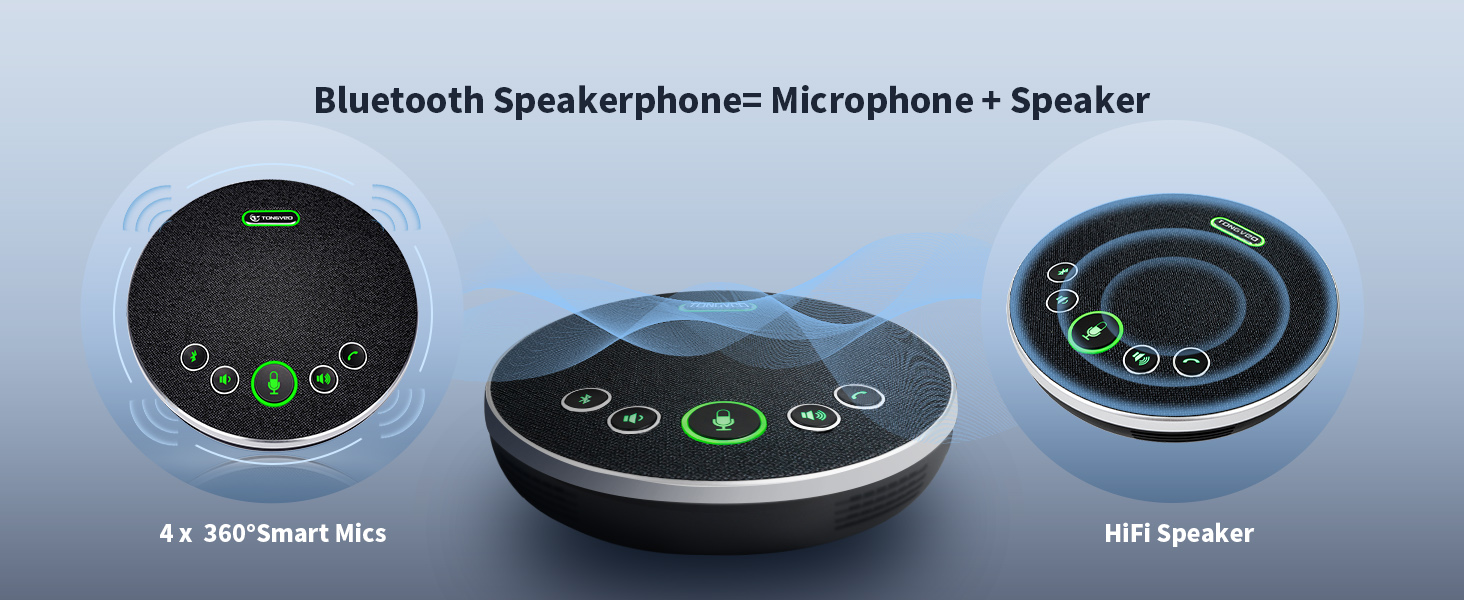
Figure 3: Bluetooth Speakerphone
Setup
1. Camera Installation
The camera offers multiple installation options:
- Desk Mount: Place the camera on a flat surface.
- Wall Mount: Use the provided wall mount and screws to secure the camera to a wall.
- Tripod Mount: Attach the camera to a standard tripod.
- Ceiling Mount: Secure the camera to the ceiling using appropriate mounting hardware (not included, but compatible).
2. Connecting the Camera
- Connect the DC 12V/2A power adaptor to the camera's power input and plug it into an electrical outlet.
- For video output to a computer, connect the 9.8ft USB 3.0 cable from the camera's USB 3.0 port to your laptop or desktop PC.
- For video output to a display (e.g., Smart TV), connect an HDMI cable (not included) from the camera's HDMI port to the display.

Figure 4: Camera Interface Connection Options
3. Connecting the Speakerphone
The speakerphone offers flexible connection options:
- USB Connection: Connect the 4.9ft USB 2.0 cable from the speakerphone to your computer. This provides both power and audio/microphone functionality.
- Bluetooth Connection: Power on the speakerphone and pair it with your Bluetooth-enabled device (e.g., laptop, smartphone).
- Wireless Dongle: Insert the provided USB dongle into your computer. The speakerphone will automatically connect wirelessly.
No drivers are typically required for any of these connections, ensuring a plug-and-play experience.
Operating Instructions
1. Camera Control with IR Remote
Use the included IR remote control to manage camera functions:
- Pan/Tilt: Use the directional arrows to move the camera horizontally (350°) and vertically (180°).
- Zoom: Use the 'Zoom In' and 'Zoom Out' buttons for 12x optical zoom.
- AI Auto-Tracking: Activate or deactivate AI tracking for automatic speaker framing.
- Presets: Store and recall up to 10 preset camera positions for quick adjustments.
- Menu: Access camera settings and configurations.

Figure 5: IR Remote Control Functions
2. Speakerphone Operation
The speakerphone features intuitive controls:
- Volume Control: Adjust audio output using dedicated volume buttons.
- Microphone Mute: Mute or unmute the microphone during a call.
- Answer/Hang Up: Manage calls directly from the speakerphone.
- Bluetooth Button: Initiate Bluetooth pairing.
3. Software Compatibility
The system is compatible with most video conferencing software, including:
- Zoom
- YouTube
- Microsoft Teams
- Facetime
- Hangout
- OBS
It supports Windows 7, 8, 10, 11, and Mac OS 10.10 or higher.

Figure 6: Universal Software Compatibility
Maintenance
To ensure optimal performance and longevity of your TONGVEO Conference Room Video Camera System, follow these maintenance guidelines:
- Cleaning: Use a soft, dry cloth to clean the camera lens and speakerphone surfaces. Avoid abrasive cleaners or solvents.
- Storage: When not in use for extended periods, store the system in a cool, dry place away from direct sunlight and extreme temperatures.
- Cable Management: Ensure all cables are neatly organized and not kinked or strained to prevent damage.
Troubleshooting
If you encounter issues with your system, refer to the following common troubleshooting steps:
- No Video Output: Ensure the camera is powered on and connected correctly via USB 3.0 or HDMI. Check your computer's device manager or conferencing software settings to confirm the camera is recognized.
- No Audio/Microphone: Verify the speakerphone is powered on and connected via USB, Bluetooth, or dongle. Check volume levels on both the speakerphone and your computer. Ensure the microphone is not muted.
- AI Auto-Tracking Not Working: Confirm the AI tracking feature is enabled via the remote control. Ensure there are no obstructions blocking the camera's view of the speaker.
- Remote Control Issues: Check the remote control batteries. Ensure there is a clear line of sight between the remote and the camera/speakerphone.
- Connection Interruption: For wireless connections, ensure the speakerphone is within range of the Bluetooth device or dongle. For wired connections, check cable integrity.
If problems persist, consult the detailed user manual or contact technical support.
Specifications
| Feature | Specification |
|---|---|
| Package Dimensions | 12 x 10.5 x 8.5 inches |
| Item Weight | 6.54 pounds |
| Item Model Number | 3ece374c-d69c-4702-8d41-e0e82085d2bf |
| Batteries | 1 Lithium Ion batteries required (included) |
| Photo Sensor Technology | CMOS |
| Video Capture Resolution | 1080p |
| Maximum Focal Length | 105 |
| Maximum Aperture | 28 Millimeters |
| Flash Memory Type | SD |
| Video Capture Format | MPEG |
| Supported Audio Format | PCM, OPUS |
| Screen Size | 2.1 Centimeters |
| Connectivity Technology | Bluetooth, HDMI, USB |
Warranty and Support
This TONGVEO Conference Room Video Camera System is provided with technical support. Any questions or concerns will be answered within 24 hours. Please refer to your purchase documentation for specific warranty details.


