
WENTELMUSIC A8(1TX+1RX)
WENTELMUSIC A8 Wireless Guitar System Instruction Manual
Model: A8(1TX+1RX)
Brand: WENTELMUSIC
1. Introduction
Thank you for choosing the WENTELMUSIC A8 Wireless Guitar Transmitter Receiver System. This manual provides essential information for the proper setup, operation, and maintenance of your new wireless audio system. The A8 system is designed to deliver crystal-clear, low-latency audio, offering musicians freedom of movement without compromising sound quality. It operates on the 2.4GHz frequency band, ensuring stable and interference-free performance.
2. What's in the Box
Upon unboxing your WENTELMUSIC A8 Wireless Guitar System, please ensure all the following components are present:
- 1 x A8 Wireless Transmitter
- 1 x A8 Wireless Receiver
- 1 x Dual-ended Micro USB Charging Cable
- 1 x Instruction Manual
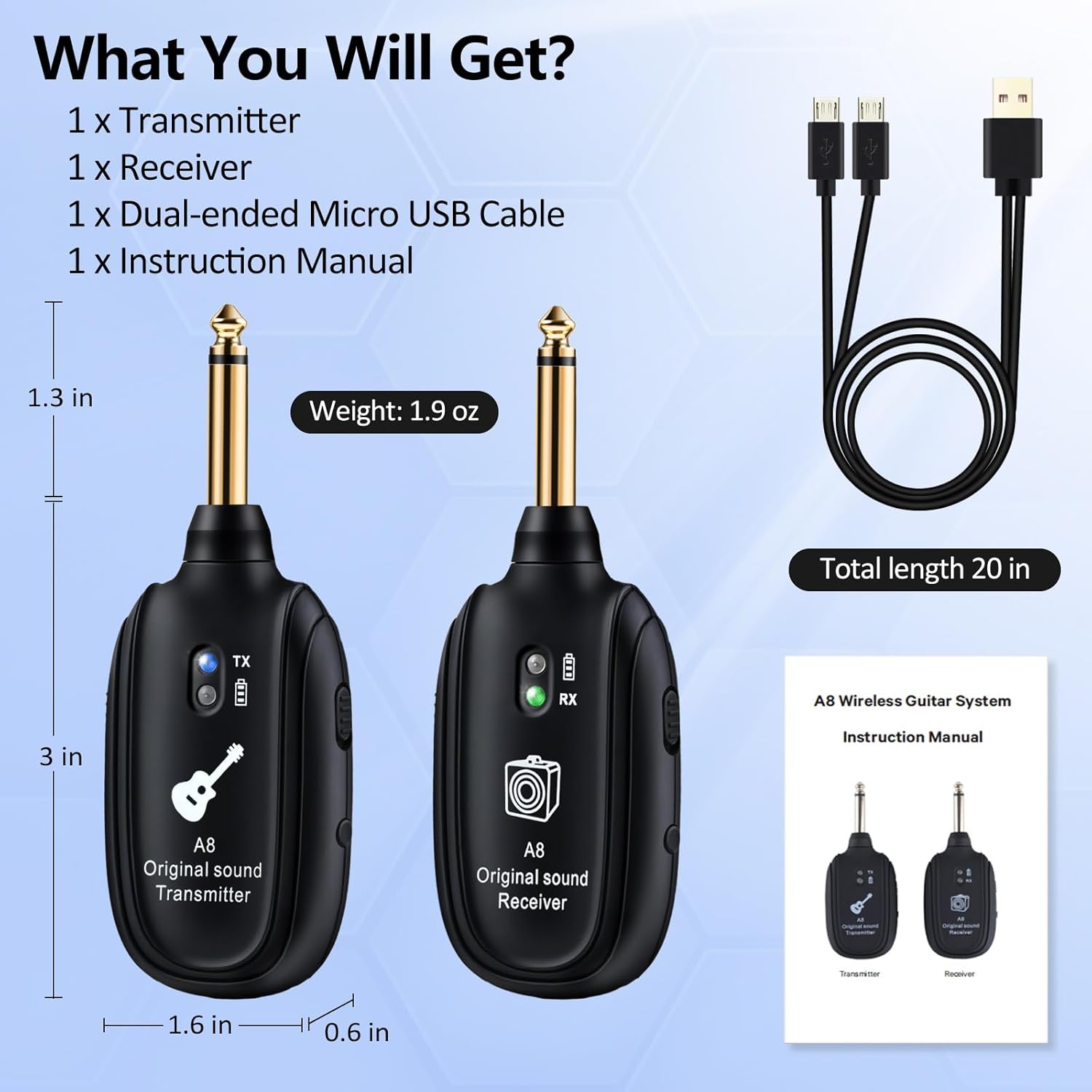
Figure 2.1: All components included in the WENTELMUSIC A8 Wireless Guitar System package.
3. Setup Instructions
Setting up your A8 Wireless Guitar System is quick and straightforward, designed for effortless performance.
- Power On: Pull up the power switch on both the transmitter and the receiver to turn them on. The units will automatically attempt to pair.
- Automatic Pairing: The transmitter and receiver are designed for one-button pairing. They should sync quickly and automatically upon power-on. A green light on the receiver indicates a successful connection and signal reception.
- Connect to Instrument: Plug the A8 Wireless Transmitter into your electric guitar, bass, or any instrument with a 1/4" jack. The transmitter features a rotatable 1/4" plug for flexible positioning.
- Connect to Amplifier/Audio System: Plug the A8 Wireless Receiver into your amplifier, audio mixer, sound card, effect pedal, or guitar looper.
- Important Note: Always plug in the transmitter and receiver first, and then turn on your amplifier or audio system. This sequence helps to avoid unwanted noise caused by metal friction during insertion.
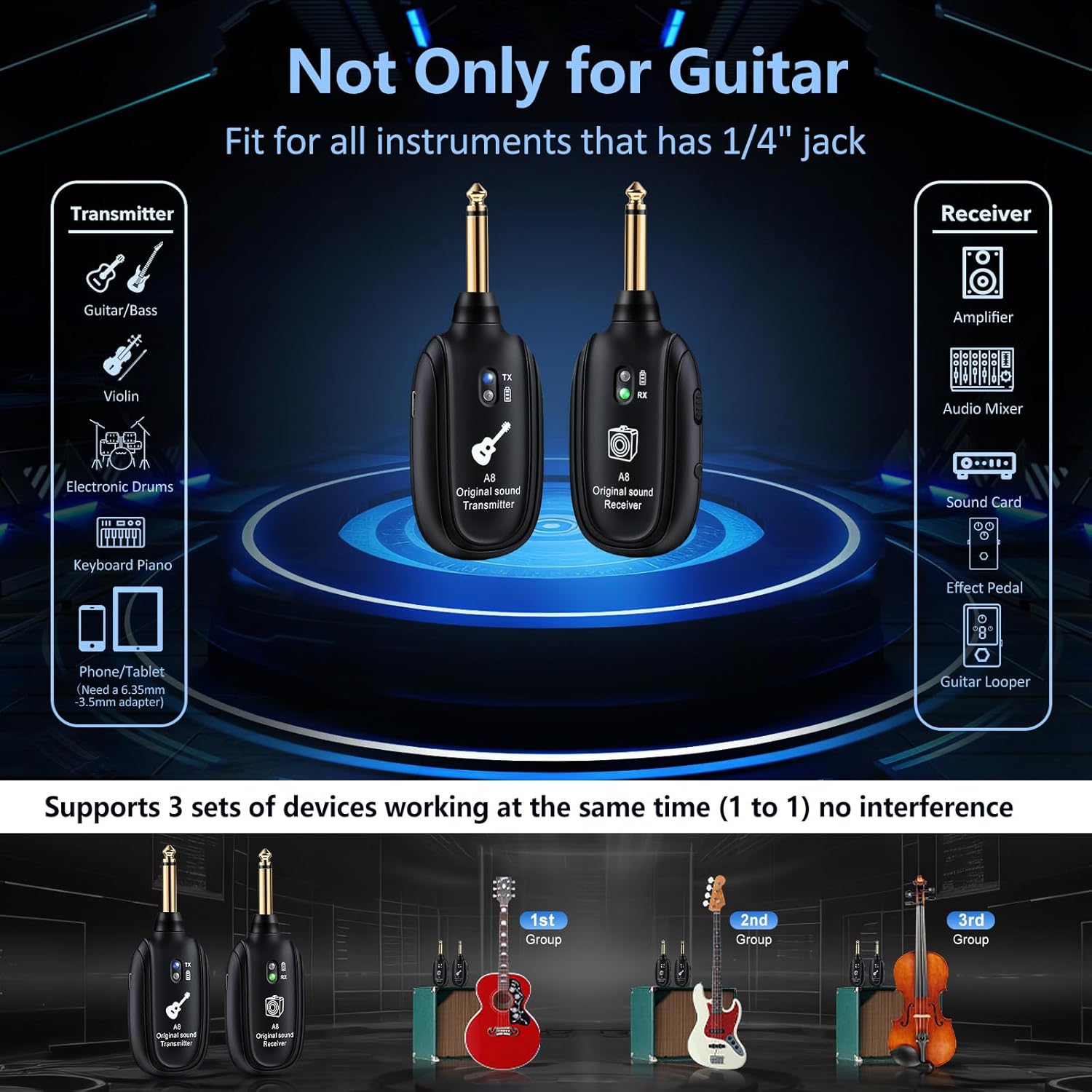
Figure 3.1: The A8 system features a simple plug-and-play setup with automatic matching.
4. Operating Instructions
Once set up, operating your WENTELMUSIC A8 system is intuitive.
- Signal Transmission: The system operates on the 2.4GHz frequency band, providing strong anti-interference capabilities and a transmission range of up to 100 feet.
- Audio Quality: Experience high-quality sound with 24-bit/48KHz audio transmission and ultra-low latency of less than 4ms, ensuring no noticeable delay or loss in sound quality.
- Mode Switching (Acoustic/Electric): To switch between acoustic and electric guitar modes, press and hold the power button on the transmitter for 3 seconds. The receiver indicator will show a green light for acoustic mode and a blue light for electric mode.
- Multiple Channels: The system supports multiple channels, allowing up to 3 sets of devices to work simultaneously without interference, which is beneficial for rehearsals or performances with multiple musicians.

Figure 4.1: The A8 system delivers clear audio quality with low latency and a wide transmission range.
5. Charging
The WENTELMUSIC A8 system features a built-in rechargeable lithium battery, offering up to 5 hours of continuous play. To charge the units:
- Connect the dual-ended Micro USB charging cable to the USB charge ports on both the transmitter and the receiver.
- Plug the USB-A end of the cable into a standard USB power adapter (not included) or a computer USB port.
- The charging indicator light will illuminate during charging. A full charge typically takes 1.5 hours.
- The red light on the battery indicator will turn off when the battery is full.

Figure 5.1: Both the transmitter and receiver can be charged simultaneously using the provided dual USB cable.
6. Compatibility
The A8 Wireless Audio Transmitter and Receiver System offers broad compatibility with various instruments and audio equipment:
- Instruments: Compatible with electric guitars, bass guitars, violins, electronic drums, keyboard pianos, and other instruments equipped with a 1/4" jack. For phones/tablets, a 6.35mm to 3.5mm adapter is required (not included).
- Audio Equipment: Works seamlessly with amplifiers, audio mixers, sound cards, effect pedals, and guitar loopers.
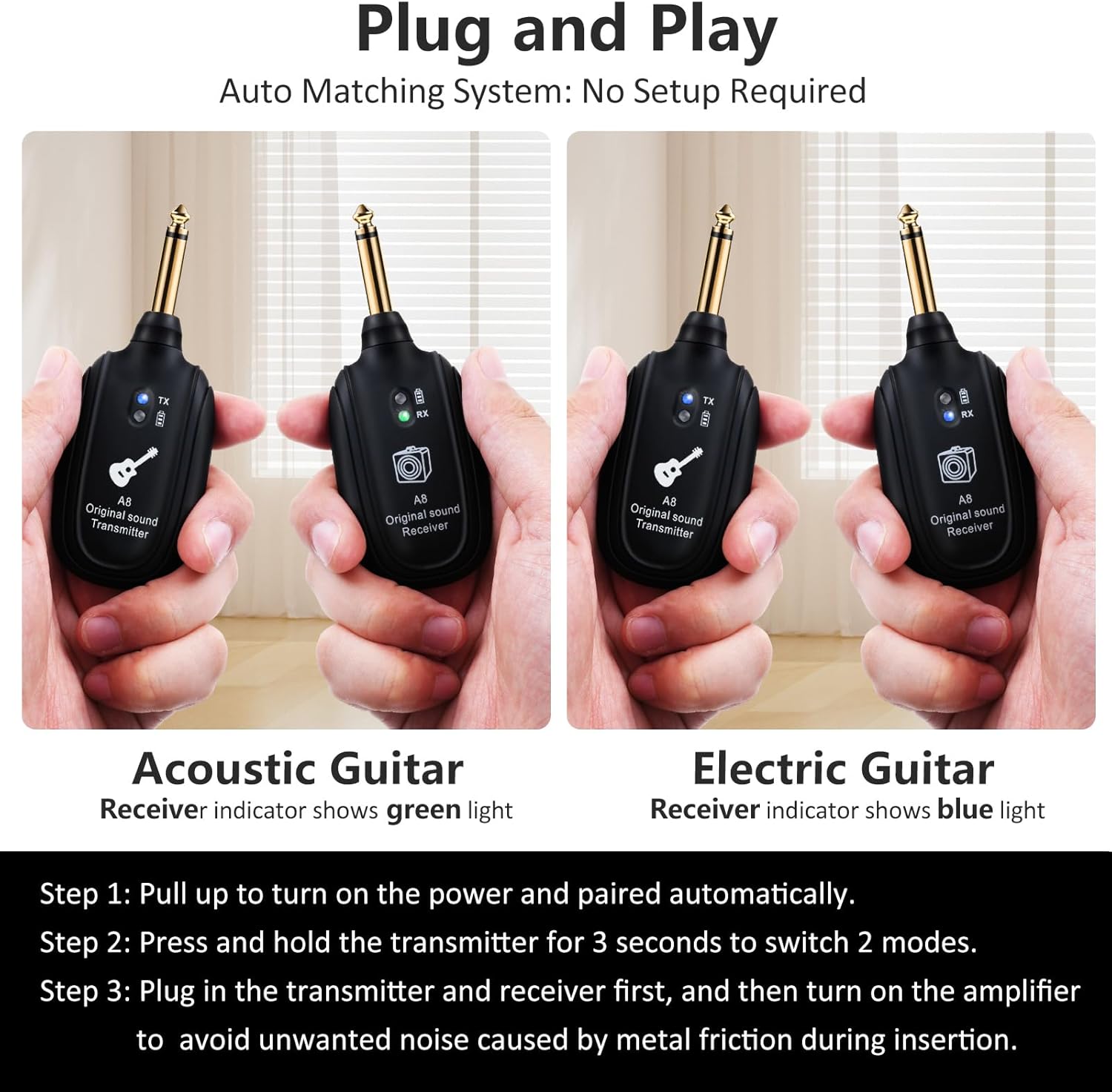
Figure 6.1: The A8 system is compatible with a wide range of instruments and audio devices.
7. Specifications
| Feature | Specification |
|---|---|
| Item Weight | 3.87 ounces |
| Product Dimensions | 0.6 x 1.6 x 4.3 inches (0.6"D x 1.6"W x 4.3"H) |
| Item Model Number | A8(1TX+1RX) |
| Batteries | 1 Lithium Ion battery required (included) |
| Color | Black |
| Compatible Devices | Guitar (and other instruments with 1/4" jack) |
| Connector Type | 6.35mm Jack |
| Material Type | PC |
| Power Source | Battery Powered |
8. Troubleshooting
If you encounter any issues with your WENTELMUSIC A8 Wireless Guitar System, please refer to the following common troubleshooting steps:
- No Sound or Intermittent Connection:
- Ensure both the transmitter and receiver are fully charged and powered on.
- Verify that both units are properly paired. If not, power cycle them and ensure they are within close proximity during pairing.
- Check the distance between the transmitter and receiver. While the system has a range of up to 100 feet, environmental factors like thick walls or other wireless devices can affect signal strength. Try reducing the distance or moving to an area with less interference.
- Confirm that the transmitter is securely plugged into your instrument and the receiver into your audio equipment.
- Short Transmission Range:
- The advertised range is up to 100 feet in optimal conditions. Obstacles such as walls, furniture, or other electronic devices can significantly reduce this range.
- Ensure there are no strong Wi-Fi signals or other 2.4GHz devices operating very close to your system, as this can cause interference.
- Poor Sound Quality (Degraded Sound, Noise):
- Ensure both units are fully charged. Low battery can affect audio performance.
- Check for strong electromagnetic interference from other electronic devices nearby.
- Verify that the plugs are clean and free of debris.
- Ensure the transmitter is correctly set to Acoustic or Electric mode for your instrument.
- Physical Fit Issues (e.g., with Stratocaster):
- The A8 features a rotatable 1/4" plug designed for wide compatibility. Adjust the angle of the plug to ensure a secure and comfortable fit with your instrument's jack.
9. Maintenance
To ensure the longevity and optimal performance of your WENTELMUSIC A8 Wireless Guitar System, follow these maintenance guidelines:
- Cleaning: Use a soft, dry cloth to clean the exterior of the transmitter and receiver. Do not use liquid cleaners or aerosols.
- Storage: Store the units in a cool, dry place away from direct sunlight, extreme temperatures, and humidity when not in use.
- Battery Care: To preserve battery life, avoid fully discharging the units frequently. If storing for an extended period, charge the batteries to about 50% every few months.
- Handling: Handle the units with care. Avoid dropping them or subjecting them to strong impacts, which can damage internal components.
10. Warranty and Support
WENTELMUSIC is committed to providing high-quality products and customer satisfaction. For any warranty claims, technical support, or product inquiries, please contact WENTELMUSIC customer service through the platform where you purchased the product. Please retain your proof of purchase for warranty purposes.
Ask a question about this manual
Ask about setup, troubleshooting, compatibility, parts, safety, or missing instructions. Manuals+ will review the question and use this page’s manual context to help answer it.