
1. Introduction
This manual provides essential information for the safe and effective use of your CAPITAL SPORTS Infinity Pro Electric Treadmill. Please read this manual thoroughly before assembly, operation, or maintenance. Keep this manual for future reference.

Image: The CAPITAL SPORTS Infinity Pro Treadmill, showcasing its design and a user engaged in a running exercise.
2. Safety Instructions
Always follow basic safety precautions when using electrical appliances to reduce the risk of fire, electric shock, and injury.
- Ensure the treadmill is placed on a flat, stable surface.
- Keep children and pets away from the treadmill during operation.
- Wear appropriate athletic footwear.
- Use the safety key/pin during every workout.
- Do not operate the treadmill if it has a damaged cord or plug, or if it is not working properly.
- Consult a physician before starting any exercise program.
- Maximum user weight: 130 kg. Do not exceed this limit.
- Power supply: 220-240 V~ / 50-60 Hz.
- The treadmill is certified EN957-1 & EN957-6.
3. Assembly and Setup
The CAPITAL SPORTS Infinity Pro Treadmill is delivered as an assembly kit. Follow these general steps for setup. Refer to the included assembly guide for detailed, step-by-step instructions and diagrams.
- Unpack all components and verify against the parts list.
- Attach the uprights and console according to the assembly guide.
- Connect all necessary cables.
- Ensure all bolts and screws are securely tightened.
- Place the treadmill in its desired location. The treadmill features wheels for easy relocation.
- Familiarize yourself with the hydraulic folding system for space-saving storage.
- Insert the safety pin before operation.

Image: Detailed dimensions of the treadmill, including its footprint and running belt area, along with maximum load capacity.
4. Operating Instructions
The Infinity Pro Treadmill offers a comprehensive range of features for an effective workout.
4.1 Console Overview and Display
The 7-inch LCD screen displays key workout metrics:
- Training Level
- Calories Burned
- Session Duration
- Distance Covered
- Speed
- Heart Rate (from integrated hand sensors or optional chest strap)

Image: The treadmill's control panel and LCD display, illustrating the various data points and control buttons available to the user.
4.2 Adjusting Speed and Incline
- Speed: Adjustable from 1 to 21 km/h, suitable for walking, jogging, or intense running.
- Incline: Adjustable up to 15% to simulate uphill running.

Image: Visual representation of the treadmill's adjustable incline function and its powerful motor, emphasizing its capability for varied workouts.
4.3 Training Programs and Modes
- Pre-set Programs: Choose from 36 pre-programmed workouts.
- Custom Modes: Create and save 3 personalized training modes.
- HRC Mode: Target heart rate training mode for optimized cardiovascular workouts.
- ECO Function: Energy-saving mode for reduced power consumption.
4.4 Smart Features and Connectivity
- Bluetooth 4.0: Connect your device for app integration.
- Kinomap App Integration: Full integration with the Kinomap app allows access to hundreds of virtual routes with automatic incline control (24 levels) and real-time feedback.
- 6P-AntiShock Suspension: Provides a natural running feel and reduces impact on joints.
- NX-AeroFan System: Integrated dual fans for cooling during workouts.

Image: The treadmill's compatibility with the Kinomap application, showing virtual training routes and the Bluetooth connection icon.
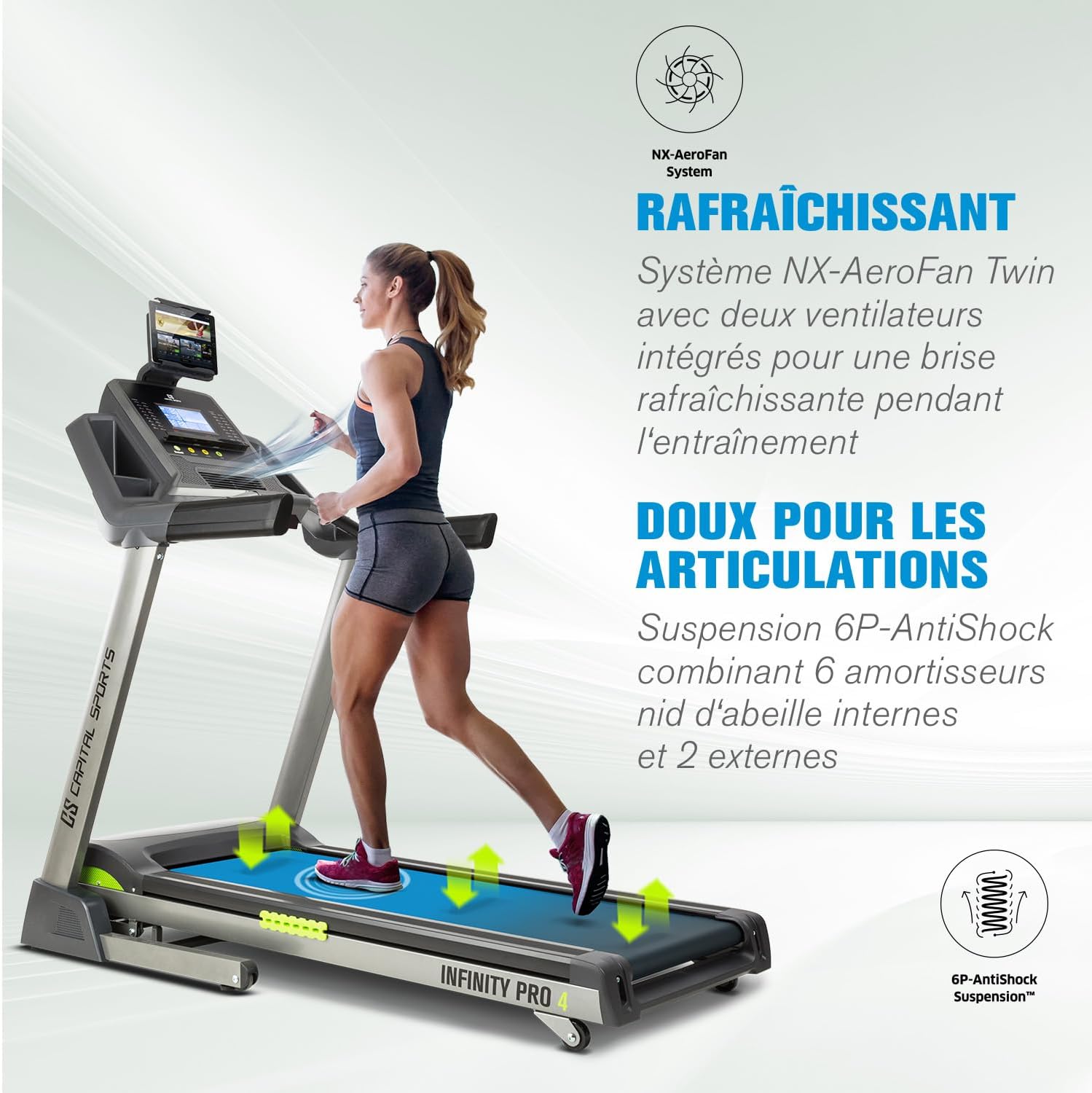
Image: Visual explanation of the treadmill's shock absorption system for joint protection and the integrated fan system for user comfort.
5. Maintenance
Regular maintenance ensures the longevity and optimal performance of your treadmill.
- Cleaning: Wipe down the console and exterior surfaces with a damp cloth after each use. Avoid abrasive cleaners.
- Lubrication: The running belt requires periodic lubrication. A lubricant bottle is included with your purchase. Refer to the detailed assembly guide for specific instructions on how and when to lubricate the belt.
- Belt Tension and Alignment: Check the running belt tension and alignment regularly. Adjust as needed according to the assembly guide.
- Storage: When not in use, the treadmill can be folded using its hydraulic system for compact storage. Ensure the safety pin is engaged when folded.
6. Troubleshooting
If you encounter issues with your treadmill, refer to the following common troubleshooting tips. For problems not listed here, contact customer support.
- Treadmill not starting:
- Ensure the power cord is securely plugged into a grounded outlet.
- Check that the safety key/pin is correctly inserted into the console.
- Verify the power switch is in the "ON" position.
- Belt slipping or hesitating:
- The running belt may need lubrication. Follow the lubrication instructions in Section 5.
- The running belt may need tensioning. Refer to the assembly guide for adjustment procedures.
- Unusual noises:
- Check for loose parts and tighten them.
- Ensure the treadmill is on a level surface.
- If the noise persists, contact customer support.
7. Specifications
| Feature | Specification |
|---|---|
| Model Number | FITN11-InfPro4d |
| Motor Power (Continuous) | 2.5 HP |
| Motor Power (Peak) | 5.5 HP |
| Speed Range | 1 - 21 km/h |
| Incline Range | 0 - 15% |
| Running Surface (W x L) | 50 x 140 cm |
| Display | 7" LCD |
| Programs | 36 Pre-set, 3 Custom, HRC Mode |
| Connectivity | Bluetooth 4.0, Kinomap App Integration |
| Max User Weight | 130 kg |
| Installed Dimensions (L x W x H) | 182 cm x 87 cm x 151 cm (approx.) |
| Folded Dimensions (W x H x D) | 82.2 cm x 168 cm x 112 cm (approx.) |
| Product Weight | 90 kg |
| Material | Rubber (running belt), Metal frame |
| Power Supply | 220-240 V~ / 50-60 Hz |
| Certifications | EN957-1 & EN957-6 |

Image: An overview of the treadmill's main technical features and specifications, presented with illustrative icons.
8. Warranty and Support
For warranty information, technical support, or spare parts inquiries, please contact CAPITAL SPORTS customer service. Keep your purchase receipt and model number (FITN11-InfPro4d) ready when contacting support.
Note: Information regarding spare parts availability is currently unavailable.