
Introduction
This manual provides essential information for the setup, operation, and maintenance of your HotHat 16.9'' Portable DVD Player. Featuring a 14.1” HD large swivel screen, this device is designed for versatile media playback on the go or at home. Please read this guide thoroughly to ensure optimal performance and longevity of your product.

Setup
Charging the Device
Before initial use, fully charge the portable DVD player using the provided DC power charger or car charger. The device features a 5000mAh battery, offering up to 6 hours of playback on a full charge.
- DC Power Charger: Connect the DC power charger to the player's DC input port and a standard wall outlet.
- Car Charger: For charging in a vehicle, use the included car charger by connecting it to the player's DC input and your car's 12V power outlet.
Inserting a DVD/CD
- Gently open the screen of the DVD player.
- Locate the disc tray on the main unit.
- Press the "OPEN" button or slide the latch to open the disc cover.
- Place your DVD or CD onto the spindle, ensuring it clicks into place.
- Close the disc cover firmly until it latches.
Connecting External Media (USB/SD Card)
The player supports USB drives and SD cards up to 32 GB. Insert your USB drive into the USB port or your SD card into the SD card slot located on the side of the device.

Operating Instructions
Power On/Off
Slide the ON/OFF switch located on the side of the player to turn the device on or off.
Basic Controls
The player features intuitive controls directly on the unit and via the included remote control.
- Play/Pause: Press the Play/Pause button to start or temporarily stop playback.
- Stop: Press the Stop button to end playback.
- Volume: Use the VOL+ and VOL- buttons to adjust the audio level.
- Mute: Press the Mute button to silence the audio.
- Forward/Reverse: Use the FWD and REV buttons for fast-forwarding or rewinding.
- Mode/Source: Use the Mode or Source button to switch between DVD, USB, or SD card inputs.
- Setup: Access the setup menu for various player settings.
Last Memory Function
The player is equipped with a last memory function, allowing it to resume playback from where you left off, even after powering down.

Media Playback
Supported Formats
The HotHat portable DVD player supports a wide range of formats, making it highly versatile:
- Discs: DVD, CD-R(RW), DVD-R(+R), DVD-RW(+RW), CVD(SVCD), VCD(DVCD), CD (Region-free, except Blu-ray).
- External Storage: USB drives and SD cards up to 32 GB.
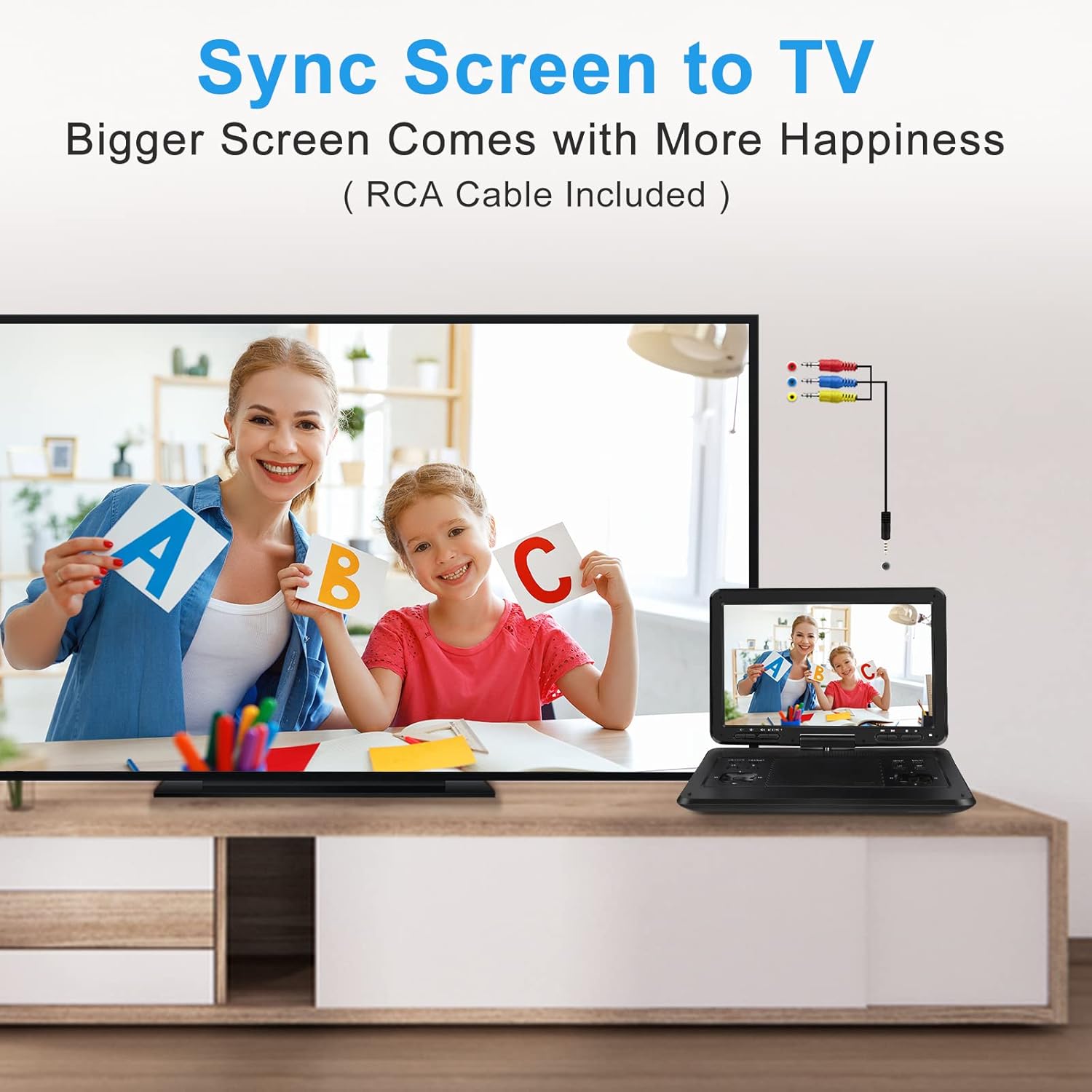
Connecting to a TV (Sync Screen)
Use the included 3-in-1 AV cable to connect your portable DVD player to a larger screen, such as a television or projector. Connect the AV OUT port on the DVD player to the corresponding AV IN ports on your TV.
Power & Charging
Your portable DVD player is designed for flexible power options:
- Internal Battery: The built-in 5000mAh Lithium Polymer battery provides approximately 6 hours of continuous playback.
- DC Power: Use the provided DC power charger for home use.
- Car Power: The included car charger ensures your device stays powered during road trips.
It is recommended to fully charge the device before extended use or travel.
Traveling & Portability
The HotHat portable DVD player is ideal for travel due to its compact design and versatile features:
- Swivel Screen: The 14.1” HD screen can swivel 270° and flip 180°, allowing for optimal viewing angles in various settings, including car headrests (mount holder not included).
- On-Screen Buttons: 8 buttons and an IR receiver on the screen provide easy control even when the player is in a folded or mounted position.
- Long Battery Life: Enjoy extended viewing without constant recharging.
- Car Charger: Keep the device powered throughout long journeys.

Maintenance
To ensure the longevity and optimal performance of your HotHat Portable DVD Player, follow these maintenance guidelines:
- Cleaning: Use a soft, dry cloth to clean the screen and exterior of the device. Avoid abrasive cleaners or solvents.
- Disc Care: Handle discs by their edges to prevent fingerprints and scratches. Store discs in their cases when not in use.
- Storage: When not in use for extended periods, store the player in a cool, dry place away from direct sunlight and extreme temperatures.
- Battery Life: To prolong battery life, avoid fully discharging the battery frequently. Charge the device regularly, even if not in constant use.
Troubleshooting
- No Power:
- Ensure the device is fully charged or connected to a power source.
- Check that the ON/OFF switch is in the 'ON' position.
- No Disc Detected:
- Verify the disc is inserted correctly into the tray.
- Ensure the disc is clean and free of scratches.
- Confirm the disc format is supported (Blu-ray discs are not supported).
- No Sound:
- Check the volume level and ensure the device is not muted.
- If using headphones, ensure they are properly plugged in.
- If connected to a TV, check the TV's volume and input settings.
- Poor Picture Quality:
- Ensure the disc is clean and undamaged.
- Adjust brightness and contrast settings in the setup menu.
- If connected to a TV, check the TV's display settings and cable connections.
- Remote Control Not Working:
- Ensure there are fresh batteries in the remote control.
- Point the remote directly at the IR receiver on the DVD player.
Specifications
| Brand: | HotHat |
| Model Number: | 1408B |
| Screen Size: | 14.1 Inches (HD Swivel Screen) |
| Display Type: | LED |
| Overall Device Size: | 16.9 Inches |
| Resolution: | 1280*800P |
| Battery: | 5000mAh Lithium Polymer (approx. 6 hours playback) |
| Supported Media: | DVD, CD-R(RW), DVD-R(+R), DVD-RW(+RW), CVD(SVCD), VCD(DVCD), CD, USB (up to 32GB), SD Card (up to 32GB) |
| Region: | Region-Free (Except Blu-ray) |
| Audio: | Dual Built-in Speakers |
| Item Weight: | 5.09 pounds |
| Package Dimensions: | 17.32 x 12.01 x 3.03 inches |
What's in the Box
- DVD Portable Player x 1
- Remote Control (without battery) x 1
- DC Power Charger x 1
- Car Charger x 1
- 3-in-1 AV Cable x 1
- Instruction Manual x 1

Warranty & Support
HotHat provides 1 year quality repair service and lifetime technical support for this product. If you encounter any problems or have questions, please feel free to contact us to ensure a 100% satisfactory experience.
For support, please refer to the contact information provided in your instruction manual or on the official HotHat website.