
Introduction
Thank you for choosing the T-fun NC50 Active Noise Cancelling Headphones. These headphones are designed to provide an immersive audio experience with advanced features such as Hybrid Active Noise Cancelling, Bluetooth 6.0 connectivity, custom EQ settings via the FOFUN app, and a long-lasting battery. This manual will guide you through the setup, operation, and maintenance of your new headphones.
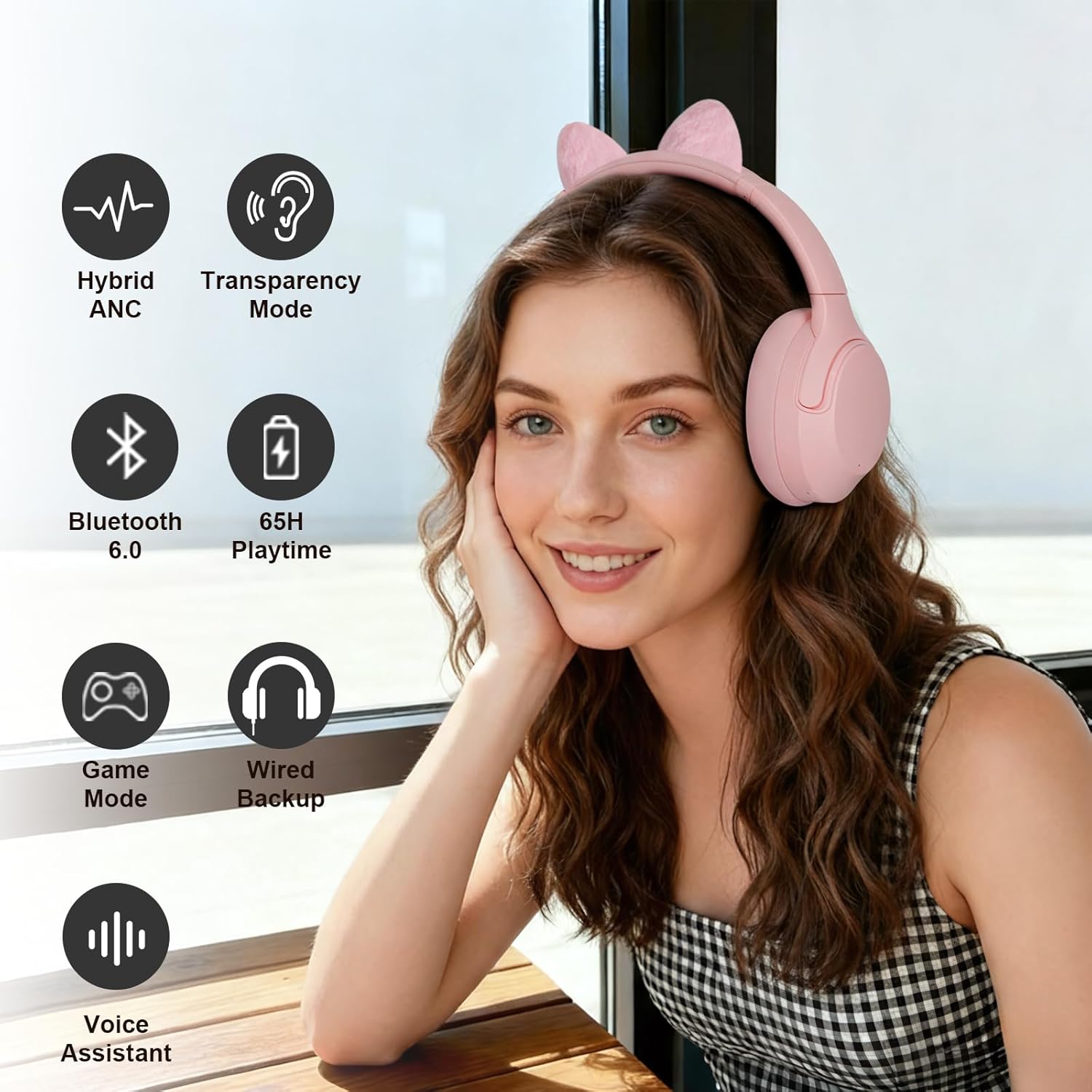
Image: T-fun NC50 Active Noise Cancelling Headphones in Sakura Pink, showcasing their sleek design.
What's in the Box
Your T-fun NC50 headphones package includes the following items:
- NC50 Active Noise Cancelling Headphones
- 3.5mm AUX Audio Cable
- Type A-C Charging Cable
- PU Bag (for storage)
- Plush Cat Ears (detachable accessory)
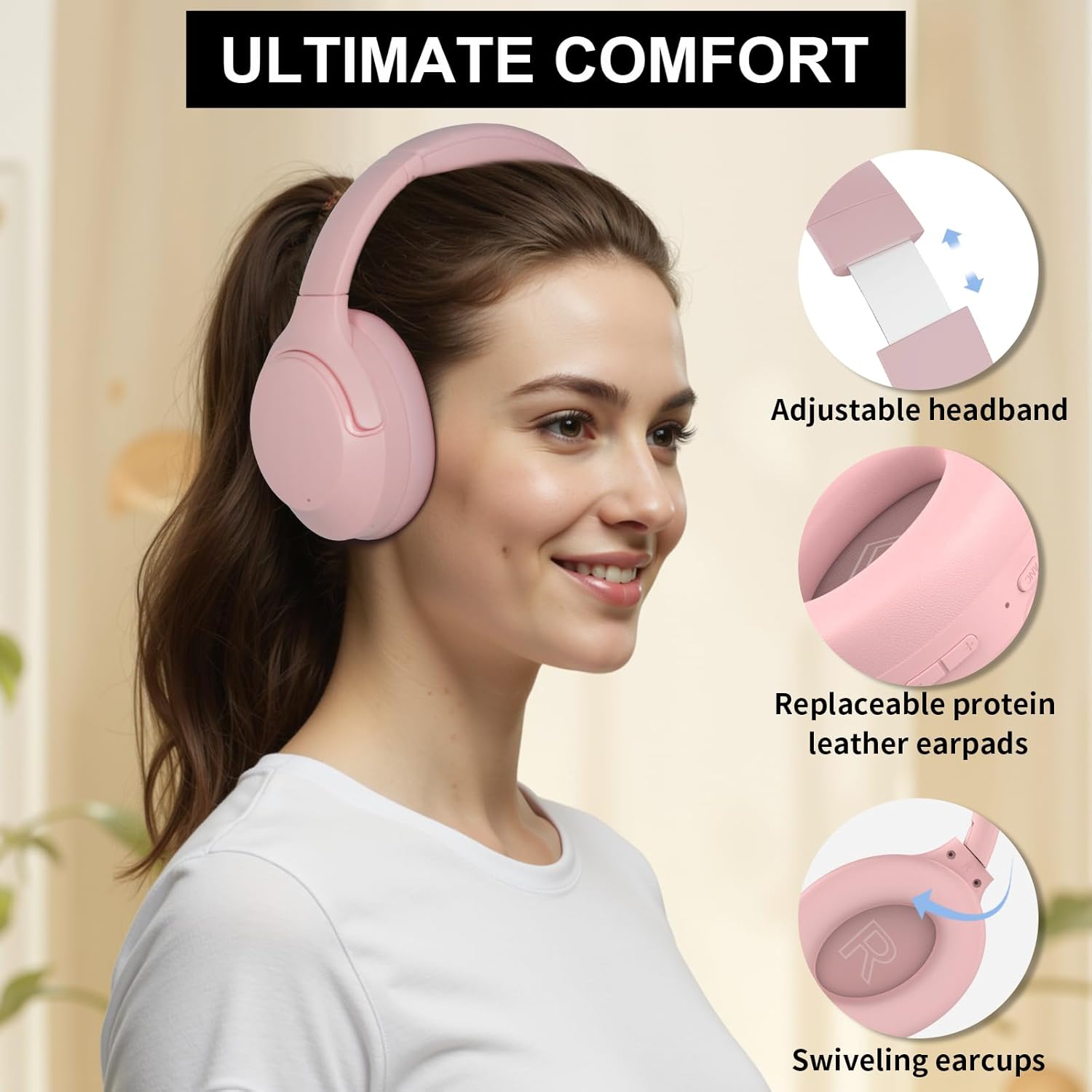
Image: T-fun NC50 Headphones with detachable cat ears, charging cable, AUX cable, and storage bag.
Product Overview
Familiarize yourself with the buttons and ports on your NC50 headphones for optimal use.
Controls and Ports
- Multi-function Button (MFB): Power On/Off, Play/Pause, Answer/End Calls, Voice Assistant activation.
- Volume Up (+): Increase volume, Next track (long press).
- Volume Down (-): Decrease volume, Previous track (long press).
- ANC Button: Cycle through Active Noise Cancelling (ANC), Transparency Mode, and Normal Mode.
- USB-C Charging Port: For charging the headphones.
- 3.5mm AUX Port: For wired audio connection.
- Microphone: For calls and voice assistant.

Image: Close-up of the T-fun NC50 headphone earcups, highlighting the control buttons and ports.
Setup
1. Power On/Off
- Power On: Long press the Multi-function Button (MFB) for 3-5 seconds until the indicator light turns on and you hear a voice prompt.
- Power Off: Long press the MFB for 3-5 seconds until the indicator light turns off and you hear a voice prompt.
2. Bluetooth Pairing
- Ensure the headphones are powered off.
- Long press the MFB for 3-5 seconds to power on and enter pairing mode (indicator light will flash).
- On your device (smartphone, tablet, laptop), enable Bluetooth and search for "T-fun NC50".
- Select "T-fun NC50" to connect. You will hear a "Connected" voice prompt upon successful pairing.
- The headphones support multipoint connection, allowing simultaneous connection to two devices.
3. FOFUN App Control
Download the dedicated FOFUN app from Google Play or the App Store to unlock advanced features and customization options for your NC50 headphones.
- Custom EQ: Personalize your sound with adjustable bass, mids, and treble. Choose from various presets (EDM, vocals, gaming) or create your own audio profile.
- Button Controls: Customize the function of the physical buttons on your headphones.
- Firmware Updates: Keep your headphones updated with the latest features and improvements.
- Mode Switching: Easily switch between ANC, Transparency, Normal, and Game modes directly from the app.

Image: T-fun NC50 Headphones shown alongside a smartphone displaying the FOFUN app interface for custom EQ and settings.
Video: A detailed guide on how to use the T-fun NC50 Active Noise Cancelling Headphones, covering various functions and app integration.
Operating Instructions
1. Active Noise Cancelling (ANC), Transparency, and Normal Mode
Press the ANC button once to cycle through the following modes:
- ANC Mode: Minimizes low and mid-frequency noise by up to -35dB for an immersive listening experience.
- Transparency Mode: Allows ambient sounds to blend with your audio, keeping you aware of your surroundings.
- Normal Mode: Standard audio playback without active noise cancellation or transparency.

Image: A user enjoying music with T-fun NC50 headphones, illustrating the Active Noise Cancelling feature.
2. Media Control
- Play/Pause: Press the MFB once.
- Volume Up: Press the '+' button once.
- Volume Down: Press the '-' button once.
- Next Track: Long press the '+' button for 2-3 seconds.
- Previous Track: Long press the '-' button for 2-3 seconds.
3. Call Control
- Answer/End Call: Press the MFB once.
- Reject Call: Long press the MFB for 2 seconds.
4. Voice Assistant
Activate your device's voice assistant (e.g., Siri, Google Assistant) by double-pressing the MFB.
5. Wired Mode
When the battery is depleted or for devices without Bluetooth, use the included 3.5mm AUX cable. Simply plug one end into the headphone's AUX port and the other into your audio source. Note: ANC functionality may be limited or unavailable in wired mode.
6. Low Latency Game Mode
For an enhanced gaming experience with minimal audio delay, activate the Low Latency Game Mode via the FOFUN app. This mode ensures responsive audio for seamless gaming and video calls.

Image: T-fun NC50 Headphones highlighting Low Latency Game Mode and Voice Assistant features.
Maintenance
1. Charging
Connect the USB-C charging cable to the headphone's charging port and a power source. The indicator light will show charging status. A full charge takes approximately 2-3 hours, providing up to 65 hours of playtime (at 60% volume with ANC on). A quick 10-minute charge offers 3 hours of playback.

Image: T-fun NC50 Headphones illustrating the impressive 65+ hours of playtime and the option for wired audio.
2. Cleaning
Wipe the headphones with a soft, dry cloth. Avoid using harsh chemicals or abrasive materials. The skin-friendly, breathable memory protein ear cushions can be gently cleaned.
3. Storage
The headphones feature a foldable design for easy storage and portability. Fold them and place them in the provided PU bag to protect them from dust and scratches when not in use or during travel.
Troubleshooting
- Cannot Power On: Ensure the headphones are charged.
- Cannot Pair: Ensure Bluetooth is enabled on your device and the headphones are in pairing mode. Try restarting both devices.
- No Sound: Check volume levels on both headphones and your device. Ensure the correct audio output is selected on your device.
- Poor Sound Quality: Ensure headphones are within Bluetooth range. Check for interference from other wireless devices.
- ANC Not Working: Press the ANC button to cycle through modes. Ensure headphones are powered on.
- Delete Bluetooth Pairing: Turn off the headphone first, then long press the MFB for 8 seconds. You will hear "Power on", "Connected", "Disconnected", "Pairing" voice prompts subsequently.
Specifications
| Feature | Detail |
|---|---|
| Model Name | NC50 |
| Noise Control | Hybrid Noise Cancellation (-35dB) |
| Connectivity Technology | Wireless (Bluetooth), Wired (3.5mm AUX) |
| Bluetooth Version | 6.0 |
| Bluetooth Range | 15 Meters |
| Battery Life | 65 Hours (at 60% volume, ANC on) |
| Charging Time | 2-3 Hours (full charge), 10 minutes (3 hours playtime) |
| Audio Driver Size | 40 Millimeters |
| Audio Latency | 50 Milliseconds |
| Earpiece Shape | Over Ear |
| Material | Plastic |
| Item Weight | 1.3 pounds |
Warranty and Support
For any product inquiries, technical support, or warranty claims, please contact T-fun customer service through the official brand store or the contact information provided with your purchase. T-fun is committed to continuous improvement and prioritizing customer satisfaction.