
AlohaAir DH001
AlohaAir Dehumidifier User Manual
Model: DH001
1. Introduction
1.1 Product Overview
The AlohaAir DH001 Dehumidifier is designed to efficiently remove excess moisture from small spaces, creating a more comfortable and healthy environment. Featuring quiet operation, automatic shut-off, and a colorful night light, it is ideal for bedrooms, bathrooms, RVs, and closets.
1.2 Safety Instructions
- Always place the dehumidifier on a stable, level surface.
- Ensure the top outlet and back inlet are free from obstructions to allow proper airflow.
- Do not immerse the unit in water or other liquids.
- Unplug the unit before cleaning or when not in use for extended periods.
- Keep out of reach of children and pets.
- Do not attempt to repair or modify the unit yourself. Contact qualified service personnel.
2. What's in the Box
- AlohaAir DH001 Dehumidifier Unit
- Water Tank
- User Manual
3. Product Features
- High Efficient Dehumidification: Removes up to 280ml of water per day in areas up to 200 square feet.
- Portable Design: Compact size (7.87" x 4.72" x 10.83") with a built-in handle for easy placement in various rooms.
- Large Transparent Tank: 1000ml (34oz) capacity allows real-time monitoring of water collection. Features a groove design for easy removal and cleaning.
- Auto Shut-Off Protection: Automatically turns off when the water tank is full, with a red light indicator, preventing overflow.
- Colorful Night Light: Separate light button activates 7-color ambient lighting for a comfortable and peaceful environment.
- Ultra-Quiet Operation: Operates at approximately 35dB, ensuring minimal disturbance, suitable for bedrooms.
- Energy-Saving: Low energy consumption (no more than 1kWh per day).

Figure 3.1: High-efficiency dehumidification process with internal components visible.

Figure 3.2: Quiet operation of the dehumidifier, ideal for undisturbed rest.
4. Setup
- Unpack the Unit: Carefully remove the dehumidifier and all accessories from the packaging.
- Choose a Location: Place the dehumidifier on a firm, level surface in the desired room. Ensure there is adequate space around the unit for proper air circulation. Avoid placing it directly against walls or furniture.
- Connect Power: Plug the power adapter into the DC input port on the back of the dehumidifier, then plug the other end into a standard electrical outlet.
- Initial Operation: Press the power button to turn on the unit. The indicator light will illuminate.

Figure 4.1: Optimal placement for energy efficiency.
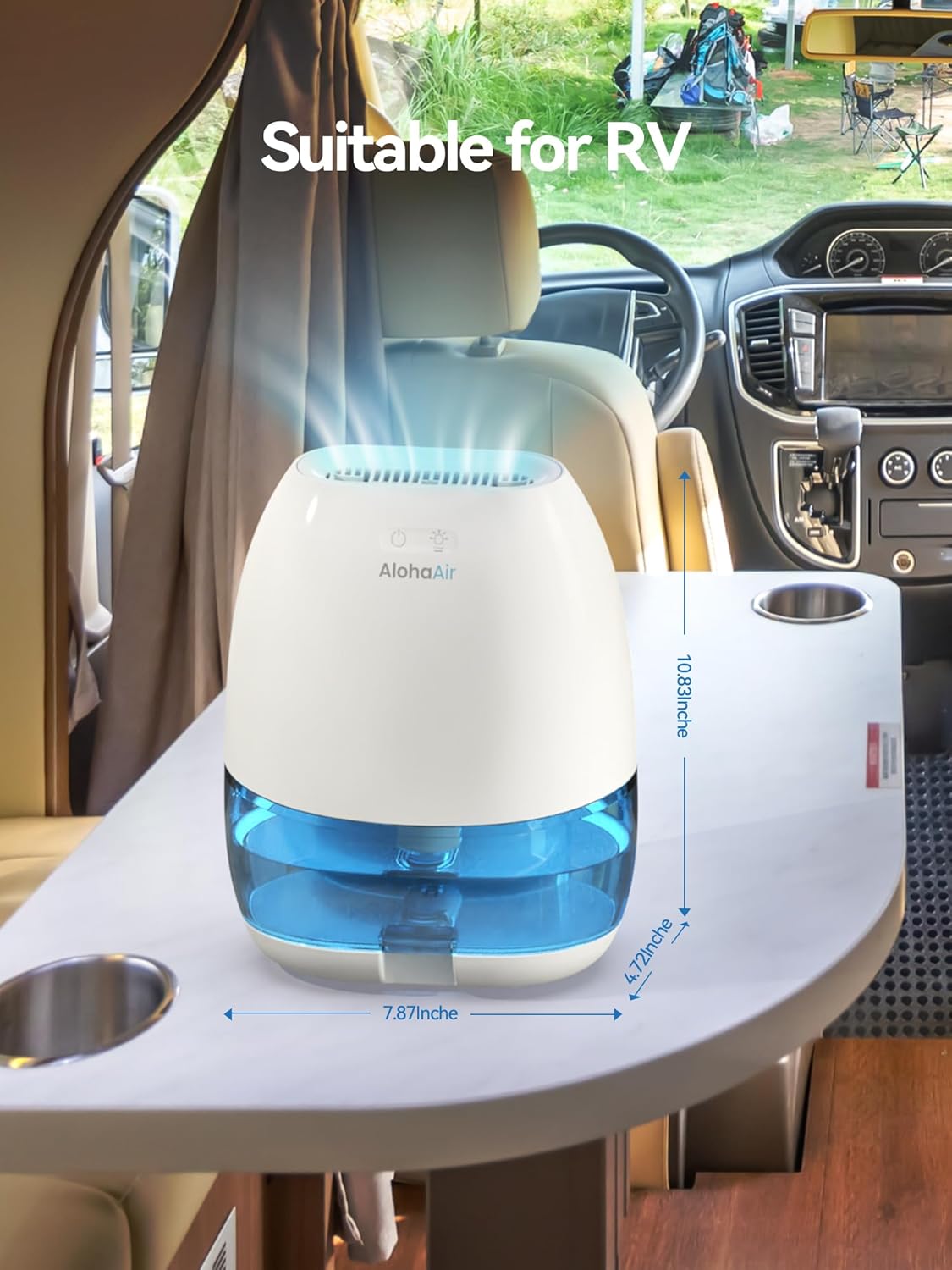
Figure 4.2: Portable design allows for use in various settings, including RVs.
5. Operating Instructions
5.1 Power On/Off
- Press the Power Button (indicated by a circle with a vertical line) on the top of the unit to turn the dehumidifier ON or OFF.
5.2 Night Light Function
- Press the Light Button (indicated by a light bulb icon) on the top of the unit to cycle through the 7-color night light modes.
- Press once for the first color, a second time to lock on a specific color, and a third time to turn the light off.
5.3 Automatic Shut-Off
- The dehumidifier is equipped with an automatic shut-off feature. When the water tank reaches its full capacity (34oz), the unit will automatically stop operating.
- A red indicator light will flash to alert you that the tank needs to be emptied.

Figure 5.1: AlohaAir Dehumidifier control panel.

Figure 5.2: Safety features including auto shut-off and leak prevention.
6. Maintenance
6.1 Emptying the Water Tank
- When the water tank is full, the unit will automatically shut off and the red indicator light will flash.
- Gently pull out the water tank from the bottom of the dehumidifier.
- Carefully remove the lid from the water tank.
- Pour out the collected water.
- Replace the lid and slide the water tank back into the dehumidifier until it clicks into place.

Figure 6.1: Steps to easily empty the water tank.
6.2 Cleaning the Unit
- Wipe the exterior of the dehumidifier with a soft, damp cloth.
- Clean the water tank regularly with mild soap and water to prevent mold and mildew buildup. Rinse thoroughly.
- Ensure all parts are completely dry before reassembling and operating the unit.
7. Troubleshooting
| Problem | Possible Cause | Solution |
|---|---|---|
| Dehumidifier does not turn on. | No power supply; Power adapter not connected properly. | Check if the power adapter is securely plugged into the unit and the outlet. Ensure the outlet has power. |
| Unit is running but not collecting water. | Room humidity is too low; Temperature is too low; Air inlets/outlets are blocked. | Ensure room humidity is above 40% RH and temperature is above 41°F (5°C). Check and clear any obstructions from the top outlet and back inlet. |
| Red indicator light is flashing. | Water tank is full. | Empty the water tank as described in the Maintenance section. |
| Unit is making unusual noise. | Unit is not on a level surface; Internal component issue. | Ensure the unit is placed on a stable, level surface. If noise persists, contact customer support. |
8. Specifications
| Feature | Detail |
|---|---|
| Brand | AlohaAir |
| Model Number | DH001 |
| Product Dimensions | 5.51"D x 8.66"W x 11.22"H |
| Item Weight | 35 Ounces (2.19 Pounds) |
| Water Tank Volume | 34 Fluid Ounces (1000ml) |
| Daily Dehumidification Capacity | Up to 280ml per day |
| Coverage Area | Up to 200 Square Feet |
| Color | White |
| Special Features | Automatic Shutoff, Portable, Quiet Operation, 7 Colors Night Light |
| Recommended Uses | Residential (Bedroom, Bathroom, RV, Closet) |
9. Warranty and Support
9.1 Product Warranty
AlohaAir dehumidifiers come with a 5-year warranty. This warranty covers defects in materials and workmanship under normal use.
9.2 Customer Support
For any questions, concerns, or warranty claims, please contact AlohaAir customer support. Do not worry about returns; contact us promptly for assistance.
Contact information (e.g., email, phone, website) can typically be found on the product packaging or the official AlohaAir website.
Related Documents - DH001
 |
AlohaAir KC-AA12 Humidifier User Manual User manual for the AlohaAir KC-AA12 humidifier, providing instructions on setup, operation, maintenance, troubleshooting, and warranty information. Features include cool mist, top-fill design, essential oil diffusion, 7 color lights, and auto shut-off. |
 |
Soundking Music and Lighting Stands Catalog 2025 Discover the comprehensive Soundking 2025 catalog featuring a wide array of music and lighting stands. From robust guitar stands and versatile speaker stands to professional microphone stands and portable keyboard stands, Soundking offers durable, high-quality solutions for musicians and performers. Explore innovative designs built for stability, adjustability, and ease of use. |