
LAMJAD LC-H156
LAMJAD Electric Toothbrush User Manual
Model: LC-H156
Introduction
Thank you for choosing the LAMJAD Electric Toothbrush. This manual provides essential information for the safe and effective use of your new electric toothbrush, designed to enhance your daily oral hygiene routine with its advanced features and multiple cleaning modes. Please read this manual thoroughly before first use and keep it for future reference.

Figure 1: Overview of the LAMJAD Electric Toothbrush and included accessories.
Package Contents
- 1 x LAMJAD Electric Toothbrush Handle
- 2 x Interchangeable Toothbrush Heads (standard type)
- 1 x Pointed Scaler Head
- 1 x Flat Scaler Head
- 1 x USB Charging Cable
- 1 x Dental Mirror
- 1 x User Manual

Figure 2: Detailed view of the included interchangeable heads and dental tools, including the standard toothbrush heads, pointed scaler, flat scaler, and dental mirror.
Setup
Charging the Device
Before first use, fully charge the electric toothbrush. Connect the provided USB charging cable to the charging port at the bottom of the toothbrush handle and plug the other end into a compatible USB power source (e.g., mobile power bank, USB port, wall charger, notebook). The indicator lights will show charging progress. A full charge typically takes several hours. The device features an IPX6 waterproof rating, making it safe for use in wet environments, but ensure the charging port is dry before charging.
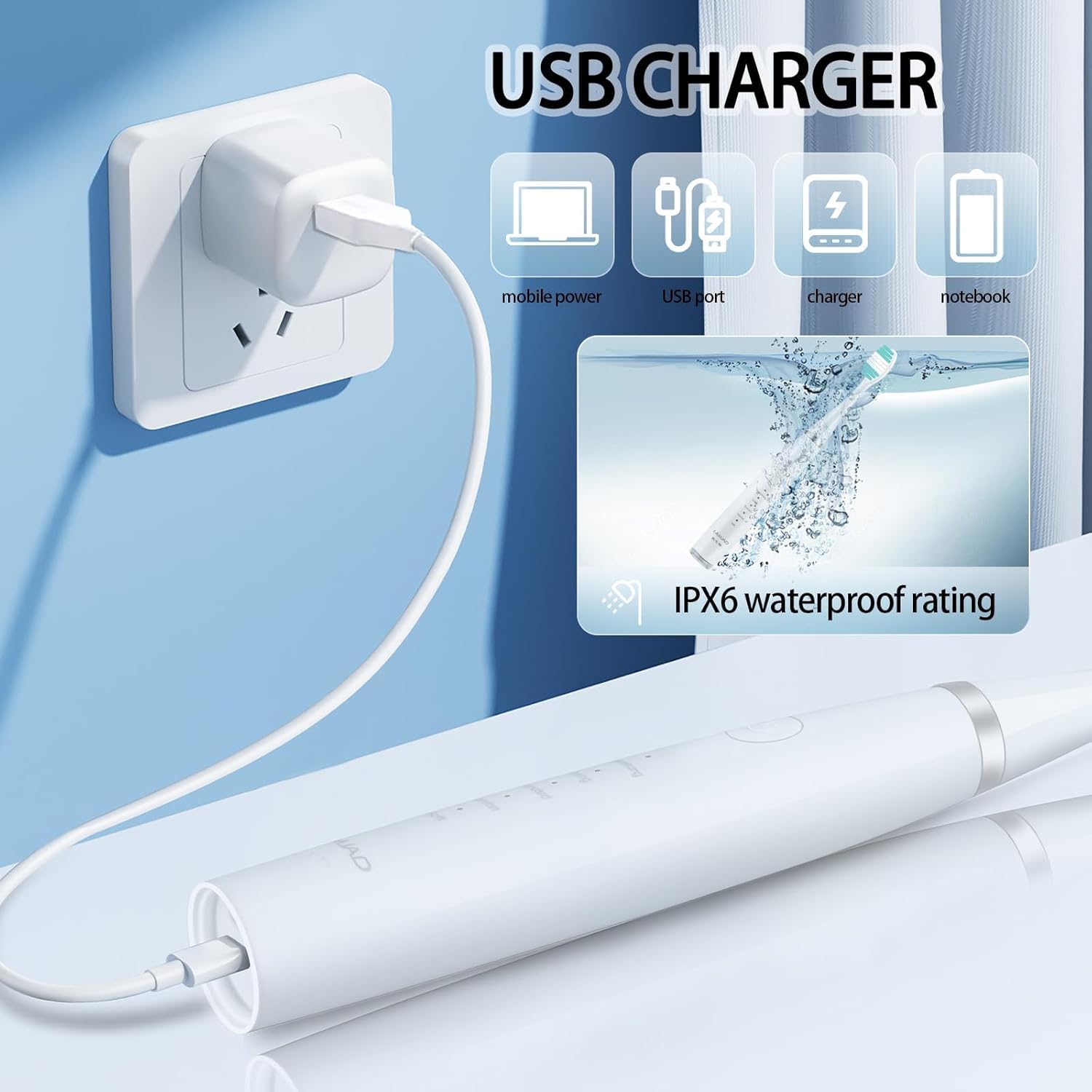
Figure 3: The electric toothbrush being charged via USB, highlighting its compatibility with various USB power sources and its IPX6 waterproof rating.
Attaching Brush Heads
To attach a brush head, align the head with the metal shaft on the toothbrush handle and push it down firmly until it clicks into place. To remove, pull the head straight off the shaft. Ensure the head is securely attached before use.
Operating Instructions
Powering On/Off and Mode Selection
Press the power button once to turn on the toothbrush. The device will start in the last used mode. To cycle through the 5 cleaning modes, press the power button repeatedly. To turn off the toothbrush, press and hold the power button for a few seconds, or cycle through all modes until the device turns off automatically.
- Soft: For sensitive teeth.
- Comfort: For light tooth stains.
- Standard: For smoke/tea stains.
- Strong: For cleaning large plaque.
- Super Strong: For stubborn calculus and stains.

Figure 4: Illustration of the five distinct cleaning modes and their recommended uses.
Brushing Timer Feature
The LAMJAD Electric Toothbrush includes a built-in brushing timer to ensure you brush for the dentist-recommended two minutes. The device will pause briefly every 30 seconds to signal you to move to a different quadrant of your mouth, and will automatically shut off after two minutes of continuous operation.
Using the Scaler Heads
For targeted cleaning of plaque and calculus, attach either the pointed scaler head or the flat scaler head. Use these heads gently on tooth surfaces, focusing on areas with buildup. Do not apply excessive pressure. These are intended for surface cleaning and should not replace professional dental cleanings.

Figure 5: Visual representation of the cleaning capabilities, showing before and after results of using the scaler function.
Maintenance
Cleaning the Toothbrush
After each use, rinse the brush head thoroughly under running water. Wipe the toothbrush handle with a damp cloth. Do not immerse the entire handle in water for extended periods, despite its water resistance. Ensure the charging port is dry before charging.
Storage
Store the toothbrush in a clean, dry place away from direct sunlight and extreme temperatures. It is recommended to replace toothbrush heads every 3 months, or sooner if bristles become frayed.
Troubleshooting
| Problem | Possible Cause | Solution |
|---|---|---|
| Toothbrush does not turn on. | Low battery or not charged. | Charge the toothbrush fully using the provided USB cable. |
| Vibration is weak. | Low battery or incorrect mode selected. | Recharge the device. Cycle through modes to select a stronger setting. |
| Brush head feels loose. | Head not properly attached. | Remove and re-attach the brush head, ensuring it clicks firmly into place. |
| Device makes unusual noise. | Normal operation noise or loose head. | Some vibration noise is normal, especially in higher modes. Check if the brush head is securely attached. If noise persists or is excessive, contact customer support. |
Specifications
| Feature | Detail |
|---|---|
| Model Number | LC-H156 |
| Brand | LAMJAD |
| Power Source | Rechargeable (USB) |
| Cleaning Modes | 5 (Soft, Comfort, Standard, Strong, Super Strong) |
| Special Features | Brushing Timer, IPX6 Waterproof Rating |
| Bristle Material | Nylon |
| Dimensions | 24.2 x 9.6 x 3.2 cm (Package) |
| Weight | 130 g (Product) |
| Age Range | Adult |
Warranty and Support
For warranty information or technical support, please refer to the contact details provided on the product packaging or the official LAMJAD website. Keep your purchase receipt as proof of purchase for any warranty claims.
Ask a question about this manual
Ask about setup, troubleshooting, compatibility, parts, safety, or missing instructions. Manuals+ will review the question and use this page’s manual context to help answer it.