
1. Product Overview
This manual provides essential information for the proper installation, operation, and maintenance of your Caltric Deck V-Idler Pulley. This component is designed as a replacement part for various John Deere lawn mower models, ensuring correct belt tension and smooth operation of the mower deck.
1.1 Key Features and Compatibility
- OEM Numbers: AUC15913, AM144249
- Compatible John Deere Models:
- X330, X350, X354, X370 (42" 48" decks)
- X380, X384, X390, X394
- X570, X580, X584, X590 (48" 54" decks)
- X710, X730, X734, X738, X739 (54" 60" decks)
- X750, X754, X758, X940, X948, X949 (54" 60" decks)
- 120, 140, 300, 312, 314, 316 (48" 54" 60" decks)
- 317, 318, 322, 330 (48" 54" 60" decks)
- 332, 425, 445, 455 (48" 54" 60" decks)
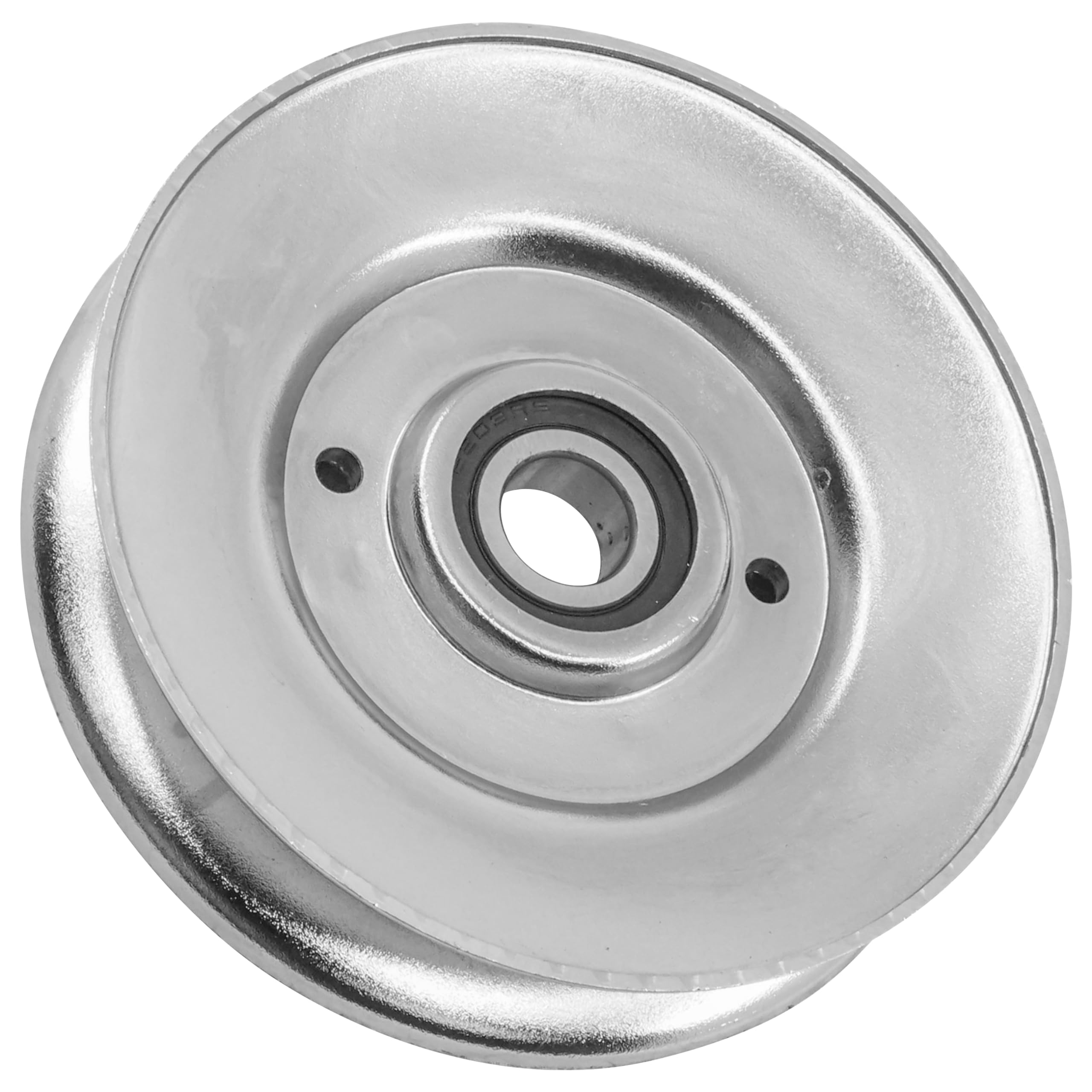
Figure 1: Caltric Deck V-Idler Pulley. This image shows the overall appearance of the replacement V-idler pulley.
2. Setup and Installation
Proper installation is crucial for the safe and effective operation of your mower deck. Always refer to your specific John Deere equipment's service manual for detailed instructions and safety precautions.
2.1 Safety Precautions
- Always disconnect the spark plug wire(s) or remove the battery to prevent accidental engine starting.
- Wear appropriate personal protective equipment, including gloves and eye protection.
- Ensure the mower is on a stable, level surface and secured to prevent movement.
- Allow the engine and any hot components to cool down before beginning work.
2.2 Tools Required (Typical)
- Socket wrench set
- Pry bar or similar tool (for belt tension)
- Gloves
- Safety glasses
2.3 Installation Steps (General)
- Access the Deck: Carefully raise and secure the mower deck, or remove it from the tractor according to your mower's manual.
- Relieve Belt Tension: Use a pry bar or appropriate tool to release tension on the drive belt, then remove the belt from the old idler pulley.
- Remove Old Pulley: Locate the bolt or fastener securing the old idler pulley. Remove it and carefully detach the worn pulley.
- Verify Fitment: Before installing, compare the new Caltric pulley with the old one and the dimensions provided.

Figure 2: Pulley Dimensions. This image displays the outer diameter, inner diameter, pulley flat width, and thickness of the V-idler pulley, essential for fitment verification.
- Install New Pulley: Position the new Caltric V-Idler Pulley onto the mounting post. Secure it with the original bolt or fastener, tightening to the manufacturer's specifications (refer to your mower's manual).
- Reinstall Belt: Route the drive belt correctly around all pulleys, ensuring it is seated properly in the V-grooves of the idler pulley. Release the tensioner to apply tension to the belt.
- Inspect: Double-check all connections and ensure the belt is routed correctly and has proper tension. Rotate the pulley by hand to confirm smooth movement.
- Reassemble: Reattach the mower deck or lower it into position, ensuring all safety pins and connections are secure.
3. Operation After Installation
After installing the new V-idler pulley, perform a functional check before resuming normal operation.
- Initial Test: Start the engine and engage the mower deck at a low RPM in a safe, open area. Listen for any unusual noises or vibrations.
- Check Belt Tracking: Observe the belt to ensure it tracks smoothly on the pulley and does not slip or rub against other components.
- Gradual Engagement: Gradually increase engine speed and deck engagement to full operating conditions, monitoring for proper function.
- If any issues are detected, immediately shut down the mower and investigate the cause.
4. Maintenance
Regular inspection and maintenance will extend the life of your Caltric Deck V-Idler Pulley and ensure consistent mower performance.
- Visual Inspection: Periodically inspect the pulley for signs of wear, cracks, chips, or damage. Check the belt for fraying or excessive wear.
- Bearing Check: With the engine off and spark plug disconnected, manually spin the pulley. It should rotate freely and quietly. Any grinding, squealing, or excessive resistance indicates a potential bearing issue.
- Cleanliness: Keep the pulley and surrounding area free of grass clippings, dirt, and debris, which can interfere with smooth operation and cause premature wear.
- Tightness: Ensure the mounting bolt remains tight. Loose pulleys can cause vibration and accelerated wear.
5. Troubleshooting
If you experience issues after installing the new idler pulley, consider the following common problems and solutions:
| Symptom | Possible Cause | Solution |
|---|---|---|
| Excessive noise (squealing, grinding) | Worn or defective bearing; improper belt tension; incorrect pulley alignment. | Inspect pulley bearing; adjust belt tension; verify pulley alignment. If bearing is defective, replace the pulley. |
| Belt slipping or coming off | Insufficient belt tension; worn belt; incorrect pulley size or alignment. | Adjust belt tension; inspect and replace worn belt; verify pulley dimensions and alignment. |
| Vibration during operation | Loose mounting bolt; unbalanced pulley; worn bearing. | Tighten mounting bolt; inspect pulley for damage; check bearing for smooth operation. |
6. Specifications
The following are the general specifications for the Caltric Deck V-Idler Pulley:
- Outer Diameter: 128.2 mm (5.04 inches)
- Inner Diameter: 16.7 mm (0.65 inches)
- Pulley Flat Width: 18 mm (0.70 inches)
- Thickness: 29.5 mm (1.16 inches)
- Item Weight: Approximately 1.03 pounds
7. Warranty Information
For specific warranty terms and conditions regarding your Caltric Deck V-Idler Pulley, please refer to the product packaging or contact Caltric customer support directly. Warranty coverage typically addresses manufacturing defects and material flaws under normal use.
8. Customer Support
If you have questions about the installation, operation, or maintenance of your Caltric Deck V-Idler Pulley, or require technical assistance, please contact Caltric customer support. Contact information can typically be found on the product packaging or the official Caltric website.