1. Introduction
Thank you for choosing the Camii 2K Solar Security Camera. This device is designed to provide reliable and efficient outdoor surveillance for your home, featuring 2K HD resolution, solar-powered operation, advanced AI motion detection, two-way audio, and color night vision. This manual will guide you through the installation, operation, and maintenance of your new security camera.

Figure 1: Camii 2K Solar Security Camera. This image displays the main components of the product: the white security camera, the black solar panel, and a smartphone screen showing the camera's live feed of a house.
2. Setup
2.1. Unboxing and Initial Charge
Carefully remove all components from the packaging. Before installation, ensure the camera's internal battery is fully charged. Connect the camera to the solar panel or use the provided charging cable with a standard USB power adapter (not included) for initial charging. The 4400mAh rechargeable battery ensures extended operation.
2.2. App Installation and Pairing
- Download the official Camii security camera application from your device's app store (available for Android and iOS).
- Register for a new account or log in if you already have one.
- Follow the in-app instructions to add your new camera. This typically involves scanning a QR code on the camera or its packaging and connecting to your 2.4GHz Wi-Fi network.
2.3. Mounting the Camera and Solar Panel
The camera and solar panel are designed for outdoor use with an IP65/IP66 weatherproof rating. Choose a mounting location that provides an optimal view of the area you wish to monitor and receives ample direct sunlight for the solar panel. Use the included mounting kit to securely attach the camera and solar panel to a wall or other suitable surface. Ensure the solar panel cable can reach the camera's charging port.

Figure 2: Solar Panel and Camera Installation. This image illustrates the camera and solar panel mounted on an exterior wall, highlighting the 4400mAh battery and the solar power connection, emphasizing wire-free installation.
3. Operating the Camera
3.1. Live View and Recording
Access the live feed of your camera through the mobile application. The camera provides 2K HD resolution, offering clear and detailed images. You can manually initiate recordings or capture screenshots from the live view.
3.2. Night Vision
The camera features excellent night vision capabilities, including color night vision when the built-in spotlight is activated. This ensures clear visibility even in low-light conditions, enhancing security around the clock.

Figure 3: Night Vision Capabilities. This image compares the camera's 2K color night vision (with spotlight ON) to its 2K HD day vision (spotlight OFF), demonstrating enhanced clarity in darkness.
3.3. AI Motion Detection and Alerts
Equipped with advanced PIR motion sensors and AI motion analysis technology, the camera sends intelligent notifications to your phone upon detecting activity. These notifications can specify events like "motion detected," "someone passing by," or "someone lingering." You can set optional alarm zones within the app to monitor specific areas of interest, reducing false alerts.

Figure 4: AI Motion Detection Features. This image illustrates the AI motion detection system, showing icons for siren, message alerts, and spotlight activation upon detecting a person.
3.4. Two-Way Talk and Deterrence
Utilize the built-in two-way voice communication feature to interact with visitors or deter intruders. The camera's spotlight can also activate immediately upon detecting a potential threat, serving as a visual warning.
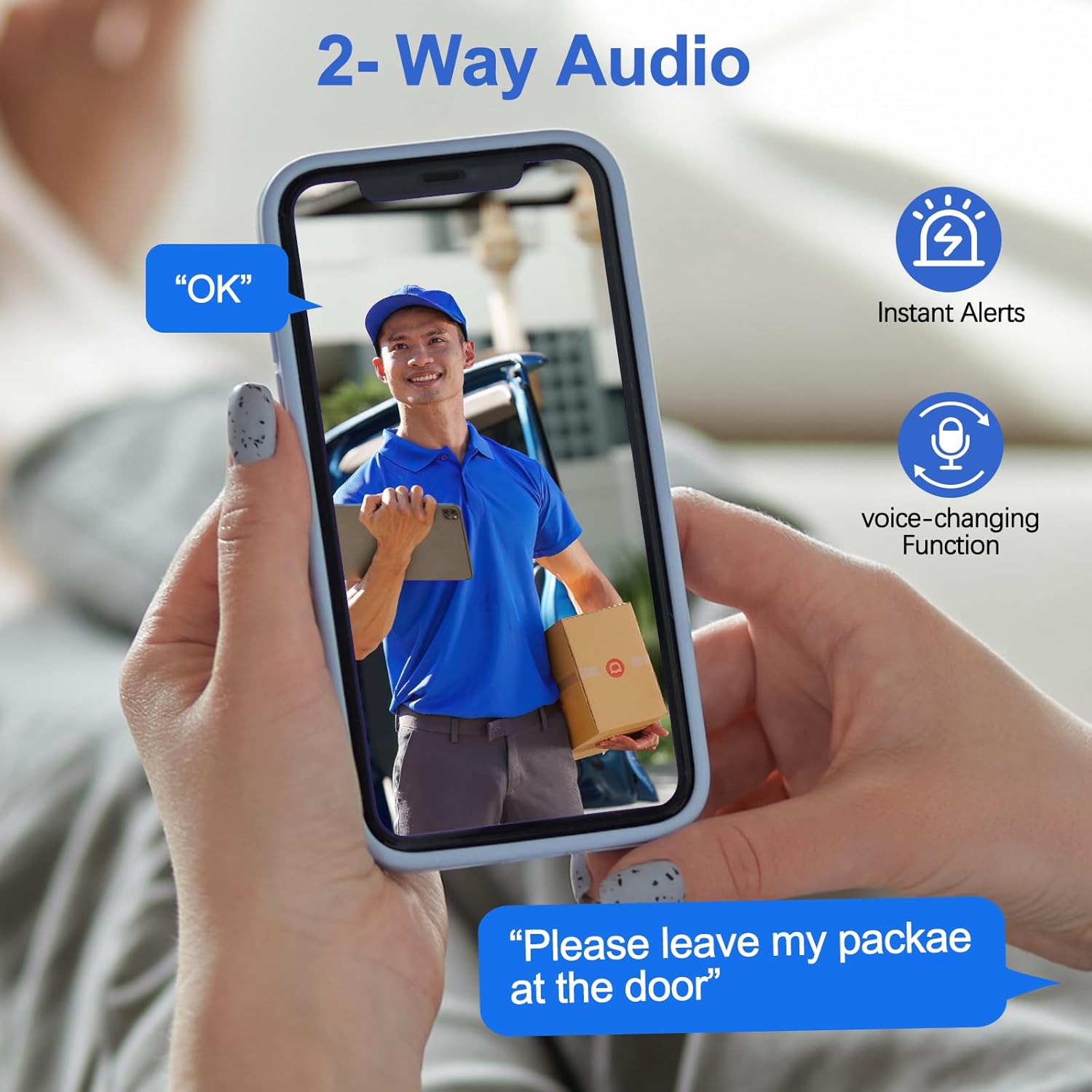
Figure 5: Two-Way Audio Functionality. This image shows a person holding a smartphone displaying a live camera feed of a delivery person, with speech bubbles indicating two-way communication and instant alerts.
3.5. Storage Options
The camera supports local storage via an SD card (up to 128GB) for 24/7 uninterrupted recording. Additionally, cloud storage options are available, with a 30-day free trial for your first use. Cloud storage is optional but provides an alternative for securing important moments.
3.6. Wide-Angle View
The camera offers a 128-degree wide-angle view, allowing you to monitor a broader area with a single device.

Figure 6: 128-Degree Wide-Angle View. This image demonstrates the camera's impressive 128-degree field of view, covering a wide area including a garage and driveway.
4. Maintenance
4.1. Battery Management
The solar panel is designed to provide continuous power to the camera with daily sunlight. The rechargeable battery ensures the camera remains active even during cloudy periods or at night. A single charge can last for 1-5 months depending on usage and environmental conditions.

Figure 7: Uninterrupted Power Supply. This image shows the camera's internal 4400mAh battery and its connection to the solar panel, illustrating how it provides 365 days of uninterrupted power supply.
4.2. Cleaning and Weather Protection
Periodically clean the camera lens and solar panel surface to ensure optimal performance. Use a soft, damp cloth. Avoid abrasive cleaners. The IP65/IP66 rating protects the device from dust and water jets, but extreme weather conditions may require additional precautions.
5. Troubleshooting
5.1. Connectivity Issues
- Ensure your Wi-Fi network is 2.4GHz. This camera does not support 5GHz Wi-Fi.
- Check the camera's proximity to your Wi-Fi router. Signal strength may be an issue if too far.
- Restart the camera and your Wi-Fi router.
5.2. Motion Detection Problems
- Adjust the motion detection sensitivity settings in the app.
- Verify that activity zones are correctly configured to avoid monitoring irrelevant areas.
- Ensure there are no obstructions blocking the camera's view or the PIR sensor.
5.3. Battery Not Charging
- Ensure the solar panel is receiving direct sunlight for several hours daily.
- Check the connection between the solar panel and the camera.
- Clean the solar panel surface to remove any dirt or debris that might hinder charging efficiency.
6. Specifications
| Feature | Specification |
|---|---|
| Model Number | X83 |
| Indoor/Outdoor Usage | Outdoor |
| Power Source | Solar Powered |
| Video Capture Resolution | 2K (4K listed in data, but 2K is consistent with title/features) |
| Connectivity Technology | Wireless (Wi-Fi) |
| Wireless Communication Technology | Wi-Fi |
| Special Feature | Motion Sensor, Two-Way Talk, Color Night Vision |
| International Protection Rating | IP65, IP66 |
| Battery Type | 1 Lithium Ion battery (included) |
| Item Dimensions L x W x H | 5.29 x 2.55 x 3.7 inches |
| Item Weight | 1.41 pounds |
7. Warranty and Support
For detailed warranty information and technical support, please refer to the product packaging or visit the official Camii website. A 30-day free cloud storage trial is available for new users.