
1. Introduction
This manual provides essential information for the proper use and maintenance of your HotHat 19.6-inch Portable DVD Player. Please read these instructions thoroughly before operating the device to ensure optimal performance and longevity. This portable DVD player features a 17.1-inch HD swivel screen, a long-lasting battery, and supports various media formats, making it suitable for entertainment on the go.
2. Package Contents
Verify that all items listed below are included in your package:
- 1 x HotHat Portable DVD Player
- 1 x Remote Control (batteries not included)
- 1 x DC Power Adapter
- 1 x Car Charger
- 1 x 3-in-1 AV Cable
- 1 x User Manual (this document)

Image: The package includes the portable DVD player, remote control, RCA cable, DC adapter, and car charger.
3. Product Overview
The HotHat Portable DVD Player is designed for versatile media playback. Key features include:
- Large HD Swivel Screen: A 17.1-inch screen with 1680*1080P resolution, offering 270° rotation and 180° flip for flexible viewing angles.
- Extended Battery Life: Equipped with a 5000mAh rechargeable battery providing up to 6 hours of playback.
- Multi-Power Options: Can be powered by the internal battery, car charger, or AC power adapter.
- Region-Free Playback: Supports most DVD formats and is compatible with all region discs.
- Multi-Format Support: Plays DVD, CD-R(RW), DVD-R(+R), DVD-RW(+RW), CVD(SVCD), VCD(DVCD), and CD. Also supports media from USB drives and SD cards up to 32GB.
- TV Sync Functionality: Connects to a television for a larger viewing experience.
- Last Memory Function: Resumes playback from where it was last stopped.

Image: The HotHat Portable DVD Player shown open, displaying content on its large screen.

Image: Close-up of the 17.1-inch HD screen, highlighting its 1680x1080P resolution.

Image: Diagram illustrating the various media formats supported (CD/DVD, CVD/SVCD, VCD/DVCD, CD-R/RW, DVD-R/RW, HDCD/DTSCD) and available ports (USB, SD Card, Headphone, DC, TV, AV Out/In).
4. Setup
4.1 Charging the Battery
Before first use, fully charge the portable DVD player. The built-in 5000mAh battery provides up to 6 hours of playback.
- Connect the DC Power Adapter to the DC input port on the DVD player.
- Plug the adapter into a standard wall outlet.
- The charging indicator light will illuminate. The player is fully charged when the indicator light changes color or turns off (refer to the device's specific indicator behavior).
For in-car use, connect the Car Charger to the DC input port and plug it into your vehicle's cigarette lighter socket.

Image: Visual representation of the 5000mAh rechargeable battery, indicating its long life of 5-6 hours.
4.2 Initial Power On
- Ensure the player is charged or connected to a power source.
- Locate the ON/OFF switch, usually on the side or back of the unit.
- Slide the switch to the "ON" position. The screen will power on.
5. Operating Instructions
5.1 Inserting and Playing Discs
- Gently open the disc cover.
- Place a compatible DVD or CD onto the spindle with the label side facing up.
- Press down gently on the center of the disc until it clicks into place.
- Close the disc cover securely.
- The player will automatically detect the disc and begin playback. If not, press the "Play" button on the player or remote control.
The player supports DVD, CD-R(RW), DVD-R(+R), DVD-RW(+RW), CVD(SVCD), VCD(DVCD), and CD formats. Blu-ray discs are not supported.
5.2 Using USB and SD Card Media
The player supports USB drives and SD cards up to 32GB.
- Insert your USB drive into the USB port or your SD card into the SD card slot.
- Use the "Source" or "Mode" button on the player or remote to select "USB" or "SD" mode.
- Navigate through your files using the directional buttons and press "OK" or "Play" to select and play media.
5.3 Adjusting the Swivel Screen
The 17.1-inch screen can rotate 270° and flip 180° for optimal viewing.
- Gently rotate the screen clockwise or counter-clockwise to your desired angle.
- To flip the screen, rotate it 180° and then fold it flat against the base, transforming the player into a tablet-like display.

Image: Illustrations demonstrating the 270° rotation and 180° flip capabilities of the screen, allowing for various viewing positions.
5.4 Connecting to a Television (Sync TV)
To view content on a larger screen, connect the portable DVD player to a TV using the included 3-in-1 AV cable.
- Connect one end of the 3-in-1 AV cable to the AV OUT port on the portable DVD player.
- Connect the other end of the AV cable to the corresponding AV IN (RCA) ports on your television (Yellow for Video, Red for Right Audio, White for Left Audio).
- Select the correct AV input source on your television.
- The content playing on the portable DVD player will now be displayed on your TV.
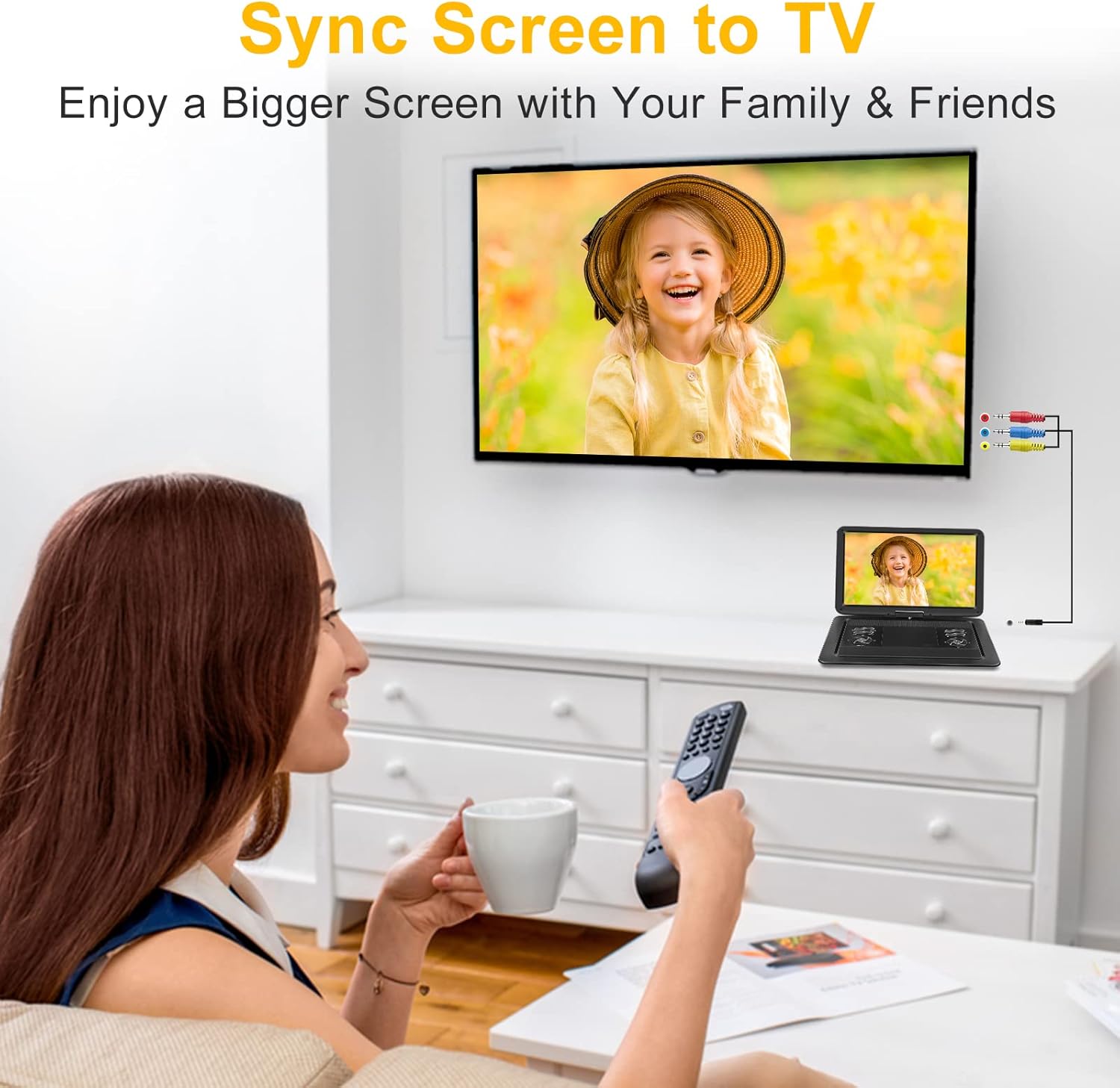
Image: A portable DVD player connected to a television via an AV cable, demonstrating the "Sync Screen to TV" feature for a shared viewing experience.
5.5 Last Memory Function
The player is equipped with a last memory function. If the player is turned off or playback is interrupted, it will resume from the last played position when powered on again.
6. Maintenance
- Cleaning: Use a soft, dry cloth to clean the exterior of the player. For the screen, use a specialized screen cleaning cloth and solution. Do not use abrasive cleaners or solvents.
- Disc Care: Handle discs by their edges. Keep them clean and free of scratches. Store discs in their cases when not in use.
- Storage: When not in use for extended periods, store the player in a cool, dry place away from direct sunlight and extreme temperatures.
- Battery Care: To prolong battery life, avoid fully discharging the battery frequently. Charge the player regularly, even if not in use, to maintain battery health.
7. Troubleshooting
| Problem | Possible Cause | Solution |
|---|---|---|
| Player does not power on. | Battery is depleted; Power adapter not connected or faulty; Power switch is OFF. | Charge the battery; Ensure power adapter is securely connected and functional; Slide power switch to ON. |
| No disc playback. | Disc inserted incorrectly; Disc is dirty or scratched; Disc format not supported. | Reinsert disc correctly (label side up); Clean or replace disc; Ensure disc format is supported (not Blu-ray). |
| No sound or low volume. | Volume is too low; Mute function is active; External speakers/headphones not connected properly. | Increase volume using player/remote; Deactivate mute; Check connections for external audio devices. |
| No picture when connected to TV. | AV cable not connected correctly; Incorrect TV input selected. | Verify AV cable connections; Select the correct AV input on your television. |
| Remote control not working. | Batteries are depleted or inserted incorrectly; Obstruction between remote and player. | Replace batteries and ensure correct polarity; Remove any obstructions; Point remote directly at the player's IR sensor. |
8. Specifications
| Feature | Detail |
|---|---|
| Screen Size | 17.1 inches (visible diagonal 20 inches / 51 cm) |
| Display Resolution | 1680 x 1080P |
| Display Type | LCD |
| Swivel Screen | 270° Rotation, 180° Flip |
| Battery Capacity | 5000mAh |
| Battery Playback Time | Up to 6 hours |
| Supported Disc Formats | DVD, CD-R(RW), DVD-R(+R), DVD-RW(+RW), CVD(SVCD), VCD(DVCD), CD (excluding Blu-ray) |
| Supported External Media | USB drive (up to 32GB), SD card (up to 32GB) |
| Product Dimensions | 17.5 x 13.5 x 3.5 inches |
| Item Weight | 6.38 pounds |
| Manufacturer | HotHat |
| Model Number (ASIN) | B0D3DBSZRN |
9. Warranty and Support
HotHat provides professional customer service and technical support. For any inquiries or assistance, please contact us. Our support team is available 7 days a week, 24 hours a day.
Please refer to your purchase documentation for specific warranty terms and conditions.