
Important Safety Information
Please read this manual thoroughly before operating your JRD Evaporative Air Cooler. Keep these instructions for future reference. Failure to follow these instructions may result in electric shock, fire, or serious injury.
- Always unplug the appliance before cleaning, servicing, or moving.
- Do not operate the cooler with a damaged cord or plug.
- Ensure the power supply matches the voltage specified on the appliance's rating label.
- Do not immerse the appliance, cord, or plug in water or other liquids.
- Keep the appliance away from heat sources, direct sunlight, and flammable materials.
- Do not block air inlets or outlets.
- Only use clean water in the water tank. Do not add chemicals or other substances.
- Do not allow children to operate or play with the appliance.
- Place the cooler on a stable, level surface to prevent tipping.
Product Overview
The JRD FKT007R is a versatile 3-in-1 evaporative air cooler, fan, and humidifier designed to provide comfortable cooling for your home or office. It features a remote control for convenient operation, multiple modes, and a timer function.
Key Features:
- 3-in-1 Functionality: Evaporative Cooler, Fan, and Humidifier
- Remote Control for convenient operation
- 3 Fan Speeds and 4 Operating Modes
- 12-Hour Timer Function
- 80° Automatic Oscillation (Left and Right)
- 110° Manual Oscillation (Up and Down)
- 2.4 Gallon (9 Liter) Water Tank Capacity
- Low Water Indicator
- Includes 4 Ice Packs for enhanced cooling
- Built-in Handles & Wheels for portability
- Safe Bladeless Design
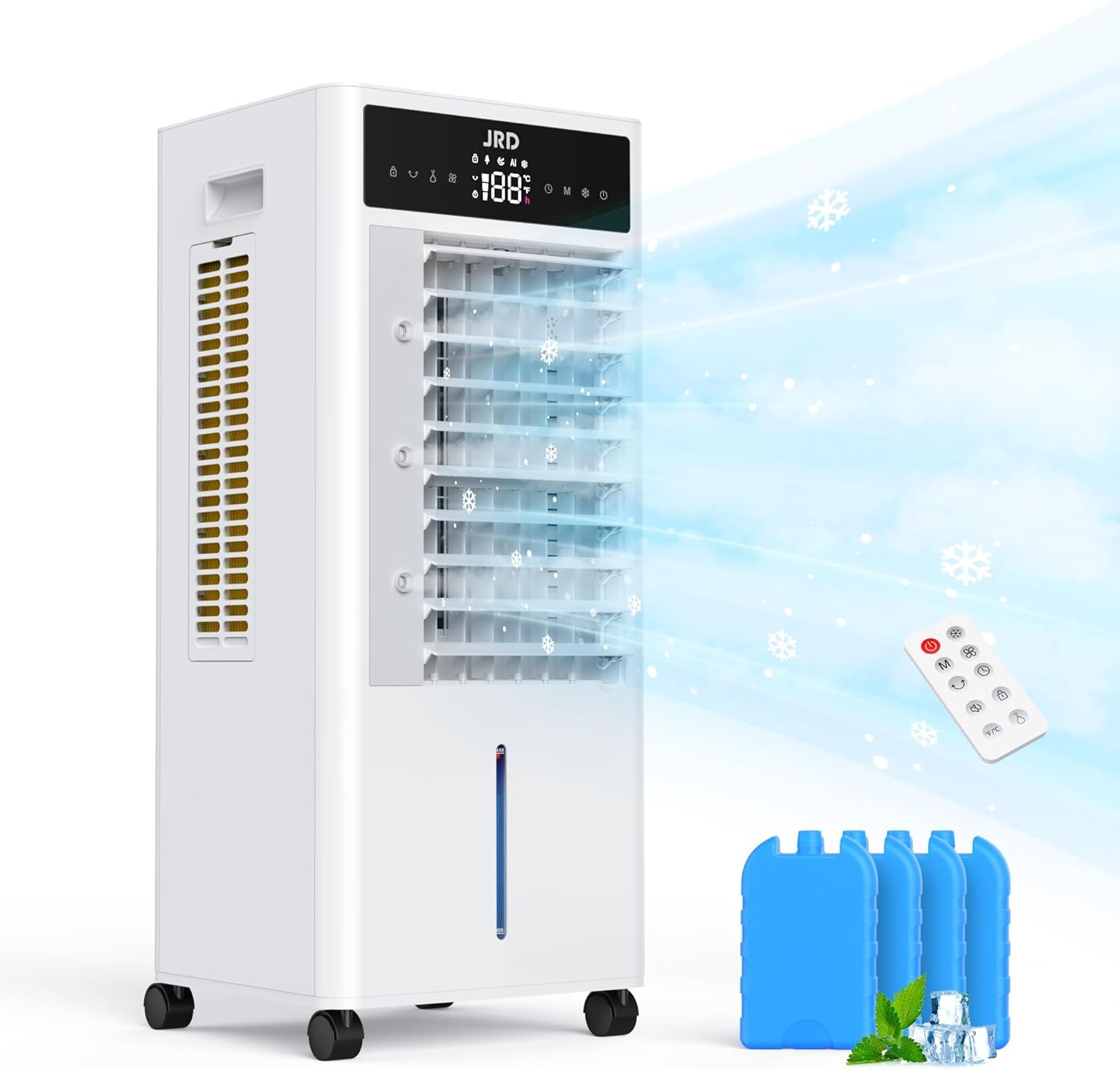
Image: Front view of the JRD FKT007R Evaporative Air Cooler, showing the control panel and air outlet.
Setup
1. Unpacking
Carefully remove the air cooler from its packaging. Retain all packaging materials for future storage or transport. Check for any damage during transit. Ensure all components are present: main unit, remote control, and ice packs.
2. Placement
Place the air cooler on a firm, level surface. For optimal performance, position the cooler near an open window or door to allow for proper air circulation and ventilation. Avoid placing it in enclosed spaces where humidity can build up.
3. Filling the Water Tank
- Pull out the water tank from the bottom rear of the unit.
- Fill the tank with clean, cool water. Do not exceed the "MAX" fill line indicated on the tank.
- For enhanced cooling, place the included ice packs in a freezer until frozen. Once frozen, place them into the water tank.
- Carefully slide the water tank back into the unit until it clicks into place.
Image: Close-up of the water tank showing the "MAX" fill line indicator.
4. Power Connection
Plug the power cord into a standard electrical outlet. The unit will emit a beep, and the display will show the current room temperature.
Operating Instructions
The JRD FKT007R can be operated using the control panel on the top of the unit or the included remote control.
Control Panel:
Image: Close-up of the control panel with various buttons and digital display.
- Power Button: Press to turn the unit ON or OFF.
- Speed Button: Press to cycle through Low, Medium, and High fan speeds.
- Mode Button: Press to select operating modes: Normal, Natural, Sleep, and Cool/Humidify.
- Timer Button: Press to set the auto-off timer from 1 to 12 hours.
- Oscillation Button: Press to activate or deactivate automatic 80° horizontal oscillation.
- Cool/Mist Button: Activates the evaporative cooling and mist function. Ensure water tank is filled.
Remote Control:
The remote control duplicates all functions available on the control panel, allowing for convenient operation from a distance. Ensure batteries are correctly installed.
Image: The remote control for the JRD FKT007R Evaporative Air Cooler.
Using the Cool/Mist Function:
To activate the evaporative cooling and mist function, ensure the water tank is filled to the "MAX" line and any ice packs are placed inside. Press the "Cool/Mist" button on the control panel or remote. The unit will begin to draw water from the tank to cool and humidify the air.
The low water indicator will illuminate when the water level is low, prompting you to refill the tank. The mist function will automatically stop if the water level is too low.
Maintenance
Regular maintenance ensures optimal performance and extends the lifespan of your JRD Evaporative Air Cooler. Always unplug the unit before performing any cleaning or maintenance.
1. Cleaning the Exterior
Wipe the exterior surfaces with a soft, damp cloth. Do not use abrasive cleaners, waxes, or solvents as these may damage the finish.
2. Cleaning the Water Tank
The water tank should be cleaned regularly, especially if the unit is used frequently. Pull out the water tank, empty any remaining water, and clean it with a mild detergent and water. Rinse thoroughly and dry before reinserting.
3. Cleaning the Cooling Pad/Filter
The cooling pad (evaporative filter) should be cleaned periodically to prevent mineral buildup and maintain efficiency. Refer to the unit's back panel for access to the cooling pad. Remove it carefully, rinse under running water, and allow it to air dry completely before reinstallation.
Image: Rear view of the JRD FKT007R showing access to the cooling pad for cleaning.
4. Storage
Before storing the unit for an extended period, ensure the water tank is empty and clean, and the cooling pad is dry. Store the unit in a cool, dry place, preferably in its original packaging, away from direct sunlight.
Troubleshooting
If you encounter issues with your JRD Evaporative Air Cooler, please refer to the following common problems and solutions:
| Problem | Possible Cause | Solution |
|---|---|---|
| Unit does not power on. | No power supply; power cord not plugged in; power outlet faulty. | Ensure the power cord is securely plugged into a working outlet. Check the circuit breaker. |
| No mist or cooling effect. | Water tank empty; cooling pad dry; pump malfunction. | Refill the water tank. Ensure the cooling pad is wet. If the issue persists, contact customer support. |
| Weak airflow. | Air inlets/outlets blocked; fan speed set too low. | Clear any obstructions from air inlets/outlets. Increase the fan speed. |
| Remote control not working. | Batteries dead or incorrectly inserted; remote out of range. | Replace batteries with new ones, ensuring correct polarity. Point the remote directly at the unit's receiver. |
| Unusual noise. | Unit not on a level surface; foreign object inside. | Place the unit on a stable, level surface. Unplug and check for any foreign objects. |
Specifications
- Brand: JRD
- Model Name: FKT007R
- Material: Plastic
- Mounting Type: Floor Mount
- Color: White
- Product Dimensions (D x W x H): 12.9" x 28.5" x 11.5"
- Air Flow Capacity: 300 Cubic Feet Per Minute
- Controls Type: Remote
- Special Features: 12H Timing, Remote Control, Safe Bladeless Design, Blind Oscillation Up and Down 110° & 80° Left and Right, Quiet Cooling, Built-in Handles & Wheels, 2.4Gal Water Tank, 4 Ice Packs, Cold Air Mode & Mist Feature, 60W Save Energy, Fast Cooling, 4 Modes, 3 Speeds, 300 Sq. Ft Wider Coverage.
Warranty and Support
For warranty information or technical support, please refer to the warranty card included with your purchase or contact JRD customer service. Please have your model number (FKT007R) and purchase date available when contacting support.
Customer Service: [Insert Customer Service Contact Information Here, if available]