
BLUPOWHT BLUPOWHT
AP-C30C Digital Pressure Sensor Instruction Manual
Model: AP-C30C | Brand: BLUPOWHT
1. Introduction
This manual provides essential information for the safe and effective use of the BLUPOWHT AP-C30C Digital Pressure Sensor Photoelectric Switch. It covers product overview, installation, operation, maintenance, and troubleshooting. Please read this manual thoroughly before using the product and keep it for future reference.
2. Safety Information
Always observe the following safety precautions to prevent injury, damage to the product, or damage to other equipment.
- Electrical Safety: Ensure power is disconnected before performing any wiring or maintenance. Incorrect wiring can cause electric shock or fire.
- Proper Installation: Install the sensor in a location free from excessive vibration, dust, moisture, and corrosive gases.
- Operating Environment: Do not use the sensor outside its specified operating temperature and humidity ranges.
- Qualified Personnel: Installation and maintenance should only be performed by qualified personnel.
- Intended Use: Use the sensor only for its intended purpose as a photoelectric switch and digital pressure sensor.
3. Product Overview
3.1. Components
The BLUPOWHT AP-C30C package typically includes the following:
- AP-C30C Digital Pressure Sensor Photoelectric Switch unit
- Integrated connection cable
- Instruction manual (this document)

Figure 1: Contents of the AP-C30C package, showing the sensor, its integrated cable, and accompanying documentation.
3.2. Features
The AP-C30C sensor offers the following key features:
- Digital Pressure Sensing: Provides precise digital output based on detected pressure.
- Photoelectric Switching: Functions as a photoelectric switch for object detection.
- Subminiature Design: Compact size for installation in confined spaces.
- Integrated Cable: Comes with a pre-attached cable for easy electrical connection.
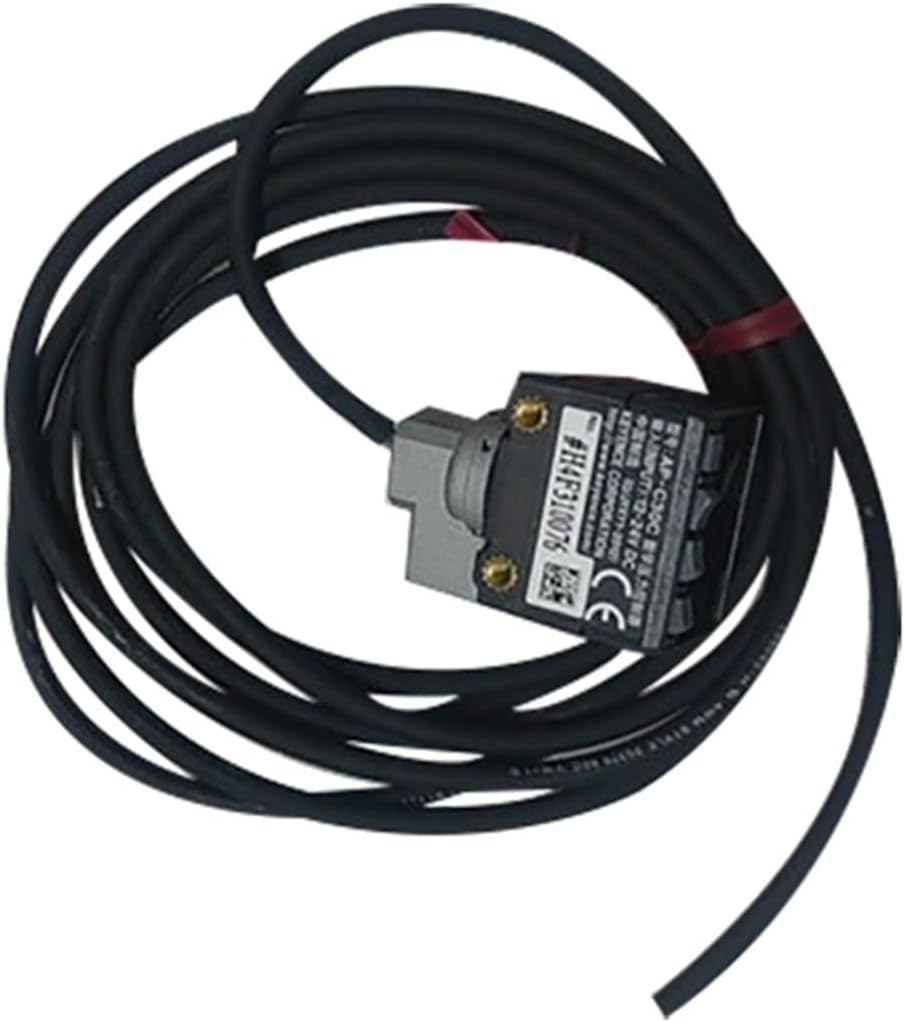
Figure 2: Close-up view of the AP-C30C sensor unit with its integrated coiled cable, highlighting its compact form factor.
4. Setup
4.1. Mounting
The subminiature design of the AP-C30C allows for flexible mounting. Secure the sensor firmly using appropriate fasteners or mounting brackets (not included) to prevent movement during operation. Ensure the sensing area is unobstructed and aligned correctly with the target.
4.2. Electrical Connections
The AP-C30C features an integrated multi-conductor cable for electrical connection. Refer to the following general wiring guidelines. Always consult the specific wiring diagram provided with your product for precise connections, as color codes may vary.
- Power Supply: Connect the power input wires to a stable DC power source within the specified voltage range (e.g., 12-24V DC). Observe polarity.
- Output: Connect the output wire(s) to your control system or indicator. The AP-C30C provides a subminiature output, which should be connected to a compatible input.
- Ground: Ensure proper grounding to prevent electrical noise and ensure safe operation.
Note: Incorrect wiring can damage the sensor or connected equipment. If unsure, consult a qualified electrician.
5. Operating Instructions
5.1. Basic Operation
Once properly installed and powered, the AP-C30C sensor will begin its operation. As a digital pressure sensor and photoelectric switch, it detects changes in pressure or the presence/absence of objects within its sensing range.
- Photoelectric Mode: When an object enters or leaves the detection area, the sensor's output state will change accordingly.
- Pressure Sensing Mode: The sensor provides a digital output based on the detected pressure level. Specific thresholds or ranges may be pre-set or configurable depending on the model variant.
5.2. Adjustment and Calibration
The AP-C30C is designed for straightforward operation. Specific adjustment or calibration procedures, if available, would typically involve small potentiometers or buttons on the sensor body, or external programming via a compatible controller. Refer to any supplementary documentation for advanced configuration.
6. Maintenance
Regular maintenance ensures optimal performance and extends the lifespan of your AP-C30C sensor.
- Cleaning: Periodically clean the sensor's lens and housing with a soft, dry cloth. Avoid abrasive cleaners or solvents that could damage the plastic.
- Inspection: Regularly inspect the cable for any signs of wear, cuts, or damage. Check mounting for security.
- Environmental Check: Ensure the operating environment remains within specified limits (temperature, humidity, absence of corrosive substances).
7. Troubleshooting
If you encounter issues with your AP-C30C sensor, refer to the table below for common problems and their potential solutions.
| Problem | Possible Cause | Solution |
|---|---|---|
| Sensor not powering on | No power supply; incorrect wiring; faulty power supply. | Check power connections and voltage. Verify wiring against diagram. Test power supply. |
| No output change / erratic output | Incorrect wiring; sensor obstructed/misaligned; target too far/close; dirty lens; faulty sensor. | Verify wiring. Clean lens. Adjust sensor position/distance to target. Check for obstructions. If problem persists, sensor may be faulty. |
| Inconsistent pressure readings | Fluctuating pressure source; sensor not calibrated (if applicable); environmental interference. | Ensure stable pressure source. Perform calibration if sensor supports it. Check for external factors affecting readings. |
If the problem persists after attempting these solutions, please contact customer support.
8. Specifications
The following are the general specifications for the BLUPOWHT AP-C30C Digital Pressure Sensor Photoelectric Switch:
| Parameter | Value |
|---|---|
| Model Number | AP-C30C |
| Brand | BLUPOWHT |
| Type | Digital Pressure Sensor, Photoelectric Switch |
| Output Type | Subminiature Output |
| Package Dimensions | 1.18 x 0.79 x 0.39 inches |
| Item Weight | 1.76 ounces |
| Assembly Required | No |
| Number of Pieces | 1 |
9. Warranty and Support
BLUPOWHT products are manufactured to high quality standards. For information regarding warranty coverage, please refer to the warranty card included with your purchase or visit the official BLUPOWHT website.
For technical support, troubleshooting assistance beyond this manual, or inquiries about replacement parts, please contact BLUPOWHT customer service through the retailer where the product was purchased or via the contact information provided on the manufacturer's official channels.
Please have your product model number (AP-C30C) and purchase details ready when contacting support.
Ask a question about this manual
Ask about setup, troubleshooting, compatibility, parts, safety, or missing instructions. Manuals+ will review the question and use this page’s manual context to help answer it.