
Nairtech 3.6kw 24v With WIFI
Nairtech Solar Power Inverter User Manual
Models: 3.6KW, 4.2KW, 6.2KW Hybrid Solar Inverter
1. Introduction
This user manual provides detailed instructions for the installation, operation, and maintenance of the Nairtech Solar Power Inverter. This multi-function inverter/charger combines the capabilities of an inverter, solar charger, and battery charger to deliver reliable, uninterruptible power support. It is designed for a wide range of applications, including solar AC power systems, vehicle systems, RV power supplies, security monitoring systems, emergency lighting, and household power systems.
The inverter features a comprehensive LCD display for user-configurable settings such as battery charging current, AC/solar charger priority, and acceptable input voltage ranges. Its advanced MPPT technology ensures efficient solar energy harvesting by tracking the maximum power point of the PV array in real-time.
2. Safety Information
Please read all instructions and warnings carefully before installation and operation. Failure to follow these instructions may result in electric shock, fire, or severe injury.
- Installation must be performed by qualified personnel only.
- Ensure all power sources are disconnected before performing any wiring or maintenance.
- Do not disassemble the inverter. There are no user-serviceable parts inside.
- Ensure proper ventilation around the inverter to prevent overheating.
- The battery capacity of the correct matching system is determined according to the specific usage requirements of the load and application scenarios. Incorrect battery sizing can lead to insufficient capacity or excessive waste of power generation.
- Avoid exposing the inverter to rain, snow, spray, or any liquids.
3. Product Features
- Pure sine wave output for sensitive electronics.
- Configurable input voltage range for home appliances and personal computers via LCD setting.
- Configurable battery charging current based on applications via LCD setting.
- Configurable AC/Solar Charger priority via LCD setting.
- Compatible with mains voltage or generator power.
- Automatic restart while AC is recovering.
- Overload, over temperature, and short circuit protection.
- Smart battery charger design for optimized battery performance.
- Cold start function.
- RS-232 communication port for monitoring.
- Integrated circuit breaker for safety.
4. Specifications
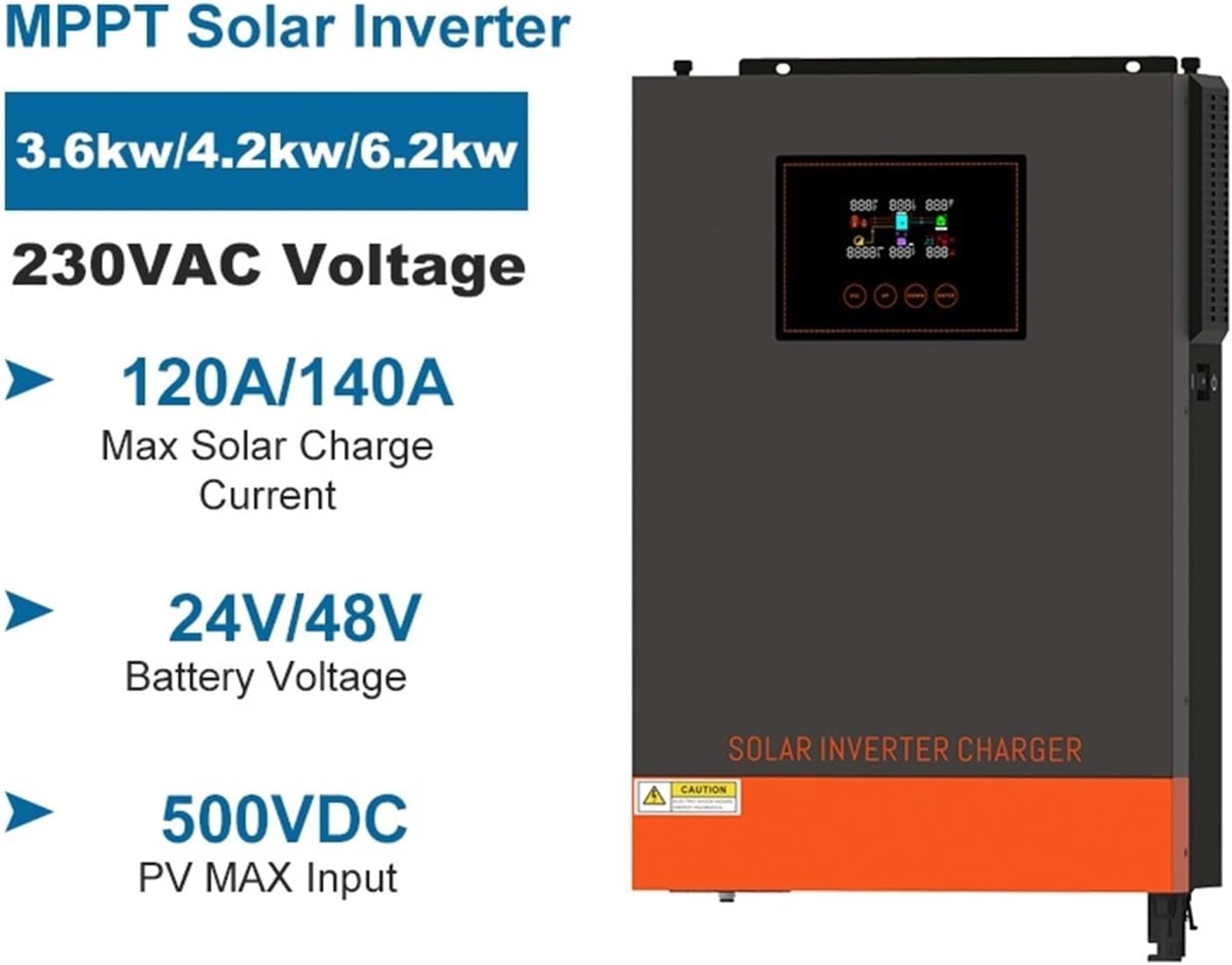
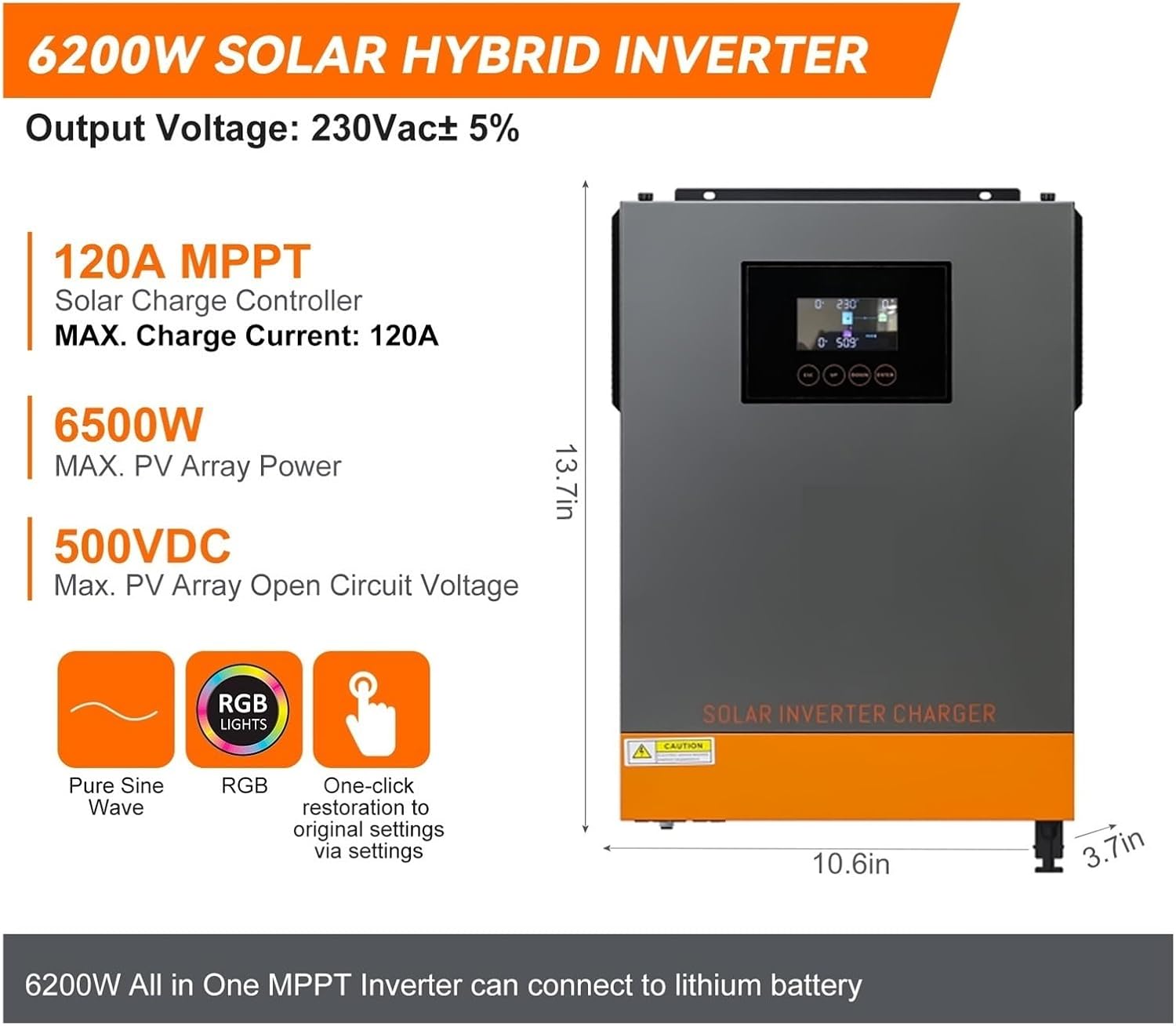
The following table details the technical specifications for the Nairtech Solar Power Inverter models:
| Parameter | 3.6KW Model | 4.2KW Model | 6.2KW Model |
|---|---|---|---|
| Rated Output Power | 3600W | 4200W | 6200W |
| Output Voltage Waveform | Pure Sine Wave | ||
| Output Voltage Regulation | 230Vac±5% | ||
| Output Frequency | 50Hz | ||
| Peak Efficiency | 93% | ||
| Nominal DC Input Voltage | 24Vdc | 24Vdc | 48Vdc |
| Max. PV Array Power | 6200W | 6200W | 6500W |
| Nominal PV Voltage | 360Vdc | ||
| PV Array MPPT Voltage Range | 90Vdc~450Vdc | ||
| Max. PV Array Open Circuit Voltage | 500Vdc | ||
| Max Charging Current | 120Amp | 140Amp | 120Amp |
| Nominal Output Current | 15.7A | 18.2A | 26.1A |
| Power Factor Range | >0.99 | ||
| Maximum Conversion Efficiency | 97% | ||
| Operating Temperature Range | -10 to 50℃ | ||
| Storage Temperature | -15 to 60℃ | ||
| Humidity | 5% to 95% Relative Humidity (Non-condensing) | ||
| Dimension (D*W*H) | 100×300×444 mm | ||
| Net Weight | 11.5 kg | ||
5. Setup and Installation
Proper installation is crucial for the safe and efficient operation of your Nairtech Solar Power Inverter. Follow these general guidelines, and always consult a qualified electrician for complex installations.
5.1 Unpacking and Inspection
Upon receiving the inverter, carefully unpack it and inspect for any shipping damage. If any damage is found, contact your dealer immediately.
5.2 Mounting the Inverter
Choose a suitable mounting location that is dry, well-ventilated, and protected from direct sunlight, high temperatures, and moisture. Ensure there is sufficient clearance around the inverter for proper airflow.
5.3 Wiring Connections
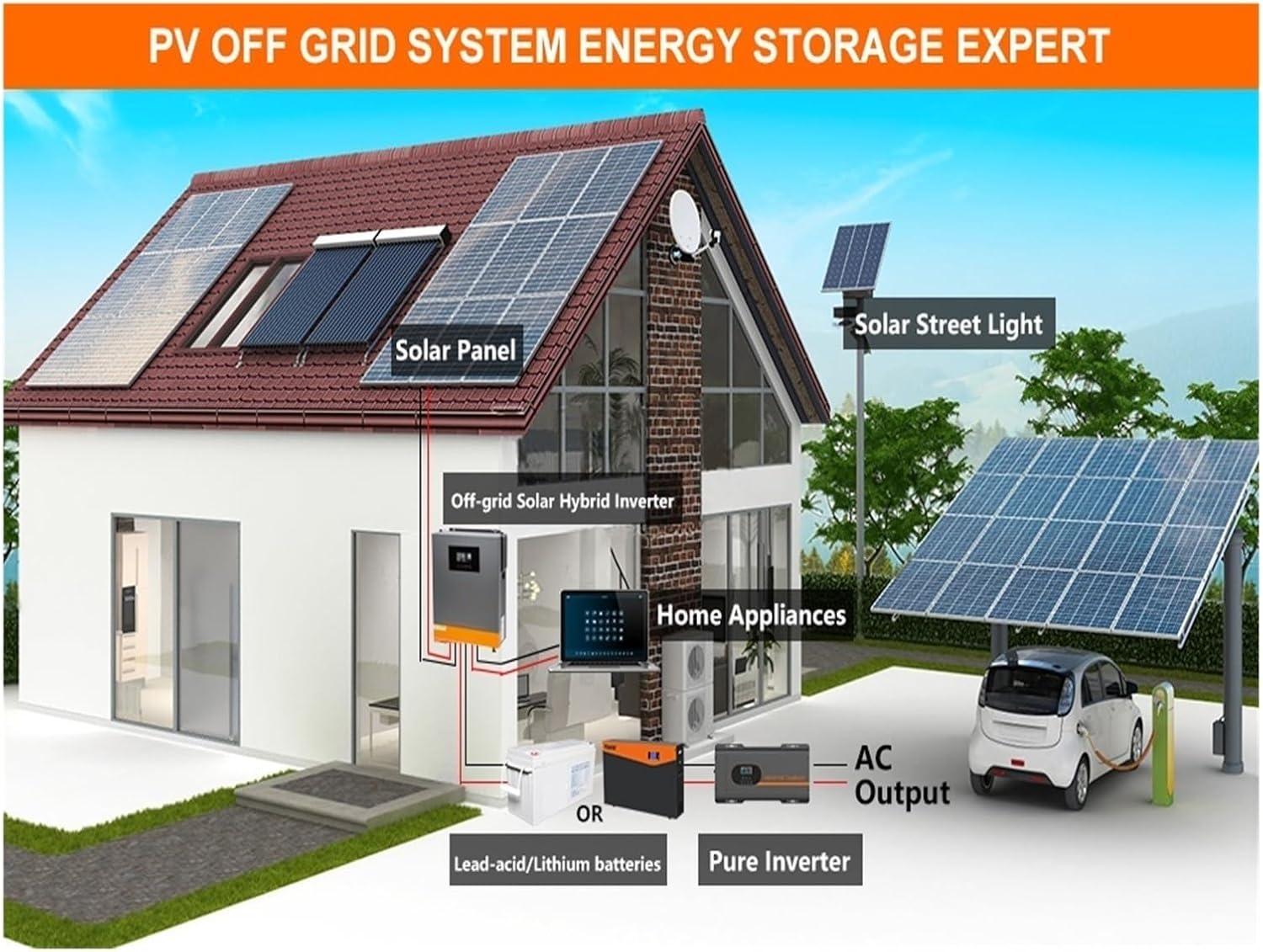
Refer to the diagrams below for proper wiring of the PV array, battery bank, AC input, and AC output. Ensure all connections are secure and correctly polarized.


6. Operating the Inverter
Once installed, the inverter can be operated via its integrated LCD display and buttons. The display provides real-time information on system status, input/output voltages, and charging currents.
6.1 LCD Display and Buttons
Use the 'ESC', 'UP', 'DOWN', and 'ENTER' buttons to navigate through the menu and configure settings. Refer to the on-screen prompts for specific adjustments.
6.2 Status Indicators
The inverter features LED indicators to show its current operating mode:
- White Light: Stationary mode.
- Purple Light: PV Mode (solar charging active).
- Blue Light: Utility Mode (AC input from grid or generator).
- Red Light: Battery Mode (inverter is drawing power from batteries).

7. Maintenance
Regular maintenance helps ensure the longevity and optimal performance of your inverter.
- Cleaning: Periodically clean the exterior of the inverter with a dry, soft cloth. Ensure ventilation openings are free from dust and debris.
- Connections: Annually check all electrical connections (PV, battery, AC input/output) for tightness and signs of corrosion. Loose connections can cause overheating and damage.
- Environment: Ensure the operating environment remains within the specified temperature and humidity ranges.

8. Troubleshooting
If you encounter issues with your inverter, refer to the following general troubleshooting steps. For persistent problems, contact technical support.
- No Power: Check all input power connections (PV, battery, AC utility/generator). Ensure the main power switch is ON and the circuit breaker is not tripped.
- No Output: Verify that the inverter is in an active operating mode (PV, Utility, or Battery). Check AC output connections and the load.
- Error Codes: If the LCD displays an error code, consult the full product manual (if available) or contact Nairtech support for specific interpretations and solutions.
- Overload Protection: If the inverter shuts down due to overload, reduce the connected load and restart the unit.
- Over Temperature: Ensure adequate ventilation. Clear any obstructions from the air vents and ensure the ambient temperature is within the specified operating range.
9. Warranty and Support
For warranty information and technical support, please contact Nairtech or your authorized dealer. Keep your purchase receipt as proof of purchase for any warranty claims.
Manufacturer: Nairtech
Related Documents - 3.6kw 24v With WIFI
 |
jsdsolar PV9000-48 MPPT Solar Inverter User Manual User manual for the jsdsolar PV9000-48 MPPT Solar Inverter. This guide details installation, operation, and troubleshooting for this 6.5KW hybrid solar inverter, designed for off-grid backup and self-consumption. |
 |
ANENJI GM Series 5.5/6.2KW Hybrid Inverter: ON/OFF-GRID Technical Specifications Comprehensive technical data for the ANENJI GM Series 5.5KW and 6.2KW ON/OFF-GRID Hybrid Inverters (PV 60-500Vdc). Features, operational modes, and detailed electrical and physical specifications for models GM5500-48PL and GM6200-48PL. |
 |
GGH-3.5KW/6.5KVA Solar Inverter User Manual User manual for the DAXTROMN GGH-3.5KW/6.5KVA solar inverter, detailing its features, specifications, and operation for off-grid and on-grid solar power systems. |
 |
ANENJI 6.2KVA Hybrid Solar Inverter/Charger User Manual Comprehensive user manual for the ANENJI 6.2KVA 230Vac Hybrid Solar Inverter/Charger, covering installation, operation, safety instructions, specifications, troubleshooting, and battery management (including lithium battery support). Includes detailed setup procedures and technical data. |
 |
ECGSOLAX 6.5KW Hybrid Solar Inverter User Manual: Installation & Operation Guide Comprehensive user manual for the ECGSOLAX 6.5KW Hybrid Solar Inverter. Covers installation, operation, safety instructions, troubleshooting, and specifications for models like ECG-HVM, ECG-HVM5K-24V, and ECG-hvm6.5k-48v. |
 |
PowMr POW-LVM4K-24V Hybrid Solar Inverter Charger User Manual This user manual provides detailed instructions for the PowMr POW-LVM4K-24V, a 24V hybrid solar inverter charger. Learn about installation, operation, specifications, and troubleshooting for this versatile power solution from SHENZHEN HEHEJIN INDUSTRIAL CO.,LTD. |
Ask a question about this manual
Ask about setup, troubleshooting, compatibility, parts, safety, or missing instructions. Manuals+ will review the question and use this page’s manual context to help answer it.