
Introduction
Thank you for choosing the LINCE Fit 3 Smartwatch. This manual provides essential information for setting up, operating, and maintaining your device. The LINCE Fit 3 is designed to enhance your daily life with features like health monitoring, fitness tracking, and smart notifications. Please read this manual carefully to ensure optimal performance and longevity of your smartwatch.

Image: The LINCE Fit 3 Smartwatch, showcasing its design and display.
Setup
1. Charging the Smartwatch
Before initial use, fully charge your LINCE Fit 3 Smartwatch. Connect the charging cable to the watch's charging port and a USB power source. A full charge typically takes approximately 2 hours. The battery capacity is 260mAh, providing up to 10 days of usage depending on activity.
2. App Installation and Pairing
- Download the EVOLUCOES app from your smartphone's app store (compatible with Android and iOS devices).
- Ensure Bluetooth is enabled on your smartphone.
- Open the EVOLUCOES app and follow the on-screen instructions to pair your LINCE Fit 3 Smartwatch via Bluetooth BLE 5.2.
- Confirm the pairing request on both your smartphone and smartwatch.
Operating Instructions
1. Basic Navigation
The LINCE Fit 3 features a 1.96-inch TFT full-touch display with a resolution of 356x400 pixels. Swipe across the screen to navigate through menus and tap to select options. The ergonomic button on the side provides quick access to functions or the home screen.

Image: The smartwatch display, showcasing its curved glass and high-resolution interface.

Image: Side view of the smartwatch, showing the aluminum body and ergonomic button.
2. Making and Receiving Calls
With Bluetooth 5.2 connectivity, the LINCE Fit 3 allows you to make and receive phone calls directly from your wrist. Ensure your smartwatch is paired with your smartphone. You can access recent calls, dial numbers, and manage up to 100 contacts through the watch interface. The improved Bluetooth speaker offers enhanced sound quality.

Image: Smartwatch displaying an incoming call, demonstrating its call functionality.
3. Health Monitoring
The smartwatch is equipped with advanced sensors, including an accelerometer and PPG sensors, to monitor various health parameters:
- Heart Rate: Continuous heart rate tracking.
- Respiratory Rate: Monitors your breathing patterns.
- Blood Oxygenation (SpO2): Measures oxygen levels in your blood.
- Skin Temperature: Tracks your body's skin temperature.
- Sleep Monitoring: Analyzes your sleep stages and quality.
- Period Cycle Follow-up: For female users, track and predict menstrual cycles.

Image: Smartwatches displaying health monitoring features such as heart rate and blood oxygen.

Image: Smartwatch screen showing sleep monitoring data.
4. Fitness Tracking
The LINCE Fit 3 supports over 100 types of workouts, acting as a pedometer and activity tracker. It records your steps, distance, calories burned, and active minutes. Select your desired workout mode from the app or directly on the watch to track your performance.

Image: Smartwatch displaying workout tracking for outdoor running.
5. Customization and Other Features
- Dial Customization: Personalize your watch face with hundreds of dials available through the EVOLUCOES app, including over 14 different modules and 100+ dial designs.
- Voice Assistant: Utilize the integrated voice assistant for hands-free control.
- Camera Remote Control: Remotely control your smartphone's camera (compatible with iOS and Android).
- Notifications: Receive notifications for calls, messages, and app alerts directly on your smartwatch.
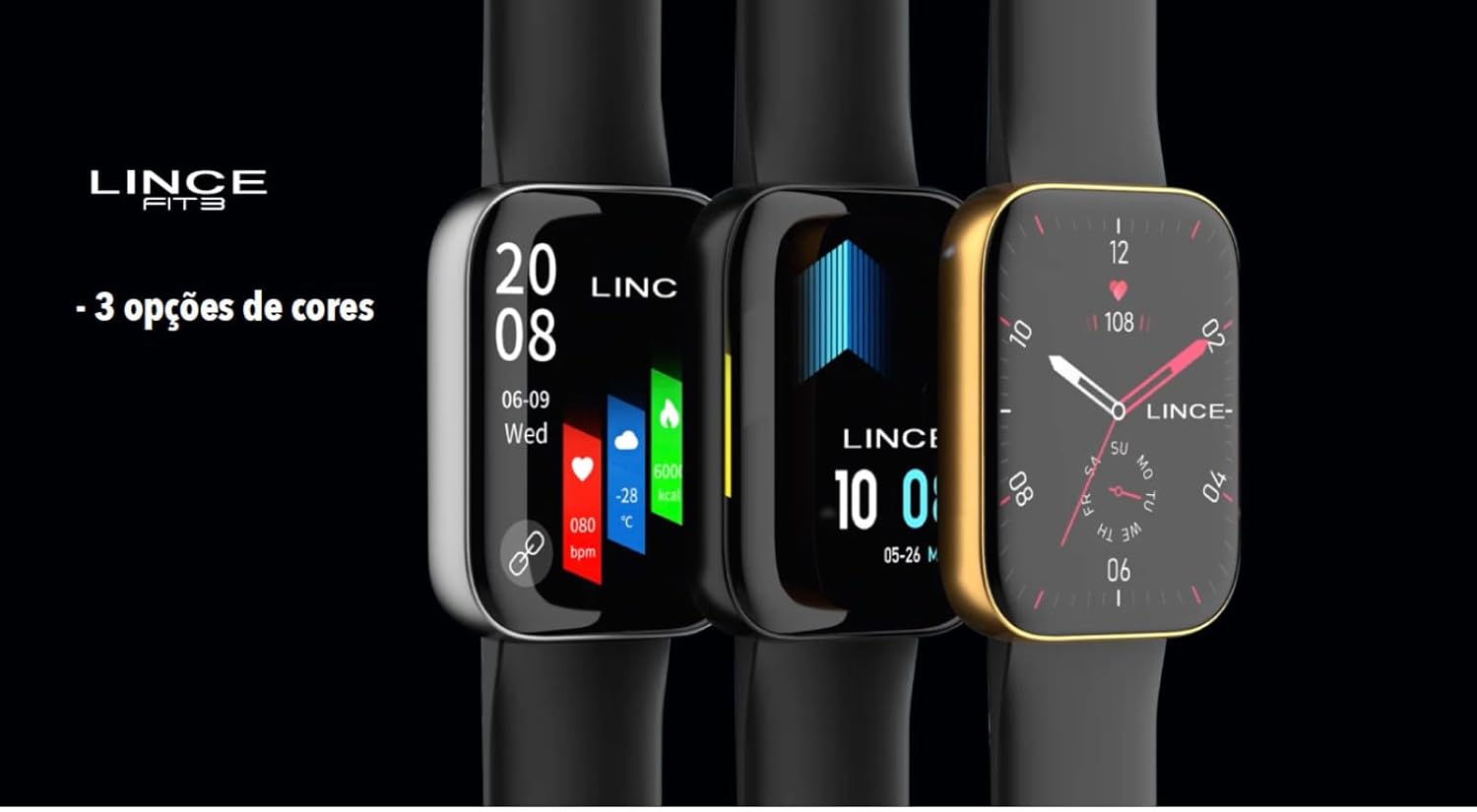
Image: Smartwatches showcasing different color options and customizable watch faces.
Maintenance
1. Cleaning
Regularly clean your smartwatch and strap with a soft, dry cloth. For stubborn dirt, slightly dampen the cloth with water. Avoid using harsh chemicals or abrasive materials, as these can damage the device.
2. Water Resistance
The LINCE Fit 3 Smartwatch has an IP68 water resistance rating, meaning it is protected against dust and can withstand immersion in water up to 1.5 meters for up to 30 minutes. It is suitable for daily use and light water activities, but not recommended for swimming, diving, or high-pressure water exposure.
3. Strap Replacement
The smartwatch features an interchangeable silicone strap (22mm). To replace the strap, locate the quick-release pins on the underside of the strap where it connects to the watch case. Slide the pin to detach the strap. Align the new strap with the watch case and slide the pin back into place to secure it.
Troubleshooting
- Watch not turning on: Ensure the watch is fully charged. Connect it to the charger for at least 30 minutes.
- Unable to pair with smartphone:
- Check if Bluetooth is enabled on your phone and watch.
- Ensure the EVOLUCOES app is installed and running.
- Restart both your phone and smartwatch.
- Forget the device in your phone's Bluetooth settings and try pairing again.
- Inaccurate health data: Ensure the watch is worn snugly on your wrist, not too tight or too loose. Clean the sensors regularly.
- Short battery life: Reduce screen brightness, disable unnecessary notifications, and limit continuous heart rate monitoring if not needed.
- Display unresponsive: Restart the smartwatch. If the issue persists, ensure the screen is clean and dry.
Specifications
| Brand | LINCE |
| Model Reference | LSWUQPM005-PXPX |
| Display | 1.96" TFT (356x400px), Curved Mineral Crystal, Full Touch |
| Case Material | Metal (Aluminum body) |
| Strap Material | Silicone (Interchangeable, 22mm) |
| Connectivity | Bluetooth BLE 5.2 |
| Compatibility | Android and iOS |
| Battery Capacity | 260mAh |
| Battery Life | Up to 10 days |
| Charging Time | 2 hours |
| Water Resistance | IP68 |
| Sensors | Accelerometer, PPG sensors (Heart Rate, Respiratory Rate), Skin Temperature Sensor |
| Weight | 39g (Product), 300g (Item) |
| Product Dimensions | 44.5 x 37 x 10.5 mm (Watch), 12 x 20 x 8 cm (Package) |
Warranty
Specific warranty details are not provided in the product information. Please refer to the warranty card included with your purchase or contact LINCE customer support for information regarding warranty coverage and terms.
Support
For further assistance, technical support, or inquiries, please visit the official LINCE website or contact their customer service department. Contact information can typically be found on the product packaging or the manufacturer's website.