
Auilzlz A-TV11 White
User Manual: Universal Big Button TV Learning Remote Control
Model: A-TV11 White
Brand: Auilzlz
Introduction
This manual provides comprehensive instructions for the setup, operation, and maintenance of your Auilzlz Universal Big Button TV Learning Remote Control. Designed for ease of use, particularly for seniors or individuals with impaired vision, this remote simplifies TV control by learning functions from your existing infrared (IR) remote.
Please read this manual thoroughly before using the product to ensure proper functionality and to maximize your user experience.
Important Safety Information
- This remote control is designed for use with IR (Infrared) remote-controlled devices only. It is not compatible with RF (Radio Frequency), Bluetooth, or voice-controlled remotes.
- Keep the remote control away from water and excessive moisture.
- Do not expose the remote control to direct sunlight or extreme temperatures.
- Avoid dropping or subjecting the remote control to strong impacts.
- Dispose of used batteries responsibly according to local regulations.
Package Contents
Please check the package for the following items:
- 1 x Auilzlz Universal Big Button TV Learning Remote Control
- 1 x User Manual (this document)
Product Overview
The Auilzlz Universal Big Button TV Learning Remote Control features a simplified design with large, easy-to-press buttons for essential TV functions. It is equipped with a smart chip for accurate and multi-angle signal induction, ensuring reliable performance over distances up to 45 feet.

Image: Front view of the Auilzlz Universal Big Button TV Learning Remote Control. It is silver-colored with large black buttons for Power, Volume Up/Down, Channel Up/Down, Mute, and two programmable buttons labeled 'A' and 'B'. A wrist strap is attached to the bottom.

Image: The remote control superimposed on a circuit board background, highlighting its "SMART CHIP" for strong signal, accurate control, and multi-angle induction.

Image: The remote control shown in a living room setting, indicating its "Long Distance Remote Control" feature with a range of over 45 feet, used to control a TV from a couch.
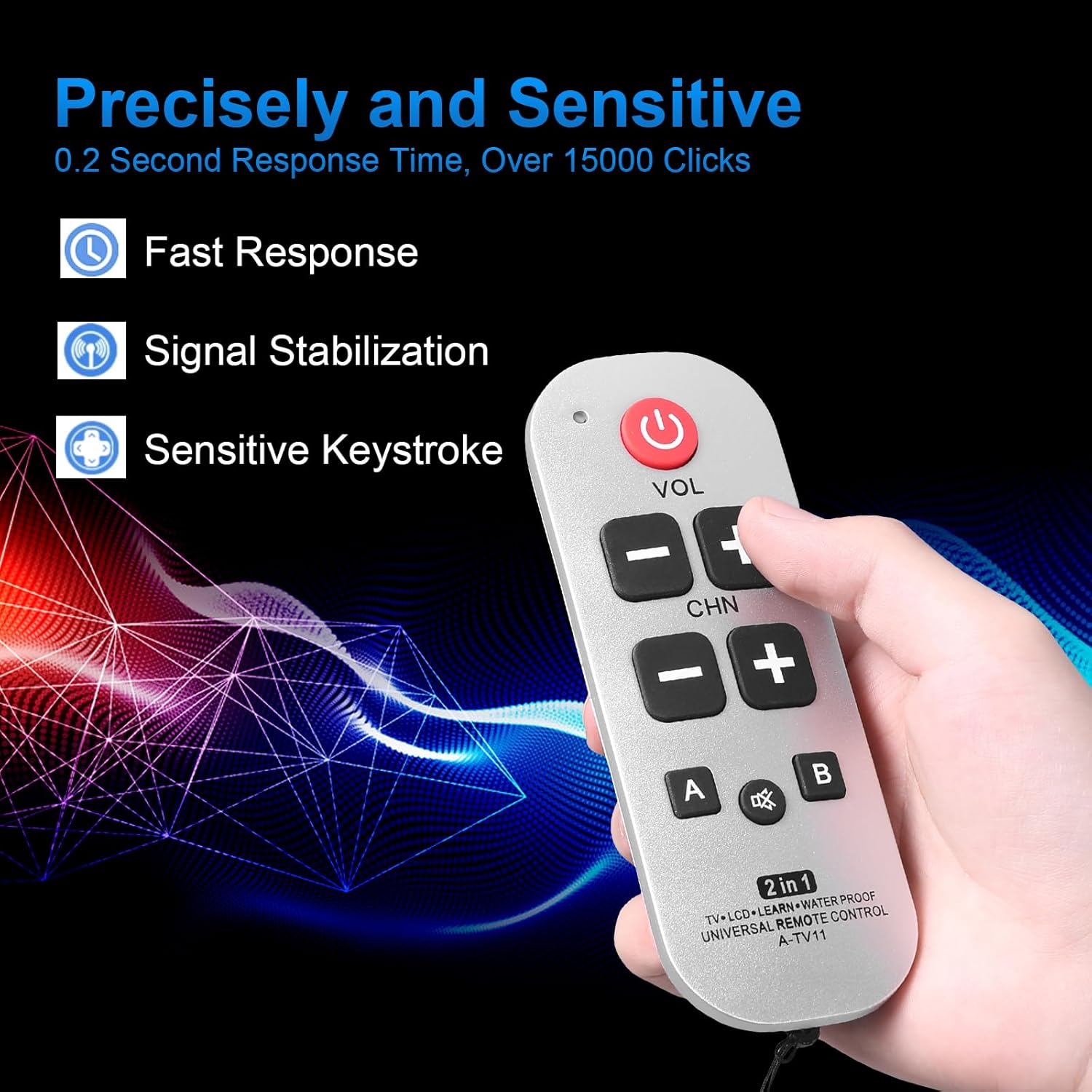
Image: The remote control with text indicating "Precisely and Sensitive" features: Fast Response, Signal Stabilization, and Sensitive Keystroke, with a visual representation of signal waves.

Image: The remote control with callouts for "Sensitive Buttons", "Signal Stabilization", "Fine Workmanship", and "Remote in Long Distance", summarizing its key operational benefits.
Button Functions:
- Power Button (●): Turns the TV on or off.
- VOL +/-: Adjusts the volume up or down.
- CHN +/-: Changes the channel up or down.
- Mute Button (🔇): Mutes or unmutes the TV sound.
- A / B Buttons: Programmable buttons for learning additional functions from your original remote.
Setup
1. Battery Installation
The remote control requires 2 AAA batteries (not included). Ensure correct polarity when inserting batteries.
- Open the battery compartment cover on the back of the remote control.
- Insert 2 AAA batteries, matching the (+) and (-) terminals as indicated inside the compartment.
- Close the battery compartment cover securely.

Image: Front and back view of the remote control. The back view clearly shows the battery compartment cover, indicating where batteries are to be inserted.
2. Learning Function (Programming)
This remote control learns functions from your original IR remote. You will need your original TV remote control for this process.
- Enter Learning Mode: Press and hold the Power button on the Auilzlz remote for approximately 3-5 seconds until the red indicator light (usually near the power button) turns solid red. This indicates it's ready to learn.
- Position Remotes: Place your original TV remote control and the Auilzlz remote control head-to-head (IR emitters facing each other) at a distance of about 1-3 cm (0.4-1.2 inches).
- Select Button to Learn: On the Auilzlz remote, press the button you wish to program (e.g., VOL+, CHN+, A, B). The red indicator light will start blinking slowly.
- Transmit Signal: On your original TV remote, press and hold the corresponding button (e.g., original remote's VOL+ for Auilzlz's VOL+). The red indicator light on the Auilzlz remote will blink rapidly 3 times and then turn solid red again, indicating successful learning.
- Repeat for Other Buttons: Repeat steps 3 and 4 for all other buttons you wish to program (VOL-, CHN-, Mute, A, B).
- Exit Learning Mode: After programming all desired buttons, press the Power button on the Auilzlz remote once to exit learning mode. The red indicator light will turn off.
Important Notes:
- If the indicator light does not blink rapidly or learning fails, ensure the remotes are properly aligned and close enough, and that the original remote has sufficient battery power.
- Only IR signals can be learned. Ensure your original remote uses IR technology.
- If you make a mistake, simply repeat the learning process for that specific button.
Operating Instructions
Once programmed, your Auilzlz Universal Big Button TV Learning Remote Control is ready for use.

Image: A person using the remote control to operate a television, demonstrating its long-distance capability and ease of use with a clear TV screen in the background.
- Power On/Off: Press the Power button to turn your TV on or off.
- Adjust Volume: Press the VOL+ button to increase volume, and VOL- to decrease volume.
- Change Channels: Press the CHN+ button to go to the next channel, and CHN- to go to the previous channel.
- Mute Sound: Press the Mute button to mute or unmute the TV sound.
- Use Programmable Buttons (A/B): If you programmed additional functions to the A or B buttons (e.g., input source, menu), simply press the respective button to activate that function.

Image: A hand holding the remote control, with a finger pressing the volume up button, illustrating the ergonomic design and sensitive buttons.
Maintenance
- Cleaning: Wipe the remote control with a soft, dry cloth. Do not use liquid cleaners or abrasive materials.
- Battery Replacement: Replace batteries when the remote's performance degrades or if the indicator light does not respond as expected. Always replace both batteries at the same time with new ones of the same type.
- Storage: If the remote control will not be used for an extended period, remove the batteries to prevent leakage and damage. Store in a cool, dry place.
Troubleshooting
| Problem | Possible Cause | Solution |
|---|---|---|
| Remote does not work after programming. | Batteries are low or incorrectly inserted. Learning process failed. | Check battery polarity and replace if necessary. Repeat the learning process carefully. |
| Cannot enter learning mode (indicator light doesn't turn solid red). | Power button not held long enough. Low batteries. | Hold the Power button for 3-5 seconds. Replace batteries. |
| Learning fails (indicator light doesn't blink rapidly). | Remotes not aligned or too far apart. Original remote's battery low. Original remote is not IR. | Ensure remotes are 1-3 cm apart, head-to-head. Check original remote's battery. Confirm original remote is IR. |
| Remote works intermittently or has short range. | Low batteries. Obstruction between remote and TV. | Replace batteries. Ensure a clear line of sight to the TV's IR receiver. |
Specifications
- Model: A-TV11 White
- Brand: Auilzlz
- Product Dimensions: 3.9 x 1.9 x 0.8 inches
- Item Weight: 2.89 ounces
- Color: Black (Note: Product images predominantly show a silver-colored remote. Please refer to your purchased product for actual color.)
- Special Feature: Universal Learning Remote
- Max Number of Supported Devices: 1 (Learns functions for one device, typically a TV)
- Compatible Devices: Television (IR-controlled only)
- Power Source: 2 x AAA Batteries (not included)
Warranty and Support
Your Auilzlz Universal Big Button TV Learning Remote Control comes with the following:
- 30 Days Hassle-free Return: If you are not satisfied with your purchase, you may return it within 30 days for a refund or exchange.
- 1 Year Quality Warranty: This product is covered by a 1-year warranty against manufacturing defects from the date of purchase.
For any inquiries, technical support, or warranty claims, please contact Auilzlz customer service through the platform where you purchased the product.