
La Crosse Technology 617-149
La Crosse Technology 617-149 Digital Alarm Clock User Manual
Model: 617-149
Product Overview
The La Crosse Technology 617-149 Digital Alarm Clock is designed for bedside use, offering dual alarms, a vibrant color-changing glow light, and a convenient USB charging port. Its large, easy-to-read display and adjustable brightness ensure optimal visibility day or night. The clock is powered by an included USB-C adapter and features an optional battery backup to maintain time and alarm settings during power outages.
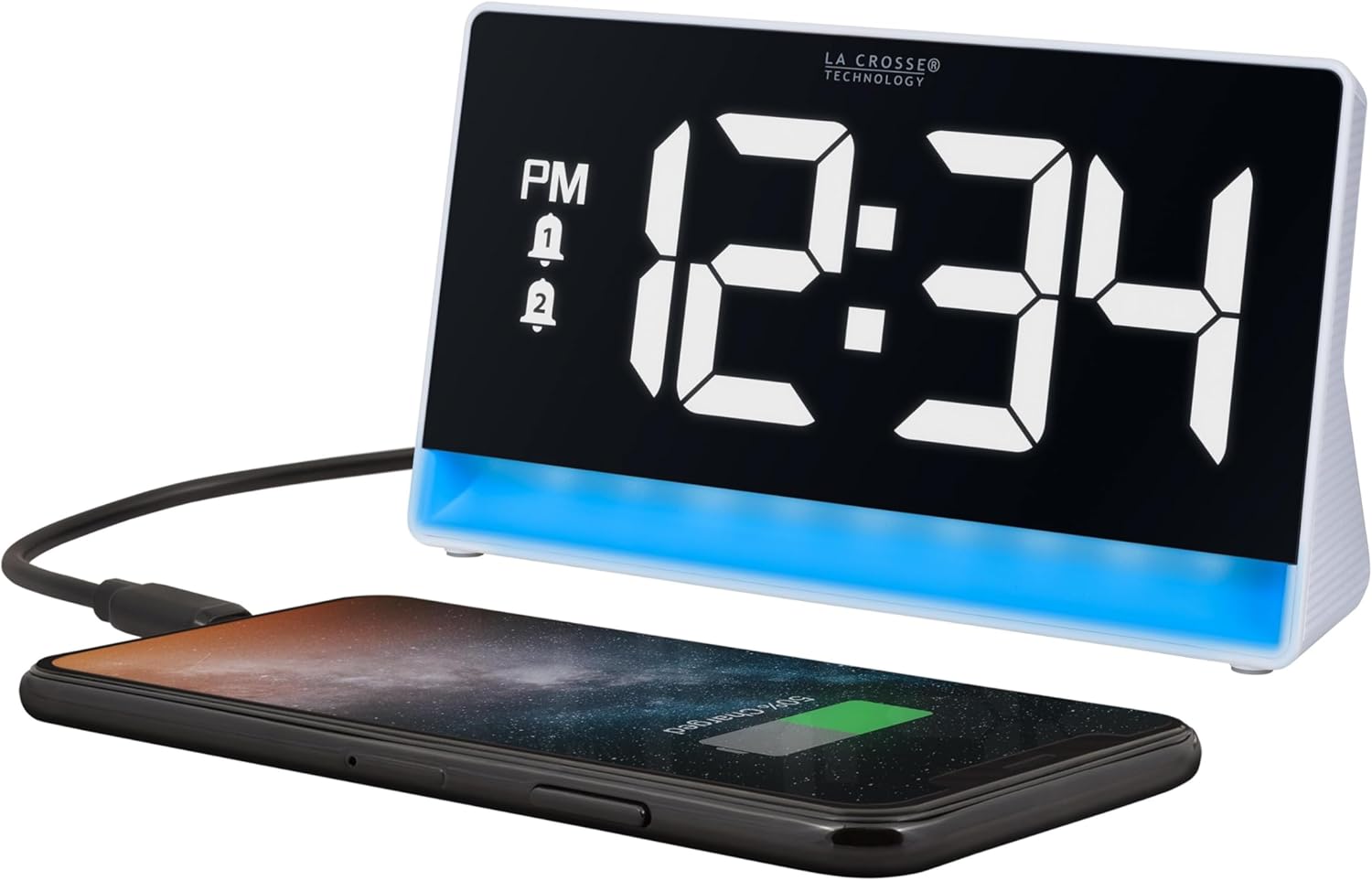
Figure 1: Front view of the La Crosse Technology 617-149 Digital Alarm Clock, showing its large digital display and the integrated glow light. A smartphone is connected for charging.
Setup Guide
- Power Connection: Connect the included USB-C power cord to the 5V DC port on the back of the alarm clock. Plug the other end into a standard wall outlet using the provided 5V adapter. The clock display will illuminate.
- Optional Battery Backup: For backup power during outages, insert 2-AAA alkaline batteries (not included) into the battery compartment on the back of the clock. This will preserve time and alarm settings.
- Initial Time Setting: Upon first power-up, the clock may display a default time. Refer to the "Setting Time" section for instructions on adjusting the time.

Figure 2: Rear view of the alarm clock, highlighting the power input and USB charging port. The control buttons for setting time, alarms, and brightness are also visible.
Operating Instructions
Setting Time
- Press and hold the SET button on the back of the clock to enter the time setting menu.
- Use the + or - buttons to adjust the hour. Press SET to confirm and move to minutes.
- Use the + or - buttons to adjust the minutes. Press SET to confirm.
- Continue pressing SET to cycle through 12/24-hour format and exit time setting.
Setting Alarms
The clock supports two independent alarms (Alarm 1 and Alarm 2) with options for daily, weekly, or weekend modes.
- Press and hold the ALARM 1/2 button to enter Alarm 1 settings.
- Use + or - to set the alarm hour, then press ALARM 1/2 to confirm.
- Use + or - to set the alarm minutes, then press ALARM 1/2 to confirm.
- Use + or - to select the alarm mode:
- (1-7) Seven Days: Alarm sounds every day.
- (1-5) Monday - Friday: Alarm sounds on weekdays only.
- (6-7) Weekend Only: Alarm sounds on weekends only.
- Press ALARM 1/2 to confirm and proceed to Alarm 2 settings, or exit if only setting Alarm 1.
- To turn an alarm ON/OFF, short press the ALARM 1/2 button. A bell icon will appear/disappear on the display.
Adjusting Display Brightness
The main time display has 5 intensity levels.
- Press the SNOOZE/BRIGHTNESS (+) button on the top of the clock to cycle through the brightness levels for the numbers.
Changing Glow Light Colors and Effects
The integrated glow light offers 8 solid color options and 5 dynamic lighting effects.
- Short press the COLOR button on the back to cycle through the 8 solid color options (Red, Orange, Yellow, Green, Cyan, Blue, Purple, White).
- Press and hold the COLOR button to activate one of the 5 lighting effects (Rainbow, Dawn, Sunshine, Forest, Ocean, Midnight).
- Use the PLUS/MINUS (+/-) buttons on the back to adjust the intensity of the glow light.

Figure 3: The alarm clock demonstrating various glow light color options, including solid colors and dynamic effects.
Snooze Function
- When the alarm sounds, gently tap the top of the clock (the SNOOZE/BRIGHTNESS area) to activate the snooze function. This will provide an extra 10 minutes of rest.
USB Charging Port
- The clock features a 1A USB charging port on the back. Connect your smartphone or other compatible mobile device using its charging cable to power it.
Maintenance
- Cleaning: Wipe the clock with a soft, damp cloth. Do not use abrasive cleaners or chemicals.
- Placement: Place the clock on a stable, flat surface away from direct sunlight, heat sources, and excessive moisture.
- Battery Replacement: If using battery backup, replace AAA batteries annually or when the display shows signs of dimming during power outages.
Troubleshooting
| Problem | Solution |
|---|---|
| Display is blank or dim. | Ensure the USB-C power cord is securely connected to both the clock and a working power outlet. Check the brightness setting using the SNOOZE/BRIGHTNESS button. If using battery backup, replace batteries. |
| Alarm does not sound. | Verify that the alarm is enabled (bell icon visible on display). Check that the alarm time is set correctly for the desired day(s) (daily, weekdays, or weekends). |
| Glow light is not changing colors. | Ensure you are short pressing the COLOR button for solid colors or pressing and holding for lighting effects. Check the glow light intensity setting. |
| USB charging port is not working. | Confirm the clock is powered by the USB-C adapter. Ensure the device being charged is compatible and its charging cable is functioning correctly. |
Specifications
- Model: 617-149
- Dimensions: 6.85" W x 3.72" H x 1.88" D (17.40 cm W x 9.45 cm H x 4.78 cm D)
- Power Source: Corded Electric (USB-C adapter included)
- Battery Backup: 2-AAA alkaline batteries (not included)
- USB Charging Output: 1A
- Display Type: Digital LCD with adjustable brightness (5 levels)
- Glow Light: 8 solid colors, 5 lighting effects
- Alarm Features: Dual alarms, crescendo sound, 10-minute snooze
- Material: Plastic
- Weight: 6.4 ounces

Figure 4: Detailed dimensions and layout of the alarm clock's features.
Warranty and Support
La Crosse Technology offers a limited warranty on its products. For detailed warranty information, product support, and video tutorials, please visit the official support page.
Online Support: https://bit.ly/617-149_support
La Crosse Technology is a family-owned and operated company since 1983, recognized as a world leader in Atomic Time and Weather Instruments. They provide unmatched support resources, including printed setup guides, helpful video tutorials, and lifetime access to their USA-based tech support team.
Additional Information
This digital alarm clock is designed to be user-friendly and versatile, suitable for various rooms such as bedrooms, kitchens, classrooms, home offices, and kid's rooms. Its contemporary style and silent operation make it a discreet yet functional addition to any space.

Figure 5: The alarm clock illuminating a bedroom with its vibrant glow light.
Related Documents - 617-149
 |
La Crosse Technology 617-149 Digital Alarm Clock with Color Changing Glow Light Setup Guide Comprehensive setup guide for the La Crosse Technology 617-149 Digital Alarm Clock, covering power up, time setting, alarms, color glow lights, USB charging, battery backup, specifications, warranty, and support. |
 |
La Crosse Technology Digital Alarm Clock with Color Changing Glow Light Setup Guide Setup guide for the La Crosse Technology Digital Alarm Clock with Color Changing Glow Light (Model 617-149). Learn how to power up, set the time, configure alarms, use the color glow light features, and understand specifications, warranty, and support. |
 |
La Crosse Technology W72869 Digital Alarm Clock Setup Guide Comprehensive setup guide for the La Crosse Technology W72869 Digital Alarm Clock with Color Changing Glow Light. Learn how to power up, set time and alarms, use glow light features, and understand specifications and support. |
 |
La Crosse 617-3314 Analog Quartz Twin Bell Alarm Clock: User Manual, Warranty & Support Comprehensive user manual for the La Crosse 617-3314 Analog Quartz Twin Bell Alarm Clock. Includes setup instructions, operation guides, specifications, care tips, warranty details, and support information from La Crosse Clock Company. |
 |
La Crosse 617-249v2 1.8" LED Atomic Clock: User Manual & Features Get detailed instructions and specifications for the La Crosse 617-249v2 Atomic Curve LED Alarm Clock. Learn about power-up, atomic time signal, alarm settings, USB charging, and maintenance. |
 |
La Crosse 617-1392B/617-1392W Atomic Digital/Analog Alarm Clock Instruction Manual Instruction manual for the La Crosse 617-1392B/617-1392W Atomic Digital/Analog Alarm Clock, covering setup, time setting, alarms, backlight, atomic signal, care, specifications, and warranty. |
Ask a question about this manual
Ask about setup, troubleshooting, compatibility, parts, safety, or missing instructions. Manuals+ will review the question and use this page’s manual context to help answer it.