Introduction
This manual provides essential information for the proper setup, operation, and maintenance of your Phicus Sewing Machine Table, designed as an extension platform for JUKI HZL-110 and HZL-180SZ domestic electric sewing machines. Please read this manual thoroughly before use to ensure safe and efficient operation.
Product Overview
The Phicus Sewing Machine Table is an accessory designed to expand the working surface of compatible JUKI sewing machines, providing a larger, more stable area for handling fabric during sewing projects. This extension platform enhances comfort and precision, especially for larger items or quilting.
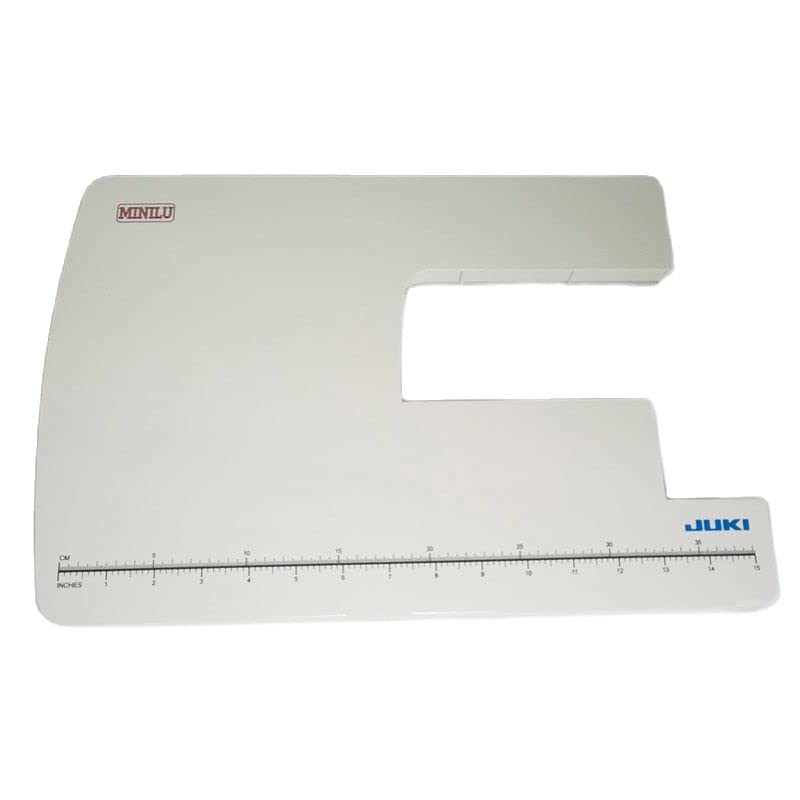
Image: Top-down view of the Phicus sewing machine extension table, showing the "MINILU" and "JUKI" logos, along with measurement markings in centimeters and inches along the front edge. This view highlights the flat, expansive surface of the table.
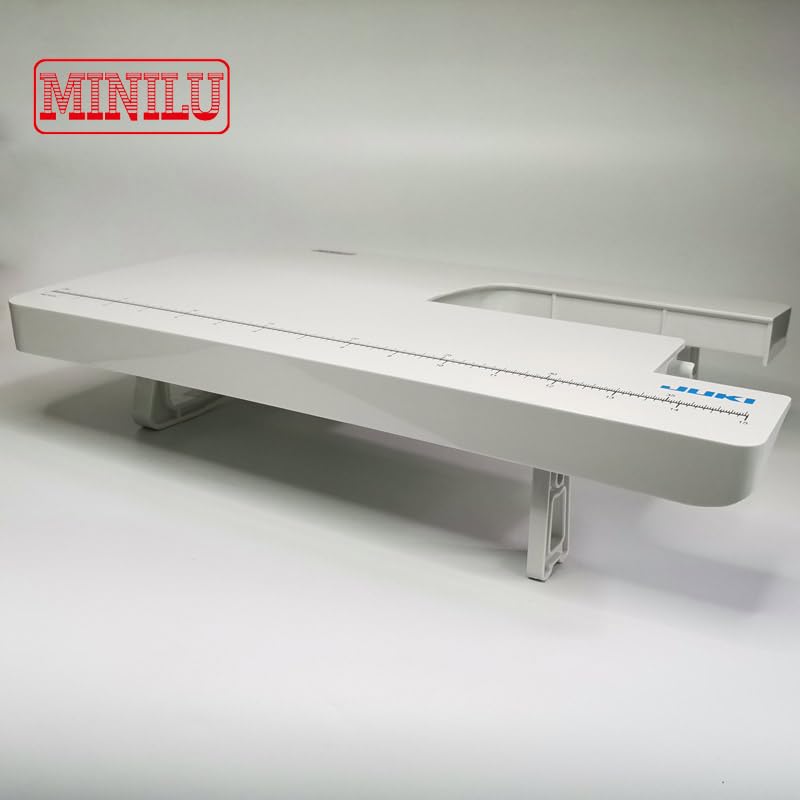
Image: Side view of the Phicus sewing machine extension table, illustrating its elevated design supported by sturdy legs. The measurement markings are visible along the front edge, and the "MINILU" and "JUKI" logos are present on the surface.
Safety Instructions
- Ensure the sewing machine table is placed on a stable, level surface before attaching the extension platform.
- Do not apply excessive force or weight on the extension table, as this may cause damage to the table or the sewing machine.
- Keep the table clean and free from debris to prevent interference with fabric movement.
- This product is designed for use with specific JUKI sewing machine models (HZL-110/180SZ). Using it with incompatible models may result in instability or damage.
Setup
Follow these steps to properly set up your Phicus Sewing Machine Table:
- Unpack: Carefully remove the extension platform from its packaging. Inspect for any signs of damage during transit.
- Prepare Sewing Machine: Ensure your JUKI HZL-110 or HZL-180SZ sewing machine is placed on a flat, stable surface.
- Position the Table: Align the extension table with the free arm or base of your sewing machine. The cut-out section of the extension table is designed to fit around the machine's working area.
- Secure Attachment: Gently slide the extension table into place until it sits flush against the sewing machine. The legs underneath the extension table should provide stable support. No additional fasteners are typically required for this type of extension table, as it relies on a snug fit and its own support legs.
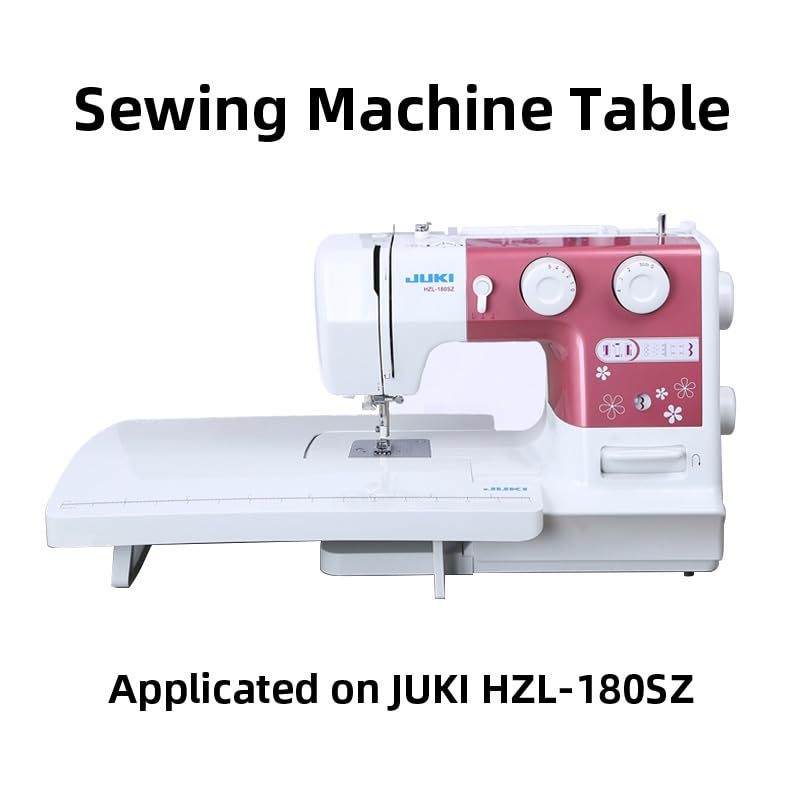
Image: The Phicus sewing machine extension table shown correctly attached to a JUKI HZL-180SZ sewing machine. This image demonstrates how the table integrates with the machine to create a larger, continuous work surface.
Operating Instructions
Once the extension table is set up, it provides an expanded work area for your sewing projects. No specific operational steps are required for the table itself, as it functions as a static extension of your sewing machine's bed.
- Fabric Support: Use the extended surface to support larger pieces of fabric, quilts, or garments, preventing them from pulling or dragging off the machine.
- Measurement Markings: Utilize the integrated measurement markings (in centimeters and inches) on the front edge of the table for quick measurements during your sewing process.
- Stability: The table provides increased stability for your sewing projects, allowing for more precise stitching, especially when working with bulky or heavy materials.
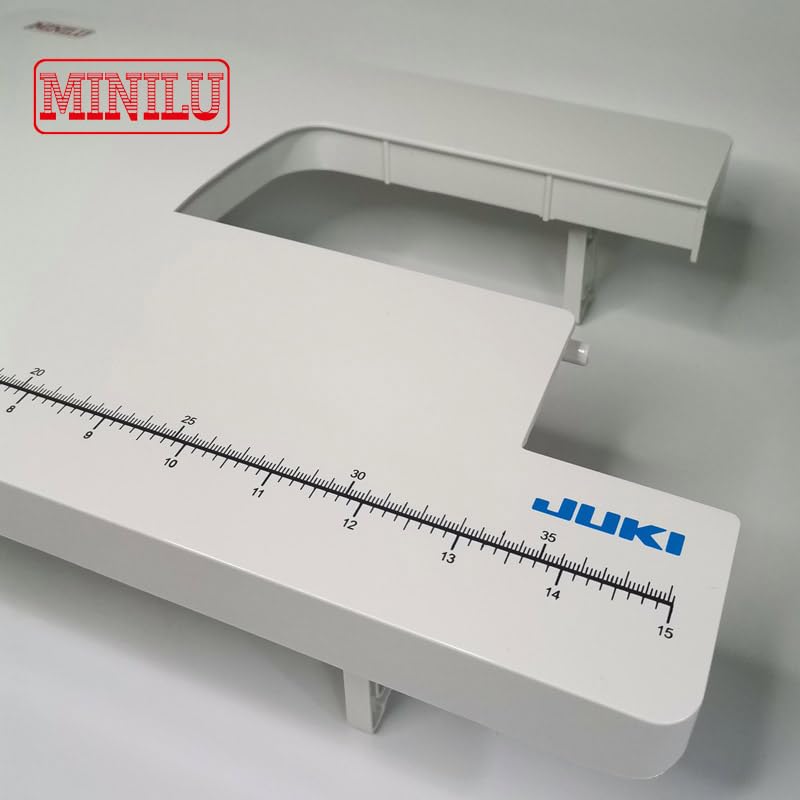
Image: A close-up view of the measurement markings on the front edge of the Phicus sewing machine extension table. The markings are clearly visible in both centimeters (top row) and inches (bottom row), extending up to 35 cm and 15 inches respectively, aiding in precise fabric handling.
Maintenance
To ensure the longevity and optimal performance of your Phicus Sewing Machine Table, follow these simple maintenance guidelines:
- Cleaning: Wipe the surface of the table regularly with a soft, damp cloth to remove dust, lint, and fabric fibers. Avoid abrasive cleaners or solvents that could damage the plastic surface.
- Storage: When not in use, store the extension table in a clean, dry place, away from direct sunlight or extreme temperatures.
- Inspection: Periodically check the support legs and the overall structure for any signs of wear or damage.
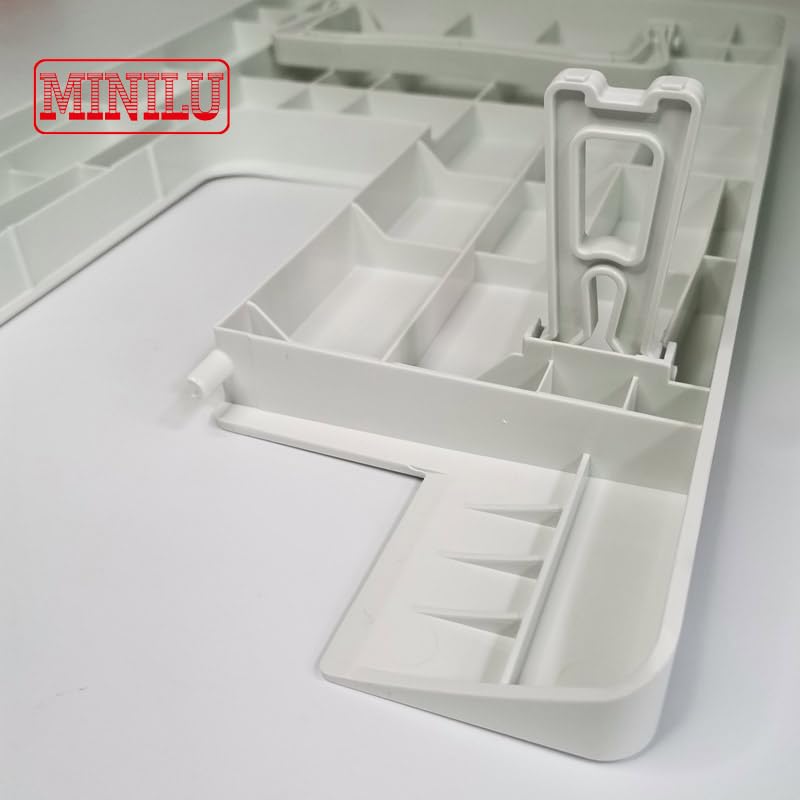
Image: An underside view of the Phicus sewing machine extension table, revealing the intricate support structure and folding legs. This view highlights the robust design intended for stability and easy storage.
Troubleshooting
This extension table is a passive accessory, so troubleshooting is generally limited to physical issues. Here are some common concerns and their solutions:
| Problem | Possible Cause | Solution |
|---|---|---|
| Table is wobbly or unstable. | Not properly seated against the sewing machine; uneven surface; damaged support legs. | Ensure the table is fully pushed against the machine. Place the machine and table on a flat, level surface. Inspect legs for damage; if damaged, discontinue use. |
| Table does not fit the sewing machine. | Incorrect sewing machine model. | Verify that your sewing machine is a JUKI HZL-110 or HZL-180SZ. This table is specifically designed for these models. |
| Surface is scratched or discolored. | Abrasive cleaning agents; sharp objects; prolonged sun exposure. | Use only soft cloths and mild cleaners. Avoid placing sharp objects directly on the surface. Store away from direct sunlight. |
Specifications
- Product Type: Sewing Machine Extension Table
- Compatibility: JUKI HZL-110, JUKI HZL-180SZ Domestic Electric Sewing Machines
- Material: Durable Plastic
- Color: White
- Integrated Features: Measurement markings (cm/inch)
- Manufacturer: Generic (as per product data)
- ASIN: B0D31QVTMQ
Warranty and Support
For specific warranty information and customer support regarding your Phicus Sewing Machine Table, please refer to the seller's policies on the platform where the product was purchased. For general inquiries or assistance, you may contact the seller directly through their storefront or the order details page.
Seller: Phicus


