
Introduction
This manual provides detailed instructions for the safe and effective installation and use of your Perlegear In-Wall Cable Management Kit. This kit is designed to conceal power and low-voltage cables within your wall, creating a clean and organized appearance for wall-mounted televisions and speakers, while also enhancing safety by removing exposed wires.
Package Contents
Verify that all components are present in your kit before beginning installation:
- Hole saw drill attachment
- Cutting template
- Dust bag
- Two power modules (one for top, one for bottom)
- Power cables to connect wall modules
- 5.9 ft extension cord

Safety Information
The Perlegear In-Wall Cable Management Kit is UL and SGS certified, constructed from strong, fire-resistant materials to ensure safe power routing. Always follow local electrical codes and safety guidelines during installation. Ensure power is disconnected before working with electrical components. Keep children and pets away from exposed cables during and after installation.
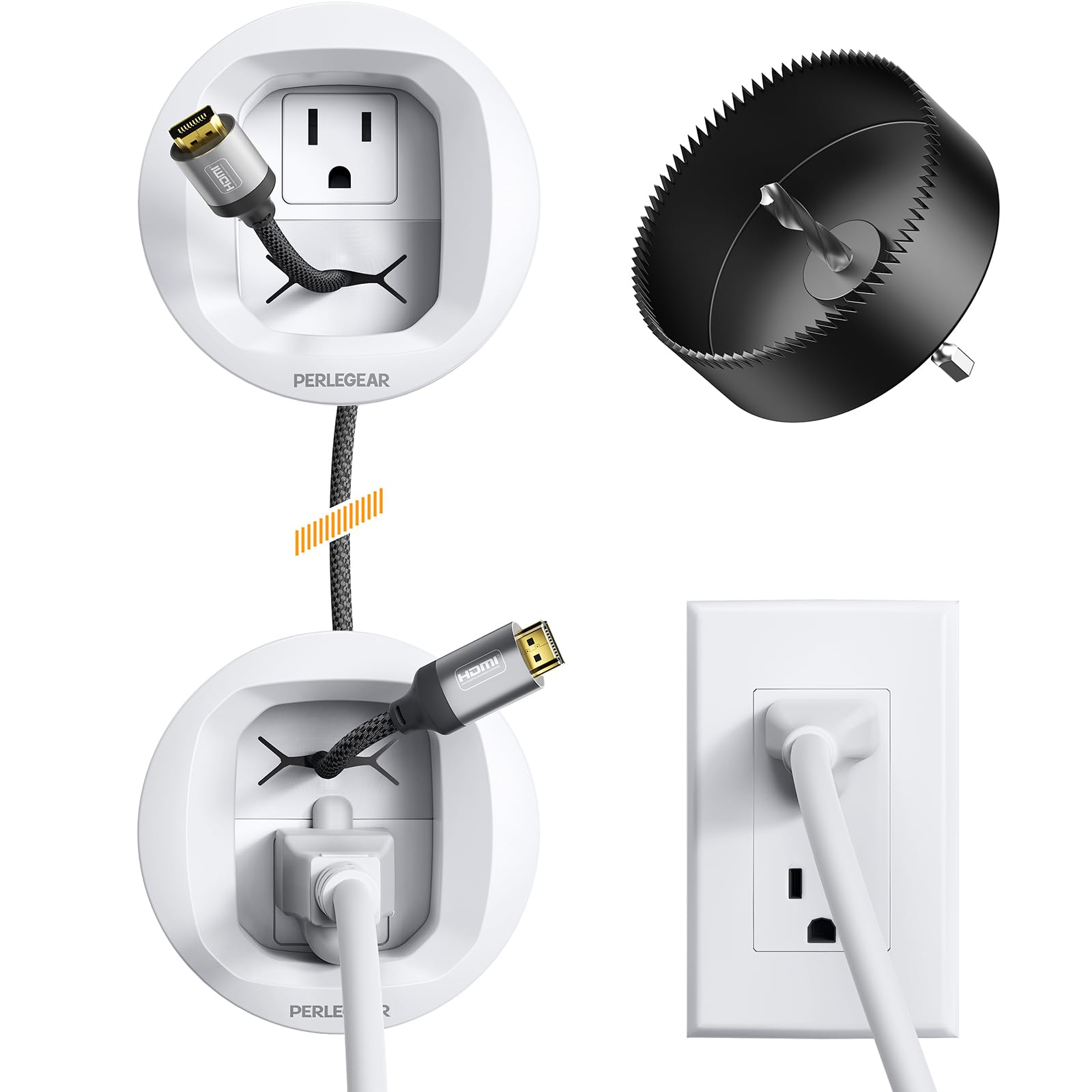
Installation Guide
Follow these steps for a hassle-free installation. A drill is required.
1. Pre-Installation Checks
- Wall Depth: Ensure your wall is at least 2.8 inches deep to accommodate the modules.
- Studs and Obstructions: Use a stud finder to locate wall studs and avoid drilling into them. Also, check for any electrical wires or pipes behind the wall where you plan to install.
- Placement: Determine the desired locations for the upper and lower power modules. The distance between the modules should not exceed 59 inches, which is the length of the included power cables.

2. Drill Holes
- Attach the hole saw drill attachment to your drill.
- Secure the cutting template to the wall at your marked locations.
- Place the dust bag below the cutting area to collect debris.
- Carefully drill a hole through the drywall at both the upper and lower marked positions.

3. Route Cables
- Connect the included power cables between the two power modules.
- Feed the power cables and any low-voltage cables (HDMI, Ethernet, etc.) through the holes in the wall.
- Ensure sufficient slack for connections.

4. Secure Modules
- Insert the power modules into the drilled holes.
- Twist the locking wings on the back of each module to secure them firmly against the drywall.
- Connect the 5.9 ft extension cord to the lower power module and plug it into a wall outlet.


Operation
Once installed, the Perlegear In-Wall Cable Management Kit operates passively. It provides a secure and hidden pathway for your power and low-voltage cables. Simply connect your devices to the appropriate outlets and ports, and the cables will remain concealed within the wall cavity.
Maintenance
The cable management kit requires minimal maintenance. Periodically check the connections to ensure they remain secure. Dust the visible parts of the modules as needed. Avoid applying excessive force to the modules or cables, as this may cause damage.
Troubleshooting
- Cables not fitting: Ensure you are using appropriate cable sizes. The module is designed for standard TV plugs up to 1.125 inches.
- Plug not sitting flush: Some larger or angled plugs may not sit completely flush within the recessed module. This is a design consideration for accommodating various plug types while maintaining a low profile. If a flush fit is critical for your setup, consider alternative low-profile plugs or adapters.
Specifications
| Feature | Detail |
|---|---|
| Brand | Perlegear |
| Model Number | PGWH02W-US |
| Color | White |
| Material | Acrylonitrile Butadiene Styrene |
| Installation Type | Screw-In |
| Indoor/Outdoor Usage | Indoor |
| Number of Pieces | 7 |
| Certifications | UL, SGS |
Warranty and Support
For warranty information, technical support, or any questions regarding your Perlegear In-Wall Cable Management Kit, please contact Perlegear customer service. Refer to the product packaging or the official Perlegear website for the most up-to-date contact details.
Typical contact methods include:
- Email: support@perlegear.com
- Phone: 1-800-456-1992 (Mon-Fri 8 AM - 5 PM PST)
- Website: www.perlegear.com


