
1. Introduction
Thank you for choosing the iVOOMi 24" (60.45 cm) Ultra Slim Flat FHD Monitor. This monitor is designed to provide an immersive viewing experience with its 1920 x 1080 resolution, built-in speakers, and 100Hz refresh rate. Its bezel-less design and flicker-free technology ensure comfortable use for extended periods. This manual provides essential information for setting up, operating, and maintaining your new monitor.
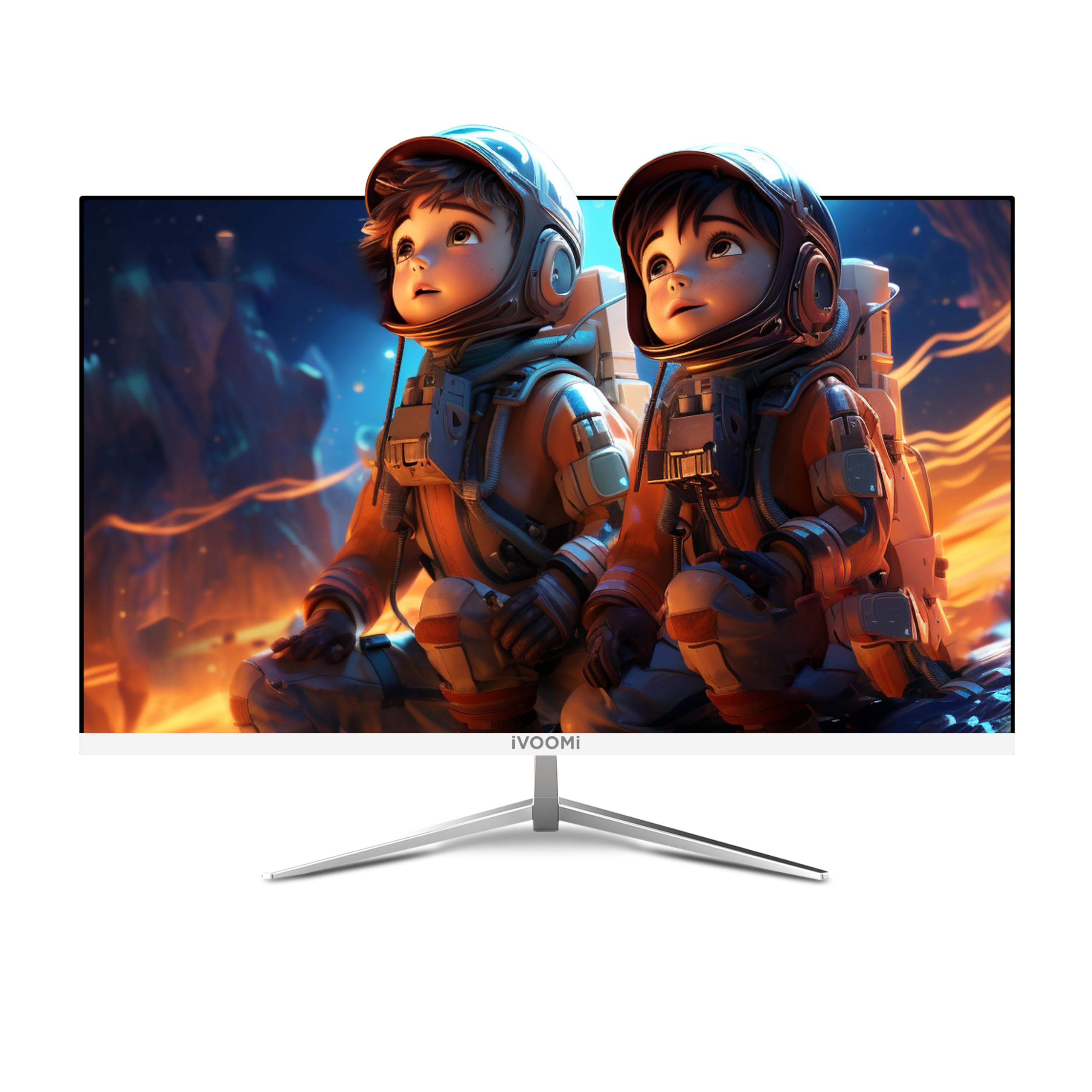
Image: The iVOOMi 24-inch Full HD Monitor, showcasing its sleek design on a desk setup.
2. What's in the Box
Please check the package contents to ensure all items are present:
- Frameless Monitor
- Strong Stand
- HDMI cable
- Power Adapter
- User Manual (this document)
Video: Unboxing the iVOOMi 24-inch monitor, showing the contents of the package including the monitor, stand, cables, and manual.
3. Setup Instructions
3.1. Assembling the Stand
- Carefully remove the monitor and stand components from the packaging.
- Attach the stand base to the stand neck using the provided screws. Ensure it is securely fastened.
- Align the assembled stand with the mounting points on the back of the monitor.
- Gently push the stand into place until it clicks or is secured with screws (if applicable).

Image: Detailed view of the monitor's strong metal stand and wall-mountable option (75x75mm VESA), along with tilt adjustment range (-5° to 20°) and built-in speakers.
3.2. Connecting Cables
Connect the necessary cables to your monitor and computer:
- Power Cable: Connect one end of the power cable to the monitor's power input and the other end to a power outlet.
- HDMI Cable: For optimal display quality, connect the included HDMI cable from your computer's HDMI output to the HDMI port on the monitor.
- VGA Cable (Optional): If your computer uses a VGA output, connect a VGA cable from your computer to the VGA port on the monitor.

Image: Close-up view of the monitor's rear panel showing the HDMI, VGA, Audio, and DC power input ports.
4. Operating Instructions
4.1. Power On/Off
Press the power button located on the monitor to turn it on or off. The power indicator light will illuminate when the monitor is on.
4.2. Input Selection
Use the input selection button (usually labeled "Input" or an arrow icon) to cycle through available input sources (HDMI, VGA) until your desired source is displayed.
4.3. On-Screen Display (OSD) Menu
The OSD menu allows you to adjust various display settings. Use the navigation buttons (often located on the back or bottom right of the monitor) to:
- Adjust brightness and contrast.
- Select color modes.
- Change aspect ratio.
- Access advanced settings.

Image: The iVOOMi monitor displaying vibrant colors, highlighting features like high contrast ratio, 8-bit 16.7M colors, 96% sRGB, and 100Hz refresh rate with FreeSync.
5. Maintenance
5.1. Cleaning the Screen
To clean the monitor screen, gently wipe it with a soft, lint-free cloth. For stubborn marks, dampen the cloth with a small amount of screen cleaner specifically designed for LCD/LED displays. Avoid using harsh chemicals or abrasive materials.
5.2. General Care
- Keep the monitor away from direct sunlight and heat sources.
- Ensure proper ventilation around the monitor to prevent overheating.
- Avoid placing heavy objects on the monitor or its cables.
6. Troubleshooting
| Problem | Possible Cause | Solution |
|---|---|---|
| No image on screen | Monitor not powered on; incorrect input selected; loose video cable. | Ensure power cable is connected and monitor is on. Select correct input source. Check video cable connections. |
| Flickering screen | Refresh rate mismatch; faulty cable. | Adjust refresh rate in computer display settings. Try a different HDMI cable. |
| No sound from speakers | Volume too low; audio output not selected on computer. | Increase monitor volume. Ensure iVOOMi monitor is selected as audio output device on your computer. |
7. Specifications
| Feature | Detail |
|---|---|
| Brand | iVOOMi |
| Model | IV-2422 |
| Screen Size | 24 Inches (60.45 cm) |
| Resolution | FHD 1080p (1920 x 1080 Pixels) |
| Refresh Rate | 100 Hz |
| Response Time | 5 Milliseconds |
| Display Type | LED |
| Viewing Angle | 178 Degrees |
| Image Brightness | 250-300 Candela |
| Image Contrast Ratio | 3000:1 |
| Aspect Ratio | 16:9 |
| Hardware Interface | HDMI, VGA |
| Special Features | Built-In Speakers, Flicker-Free, Frameless, Tilt Adjustment, Ultra-Slim |
| Product Dimensions | 59.9 x 11.7 x 38.9 cm |
| Item Weight | 2.5 kg |
8. Warranty and Support
Your iVOOMi 24" FHD Monitor comes with a 3-year warranty, ensuring dependable performance. For any technical assistance, product inquiries, or warranty claims, please contact iVOOMi Customer Support:
- Phone: 93358 28282
- Email: customercare@ivoomi.co
- Operating Hours: 9:30 AM - 6:00 PM, Monday to Saturday
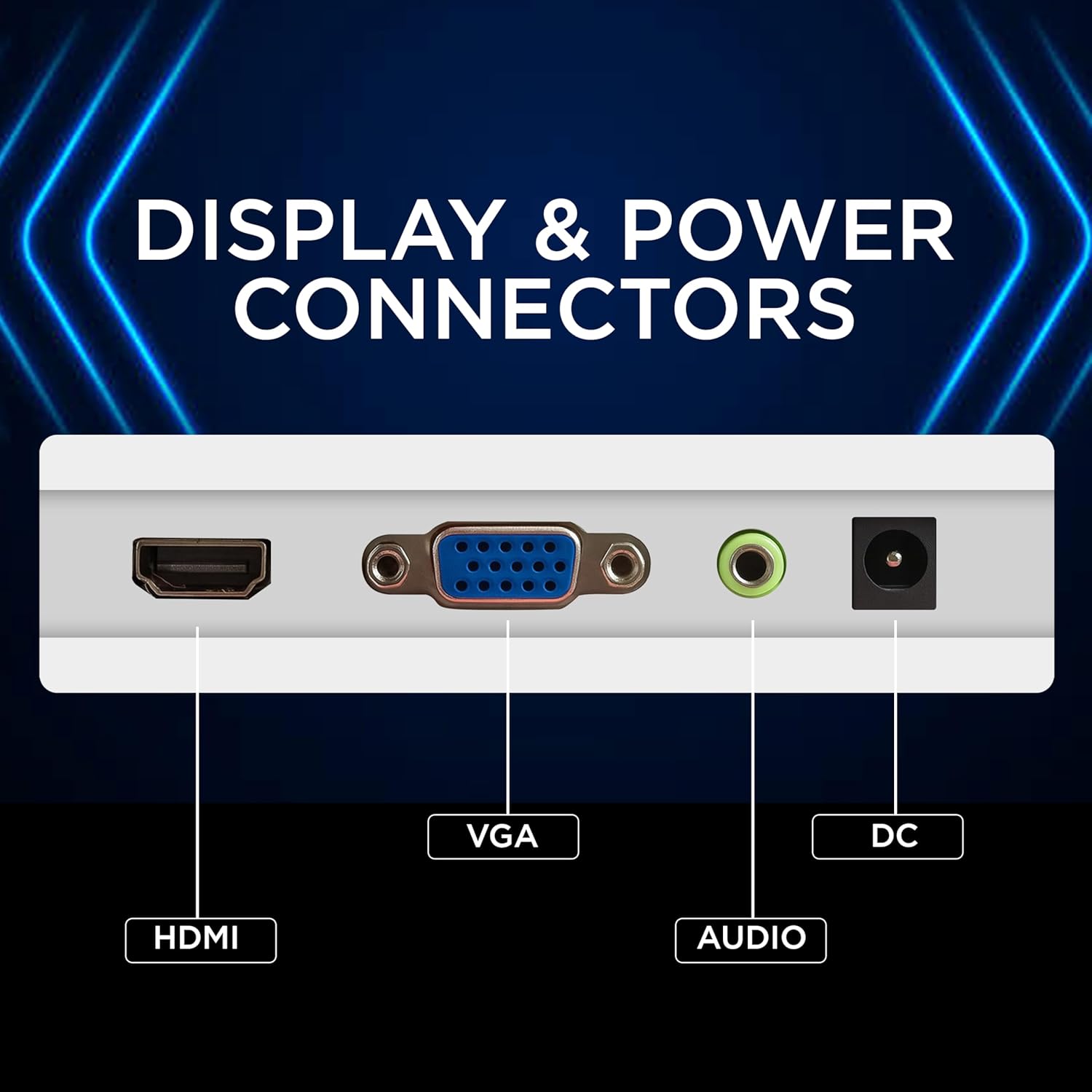
Image: Graphic displaying iVOOMi customer support contact details: phone number 93358 28282 and email customercare@ivoomi.co, with operating hours.