
ciyeu PG08
ciyeu PG08 GPS Vehicle Tracker User Manual
Model: PG08
Product Overview
The ciyeu PG08 is a compact and high-precision GPS vehicle tracker designed for real-time location tracking and anti-theft purposes. It integrates multiple positioning technologies including GPS, BDS, and LBS, supported by GSM/GPRS communication, to provide accurate and reliable tracking for various vehicles such as motorcycles, cars, and bikes.

Image: The ciyeu PG08 GPS Vehicle Tracker, a black rectangular device with a connected power cable, designed for discreet installation.
This device offers features such as real-time positioning via a mobile application, track playback, intelligent alarms, and multi-vehicle management capabilities. Its robust design includes IP65 dustproof and waterproof grading, making it suitable for various environmental conditions.
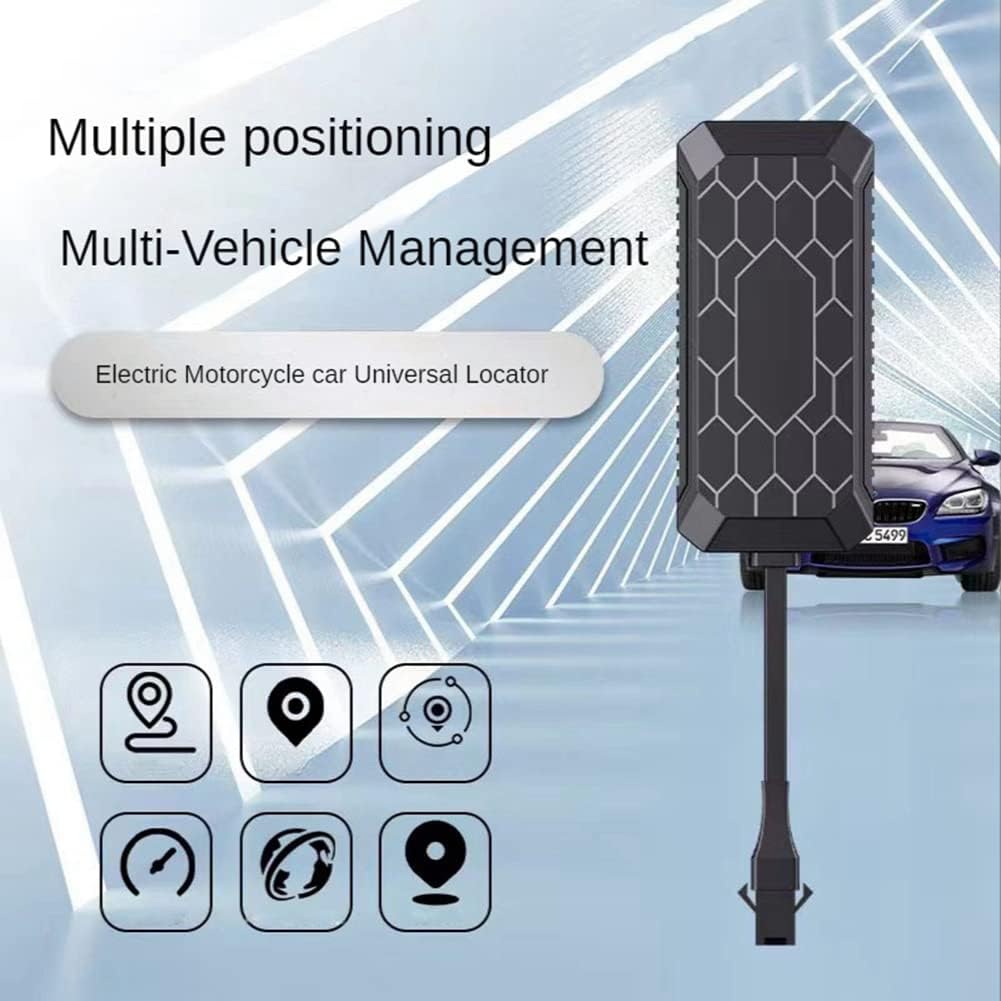
Image: Visual representation highlighting the PG08's capabilities for multiple positioning technologies and multi-vehicle management, suitable for electric motorcycles and cars.

Image: The miniature PG08 device shown alongside a car, illustrating its features like track playback, intelligent alarm, precise positioning, electronic railing, and multi-vehicle management.
Package Contents
- 1 x ciyeu PG08 GPS Tracker
- 1 x USB Cable
Setup and Installation
Proper installation is crucial for optimal performance of your PG08 GPS tracker. Ensure the device is placed in a location with clear line of sight to the sky for best GPS signal reception.
Pre-Installation Steps:
- Before installation, start the device and log in to the platform (e.g., mobile application or web portal) to confirm the device is online and functioning correctly.
- Upon arrival, open the shell of the device (if applicable) before installation to access the built-in battery and wiring.
Recommended Installation Locations:
Choose a location where the device's antenna surface (the side with the light-on indicator) points towards the sky. Avoid placing it under metal objects or in areas with significant obstructions that could block the GPS signal.

Image: Diagrams illustrating recommended installation points for the GPS tracker in a car (front windshield, dashboard, rear windshield) and a motorcycle (pedal pad, headlight area).
- For Cars: Common locations include under the front windshield, on the dashboard, or near the rear windshield.
- For Motorcycles: Consider areas like under the pedal pad or near the headlight, ensuring minimal obstruction.
Ensure the device is securely fastened to prevent movement during vehicle operation.
Operating Instructions
The ciyeu PG08 GPS tracker provides real-time monitoring and various functions through its dedicated mobile application or web platform.
Real-Time Positioning:
Once installed and activated, the device transmits its location data to the platform. You can view the current position of your vehicle in real-time on a map within the application.

Image: A conceptual diagram showing the GPS tracker communicating its location data, which can then be accessed and viewed on a mobile phone or a laptop.
Track Playback:
The application allows you to review the historical routes of your vehicle. The track playback function displays the time, speed, and path taken by the device over a selected period.

Image: A mobile phone screen displaying the "Track Playback" feature of the application, showing a vehicle's historical route on a map with time and speed indicators.
Voice-Activated Recording and Listening:
The PG08 supports real-time listening and voice-activated recording. Refer to the specific instructions within the mobile application for activating and managing these features.
Alarms and Geofencing:
Set up various alarms (e.g., vibration alarm, power-off alarm) and geofences (electronic railing) through the application to receive notifications for specific events or when the vehicle enters or exits a defined area.
Maintenance
To ensure the longevity and optimal performance of your ciyeu PG08 GPS tracker, follow these general maintenance guidelines:
- Regular Checks: Periodically check the device and its wiring for any signs of damage or loose connections.
- Cleaning: Clean the exterior of the device with a soft, dry cloth. Avoid using harsh chemicals or abrasive cleaners.
- Environmental Protection: While the device is IP65 rated for dust and water resistance, avoid prolonged exposure to extreme temperatures or direct submersion in water.
- Software Updates: Keep the mobile application updated to the latest version to benefit from new features and performance improvements.
Troubleshooting
If you encounter issues with your ciyeu PG08 GPS tracker, refer to the following common troubleshooting steps:
| Problem | Possible Cause | Solution |
|---|---|---|
| Device not online/No signal |
|
|
| Inaccurate positioning |
|
|
| App not displaying data |
|
|
If the problem persists, please contact ciyeu customer support for further assistance.
Specifications
Detailed technical specifications for the ciyeu PG08 GPS Vehicle Tracker:
| Feature | Detail |
|---|---|
| Item Model Number | PG08 (also 500305876) |
| Working Temperature | -25℃ to +75℃ |
| Operating Voltage Range | 12V-80V |
| Dustproof and Waterproof Grade | IP65 |
| Positioning Accuracy | 2~10 meters |
| Tracking Sensitivity | -165dBm |
| Capture Sensitivity | -148dBm |
| Communication Protocol | HTTP |
| GPRS Class | Class12, IP |
| GSM Channel | 850/900/1800/1900MHz |
| GPS Frequency | L1, 1575.42MHz C/A code |
| Dimensions (L x W x H) | 7.3 x 3.3 x 1.3 CM (approx. 11 x 8 x 4 cm; 73 g packaged) |
| Material | ABS |
| Color | Black |

Image: A diagram showing the precise dimensions of the PG08 tracker: 7.3cm length, 3.3cm width, and 1.3cm height.
Ask a question about this manual
Ask about setup, troubleshooting, compatibility, parts, safety, or missing instructions. Manuals+ will review the question and use this page’s manual context to help answer it.