
Introduction
Thank you for choosing the Coolblus 8400 BTU Portable Air Conditioner. This manual provides essential information for the safe and efficient operation, installation, and maintenance of your new appliance. Please read it thoroughly before use and keep it for future reference.
Important Safety Information
- Always ensure the unit is placed upright for at least 6 hours (ideally 24 hours) before initial use to allow the refrigerant to settle.
- Do not block air inlets or outlets. Maintain adequate clearance around the unit for proper airflow.
- Ensure the power supply matches the requirements specified on the unit's rating label.
- Do not operate the unit with a damaged power cord or plug.
- Keep children and pets away from the unit during operation.
- Unplug the unit before cleaning or performing any maintenance.
Product Overview
Components
The Coolblus Portable Air Conditioner comes with the main unit and several accessories to facilitate installation and operation.

Image: The main portable AC unit, exhaust hose, window slide bar, adapter, drainage hose, and remote control.
Key Features
- Energy Saving Cooling: 8400 BTU ASHRAE cooling capacity with eco-friendly R32 refrigerant, cooling up to 350 sq. ft.
- 3-in-1 Functionality: Offers Cooling, Dehumidifier, and Fan modes for versatile climate control.
- Sleep Mode & 24-hour Timer: Ensures energy-saving and ultra-low noise operation (52 dB) for undisturbed sleep, with customizable cooling duration.
- Efficient Cooling Maintenance: Features an auto-evaporative system and a washable mesh filter for simplified maintenance.
- Effortless Installation and Mobility: Equipped with 360-degree casters, built-in handles, and a 1.5m exhaust hose for easy movement and setup.

Image: Visual representation of the unit's 3-in-1 capabilities, including cooling mode (61°F-88°F), low/high fan speed, and 1.2L/Hour dehumidifier function.
Setup
Unpacking and Placement
Carefully remove the unit from its packaging. It is recommended to keep the unit upright for at least 6 hours, and preferably 24 hours, before plugging it in and turning it on. This allows the refrigerant to stabilize, ensuring optimal performance and longevity.
Window Kit Installation
To exhaust hot air, install the window slide bar and connect the 1.5m exhaust hose. The window kit is designed for easy setup in most standard windows.
- Assemble the window slide bar to fit your window opening.
- Attach the exhaust hose to the unit's exhaust outlet and the window kit adapter.
- Secure the window kit in your window and ensure the exhaust hose is properly extended and sealed to prevent hot air from re-entering the room.

Image: The portable air conditioner with its exhaust hose installed in a window, demonstrating the setup process. Applicable window size range is 9"-47".
Operating Instructions
Control Panel and Remote Control
The unit can be operated using the intuitive LED control panel on top of the unit or the included remote control.
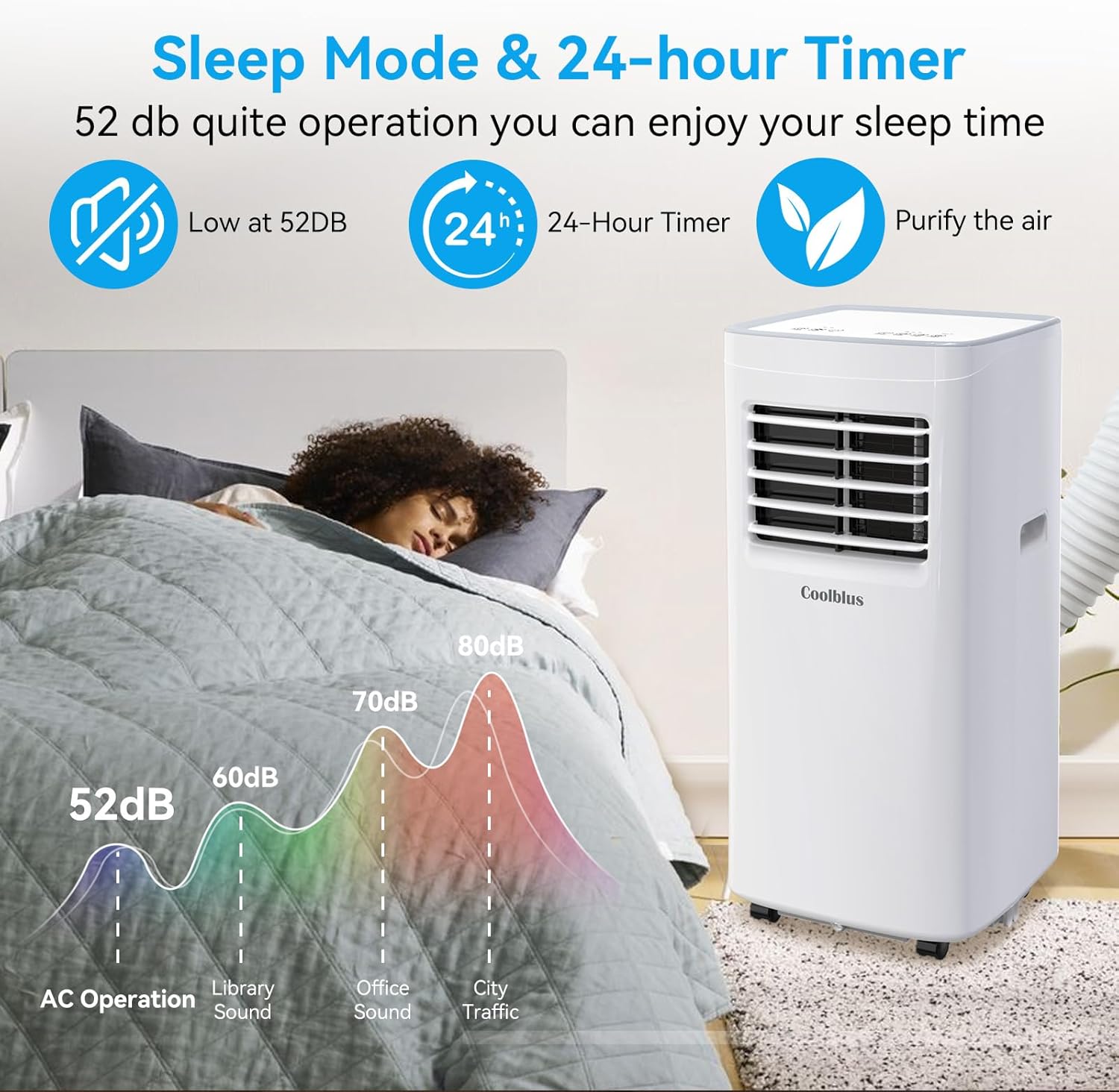
Image: The top control panel with various buttons for Timer, Speed, Up/Down temperature, Mode, Sleep, and Power. The remote control is also shown with similar functions.
Operating Modes
- Cool Mode: Provides powerful cooling for your space. Adjust the temperature using the Up/Down buttons.
- Dry Mode (Dehumidifier): Removes excess moisture from the air, ideal for humid conditions.
- Fan Mode: Circulates air without cooling, offering a refreshing breeze. Select between high and low fan speeds.
Sleep Mode and Timer
- Sleep Mode: Activate by pressing the Increase (Up) and Speed buttons simultaneously. This mode ensures quiet operation (as low as 52 dB) and energy efficiency for comfortable sleep.
- 24-hour Timer: Use the timer function to program the unit to turn on or off automatically within a 24-hour period, customizing cooling to your schedule.

Image: The portable AC unit in a bedroom setting, emphasizing its low noise level (52 dB) during operation, suitable for sleep.
Maintenance
Drainage
The unit features an auto-evaporative system, which typically handles most condensate. For continuous drainage, especially in high humidity environments, connect the provided drainage hose to the drain outlet and direct it to a suitable container or floor drain.

Image: A detailed view of the unit's rear, showing the evaporator filter, handle, continuous drainage hole, air vent, drain hose, and condenser filter.
Filter Cleaning
The washable mesh filter should be cleaned regularly (every two weeks or more often depending on usage) to maintain optimal performance and air quality.
- Unplug the unit from the power outlet.
- Locate and remove the air filter from the back of the unit.
- Wash the filter under running water (warm, soapy water if heavily soiled).
- Allow the filter to air dry completely before reinserting it into the unit.
Troubleshooting
If you encounter issues with your portable air conditioner, refer to the table below for common problems and their solutions.
| Problem | Possible Cause | Solution |
|---|---|---|
| Unit does not turn on. | No power supply; power cord unplugged; circuit breaker tripped. | Check power connection; reset circuit breaker. |
| Unit shuts off by itself. | Room reached desired temperature; internal safety mechanism. | This is normal operation to conserve energy. The unit will restart when needed. |
| Not cooling effectively. | Air filter dirty; exhaust hose not properly sealed; room size too large. | Clean air filter; ensure exhaust hose is sealed; verify unit capacity for room size. |
| Water leakage. | Drainage hose not connected or blocked; internal water tank full (if applicable). | Ensure drainage hose is clear and properly connected for continuous drainage. |
| Unusual noise. | Unit not on a level surface; internal components vibrating. | Place unit on a flat, stable surface. If noise persists, contact support. |
Specifications
Detailed technical specifications for your Coolblus Portable Air Conditioner.
| Specification | Value |
|---|---|
| Brand Name | Coolblus |
| Model Info | A019K-05KR |
| Item Weight | 30 pounds |
| Product Dimensions | 13.1 x 12.9 x 27.2 inches |
| Item model number | A019K-05KR |
| Efficiency | High |
| Capacity | 0.23 Kilograms |
| Annual Energy Consumption | 21000 Watts |
| Noise | 54 dB |
| Installation Type | Split System |
| Part Number | A019K-05KR-02 |
| Form Factor | Portable |
| Special Features | Remote Controlled, Timer, Sleep Mode, Fast Cooling, Dehumidifier |
| Color | White |
| Voltage | 120 Volts |
| Wattage | 840 watts |
| Included Components | 1.5m Exhaust hose, window slide bar and adaptor, drain, remote control |
| Batteries Required? | No |
| Floor Area | 350 sq. ft. |
| Cooling Power | 8400 British Thermal Units |
| Seasonal Energy Efficiency Ratio (SEER) | 6.6 |
Warranty and Support
Warranty Information
The manufacturer offers a warranty for this product. Please refer to the product packaging or the manufacturer's official website for details on how to register for an extended warranty and for specific warranty terms and conditions.
Customer Support
For any product-related inquiries, technical assistance, or troubleshooting beyond what is covered in this manual, please contact Coolblus customer support through their official channels. Contact information can typically be found on the product packaging or the manufacturer's website.