
1. Introduction
This manual provides essential instructions for the safe and efficient use of your Jkjhbhged HC01 Battery Equalizer. Please read this manual thoroughly before installation and operation to ensure proper function and longevity of your device and battery system. Keep this manual for future reference.
Safety Precautions
- Always disconnect power before installing or servicing the equalizer.
- Ensure correct polarity when connecting the equalizer to batteries. Incorrect connections can damage the device and batteries.
- Wear appropriate personal protective equipment (PPE) such as safety glasses and gloves when working with batteries.
- Avoid short-circuiting battery terminals.
- Install the equalizer in a well-ventilated area, away from flammable materials.
- Do not expose the device to water or excessive moisture.
2. Product Overview
The Jkjhbhged HC01 Battery Equalizer is designed to maintain voltage balance between two series-connected 12V lead-acid batteries, forming a 24V system. It actively monitors the voltage of each battery and equalizes them when a voltage difference of 20mV or more is detected. This process helps to extend the overall lifespan of your battery bank by preventing overcharging or undercharging of individual batteries.

Figure 2.1: Front view of the HC01 Battery Equalizer, showing the main unit with connected wires and digital voltage displays for batteries A and B.
Key Features:
- Automatic voltage equalization for 2S (24V) lead-acid battery systems.
- Balances battery voltage when a difference of 20mV is detected.
- Reverse polarity protection for enhanced safety.
- Low Voltage Disconnect feature to protect batteries.
- Suitable for continuous connection in series or parallel to maintain battery balance.
- Versatile application in autos, boats, golf carts, solar systems, trucks, RVs, and other 24V battery configurations.
3. Specifications
| Parameter | Value |
|---|---|
| Battery Nominal Voltage | 24V (for 2 series 12V lead-acid batteries) |
| Optimizing Current | 0-5A |
| Quiescent Current | Less than 3mA |
| Low Voltage Disconnect | 10V (per 12V battery) |
| Dimensions (L x W x H) | 70 x 70 x 27 mm |
| Color | Black |
| Material | ABS |
| Battery Cell Type | Lead Acid |
4. Setup and Installation
The HC01 Battery Equalizer is designed for easy installation. Ensure your 24V battery system consists of two 12V lead-acid batteries connected in series. Follow these steps carefully:

Figure 4.1: The HC01 Battery Equalizer, indicating its function as a 2S balancer for series-connected batteries.
Connection Steps:
- Identify Batteries: Label your two 12V batteries as Battery A and Battery B. In a series connection, the positive terminal of Battery A connects to the negative terminal of Battery B, forming the common connection point.
- Connect Red Cable: Connect the RED cable of the equalizer to the positive (+) pole of Battery B (the overall positive terminal of your 24V system).
- Connect Black Cable: Connect the BLACK cable of the equalizer to the negative (-) pole of Battery A (the overall negative terminal of your 24V system).
- Connect White Cable: Connect the WHITE cable of the equalizer to the common connection point between Battery A and Battery B. This is the pole where Battery B's negative terminal connects to Battery A's positive terminal.
After connecting, the equalizer's display should illuminate, showing the voltage of Battery A and Battery B. Ensure all connections are secure and free from corrosion.

Figure 4.2: The HC01 Battery Equalizer showing its connected cables and illuminated voltage displays, indicating proper connection.
5. Operating Instructions
The Jkjhbhged HC01 Battery Equalizer operates automatically once correctly installed. It continuously monitors the voltage of the two series-connected 12V batteries.
Automatic Balancing:
- When the equalizer detects a voltage difference of 20mV or more between Battery A and Battery B, it will automatically begin to transfer current from the higher voltage battery to the lower voltage battery.
- This balancing process continues until the voltage difference is reduced, ensuring both batteries maintain a similar state of charge.
- The digital displays on the equalizer will show the real-time voltage of each battery, allowing you to monitor their status.
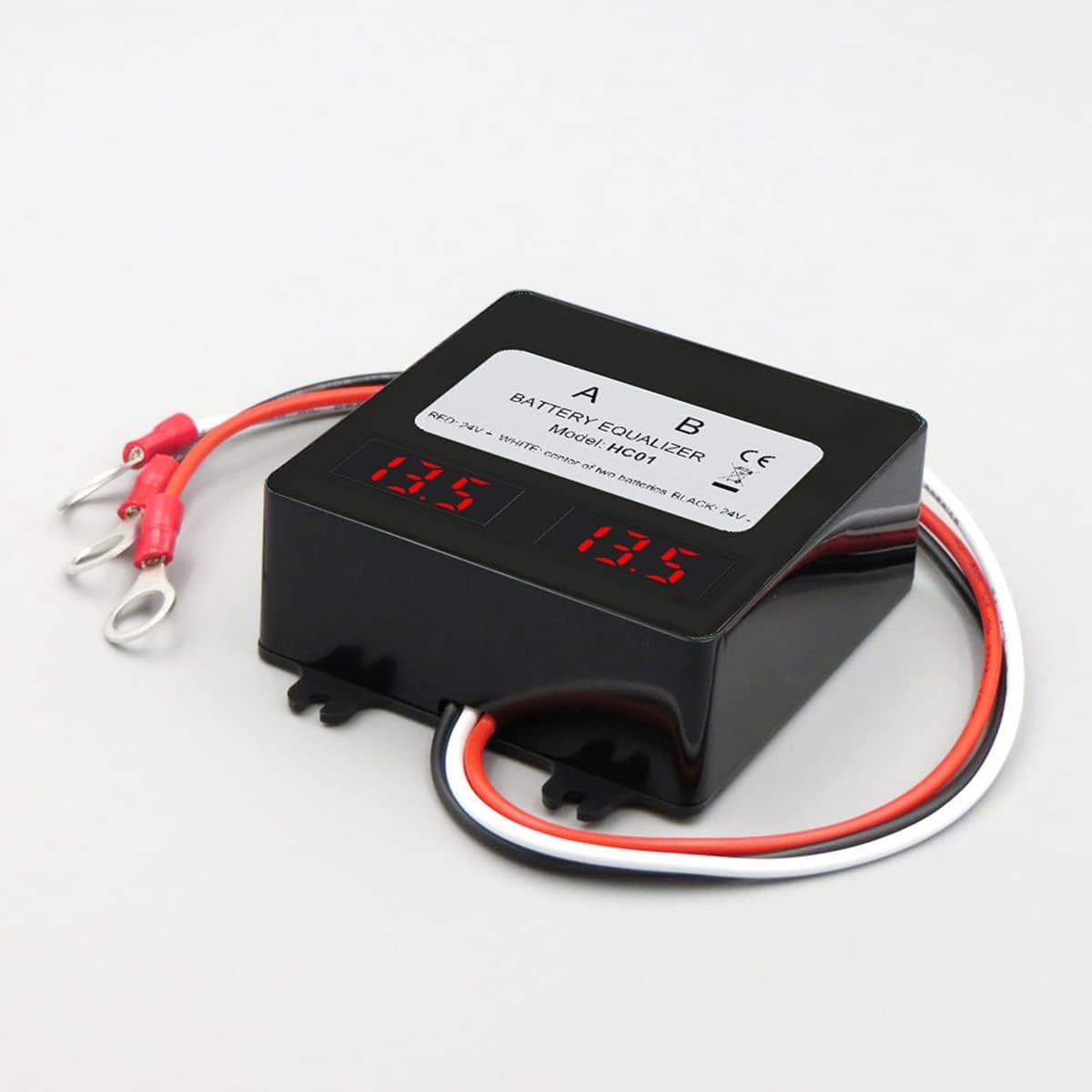
Figure 5.1: The HC01 Battery Equalizer displaying balanced voltages of 13.5V for both batteries.
Low Voltage Disconnect:
The equalizer features a low voltage disconnect at 10V per 12V battery. This protection mechanism helps prevent deep discharge, which can significantly shorten battery lifespan.
6. Maintenance
The Jkjhbhged HC01 Battery Equalizer is designed for minimal maintenance. However, periodic checks can help ensure its optimal performance and the longevity of your battery system.
- Visual Inspection: Regularly inspect the equalizer and its connections for any signs of damage, corrosion, or loose wiring.
- Cleanliness: Keep the device clean and free from dust and debris. Use a dry, soft cloth for cleaning. Do not use liquid cleaners.
- Ventilation: Ensure the installation area remains well-ventilated to prevent overheating.
- Battery Health: While the equalizer helps balance batteries, it does not replace regular battery maintenance. Periodically check your batteries' electrolyte levels (for flooded lead-acid batteries) and terminal conditions.
7. Troubleshooting
If you encounter issues with your HC01 Battery Equalizer, refer to the following common problems and solutions:
| Problem | Possible Cause | Solution |
|---|---|---|
| No display / Equalizer not turning on | Incorrect wiring, loose connections, or battery voltage too low. | Verify all three cables are connected correctly and securely. Check battery voltage; if below 10V per battery, the equalizer may not activate. |
| Voltages not balancing | Voltage difference is less than 20mV, or a faulty battery. | The equalizer only activates when the difference is 20mV or more. If the difference is significant and no balancing occurs, check individual battery health. A severely damaged battery may not balance. |
| One battery voltage consistently lower/higher | Significant internal difference in battery health or capacity. | While the equalizer helps, it cannot fully compensate for a severely degraded battery. Consider testing and potentially replacing the weaker battery. |
| Equalizer feels warm | Normal operation during active balancing, or poor ventilation. | Some warmth is normal during balancing. Ensure adequate airflow around the device. If it's excessively hot, disconnect and re-check connections. |
If the problem persists after attempting these solutions, please contact customer support.
8. Warranty and Support
For specific warranty details, please refer to the documentation provided at the time of purchase or contact your retailer. Jkjhbhged is committed to providing quality products and customer satisfaction.
Customer Support:
If you have any questions, require technical assistance, or need to report a problem with your HC01 Battery Equalizer, please contact the manufacturer or your point of purchase. Please have your product model (HC01) and purchase information ready when contacting support.