
Introduction
This manual provides comprehensive instructions for the installation, operation, and maintenance of your GESKS ICSEE WiFi Security Camera. Please read this manual thoroughly before using the product to ensure proper functionality and safety. This 8MP 4K wireless PTZ camera is designed for outdoor surveillance, featuring human detection, auto tracking, two-way audio, and night vision capabilities.
Package Contents

The image displays the camera along with its included accessories, such as the power adapter, user manual, mounting screws, and bracket, all neatly packaged.
Verify that all items are present in your package:
- CCTV Camera (Single Lens 8MP)
- Power Adaptor (DC 12V)
- User Manual
- Mounting Screws
- Mounting Bracket
Product Overview

This diagram illustrates the key components of the GESKS ICSEE WiFi Security Camera, highlighting the lens, array LEDs, white LEDs, IR LEDs, microphone, speaker, TF memory card slot, dual antennas, and the waterproof casing designed for outdoor use.
Familiarize yourself with the main parts of your camera:
- Lens: Captures video footage.
- 4pcs Array LEDs: Infrared (IR) LEDs for night vision.
- 4pcs White LEDs: Provide illumination for full-color night vision and act as a deterrent.
- Microphone: For two-way audio communication and sound detection.
- Speaker: For two-way audio communication and alarm siren.
- TF Memory Card Slot: Supports Micro SD cards up to 128GB for local storage.
- Dual Antenna: Enhances Wi-Fi signal reception.
- Waterproof Case: Ensures durability for outdoor use.
- Designed For Indoor/Outdoor: Indicates suitability for various environments.
Setup
1. Installation

The image illustrates the GESKS ICSEE WiFi Security Camera mounted on an exterior wall, demonstrating its pan (355°) and tilt (90°) rotation capabilities for wide area coverage.
The camera is designed for ceiling mount installation. Use the provided screws and bracket to securely mount the camera in your desired outdoor location. Ensure the mounting surface is stable and can support the camera's weight. Position the camera to achieve optimal viewing angles, considering its 355° pan and 90° tilt capabilities.
2. Power Connection
This image shows the DC 12V power supply and the power input port on the camera, indicating how to connect the camera to a power source.
Connect the provided DC 12V power adaptor to the camera's power input port and then plug it into a standard electrical outlet. Ensure the connection is secure and protected from weather elements if installed outdoors.
3. Network Connection

The diagram illustrates two connection methods for the camera: wireless Wi-Fi connection and wired Ethernet connection, with a router depicted in the center.
Your camera supports both Wi-Fi and Ethernet connectivity. For initial setup and optimal performance, it is recommended to connect the camera to your network using the iCSee app.
- Download the iCSee app from your smartphone's app store (available for iOS and Android).
- Register an account and log in.
- Tap the "+" icon in the top right corner of the app.
- Select "Add Device" and follow the on-screen instructions for "Other Ways to configure network and add device" (usually at the bottom).
- Choose your preferred connection method (Wi-Fi or Wired).
- Follow the prompts to connect the camera to your Wi-Fi network or plug in an Ethernet cable (not included).
- To find the camera's IP address after connecting to Wi-Fi, navigate to "Nearby Cameras" within the app.
Operating Instructions
1. Live View and Playback
Once connected, you can access the live video feed from your camera through the iCSee app. To view recorded footage, navigate to the playback section within the app. Recordings can be stored on a Micro SD card (up to 128GB, not included) or via cloud storage subscription.
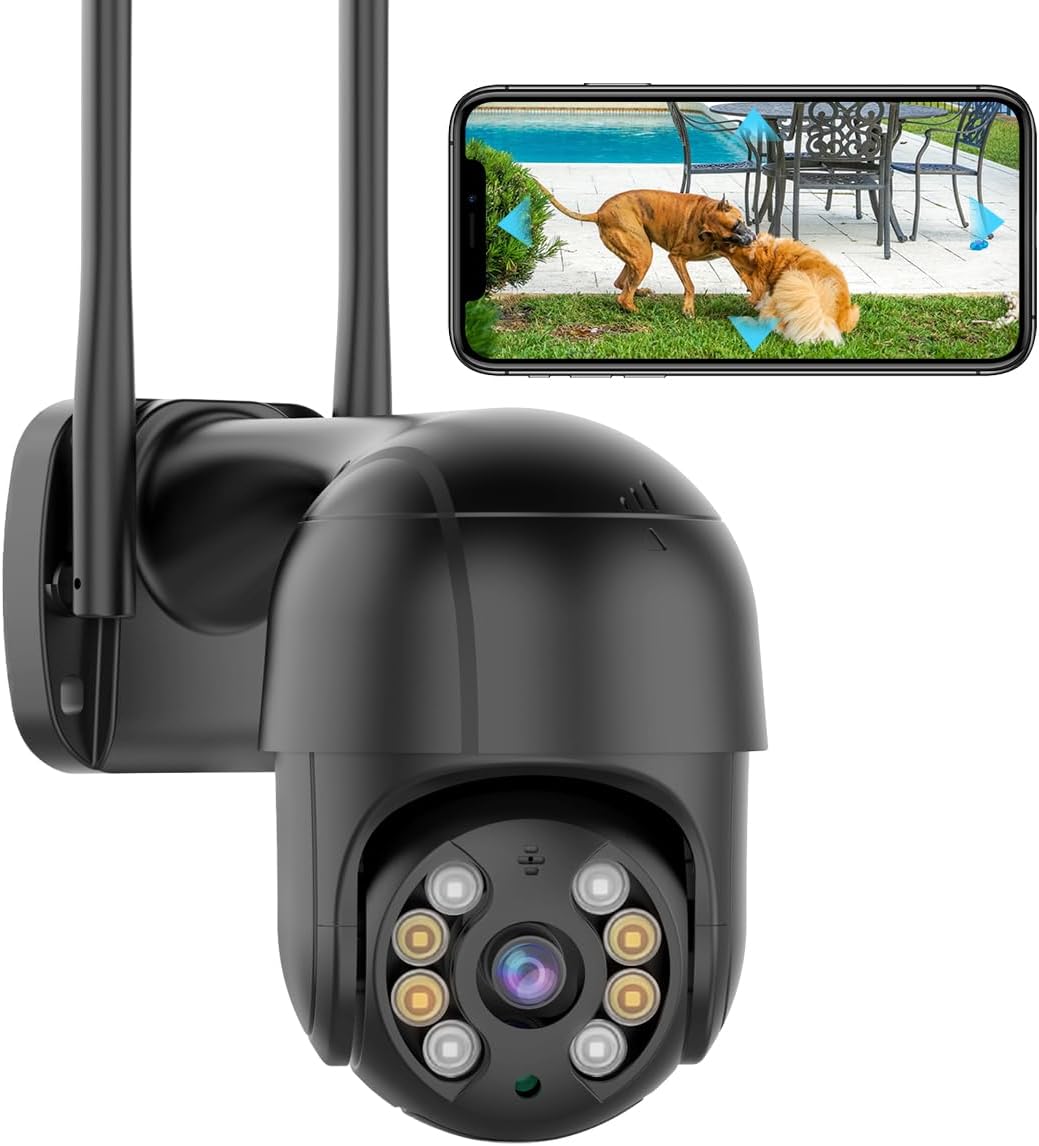
The image shows a smartphone screen displaying a live video feed from the security camera, indicating real-time monitoring capabilities.

This graphic illustrates the two primary storage methods for the camera's recordings: cloud storage and local storage via a Micro SD card.
2. PTZ Control
The camera features Pan-Tilt-Zoom (PTZ) functionality. You can remotely control the camera's viewing angle through the iCSee app. Swipe on the live view screen to pan the camera horizontally up to 355° and tilt it vertically up to 90°.
3. Night Vision Modes
The camera offers three night vision modes for clear visibility in low-light conditions, with a night vision distance up to 65ft:
- Full-color Night Vision: Utilizes white LEDs to provide full-color images even in darkness.
- Infrared Night Vision: Uses IR LEDs for black and white images in complete darkness.
- Smart Vision: Automatically switches between infrared and full-color mode based on detected motion or ambient light.

This image compares the view from the camera in infrared night vision (monochrome) versus full-color night vision, showcasing the camera's ability to provide clear, colored images in low light.

The image demonstrates the intelligent induction feature, where the camera's lights activate when a human shape is detected, providing illumination and enhancing visibility.
4. Human Detection and Auto Tracking
The camera is equipped with advanced human detection capabilities. When a person is detected within the camera's field of view, it will automatically track their movement, ensuring continuous surveillance. Real-time alarm notifications will be sent to your iCSee app, along with captured images or video clips of the event.

This image illustrates the automatic tracking feature of the camera, showing how it follows the movement of individuals, capturing their trajectory.
5. Two-Way Audio
Utilize the built-in microphone and speaker for two-way communication. You can speak through the camera to visitors or deter intruders directly from your smartphone via the iCSee app.
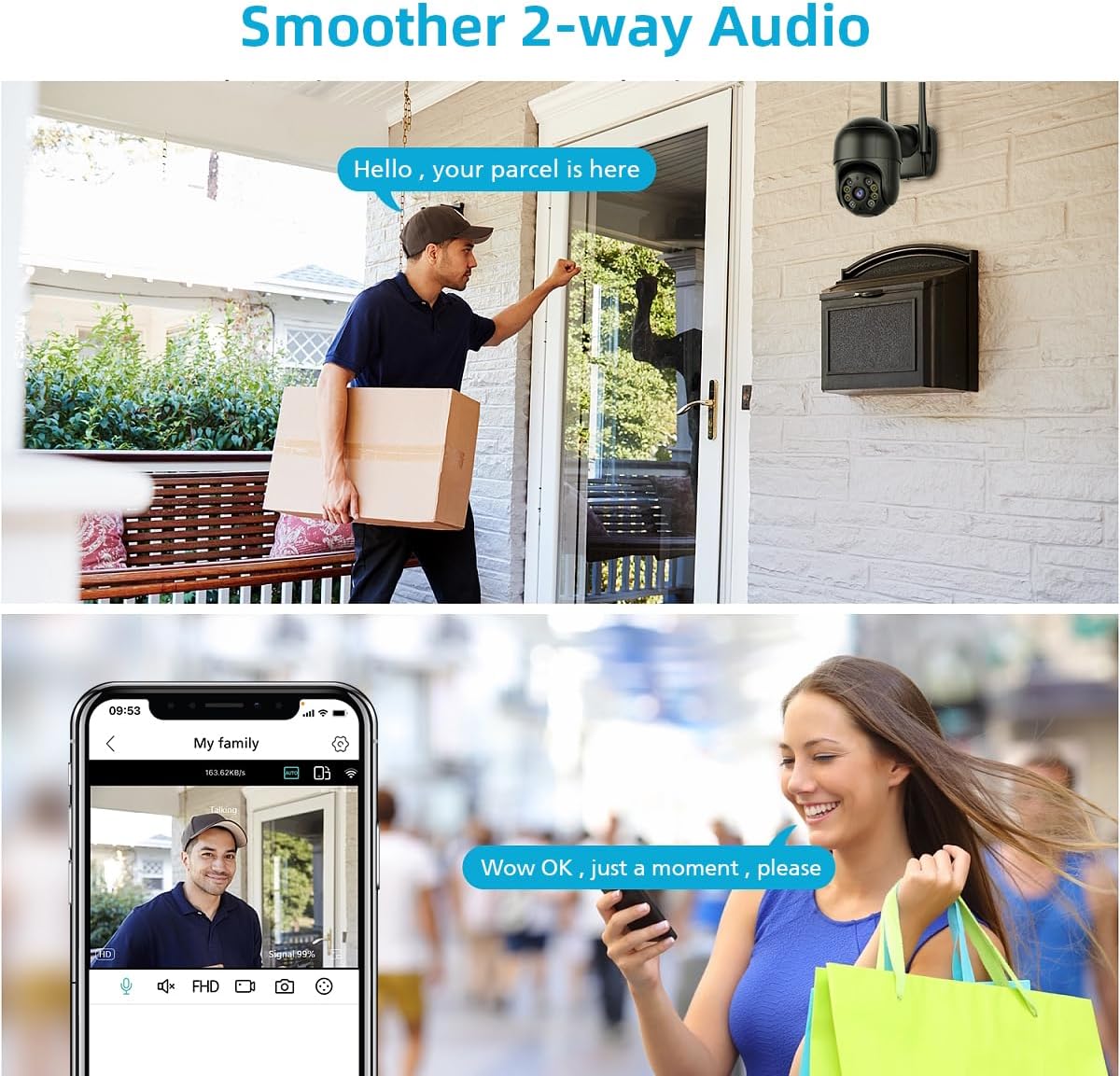
The image depicts the two-way audio functionality, showing a delivery person at a door interacting with someone through the camera, and a user on a smartphone engaging in a conversation.
6. Alexa Integration
The GESKS ICSEE WiFi Security Camera is compatible with Amazon Alexa. You can integrate the camera with your Alexa-enabled devices for convenient voice control. Refer to the iCSee app or Alexa app for specific setup instructions.
Maintenance
- Cleaning: Regularly clean the camera lens and housing with a soft, damp cloth to remove dust and dirt. Do not use harsh chemicals or abrasive cleaners.
- Power Supply: Ensure the power adaptor and cable are free from damage and properly connected.
- Firmware Updates: Check the iCSee app periodically for available firmware updates. Keeping your camera's firmware up-to-date ensures optimal performance and security.
- Environmental Protection: While waterproof, avoid submerging the camera in water or exposing it to extreme weather conditions beyond its operating limits.
Troubleshooting
| Problem | Possible Cause | Solution |
|---|---|---|
| Camera is offline in the app. | No power, Wi-Fi signal loss, network issues. | Check power connection. Verify Wi-Fi signal strength. Restart camera and router. Reconfigure network settings in the app if necessary. |
| Poor image quality. | Dirty lens, insufficient lighting, network bandwidth. | Clean the camera lens. Ensure adequate lighting for desired night vision mode. Check your internet speed. |
| Motion detection not working. | Incorrect sensitivity settings, detection zone not set. | Adjust motion detection sensitivity in the iCSee app. Define or adjust the detection zones. |
| Two-way audio not functioning. | Microphone/speaker muted, app permissions, network delay. | Ensure microphone and speaker are not muted in the app. Check app permissions for audio access. Verify stable network connection. |
| Cannot connect to Wi-Fi. | Incorrect Wi-Fi password, camera too far from router, 5GHz network. | Double-check Wi-Fi password. Move camera closer to router. Ensure your router broadcasts a 2.4GHz network, as this camera typically supports 2.4GHz Wi-Fi. |
Specifications
| Feature | Detail |
|---|---|
| Model Name | Single Lens |
| Item Model Number | IK-Q8-8MP-Black |
| Indoor/Outdoor Usage | Outdoor |
| Video Capture Resolution | 4K (8MP Effective Still Resolution) |
| Connectivity Protocol | Wi-Fi, Ethernet, ONVIF |
| Wireless Communication Technology | Wi-Fi |
| Power Source | Corded Electric (DC 12V) |
| Controller Type | APP (iCSee), Amazon Alexa |
| Mounting Type | Ceiling Mount (Screw In) |
| Night Vision Range | 65 Feet |
| Frame Rate | 24 frames_per_second |
| Water Resistance Level | Waterproof |
| Flash Memory Type | Micro SD |
| Flash Memory Supported Size Maximum | 128 GB |
| Item Weight | 16 ounces (1 pound) |
| Product Dimensions (L x W x H) | 4.87 x 4.87 x 7.8 inches |
| Material | Acrylonitrile Butadiene Styrene (ABS) |
| Special Features | Local Recording, 2-Way Audio, Night Vision, 4K 8MP, Motion Sensor |
| Low Light Technology | Night Color |
| Alert Type | Motion Only |
| Video Encoding | H.265 |
| Video Capture Format | MP4 |
| Specific Uses For Product | 360 Degree Coverage, Surveillance |
Warranty Information
This product comes with a standard manufacturer's warranty. For specific warranty terms and conditions, please refer to the warranty card included in your package or contact GESKS customer support. Keep your purchase receipt as proof of purchase for warranty claims.
Customer Support
If you encounter any issues or have questions regarding your GESKS ICSEE WiFi Security Camera, please contact GESKS customer support for assistance. Contact information can typically be found on the product packaging, the official GESKS website, or within the iCSee app's help section.


