
1. Introduction
This manual provides detailed instructions for the installation, operation, and maintenance of your GESKS ICSEE 3MP Wireless PTZ Security Camera. Please read this manual thoroughly before using the product to ensure proper functionality and safety. This camera is designed for outdoor surveillance, offering features such as pan/tilt control, human detection, two-way audio, and night vision.
2. Product Overview
2.1 Package Contents
Verify that all items are present in the package:
- CCTV Camera
- Power Adaptor
- User Manual
- Mounting Screws
- Bracket

Figure 2.1: Contents of the product package, including the GESKS ICSEE security camera, power adapter, user manual, mounting screws, and bracket.
2.2 Key Features
- 3MP Full HD Resolution: Provides clear images and video for effective surveillance.
- Pan/Tilt Functionality: Offers 355° horizontal pan and 90° vertical tilt for comprehensive area coverage.
- Smart Motion Tracking: Automatically detects and follows moving objects within its field of view.
- Human Detection & Real-time Alarm: Identifies human figures, tracks their movement, and sends immediate alerts to your smartphone via the iCSee app.
- Three Night Vision Modes: Includes full-color, infrared, and smart vision modes, with a night vision range up to 65 feet. The camera automatically activates its white lamp for color images when ambient light is insufficient.
- Two-Way Audio: Features a built-in microphone and speaker for remote communication.
- Storage Options: Supports local storage via a Micro SD card (up to 128GB) and cloud storage services.
- Alexa Compatibility: Can be integrated with Amazon Alexa for voice control.
- Waterproof Design: Suitable for outdoor installation.
- ONVIF Protocol Support: Allows connection to compatible Network Video Recorders (NVRs).
3. Setup
3.1 Mounting the Camera
The camera is designed for ceiling mount installation. Use the provided bracket and screws to securely attach the camera to a suitable outdoor location. Ensure the mounting surface is stable and can support the camera's weight.

Figure 3.1: The GESKS ICSEE security camera demonstrating its pan (355°) and tilt (90°) rotation capabilities for wide area coverage.
3.2 Power Connection
Connect the camera to the provided DC 12V power adapter. Ensure the power source is stable and within the specified voltage range (240 Volts).
3.3 App Installation and Initial Setup
- Download the iCSee App from your mobile device's app store (available for iOS and Android). This camera operates exclusively with the iCSee application.
- Register for an account or log in if you already have one.
- Follow the in-app instructions to add your new camera.
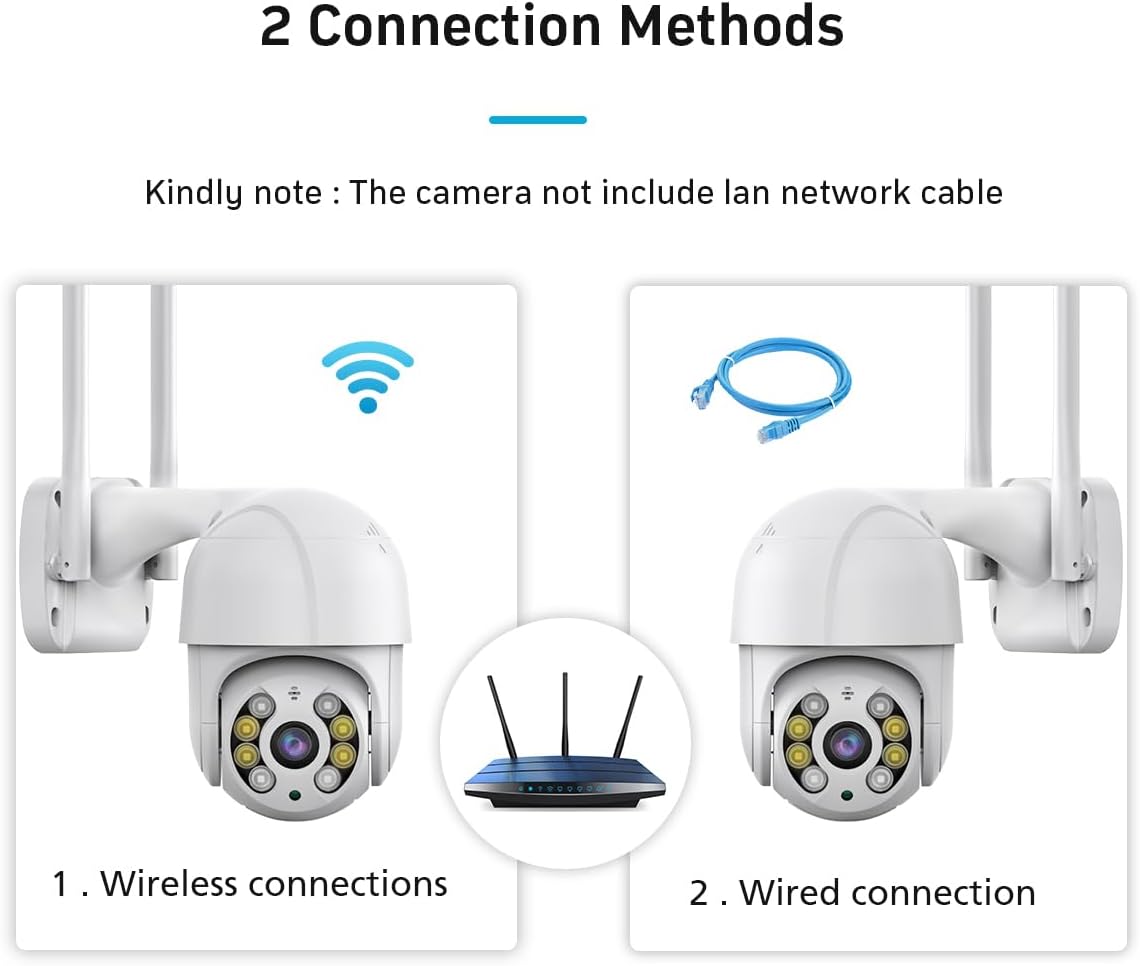
Figure 3.2: The camera's compatibility with multiple platforms, including iOS, Android, Windows, and web browsers for remote access.
3.4 Network Connection
The camera supports two connection methods:
- Wireless (Wi-Fi): Connect the camera to your 2.4GHz Wi-Fi network via the iCSee app.
- Wired (Ethernet): The camera supports a wired connection for enhanced stability. An Ethernet cable is not included and must be purchased separately.

Figure 3.3: Diagram illustrating the two connection methods for the camera: wireless Wi-Fi connection and wired Ethernet connection (Ethernet cable not included).
3.5 Micro SD Card Installation (Optional)
To enable local recording, insert a Micro SD card (up to 128GB) into the designated slot on the camera. Ensure the camera is powered off before inserting or removing the card.
4. Operating Instructions
4.1 Live View and Pan/Tilt Control
Access the live video feed through the iCSee app. Use the on-screen controls to remotely pan the camera horizontally (355°) and tilt it vertically (90°) to adjust the viewing angle.

Figure 4.1: GESKS ICSEE 3MP Wireless PTZ Security Camera with a smartphone displaying a live feed.
4.2 Motion Detection and Tracking
The camera features smart motion tracking, enabling it to detect and follow moving objects. When motion is detected, the camera automatically records and sends alerts to your connected mobile device. Human detection specifically identifies human figures, tracks their movement, and triggers real-time alarms. Upon detecting a potential threat, the iCSee app sends an immediate notification to your smartphone, capturing images or video of the event.

Figure 4.2: Illustration of the camera's automatic tracking feature.
4.3 Night Vision Modes
The camera offers three night vision modes:
- Full-color: Provides color images in low-light conditions by activating the camera's white lamp.
- Infrared: Uses infrared LEDs for discreet black and white monitoring.
- Smart Vision: Automatically switches between infrared and full-color modes based on detected activity.

Figure 4.3: Comparison of the camera's night vision modes.
4.4 Two-Way Audio and Alarm Siren
Utilize the built-in microphone and speaker for two-way audio communication through the iCSee app. You can speak to visitors or deter intruders remotely. The camera can also activate a floodlight and an audible alarm siren upon detection of suspicious activity.

Figure 4.4: The camera's floodlight and alarm siren features activating upon detection.
4.5 Recording and Storage
The camera supports 24/7 recording. Footage can be stored in two ways:
- Micro SD Card: Local storage on a Micro SD card (up to 128GB).
- Cloud Storage: Subscription-based cloud storage service for remote access and backup.
4.6 Alexa Integration
To enable voice control, link your camera with Amazon Alexa through the iCSee app settings. Follow the instructions provided in the app for seamless integration.
5. Maintenance
Regular maintenance ensures optimal performance and longevity of your security camera.
- Cleaning: Periodically clean the camera lens and housing with a soft, damp cloth to remove dust and debris. Avoid abrasive cleaners.
- Firmware Updates: Check the iCSee app regularly for available firmware updates. Keeping the firmware updated ensures the camera has the latest features and security enhancements.
- Power Supply: Ensure the power adapter and cable are free from damage.
- Mounting Security: Periodically check that the camera is securely mounted and that all screws are tight.
6. Troubleshooting
If you encounter issues with your camera, refer to the following common problems and solutions:
| Problem | Possible Cause | Solution |
|---|---|---|
| Camera is offline/cannot connect to app | No power; Wi-Fi signal weak or disconnected; incorrect Wi-Fi password; camera not properly reset. | Check power connection. Ensure camera is within Wi-Fi range. Verify Wi-Fi password. Reset camera and re-add to app. Ensure you are using the iCSee app. |
| No night vision | Night vision mode not enabled; IR/white LEDs obstructed or faulty. | Check night vision settings in the iCSee app. Ensure there are no obstructions blocking the LEDs. |
| Motion detection alerts not received | Motion detection sensitivity too low; notification settings disabled in app/phone; camera offline. | Adjust motion detection sensitivity in the iCSee app. Enable notifications for the iCSee app on your smartphone. Ensure camera is online. |
| Two-way audio not working | Microphone/speaker muted in app; network connectivity issues. | Check audio settings in the iCSee app. Ensure stable network connection. |
| NVR cannot find camera | NVR does not support ONVIF protocol; network configuration issues. | Ensure your NVR supports the ONVIF protocol. Verify network settings and IP address configuration. Consult your NVR manual for adding ONVIF devices. |
7. Specifications
| Feature | Specification |
|---|---|
| Model Number | IK-Q8-3MP |
| Indoor/Outdoor Usage | Outdoor |
| Effective Still Resolution | 3 MP |
| Video Capture Resolution | 1296p |
| Connectivity Protocol | APP, ONVIF, Wi-Fi |
| Wireless Communication Technology | Wi-Fi |
| Controller Type | APP, Amazon Alexa |
| Power Source | Corded Electric |
| Voltage | 240 Volts |
| Mounting Type | Ceiling Mount |
| Night Vision Range | 65 Feet |
| Flash Memory Supported Size Maximum | 128 GB (Micro SD) |
| Water Resistance Level | Waterproof |
| Item Dimensions (L x W x H) | 4.87 x 4.87 x 7.8 inches |
| Item Weight | 1.8 pounds |
| Material | Acrylonitrile Butadiene Styrene (ABS) |
| Manufacturer | SKSTECH |
8. Warranty and Support
For warranty information and technical support, please refer to the documentation included with your product or contact the seller directly. Keep your purchase receipt for warranty claims.
Brand: GESKS
Manufacturer: SKSTECH