
1. Introduction
This manual provides detailed instructions for the setup, operation, and maintenance of your XNY Wireless Home Alarm System 2G, Model XNY-108-2G-D. Please read this manual thoroughly before installation and use to ensure proper functionality and safety.
1.1 Safety Information
- Ensure the alarm host is installed in a secure, central location.
- Keep all components away from water and extreme temperatures.
- Use only specified power adapters and batteries.
- Do not attempt to repair or modify the system yourself. Contact customer support for assistance.
- Regularly test the system to ensure all components are functioning correctly.
2. Package Contents
Verify that all items listed below are included in your package:
- 1 x Alarm Host
- 3 x PIR Motion Detectors
- 6 x Door/Window Sensors
- 2 x Remote Controls
- 2 x RFID Cards
- 1 x Alarm Siren
- 1 x SOS Button
- Mounting Screws
- Power Adapter

Figure 2.1: All components included in the XNY Wireless Home Alarm System 2G kit.
3. Product Overview
3.1 Alarm Host (Main Unit)
The alarm host is the central control unit of your security system. It features a keypad for direct control, an SOS button, and an RFID reader. It supports dual network connectivity (2G GSM and 2.4GHz Wi-Fi) for reliable communication.

Figure 3.1: The alarm host displaying its interface and indicating dual network support.
3.2 Sensors and Accessories
- PIR Motion Detectors: Detect movement within their range.
- Door/Window Sensors: Trigger an alarm when a door or window is opened.
- Remote Controls: Arm, disarm, and trigger SOS remotely.
- RFID Cards: Disarm the system by tapping the card on the host.
- Alarm Siren: Produces a loud sound (up to 120 dB) when an alarm is triggered.
- SOS Button: For immediate emergency alerts.
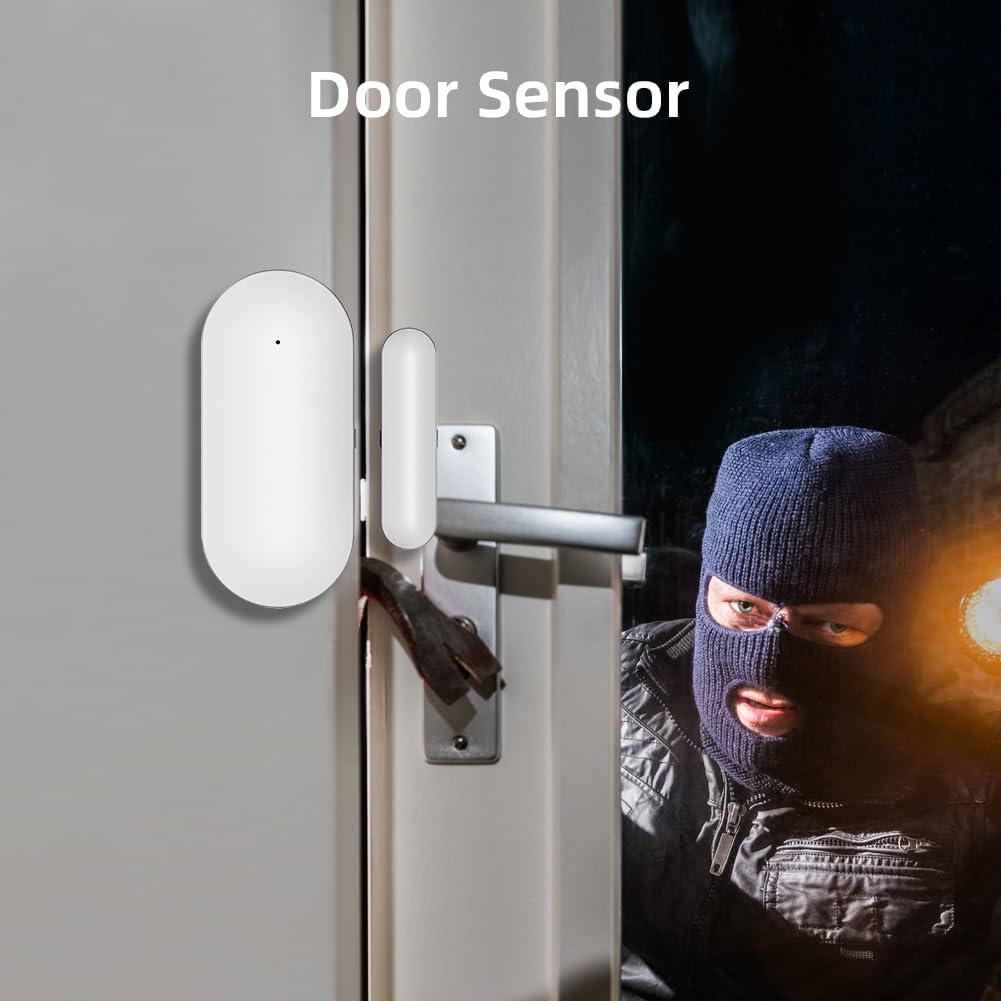
Figure 3.2: A door sensor installed on a door frame, designed to detect unauthorized entry.
4. Setup and Installation
4.1 Initial Setup
- Power On: Connect the alarm host to a power source using the provided adapter.
- SIM Card Installation (Optional): If using 2G GSM functionality, insert a 2G SIM card (not included) into the designated slot on the alarm host. Ensure the SIM card is active and has credit for calls/SMS.
- App Download: Download the "Tuya Smart" or "Smart Life" app from your smartphone's app store.
- App Pairing: Follow the in-app instructions to pair the alarm host with your smartphone via Wi-Fi (2.4GHz network only).
4.2 Sensor and Accessory Pairing
The system supports up to 100 wireless detectors, remote controls, and RFID cards. Refer to the app or host menu for specific pairing instructions for each component.
- Enter Pairing Mode: On the alarm host or via the app, select the option to add a new accessory.
- Activate Accessory: For motion detectors, trigger them. For door/window sensors, separate the two parts. For remote controls, press any button. For RFID cards, tap them on the host's RFID area.
- Confirmation: The host will confirm successful pairing, and the accessory will appear in your app's device list.
4.3 Component Placement
- Alarm Host: Mount on a wall using the provided screws, in a central location for optimal signal coverage.
- Motion Detectors: Place in corners or areas with high traffic, ensuring a clear line of sight and avoiding direct sunlight or heat sources.
- Door/Window Sensors: Install on the frame and movable part of doors and windows, ensuring the two parts are aligned and close when closed.
- Siren: Position in a location where its sound can be heard clearly, both inside and outside the property.

Figure 4.1: Example placement of alarm system components within a home environment.
5. Operating Instructions
5.1 Arming and Disarming
- Arm: Press the arm button on the remote control, use the app, or enter the arm code on the host keypad. The system will indicate it is armed.
- Disarm: Press the disarm button on the remote control, use the app, enter the disarm code on the host keypad, or tap an authorized RFID card on the host. The system will indicate it is disarmed.
- Home Arm: Arm only specific zones (e.g., perimeter sensors) while allowing movement within the property.
5.2 Alarm Notifications
When an alarm is triggered, the system will activate the siren and send notifications via multiple channels:
- App Notification: Instant alerts to your smartphone via the Tuya Smart/Smart Life app.
- SMS Notification: Text messages sent to pre-configured phone numbers (requires 2G SIM card).
- Call Notification: The alarm host will call pre-configured phone numbers (requires 2G SIM card).

Figure 5.1: Illustration of the various notification methods: call, SMS, and app alerts.
5.3 Siren Operation
The system's siren produces a loud sound to deter intruders and alert occupants when an alarm is triggered. The alarm host itself also emits an audible alert.
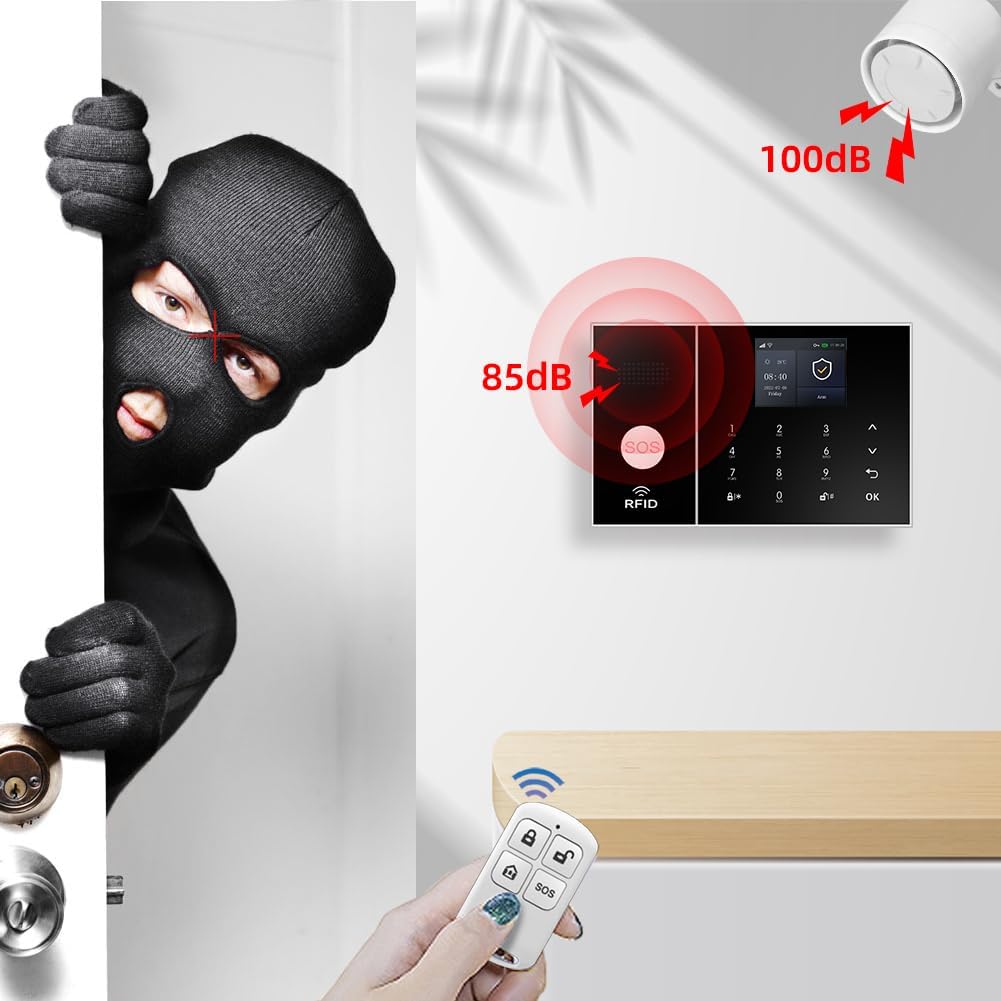
Figure 5.2: Visual representation of the alarm host and external siren sound levels.
5.4 SOS Function
Press the SOS button on the alarm host or remote control to immediately trigger an emergency alarm. The system will activate the siren and send emergency notifications to designated contacts.
5.5 Timing Arm/Disarm
You can schedule specific times for the system to automatically arm or disarm via the app or the host's keypad. This feature helps automate your security routine and prevent accidental alarms.
5.6 Voice Control Integration
The system is compatible with Amazon Alexa and Google Assistant. Once integrated, you can use voice commands to arm or disarm your alarm system.
6. Maintenance
6.1 Battery Replacement
The alarm host includes a built-in Lithium-ion battery for backup power during outages. Wireless sensors and accessories are powered by their own batteries. Replace batteries promptly when low battery alerts are received to ensure continuous protection.
6.2 Cleaning
Wipe the alarm host and sensors with a soft, dry cloth. Do not use liquid cleaners or abrasive materials, as these can damage the components.
6.3 System Testing
It is recommended to test your alarm system regularly (e.g., monthly) to ensure all sensors are communicating with the host and the siren is functioning correctly. Inform designated contacts before testing to avoid unnecessary alerts.
7. Troubleshooting
| Problem | Possible Cause | Solution |
|---|---|---|
| System not connecting to Wi-Fi. | Incorrect Wi-Fi password, 5GHz network, or weak signal. | Ensure correct 2.4GHz Wi-Fi password. Move host closer to router. |
| No SMS/Call notifications. | No 2G SIM card, inactive SIM, no credit, or poor 2G signal. | Insert active 2G SIM with credit. Check 2G network coverage. |
| Sensor not triggering alarm. | Low battery, sensor out of range, or not properly paired. | Replace sensor battery. Reposition sensor closer to host. Re-pair sensor. |
| False alarms. | Improper sensor placement (e.g., motion detector facing window/heat source), sensitivity too high. | Adjust sensor placement or sensitivity settings in the app. |
8. Specifications
- Model: XNY-108-2G-D
- Connectivity: Wi-Fi (2.4GHz), 2G GSM
- Power Source: Battery powered (Lithium-ion included for host backup)
- Installation Method: Wall mount
- Sound Level: 120 dB (siren)
- Control Method: Application, Keypad, Remote Control
- Compatible Devices: Smartphone (Tuya Smart/Smart Life App), Amazon Alexa, Google Assistant
- Dimensions (Host): 16 x 10 x 2 cm
- Weight (Host): 950 grams
- Color: Black
9. Warranty and Support
XNY products are designed for reliability and performance. For warranty information, technical support, or service inquiries, please refer to the contact information provided with your purchase or visit the official XNY website. Keep your purchase receipt as proof of purchase.