
1. Introduction
The XNY PG-108-4G-F is a comprehensive wireless home security alarm system designed to provide reliable protection for your property. This system features dual 4G and Wi-Fi network connectivity, ensuring continuous monitoring and notification capabilities. It supports various control methods, including a keypad, remote controls, and a smartphone application, along with voice control integration for smart home ecosystems.
The kit includes a main alarm host, motion detectors, door/window sensors, remote controls, RFID cards, an alarm siren, and an SOS button, offering a complete solution for securing your home or business.

Image 1.1: Overview of the XNY PG-108-4G-F alarm system components, including the main panel, siren, SOS button, remote controls, RFID tags, PIR motion sensors, and door/window contact sensors.
2. Setup and Installation
The XNY PG-108-4G-F system is designed for easy DIY installation without the need for professional assistance, complex wiring, or drilling. Follow these steps to set up your alarm system:
- Mount the Alarm Host: Securely fix the main alarm host to a wall using the provided screws. Choose a central location for optimal wireless signal coverage.
- Connect Power: Connect the alarm host to a power source using the included adapter. The system has a built-in battery for backup power during outages.
- Insert SIM Card (Optional): For 4G network functionality and two-way intercom, insert a 4G SIM card (not included) into the designated slot on the alarm host. Ensure the SIM card is activated and has sufficient credit/data.
- Connect to Wi-Fi: Access the system settings via the keypad or the smartphone app (Tuya or Smart Life) to connect the alarm host to your 2.4 GHz Wi-Fi network. Note: The system does not support 5G Wi-Fi networks.
- Pair Sensors and Accessories: The system supports up to 100 wireless accessories. Follow the instructions in the app or on the host's display to pair motion detectors, door/window sensors, remote controls, and RFID cards.

Image 2.1: The XNY alarm system control panel displaying its dual WiFi and 4G network capabilities, supporting 11 languages.
3. Operating the System
The XNY alarm system offers multiple ways to control and interact with its features:
3.1 Control Methods
- Smartphone App: Use the free Tuya or Smart Life app to control your system remotely from anywhere. This includes arming/disarming, checking status, and managing settings.
- Keypad: Directly interact with the alarm host using its integrated keypad for arming, disarming, and system configuration.
- Remote Control: Use the included remote controls for quick arming, disarming, and SOS functions.
- Voice Control: Integrate with Amazon Alexa or Google Assistant for convenient voice commands to control the alarm system.
- RFID Card: Swipe an RFID card over the designated area on the host to quickly disarm the system.
3.2 Arming and Disarming
The system can be armed (activated) or disarmed (deactivated) through the app, keypad, or remote control. You can also set a timing schedule for automatic arming and disarming via the app or keypad to suit your daily routine. A delay time can be configured to prevent false alarms when users exit or enter the armed area.
3.3 Alarm Notifications
When an alarm is triggered, the system will activate the siren and send notifications through multiple channels:
- App Notification: Receive instant alerts on your smartphone via the Tuya or Smart Life app.
- SMS Notification: The system can send SMS messages to pre-configured phone numbers.
- Call Notification: The alarm host can make phone calls to pre-configured numbers to alert you of an intrusion.

Image 3.1: A smartphone screen showing the alarm app interface, illustrating call, SMS, and app notification options.
3.4 SOS Function
In case of an emergency, press the SOS button on the alarm host or remote control. This will immediately trigger an alarm and send emergency notifications to pre-set contacts.
3.5 Two-Way Intercom
With a SIM card inserted, the alarm host supports two-way voice intercom, allowing you to communicate through the system.
4. System Components and Detection
4.1 Door/Window Sensors
These sensors detect when a door or window is opened. When the system is armed and a sensor is triggered, an alarm will sound, and notifications will be sent.
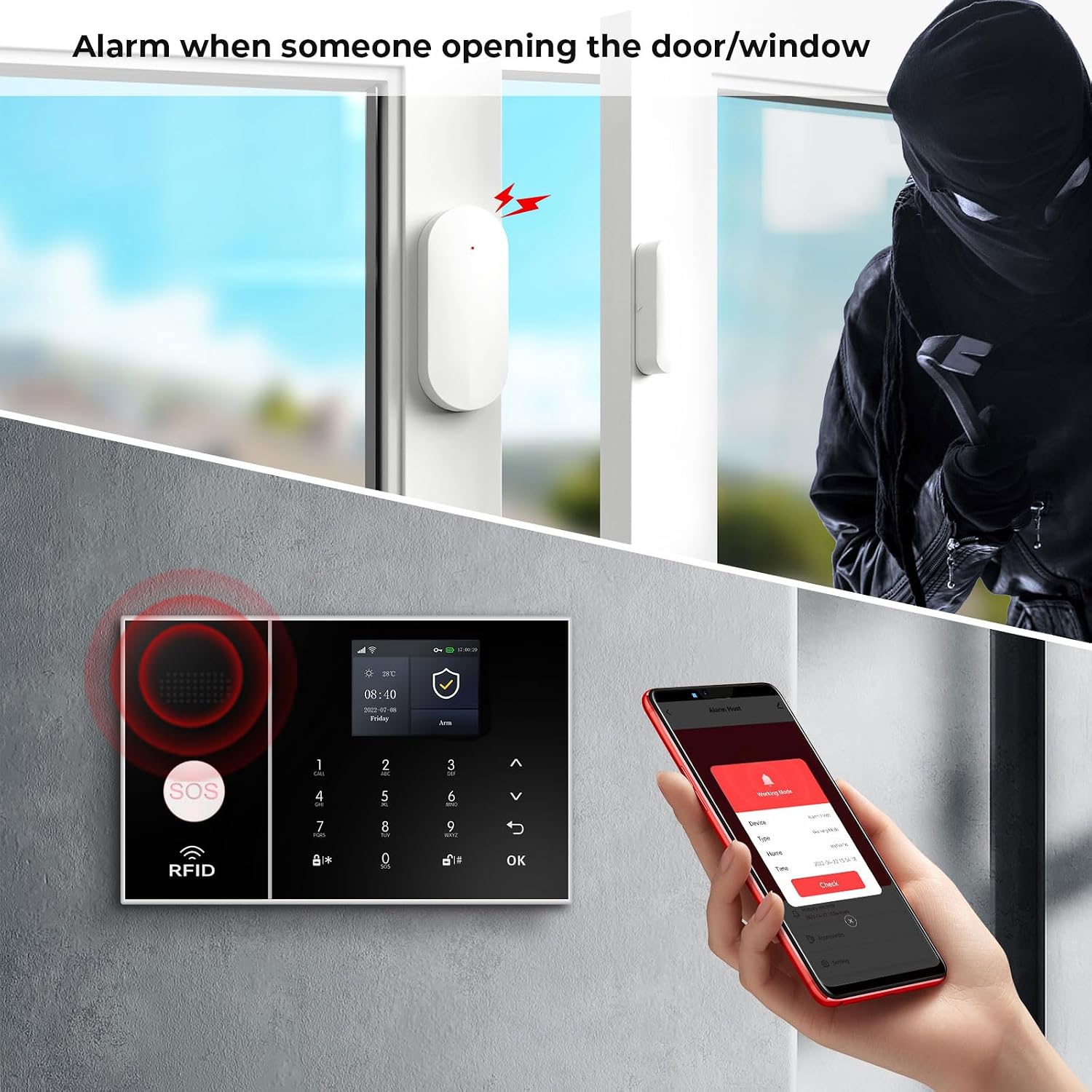
Image 4.1: An illustration of a door/window sensor detecting an opening, triggering the alarm system.
4.2 Motion Detectors (PIR)
Passive Infrared (PIR) motion detectors sense movement within their detection range. When an armed motion detector detects movement, it triggers the alarm.

Image 4.2: A motion detector sensing movement, leading to an alarm activation.
4.3 Siren
The included siren produces a loud sound (up to 120 dB) to deter intruders and alert occupants and neighbors when the alarm is triggered.

Image 4.3: Visual representation of the alarm siren's sound output, indicating 85dB from the main unit and 100dB from the external siren.
5. Maintenance
To ensure the optimal performance and longevity of your XNY alarm system, consider the following maintenance tips:
- Battery Check: Regularly check the battery levels of wireless sensors and remote controls. Replace batteries as needed to prevent system malfunctions. The main host has a built-in lithium-ion battery for backup.
- Sensor Cleaning: Keep motion detectors and door/window sensors clean and free from dust or obstructions that could interfere with their operation.
- Firmware Updates: Check the Tuya or Smart Life app periodically for any available firmware updates for the alarm host. Keeping the firmware updated ensures the system has the latest features and security enhancements.
- Network Connectivity: Ensure your Wi-Fi network is stable and the 4G SIM card has active service to maintain continuous connectivity and notification capabilities.
6. Troubleshooting
If you encounter issues with your XNY alarm system, refer to the following common troubleshooting steps:
- No Notifications:
- Ensure the alarm host is connected to Wi-Fi or has an active 4G SIM card.
- Verify that notification settings are correctly configured in the Tuya/Smart Life app.
- Check if the SIM card has sufficient balance or data for SMS/call notifications.
- Sensor Not Triggering:
- Check the sensor's battery level and replace if low.
- Ensure the sensor is properly paired with the alarm host.
- Verify the sensor's placement and ensure it's within range and free from obstructions.
- False Alarms:
- Adjust the sensitivity settings of motion detectors if available.
- Ensure sensors are securely mounted and not affected by vibrations or drafts.
- Check for pets or objects that might trigger motion sensors.
- Keypad Lock: If the keypad is unresponsive, refer to the system's digital manual or app for instructions on how to unlock or reset the keypad.
- Wi-Fi Connection Issues: Ensure you are connecting to a 2.4 GHz Wi-Fi network. The system is not compatible with 5G Wi-Fi.
7. Specifications
| Feature | Detail |
|---|---|
| Brand | XNY |
| Model Number | XNY-108-4G-F |
| Connectivity Technology | Wireless (4G, Wi-Fi 2.4 GHz) |
| Power Source | Battery Powered (1 Lithium-ion included) |
| Installation Method | DIY Wireless |
| Sound Level | 120 dB (Siren) |
| Compatible Devices | Alexa, Google Assistant, Tuya, Smart Life |
| Control Method | Voice, App, Keypad, Remote |
| Dimensions (L x W x H) | 16 x 10.01 x 2.01 cm |
| Weight | 1.3 Kilograms |
| Included Components | 1x Alarm Host, 5x PIR Motion Detectors, 10x Door/Window Sensors, 3x Remote Controls, 3x RFID Cards, 1x Alarm Siren, 1x SOS Button |
8. Warranty and Support
For warranty information, technical support, or any inquiries regarding your XNY PG-108-4G-F alarm system, please contact the seller, XNY Direct, through the platform where the product was purchased. Ensure you have your purchase details and model number (XNY-108-4G-F) available when contacting support.
Regularly check the official XNY website or the Tuya/Smart Life app for updated information, FAQs, and additional support resources.