
Introduction
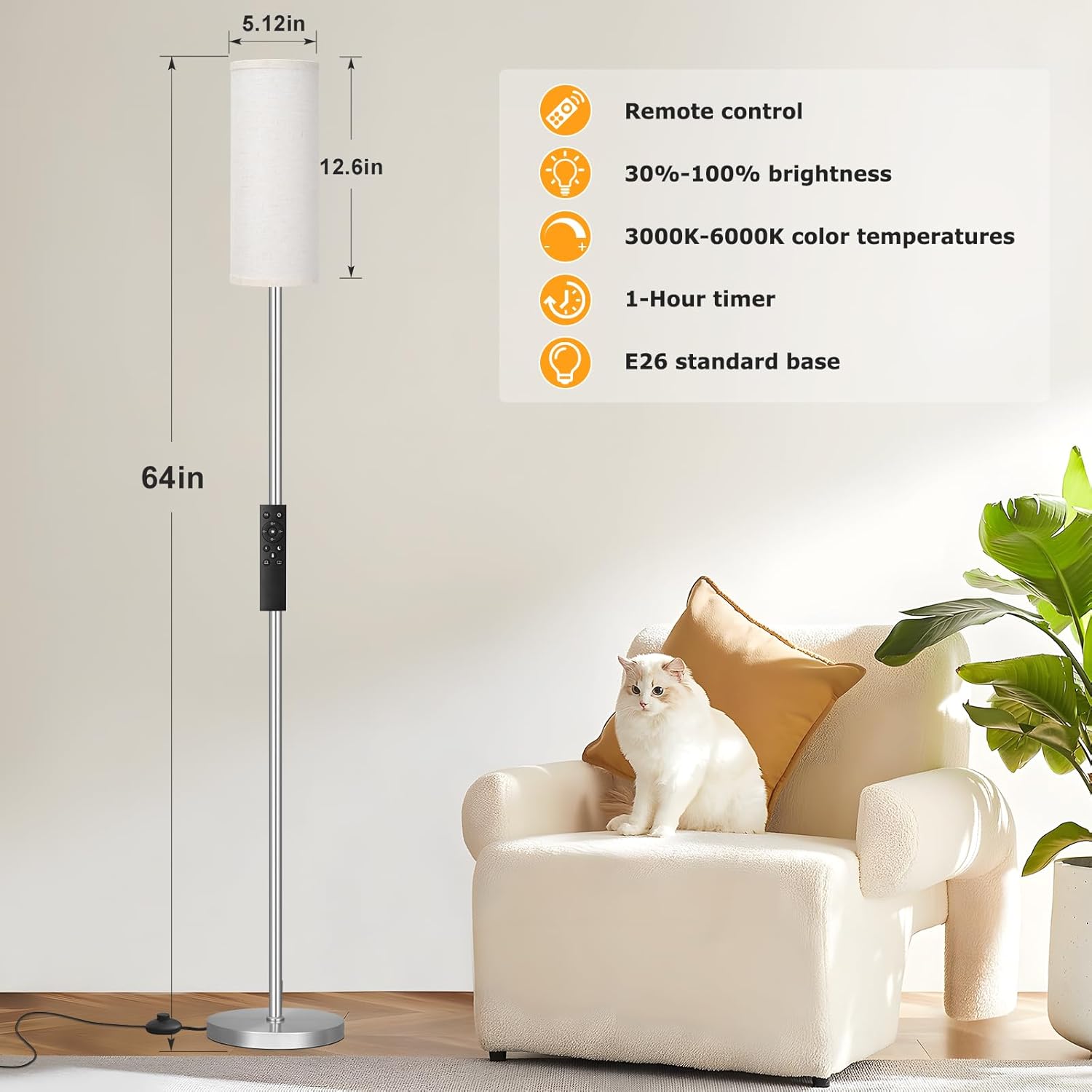
This manual provides essential information for the safe and efficient use of your Ambimall Floor Lamp (Model Z5V8W3). This dimmable standing lamp features adjustable color temperature, remote control operation, and a convenient foot switch. Please read these instructions thoroughly before assembly and operation.
Safety Instructions
- Read all instructions carefully before assembly and use.
- This product is designed for indoor use only. Do not use outdoors or in wet conditions.
- Ensure the power supply is disconnected before installing, cleaning, or performing any maintenance.
- Use only an E26 base, 9W LED bulb or equivalent. Using an incorrect bulb type or wattage may damage the lamp or pose a fire hazard.
- Do not attempt to modify or disassemble the lamp beyond the instructions provided.
- Keep the remote control away from water and extreme temperatures.
Package Contents
Verify that all components are present before beginning assembly:
- Lamp Pole Sections (multiple)
- Lamp Base
- Lampshade (rolled)
- Remote Control
- E26 LED Bulb (9W)
- User Manual
Setup and Assembly
No tools are required for assembly.
- Carefully unpackage all components.
- Twist the lamp pole sections together clockwise until securely connected.
- Insert the assembled lamp pole into the lamp base and twist clockwise to secure.
- Unroll the lampshade and wrap it around the wire frame at the top of the lamp pole. Secure the lampshade edges using the integrated Velcro strip.
- Screw the provided E26 LED bulb into the lamp socket.
- Place the lamp in your desired indoor location and plug the power cord into a standard 110V electrical outlet.
Operating Instructions
Your Ambimall Floor Lamp can be operated using the remote control or the integrated foot switch.
Foot Switch Operation
- Press the foot switch once to turn the lamp ON.
- Press the foot switch again to turn the lamp OFF.
- Note: For remote control functionality, ensure the foot switch is in the ON position.
Remote Control Operation
The remote control allows for comprehensive adjustment of the lamp's settings. The included 9W bulb is pre-paired with the remote control.
- Power Button: Press to turn the lamp ON or OFF.
- Brightness Adjustment (10-100%): Use the '+' and '-' buttons to steplessly increase or decrease the brightness.
- Color Temperature Adjustment (3000K-6000K):
- 3000K (Warm White): Ideal for relaxation.
- 5000K (Natural White/Daylight White): Suitable for reading or working.
- 6000K (Cool White): Provides high brightness for focused tasks.
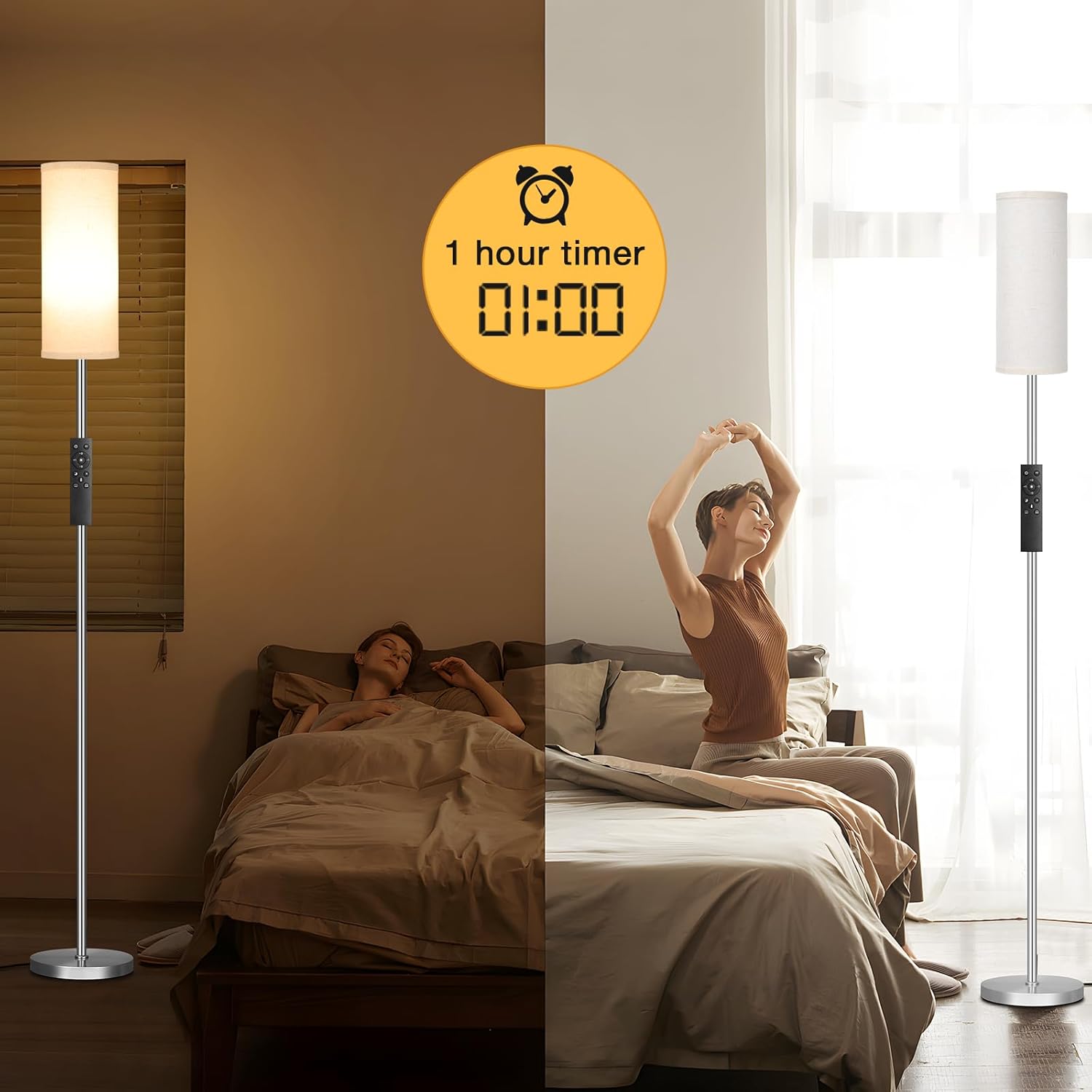
- 1-Hour Timer: Activate the timer function to automatically turn off the lamp after one hour. This is useful for bedtime.
- Memory Function: The lamp automatically remembers your last brightness and color temperature settings when turned off and restores them when turned back on.
- Remote Placement: The remote control is magnetic and can be conveniently attached to the lamp pole or any metal surface to prevent loss.




Maintenance
- Cleaning: Always unplug the lamp before cleaning. Wipe the lamp pole and base with a soft, dry cloth. Do not use abrasive cleaners or solvents.
- Bulb Replacement: Ensure the lamp is unplugged and the bulb has cooled before attempting to replace it. Use an E26 base, 9W LED bulb or an equivalent.
Troubleshooting
| Problem | Possible Cause | Solution |
|---|---|---|
| Lamp does not turn on. | No power, foot switch off, loose bulb, faulty bulb. | Check power outlet. Ensure foot switch is ON. Tighten bulb. Replace bulb if necessary. |
| Remote control not working. | Remote battery low/dead, foot switch off, obstruction. | Replace remote battery. Ensure foot switch is ON. Remove any obstructions between remote and lamp. |
| Brightness/Color temperature not adjusting. | Remote control issue, lamp not responding. | Ensure remote battery is good. Try turning the lamp off and on again. |
Specifications
| Feature | Detail |
|---|---|
| Model Number | Z5V8W3 |
| Dimensions (D x W x H) | 20D x 20W x 164H Centimetres (64 inches height) |
| Wattage | 9W LED |
| Voltage | 110 Volts |
| Color Temperature | 3000K-6000K (Stepless Adjustable) |
| Brightness | 10-100% (Stepless Dimmable) |
| Control Method | Remote Control, Foot Switch |
| Bulb Base | E26 |
| Materials | Metal (Base), Fabric (Shade) |
| Indoor/Outdoor Use | Indoor |
| Style | Modern |
Warranty and Support
This Ambimall Floor Lamp (Model Z5V8W3) comes with a 3-Year Manufacturer Warranty.
For warranty claims, technical support, or any questions regarding your product, please contact Ambimall customer service. Refer to your purchase documentation for specific contact details or visit the official Ambimall website.