
1. Product Overview
The CROSOFMI Smart Water Timer is designed to automate your garden and lawn watering, offering convenient control via a mobile application. It features multiple programmable schedules, manual watering options, and smart rain-delay functionality to optimize water usage.

Image: The CROSOFMI Smart Water Timer unit, its accompanying WIFI Hub, and a smartphone screen illustrating the timer's control application.
2. Package Contents
Please verify that all items are present in the package:
- 1 x Water Timer for Garden
- 1 x WIFI Hub
- 1 x User Manual
3. Setup and Installation
3.1 Battery Installation
- Locate the battery compartment on the water timer unit.
- Open the compartment and insert 2 x 1.5V AA Alkaline Batteries, ensuring correct polarity.
- Close the battery compartment securely, ensuring the internal rubber ring is properly seated for waterproofing.
3.2 Connecting the Water Timer to Faucet
- Ensure your outdoor faucet has a 3/4" internal thread.
- Screw the water timer directly onto the faucet by hand until it is snug. Do not overtighten.
- Connect your garden hose to the outlet of the water timer.

Image: The water timer securely attached to a standard outdoor faucet, ready for hose connection.

Image: A detailed view of the water timer's connection to the faucet, emphasizing its IPX5 waterproof design.
3.3 WIFI Hub Connection and APP Installation
- Plug the WIFI Hub into a power outlet indoors, within range of your home's Wi-Fi network.
- Scan the QR code provided in the user manual (or on the product packaging) to download the dedicated control application to your smartphone.
- Follow the in-app instructions to pair the WIFI Hub with your home Wi-Fi network.
- Once the hub is connected, follow the app's prompts to add and pair your CROSOFMI Smart Water Timer. The hub provides a strong signal for stable data transfer.
4. Operating the Smart Water Timer
The CROSOFMI Smart Water Timer is primarily controlled through its dedicated mobile application, offering a range of features for flexible watering management.
4.1 APP Control Features
- Remote Control: Manage your watering schedule from anywhere via the app.
- Programmable Schedules: Set up to 8 unique sprinkler programs and 1 independent sprayer program. Customize start time, end time, and interval.
- Sprinkler Mode: Ideal for general garden and lawn irrigation.
- Sprayer Mode: Suitable for specific needs like humidifying, dust suppression, or filling pools.
- Manual Watering Mode: Activate instant watering for emergencies or immediate needs. This mode has an auto-off protective mechanism after 60 minutes to prevent water waste.
- Smart Rain-Delay Function: Manually activate rain-delay mode to skip watering cycles during rainfall, preventing overwatering.
- Multi-Device Control: Control up to 128 hose timers through one WIFI hub and one APP, suitable for large-scale irrigation.
- Smart Using Record: View activation history to monitor and manage your watering effectively.

Image: Screenshots of the CROSOFMI app demonstrating the Timing Mode, the central control interface, and the Spray Mode configuration.
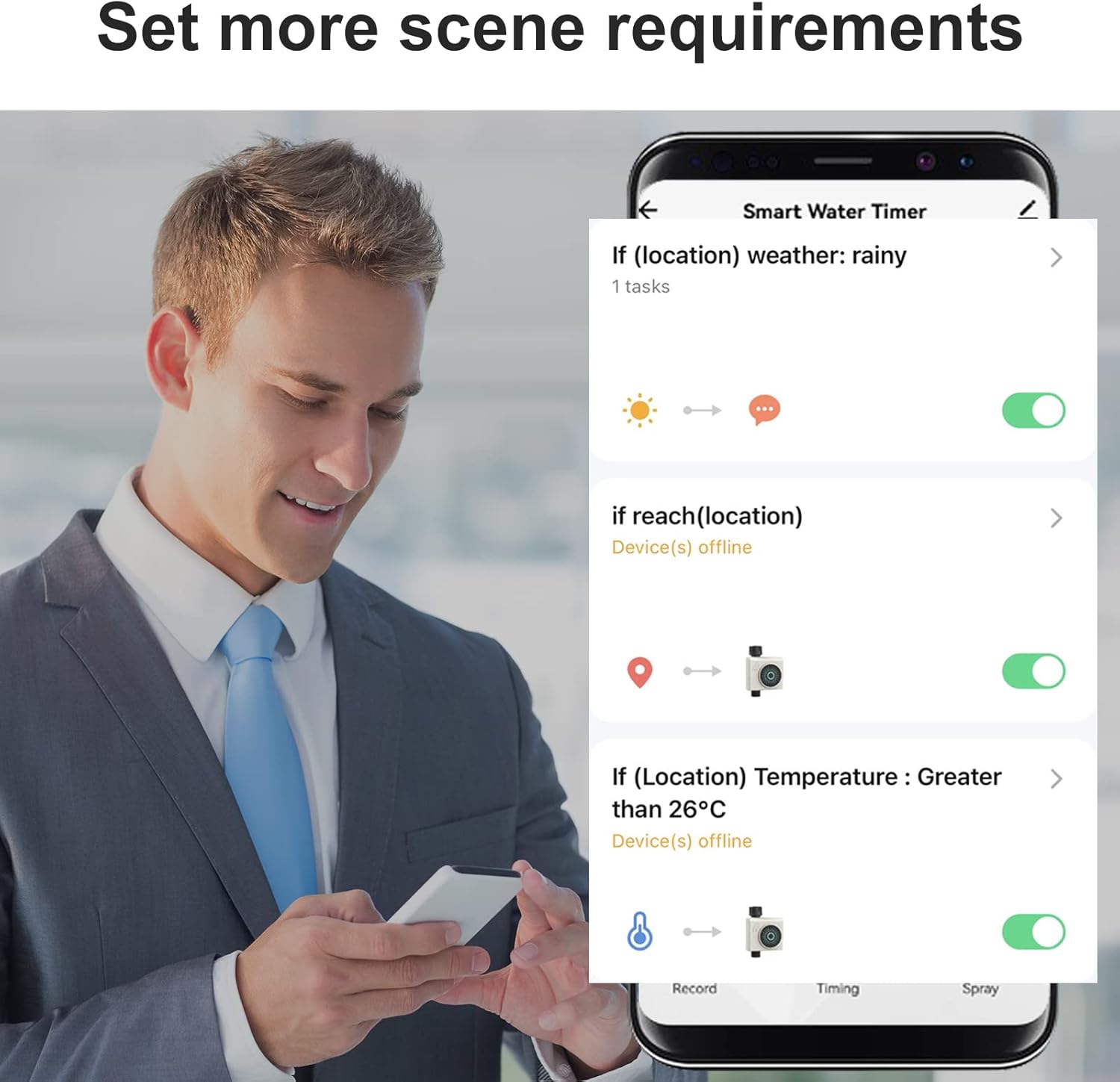
Image: The app interface showing options to set up advanced automation scenarios, such as adjusting watering based on rainy weather or temperature.
5. Maintenance
Regular maintenance ensures the longevity and optimal performance of your water timer.
- Cleaning: Periodically wipe the exterior of the timer with a damp cloth to remove dirt and debris. Do not use harsh chemicals.
- Battery Replacement: Replace batteries when the low battery indicator appears in the app or on the device (if applicable). Always use new 1.5V AA Alkaline Batteries.
- Winterization: Before the first frost, disconnect the water timer from the faucet and hose. Remove batteries. Store the timer indoors in a dry, protected area to prevent freezing damage.
6. Troubleshooting
If you encounter issues with your CROSOFMI Smart Water Timer, refer to the following common problems and solutions:
| Problem | Possible Cause | Solution |
|---|---|---|
| Timer not watering | Low or dead batteries Incorrect schedule setup Rain delay activated Water supply off | Replace batteries Verify schedule in app Deactivate rain delay in app Ensure faucet is fully open |
| App cannot connect to timer | WIFI Hub offline Timer out of range of Hub Incorrect pairing | Check Hub power and Wi-Fi connection Move Hub closer to timer Re-pair timer with Hub via app |
| Water leakage from connections | Loose connections Damaged washer/gasket | Ensure all connections are hand-tight Check and replace rubber washers if damaged |
If the problem persists, please contact CROSOFMI customer support for assistance.
7. Specifications
| Feature | Specification |
|---|---|
| Model Number | HCT-611 |
| Hose Tap Connection | 3/4" Internal Thread |
| Product Dimensions | 8.4"D x 5.6"W x 2.1"H (approx. 100×136×46 mm) |
| Item Weight | 8.5 ounces (approx. 241g) |
| Waterproof Grade | IPX5 |
| Working Pressure | 0.05 Mpa - 0.8 Mpa |
| Working Temperature | 1℃ - 45℃ (33.8°F - 113°F) |
| Power Supply | 2 x 1.5V AA Alkaline Batteries (not included) |
| Material | Acrylonitrile Butadiene Styrene (ABS) |
8. Warranty and Support
For more information regarding product warranty, packaging details, or return policies, please do not hesitate to contact CROSOFMI customer support. Our team is available to assist you with any questions or concerns.
You can typically find contact information on the product packaging, the official CROSOFMI website, or through your purchase platform.