
Pautios 6975575938321
Pautios Smart Watch User Manual
Model: 6975575938321
1. Introduction
Thank you for choosing the Pautios Smart Watch. This device is designed to help you monitor your health and fitness activities, including heart rate, blood oxygen (SpO2), sleep patterns, and various sports modes. It also provides smart notifications and is waterproof for swimming. This manual provides essential information on setting up, operating, and maintaining your smart watch.

The Pautios Smart Watch, featuring a clear display and comfortable blue strap.
2. What's in the Box
Your Pautios Smart Watch package includes the following items:
- Pautios Smart Watch
- Charger
3. Setup Guide
3.1 Charging the Smart Watch
Before first use, fully charge your smart watch. Connect the provided charger to the charging contacts on the back of the watch and plug the USB end into a power adapter (not included) or a computer USB port. The watch display will indicate charging status.
3.2 App Download and Installation
To unlock the full features of your smart watch, download the companion application. The app is named "VeryFitPro". Search for "VeryFitPro" in your smartphone's app store (App Store for iOS or Google Play Store for Android) and install it.
3.3 Pairing with Your Smartphone
Ensure your smartphone's Bluetooth is enabled. Open the "VeryFitPro" app, register an account if prompted, and follow the on-screen instructions to search for and pair with your Pautios Smart Watch. The app will guide you through the connection process.

Visual guide for connecting your smart watch to the VeryFitPro app.
4. Operating Your Smart Watch
4.1 Activity Monitoring
The watch accurately tracks your daily activities, including steps taken, calories burned, distance traveled, and active minutes. It supports various sports modes such as walking, running, cycling, and yoga. You can view detailed activity logs in the VeryFitPro app.
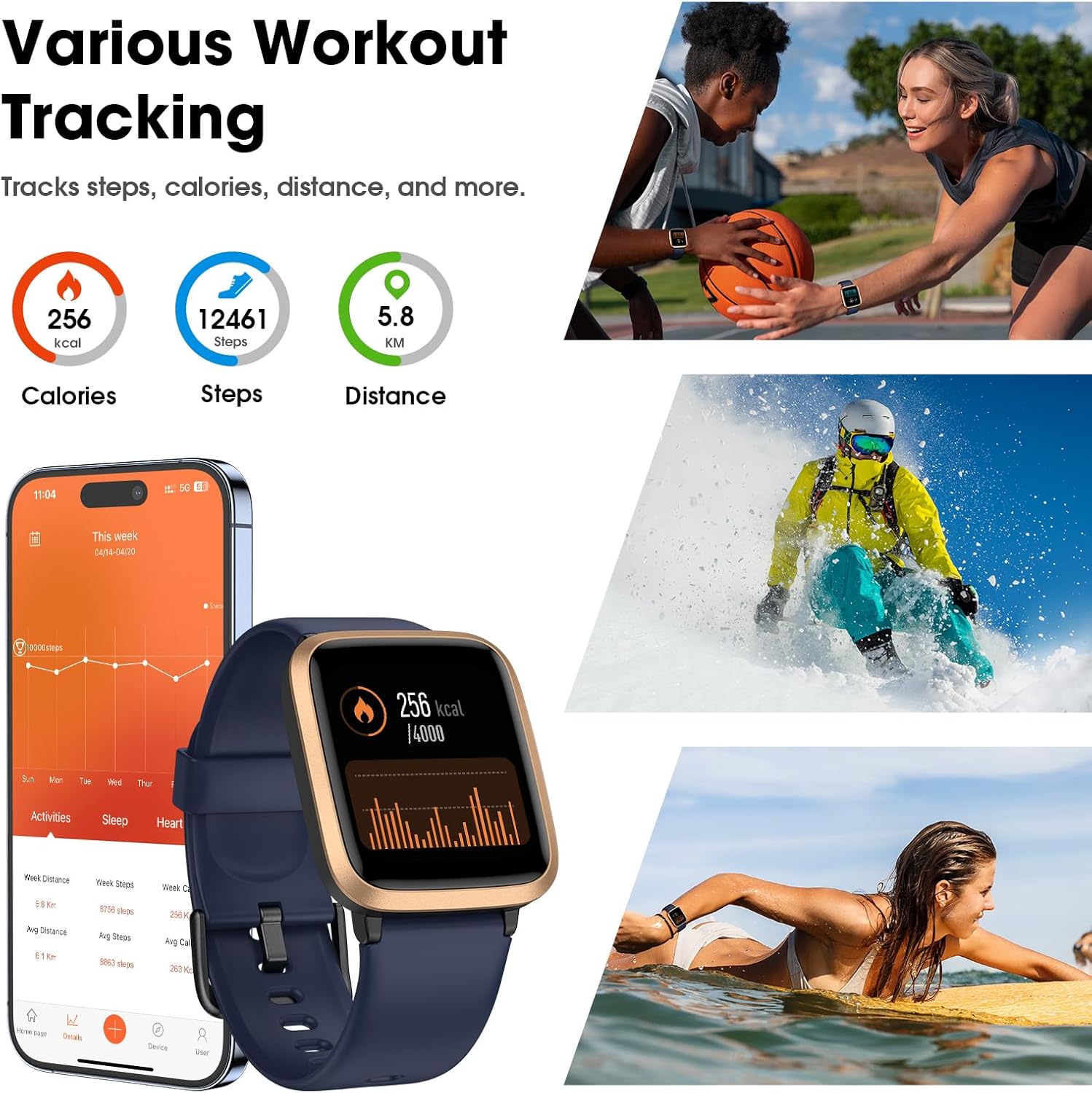
The smart watch tracks various workout metrics and supports multiple sports activities.

The watch offers multiple sports modes and records detailed data for each.
4.2 Health Monitoring
The smart watch continuously monitors your health data:
- Heart Rate: Tracks your heart rate in real-time throughout the day.
- Blood Oxygen (SpO2): Measures your blood oxygen saturation levels.
- Sleep Monitor: Analyzes your sleep patterns, including deep sleep, light sleep, and awake times, providing insights into your sleep quality.

Monitor your heart rate, blood oxygen, and stress levels directly from your watch.

The smart watch automatically monitors your sleep patterns.

Comprehensive sleep tracking and continuous heart rate and blood oxygen monitoring.
4.3 Smart Notifications
Once paired with your phone, the watch can receive notifications for incoming calls, messages, and various social media apps (Facebook, Twitter, WhatsApp, Skype, Snapchat, etc.). You can decline unknown calls directly from the watch. Note: This watch is designed for reminders only; it does not support calling or answering calls directly.

Receive call and text reminders via Bluetooth 5.0, ensuring you don't miss important information.

Decline unknown calls and receive message notifications from various apps.
4.4 Music Control
Control music playback on your smartphone directly from your smart watch. You can play, pause, skip tracks, and adjust volume without needing to take out your phone.
4.5 Waterproofing
The Pautios Smart Watch is 5ATM (50m) waterproof, making it suitable for swimming and other water activities. Avoid hot water or steam, as this may damage the device.

Enjoy music control and worry-free use during swimming activities.

Additional features include music control, swimming waterproofing, sedentary reminders, alarms, and more.
5. Maintenance
5.1 Battery Life
The smart watch features a large battery and low power usage, providing approximately a week of battery life on a single charge. Actual battery life may vary based on usage patterns and settings.

The smart watch offers a long battery life of 5-7 days on a single charge.
5.2 Cleaning and Care
To maintain your smart watch, regularly clean the device and strap with a soft, dry cloth. Avoid using harsh chemicals or abrasive materials. Ensure the charging contacts are clean and dry before charging.
6. Troubleshooting
If you encounter issues with your Pautios Smart Watch, consider the following common solutions:
- Watch not turning on: Ensure the watch is fully charged. Connect it to the charger for at least 30 minutes.
- Cannot pair with phone: Ensure Bluetooth is enabled on your phone and the watch is within range. Restart both the watch and your phone. Check if the VeryFitPro app is updated to the latest version.
- Inaccurate data: Ensure the watch is worn snugly on your wrist, about one finger's width above your wrist bone. Clean the sensors on the back of the watch.
- Notifications not received: Check app permissions on your phone to ensure VeryFitPro has access to notifications. Ensure the app is running in the background.
For further assistance, please refer to the customer support section.
7. Specifications
| Feature | Specification |
|---|---|
| Product Dimensions | 5.9 x 3.18 x 0.66 inches |
| Item Weight | 0.634 ounces |
| Model Number | 6975575938321 |
| Batteries | 1 Lithium Ion battery (included) |
| Screen Display Size | 1.3 Inches |
| Operating System Compatibility | iOS 8.0+ and Android 4.4+ |
| Connectivity Technology | Bluetooth |
| Water Resistance | 5ATM (50m) |
| GPS | GPS Via Smartphone |
| Color | Blue |
8. Customer Support
For any questions or issues regarding your Pautios Smart Watch, please contact our customer support team. When reaching out, please provide your Amazon order number for faster service.
We are committed to providing assistance and ensuring your satisfaction with our product.
Ask a question about this manual
Ask about setup, troubleshooting, compatibility, parts, safety, or missing instructions. Manuals+ will review the question and use this page’s manual context to help answer it.