
1. Introduction
This manual provides essential information for the installation and proper function of the Mustpoint Power On Off/Volume Buttons Flex with Flash Light Sensor, designed specifically for the Google Pixel 7A. This component is a replacement part intended to restore the functionality of your device's power button, volume controls, and flash light sensor.
Important Note: Professional installation is highly recommended for this component. Improper installation can lead to damage to your device or the replacement part. The manufacturer is not responsible for any damages incurred during the installation process.
2. Product Overview
The Mustpoint Power On Off/Volume Buttons Flex with Flash Light Sensor is a crucial internal component that connects the external power and volume buttons, along with the flash light sensor, to the main logic board of your Google Pixel 7A. It is designed to be a direct replacement for a damaged, non-functional, or broken original flex cable.
- Integrated Functionality: Combines the power button, volume up/down buttons, and flash light sensor into a single flex cable unit.
- Compatibility: Specifically designed for the Google Pixel 7A, ensuring a precise fit and full functionality.
- Quality Assurance: Each unit is inspected to ensure it is in good working condition prior to shipment.

Figure 2.1: Overview of the Power On Off/Volume Buttons Flex Cable. This image displays the complete flex cable assembly, highlighting the various contact points and button interfaces.

Figure 2.2: Another perspective of the flex cable, showing the intricate design and connection points for the power and volume buttons.
3. Setup and Installation
The installation of this flex cable requires disassembling the Google Pixel 7A. Due to the delicate nature of smartphone components and the complexity of the repair process, professional installation is strongly advised. Attempting to install this part without proper tools, knowledge, and experience may result in further damage to your device.
General Installation Guidelines (for professional technicians):
- Power Off Device: Ensure the Google Pixel 7A is completely powered off before beginning any disassembly.
- Disassembly: Carefully disassemble the phone, following a reputable repair guide specific to the Google Pixel 7A. This typically involves removing the screen, battery, and other components to access the flex cable.
- Remove Old Flex Cable: Gently disconnect and remove the old, damaged power/volume flex cable. Be mindful of adhesive and delicate connectors.
- Install New Flex Cable: Position the new Mustpoint flex cable precisely into its designated location. Ensure all connectors are securely and correctly attached to the logic board and other corresponding components.
- Reassembly: Carefully reassemble the device, ensuring all screws, cables, and components are returned to their original positions.
- Testing: Before fully sealing the device, perform a functional test to ensure the power button, volume buttons, and flash light sensor are working correctly.
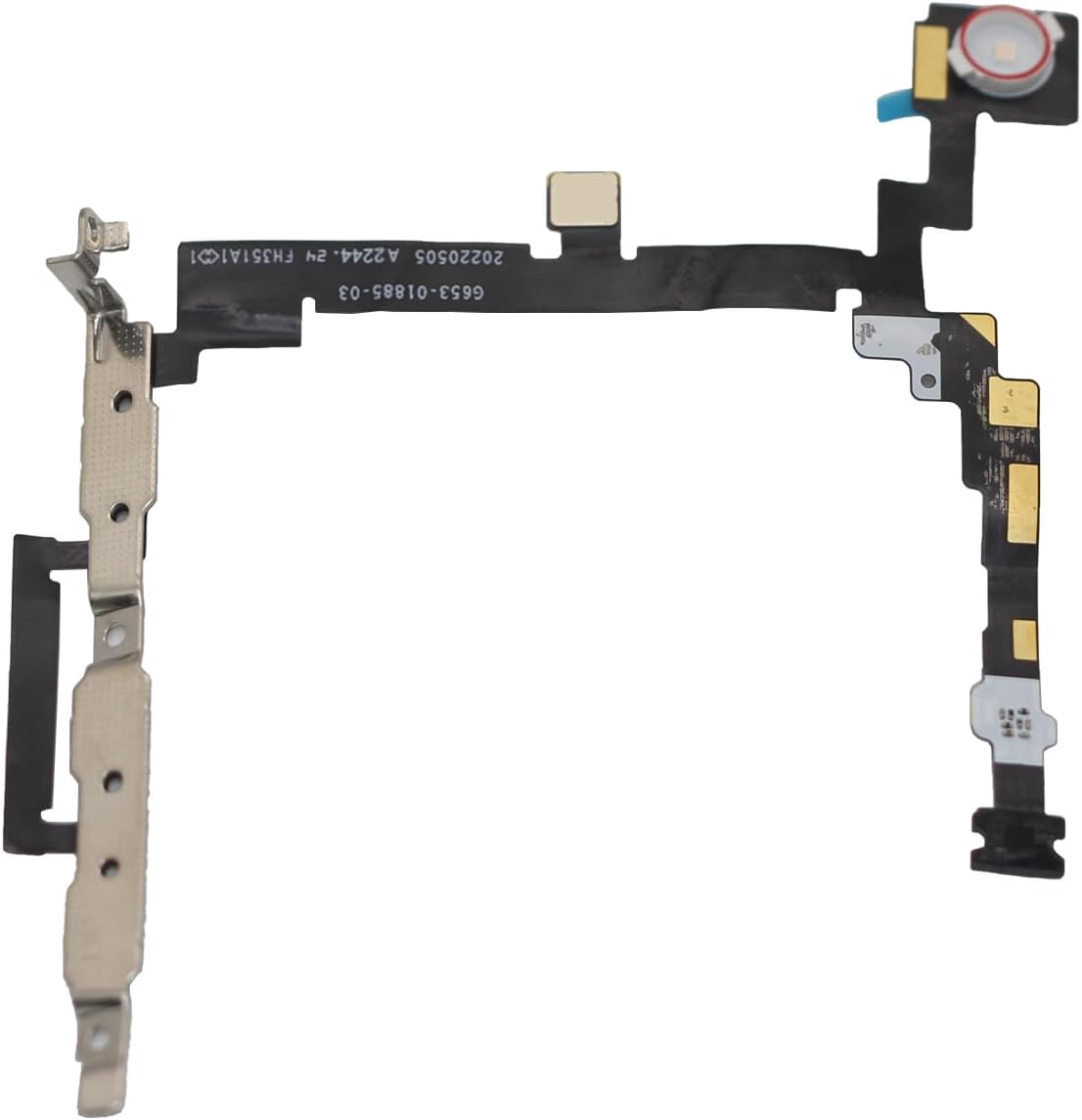
Figure 3.1: Detailed view of a connector on the flex cable. Proper alignment and secure connection of such points are critical during installation.

Figure 3.2: An underside view of the flex cable, showing the adhesive areas and structural elements that help secure it within the phone's chassis.
4. Operating Instructions
Once correctly installed, the flex cable enables the standard operation of your Google Pixel 7A's power and volume functions, as well as the flash light sensor. There are no specific operating instructions for the flex cable itself, as it functions as an integral part of the phone's hardware.
- Power Button: Press and hold to power on/off or restart the device. A quick press typically locks/unlocks the screen.
- Volume Buttons: Press the 'Volume Up' button to increase audio output and the 'Volume Down' button to decrease it.
- Flash Light Sensor: This sensor assists the camera's flash functionality and may also be used for ambient light detection. Its operation is automatic and integrated with the phone's camera and display settings.
5. Maintenance
As an internal component, the flex cable requires minimal user maintenance. However, to ensure its longevity and proper function, consider the following:
- Avoid Physical Damage: Protect your phone from drops, impacts, and excessive pressure, which can damage internal flex cables.
- Keep Dry: Prevent exposure to liquids, as moisture can corrode electronic components and lead to malfunction.
- Professional Servicing: If your phone requires further internal repairs, always seek assistance from qualified technicians to prevent damage to the flex cable or other components.

Figure 5.1: A close-up of the flash light sensor component integrated into the flex cable, showing its delicate structure.
6. Troubleshooting
If you experience issues with your power button, volume buttons, or flash light sensor after installation, consider the following troubleshooting steps:
- No Functionality: If the buttons or sensor do not respond at all, the most common cause is an improperly connected flex cable. This requires re-opening the device and carefully re-seating all connectors.
- Intermittent Functionality: This could also indicate a loose connection or, less commonly, a faulty flex cable. Re-checking connections is the first step.
- Physical Damage: Inspect the flex cable for any visible tears, bends, or damage that might have occurred during installation. If damage is present, the cable may need to be replaced.
- Software Issues: Ensure your phone's software is up to date. In rare cases, software glitches can affect hardware functionality.
If troubleshooting does not resolve the issue, it is highly recommended to consult a professional repair technician for diagnosis and repair.

Figure 6.1: The reverse side of the flex cable, showing additional circuitry and contact points that must be correctly aligned for proper function.
7. Specifications
| Feature | Detail |
|---|---|
| Item Model Number | L240414 |
| ASIN | B0D2VYM5PH |
| Manufacturer | Mustpoint |
| Compatible Device | Google Pixel 7A |
| Package Dimensions | 3.3 x 2.55 x 1.2 inches |
| Item Weight | 0.317 ounces |
| Date First Available | April 28, 2024 |
8. Warranty and Support
For specific warranty information regarding this Mustpoint product, please refer to the terms and conditions provided by your retailer or contact the manufacturer directly. Keep your proof of purchase for any warranty claims.
For technical support or inquiries, please contact Mustpoint customer service through their official channels. Contact information can typically be found on the product packaging or the retailer's website.