
1. Introduction
This manual provides detailed instructions for the safe and effective use, maintenance, and troubleshooting of your ZUYIYI Cordless Electric Pruning Shears. Designed for gardening tasks, this powerful tool offers efficient cutting for branches up to 1.2 inches (30mm) in diameter, featuring a brushless motor, LCD display, and compatibility with Makita 18V lithium-ion batteries.

Figure 1.1: ZUYIYI Cordless Electric Pruning Shears and included accessories.
2. Product Components
Familiarize yourself with the various parts of your pruning shears to ensure proper operation and maintenance.

Figure 2.1: Detailed view of the pruning shears components.
- LCD Digital Display: Shows cutting count and remaining battery power.
- Gear Adjustment: Mechanism for adjusting blade opening size.
- SK5 Carbon Steel Blade: Sharp and durable cutting blade.
- Anti-slip Grip: Ergonomically designed handle for comfortable and secure holding.
- Body Dustproof & Waterproof: Enhanced durability and protection against environmental elements.
- Battery Slot: Designed to protect inserted batteries.
3. Setup Instructions
3.1 Battery Installation
The ZUYIYI cordless electric pruning shears are compatible with 18V Makita lithium-ion batteries. Compatible models include BL1830, BL1840, BL1850, BL1850B, BL1860, and BL1860B. Batteries are not included with the tool.
- Ensure the pruning shears are powered off before inserting or removing the battery.
- Align the battery with the battery slot on the bottom of the pruning shears.
- Slide the battery into the slot until it clicks securely into place.
- To remove the battery, press the release button (if present) and slide the battery out.

Figure 3.1: Compatible Makita 18V battery models.
4. Operating Instructions
4.1 Powering On and Safety Lock
The pruning shears feature a built-in safety switch to prevent accidental activation.
- Insert the battery as described in Section 3.1.
- Press the power button once. The tool will beep once, indicating it is in standby mode.
- To activate the blades, press the trigger twice quickly. The blades will open, and the tool is ready for use.
- To power off, press and hold the power button. The tool will beep once and shut down.

Figure 4.1: Safety lock and activation process.
4.2 Adjusting Cutting Diameter
The shears offer four adjustable blade opening sizes to accommodate different branch thicknesses:
- 0.39 inches (10mm)
- 0.59 inches (15mm)
- 0.79 inches (20mm)
- 1.18 inches (30mm)
Refer to the product's gear adjustment mechanism for changing the blade opening size. This allows for clean, precise cuts without damaging branches.

Figure 4.2: Adjustable blade sizes for various cutting needs.
4.3 LCD Display
The integrated LCD display provides real-time information:
- Cutting Processes: Displays the total number of cuts made.
- Remaining Power: Indicates the current battery charge level.

Figure 4.3: LCD display showing cutting count and battery level.
4.4 General Usage Tips
- Always wear appropriate safety gear, including gloves and eye protection, when operating the shears.
- Ensure the branch is positioned correctly within the blades before making a cut.
- Avoid attempting to cut branches exceeding the maximum recommended diameter of 1.2 inches (30mm) to prevent damage to the tool.
- The tool is lightweight and designed for one-handed operation, making it suitable for extended use and for individuals with hand arthritis or limited strength.
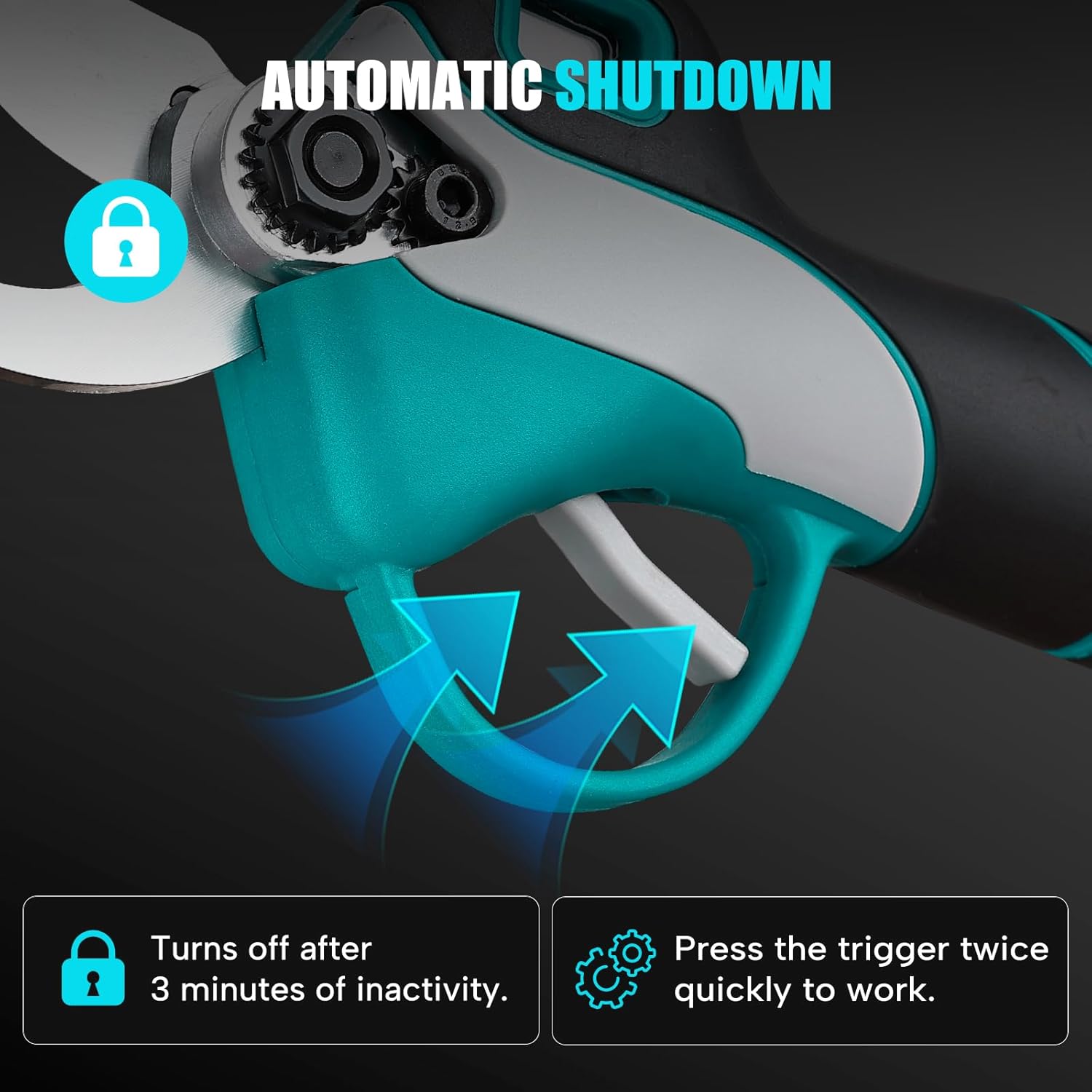
Figure 4.4: Ergonomic design for comfortable and easy use.
5. Maintenance and Care
5.1 Blade Care
The shears are equipped with a sharp and powerful blade made of Titanium SK5 high carbon steel. Regular maintenance ensures optimal performance and longevity.
- After each use, clean the blades to remove sap, dirt, and debris. Use a damp cloth and mild detergent if necessary. Dry thoroughly.
- Periodically apply a light coat of machine oil to the blades to prevent rust and ensure smooth operation.
- Sharpen the blades as needed using the provided sharpening stone or a suitable sharpening tool. Ensure the tool is powered off and the battery is removed before sharpening.
5.2 Blade Replacement
If the cutter head becomes damaged during use, it can be replaced. Please contact customer support for assistance with blade replacement.
6. Troubleshooting
This section addresses common issues you might encounter with your pruning shears.
| Problem | Possible Cause | Solution |
|---|---|---|
| Shears do not turn on. | Battery not inserted correctly or discharged. Safety switch not activated. | Ensure battery is fully charged and properly seated. Press the power button once, then press the trigger twice quickly to activate. |
| Blades do not cut effectively. | Blades are dull or dirty. Attempting to cut branches too thick. | Clean and sharpen blades. Ensure branch diameter is within the 1.2-inch (30mm) limit. |
| Tool stops unexpectedly. | Low battery power. Overload protection activated. Automatic shutdown due to inactivity. | Check battery level on LCD display and recharge if necessary. Reduce cutting load. The tool automatically shuts off after 3 minutes of inactivity; reactivate by pressing the trigger twice. |
7. Technical Specifications
| Feature | Specification |
|---|---|
| Model Number | 1587-1 |
| Brand | ZUYIYI |
| Power Source | Battery Powered (18V Makita compatible) |
| Voltage | 18 Volts |
| Wattage | 800 watts |
| Max Cutting Diameter | 1.2 inches (30mm) |
| Blade Material | Titanium SK5 High Carbon Steel |
| Item Weight | 2.21 pounds (without battery) |
| Handle Material | Rubber |
| Included Components | 1× Pruning Shears (without battery), 4 Wrenches |
8. Warranty and Customer Support
ZUYIYI offers a 3-year after-service for this product. If you encounter any issues or require assistance, please contact the seller or ZUYIYI customer support. For blade damage during use, contact support for replacement options.
For further inquiries or technical support, please refer to the contact information provided at the point of purchase or visit the official ZUYIYI website.